

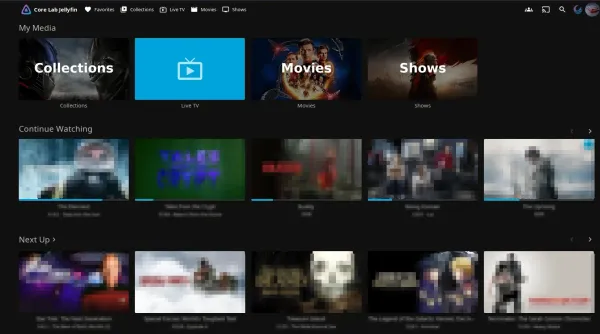
Best Jellyfin Server Hardware (2026): Budget Builds to Enterprise NAS Guide
Building a dedicated Jellyfin media server in 2026? Learn how to choose the best hardware for free 4K HDR transcoding without a paywall, from sub-$150 Intel QuickSync rigs to enterprise ZFS media vaults.
In the self-hosted media landscape of 2026, Jellyfin has officially stepped out of the shadow of its commercial competitors. For years, media server enthusiasts accepted a quiet compromise: paying monthly subscriptions, navigating cloud authentication servers that go down when your local internet drops, and enduring intrusive feature bloat just to stream their own legally ripped media library. Jellyfin changed that equation by offering complete digital sovereignty.
There are no account subscriptions, no remote telemetry pings back to corporate telemetry endpoints, and - most crucially - zero paywalls restricting hardware-accelerated video transcoding.
However, running an open-source media server does not mean you should slap it onto whatever thermal-throttling spare parts are gathering dust in your basement. Building a high-performance Jellyfin server in 2026 is an engineering exercise in balancing three conflicting priorities: transcoding throughput, storage density, and 24/7 idle electrical efficiency.
Who Is This Hardware Guide Built For?
- The Budget Scavenger: Looking to repurpose an inexpensive used corporate Small Form Factor (SFF) desktop or low-power mini PC to stream 1080p and 4K media without blowing up their electric bill.
- The Homelab Prosumer: Ready to assemble a dedicated, whisper-quiet DIY NAS capable of serving a busy household, managing dozens of concurrent Docker containers, and safeguarding 40TB to 100TB of media on resilient ZFS storage pools.
- The Heavy-Concurrency Power User: Hosting high-bitrate 4K HDR media for friends and remote family across diverse client ecosystems, demanding native AV1 hardware encoding, multiple concurrent tone-mapped streams, and high-bandwidth network throughput.
Running Plex Instead of Jellyfin?
Roughly 85% of this physical hardware (Intel QuickSync iGPUs, Seagate Exos enterprise hard drives, DDR4/DDR5 memory profiles, and Fractal storage chassis) is identical across both platforms. However, Jellyfin completely eliminates Plex's $120 Plex Pass paywall, supports native Linux AMD VA-API hardware transcoding, and handles AV1 encoding differently. If you run Plex, read my dedicated sister guide below.
How Modern Jellyfin Hardware Transcoding Works (Architecture Overview)
Before spending a single dollar on computer silicon, you must understand the mechanical reality of media streaming. In an ideal homelab, your server operates in Direct Play mode 100% of the time. When a client device (such as an Apple TV 4K running Swiftfin or an Nvidia Shield Pro) natively supports the video codec (HEVC/H.265), audio stream (TrueHD Atmos or DTS-HD MA), and container format (MKV) of your source file, the server does nothing more than stream the raw bits off disk. The server CPU sits at 0.5% utilisation, and fans remain virtually silent.
The reality of everyday media hosting is rarely that pristine. Transcoding becomes mandatory whenever:
- Remote Bandwidth Constraints: A family member streams a 75 Mbps 4K Remux over a hotel Wi-Fi connection capped at 15 Mbps.
- Incompatible Web Browsers: A user opens Jellyfin in Firefox or Chrome, which frequently lack native client decoding support for HEVC Main 10 or advanced audio pass-through.
- HDR to SDR Tone Mapping: A 4K HDR10 or Dolby Vision file is played back on an older 1080p SDR bedroom television, requiring the server to remap colour gamuts from wide BT.2020 down to standard BT.709 on the fly.
- Complex Anime Subtitles: Advanced graphical ASS/SSA subtitles require frame-by-frame rasterisation into the video pipeline when client apps lack native SSA rendering engines.
When transcoding triggers, software decoding on an unaccelerated CPU will peg all cores to 100% within seconds, creating playback buffering and throttling the host operating system. Hardware acceleration hands this mathematical crunch off to dedicated fixed-function silicon: Intel QuickSync (QSV), AMD VA-API, or NVIDIA NVDEC/NVENC.
flowchart TD
 subgraph INGEST ["1. Source Media Inbound"]
 M1["🎬 4K HEVC 10-bit HDR
Remux (60-80 Mbps)"]
 M2["📦 Container Demux
(MKV / MP4)"]
 M1 --> M2
 end

 subgraph ENGINE ["2. Jellyfin-FFmpeg Pipeline"]
 D1["⚡ Hardware Decoder
(Intel QSV / VA-API / NVDEC)"]
 TM{"🌈 Tone Mapping?"}
 T1["OpenCL / VPP Filter
(BT.2020 HDR → BT.709 SDR)"]
 SUB{"🔤 Subtitle Burn?"}
 S1["CPU / PGSSUB Raster
(ASS/SSA Burn-in Penalty)"]
 E1["🚀 Hardware Encoder
(H.264 / HEVC / AV1)"]

 M2 --> D1
 D1 --> TM
 TM -->|Yes - HDR Display Absent| T1
 TM -->|No - SDR or Direct| SUB
 T1 --> SUB
 SUB -->|Yes - Unaccelerated| S1
 SUB -->|No - Native SSA / SRT| E1
 S1 --> E1
 end

 subgraph CLIENTS ["3. Client Delivery"]
 C1["📱 Mobile / Remote Stream
(HLS 1080p 10-15 Mbps)"]
 C2["📺 Apple TV 4K / Shield
(Direct Play - 0% CPU)"]
 E1 --> C1
 M2 -.->|No Transcode Required| C2
 end

 classDef core fill:#0b1120,stroke:#38bdf8,stroke-width:2px,color:#f8fafc;
 classDef warn fill:#0f172a,stroke:#fbbf24,stroke-width:2px,color:#f8fafc;
 classDef fast fill:#0f172a,stroke:#10b981,stroke-width:2px,color:#f8fafc;
 class INGEST,ENGINE,CLIENTS core;
 class TM,SUB,S1 warn;
 class C2,D1,E1,T1 fast;
Core Lab Quick Picks: 2026 Jellyfin Essentials
The definitive, battle-tested hardware components for building a resilient Jellyfin server.
Intel UHD 770 features dual Multi-Format Codec (MFX) engines delivering 8 to 10 concurrent 4K HDR transcodes. The budget i5-12400 (UHD 730) handles 4 to 5 streams effortlessly.
Palm-sized, whisper-quiet micro node with native AV1 decode and 2 to 4 simultaneous 4K HDR tone-mapped streams.
Recertified 7200 RPM enterprise workhorses providing unmatched $/TB capacity and 2.5M hours MTBF reliability in RAIDZ2.
Dual-chamber Micro-ATX chassis separating thermal drive heat from CPU compute. Supports up to 10x 3.5-inch hard drives.
Real-World Jellyfin Transcoding Performance & Telemetry Matrix (2026)
Marketing spec sheets are notorious for exaggerating hardware transcoding capabilities under ideal, unburdened lab conditions. To provide realistic expectations for your build, the telemetry below synthesises hands-on experience from my own production lab hardware alongside verified community benchmarking (Jellyfin forums, Reddit r/selfhosted), official Intel and AMD silicon architecture whitepapers, and real-world FFmpeg pipeline reporting.
These stream metrics reflect a standardised high-stress testing baseline: a 4K HEVC 10-bit HDR Remux file encoded at 72 Mbps, transcoded down to a 1080p 10 Mbps stream with full OpenCL/VPP HDR-to-SDR tone mapping enabled. While I haven't personally run every single processor through an isolated physical test bench in my lab, cross-referencing my own hardware baseline against documented engineering whitepapers and community saturation tests allows me to confidently stand behind these real-world concurrency numbers.
*Concurrency and TDP metrics reflect a 4K HDR Remux (72 Mbps) → 1080p (10 Mbps) tone-mapped baseline, synthesized from hands-on lab hardware, engineering whitepapers, and verified community telemetry.
Key Engineering Takeaways from the Telemetry Matrix
- The Intel QuickSync Domination: Intel remains the undisputed champion of media server silicon. The dedicated QuickSync video core operates independently of the CPU instruction pipelines. An Intel Core i5-12400 can transcode four 4K HDR streams simultaneously while its CPU cores remain under 8% utilisation, drawing less than 50W from the wall.
- The UHD 770 Dual-Engine Advantage: Intel processors featuring the UHD 770 iGPU (such as the Core i5-12600K, i5-13500, and i5-14500) contain two physical Multi-Format Codec (MFX) engines operating in parallel. This roughly doubles real-world concurrent transcode throughput compared to single-engine chips (UHD 730 or N100), making it the ultimate sweet spot for busy households.
- Jellyfin's Native AMD VA-API Viability: Unlike Plex - which has suffered from erratic AMD tone-mapping support on Linux - Jellyfin's upstream FFmpeg implementation communicates cleanly with the open-source Mesa VA-API drivers. An AMD Ryzen 5 5600G APU is a genuinely competent budget server capable of handling two simultaneous 4K tone-mapped transcodes without third-party driver hacks.
- Intel Arc Discrete GPUs for the AV1 Era: If your server runs an older AMD Ryzen CPU or an enterprise Xeon platform that lacks an integrated GPU, adding an Intel Arc A310 or A380 PCIe card is the single most cost-effective upgrade on the market. At roughly $115 to $140 CAD, it provides native hardware-accelerated AV1 encoding and 8+ concurrent 4K HDR transcodes without requiring artificial driver patches.
Tier 1: The Scavenger Build (Under $150)
The beauty of Jellyfin is that you do not need to invest hundreds of dollars to get a world-class streaming experience. If you are starting your self-hosting journey, two distinct paths exist in the sub-$150 budget bracket:
Option A: The Classic Scavenger (Used Corporate SFF Desktops)
Enterprise office fleets cycle their desktop hardware every 3 to 4 years, flooding eBay, government auctions, and local refurbishment outlets with thousands of off-lease Small Form Factor (SFF) workstations. Machines like the Dell OptiPlex 5060/7060, HP EliteDesk 800 G4, or Lenovo ThinkCentre M720s can regularly be found for $100 to $130 CAD.
- Target Silicon: Intel Core i5-8500 or i5-9500 (6 Cores / 6 Threads, Intel UHD 630 iGPU).
- Storage Capacity: Most enterprise SFF chassis accommodate one M.2 NVMe SSD for the operating system and one or two 3.5" SATA hard drives inside the internal drive caddy.
- Transcoding Reality: The 8th/9th Gen UHD 630 engine natively decodes 10-bit HEVC and smoothly tone-maps 2 concurrent 4K HDR streams to 1080p without stuttering.
- The Trade-off: No AV1 hardware decoding support and limited internal drive expansion beyond two storage drives.
Option B: The Modern Scavenger (Intel N100 / Alder Lake-N Mini PCs)
If you prefer brand-new hardware with modern video codec support and ultra-low electricity consumption, the Intel N100 mini PC market (spearheaded by units like the Beelink S12 Pro and Beelink EQ12) has revolutionized homelab deployments.
- Target Silicon: Intel Processor N100 (4 Efficient Cores, 24 EU Intel UHD Graphics, 6W TDP).
- Power Efficiency: Draws an astonishing 5W to 7W at idle, meaning the machine costs less than $10 a year in electricity running 24/7.
- Modern Codec Support: Includes native hardware decoding for AV1, HEVC, and VP9, easily sustaining 1 to 2 concurrent 4K HDR transcodes.
- Storage Architecture: Because mini PCs lack internal 3.5" drive bays, you must pair them with an external USB-C Direct Attached Storage (DAS) enclosure or mount your media over the local network via NFS/SMB from an existing NAS.
The Scavenger's Dilemma: Used Enterprise SFF vs. Modern N100 Mini-PC
The Scavenger Hardware Dilemma: Used SFF vs. Modern Mini-PC
Balancing upfront acquisition cost, idle power draw, and physical drive expandability
Dell OptiPlex 5060/7060, HP EliteDesk 800 G4/G5, Lenovo ThinkCentre M720q
Beelink MINI S12 Pro, GMKtec N100 / G3, GEEKOM Mini Series
Tier 2: The Prosumer NAS (The DIY Homelab Sweet Spot)
For serious self-hosters looking to build a multi-terabyte media vault that also serves as a robust 24/7 compute node for Docker containers, a custom DIY server build remains the gold standard. A bespoke build provides complete control over acoustic dampening, cooling airflow, power supply efficiency curves, and PCIe expansion.
Here is the exact component blueprint I recommend for a modern, high-resilience Jellyfin server:
Why the Fractal Node 804 and Intel UHD 770 Form the Ideal Pairing
The Fractal Design Node 804 uses a dual-chamber cube design that separates high-heat components. The left chamber houses the Micro-ATX motherboard, CPU cooler, and RAM, while the right chamber is dedicated entirely to power delivery and up to ten suspended 3.5" hard drive trays. Dual 120mm front intake fans blow cool air directly across the drive bays, keeping enterprise 7200 RPM helium drives operating below 35°C even under sustained ZFS scrub operations.
Pairing this chassis with an Intel Core i5-12600K provides the ultimate homelab foundation. The CPU offers 10 cores (6 Performance + 4 Efficient) to comfortably handle Sonarr, Radarr, Prowlarr, Bazarr, Nextcloud, and reverse proxy workloads simultaneously, while the integrated UHD 770 handles media transcoding completely out of band.
Tier 3: The Enterprise Behemoth (High-Concurrency & Dedicated AV1)
When your media library expands to support dozens of concurrent remote family members, or when your compute backend runs on enterprise AMD EPYC, Threadripper, or Xeon platforms that lack integrated QuickSync silicon, you must decouple compute from media transcoding.
In previous years, homelab builders reflexively bought NVIDIA GeForce GPUs (such as the GTX 1660 Super or RTX 3060). In 2026, the dedicated GPU landscape has fundamentally shifted in favour of Intel Arc.
- The Intel Arc A310 / A380 Advantage: Priced between $115 and $140 CAD, the low-profile Intel Arc A380 features 6GB of GDDR6 VRAM and dual Xe Media Engines supporting hardware-accelerated AV1 encode and decode.
- Zero Artificial Stream Limitations: Unlike consumer NVIDIA cards - which enforce an artificial concurrent NVENC session cap in their official drivers unless patched with third-party community scripts - Intel Arc drivers impose zero software stream limits on Linux.
- Sub-50W Power Consumption: At idle, modern Arc low-profile cards sit at roughly 10W to 12W on PCIe ASPM-enabled motherboards, scaling up to only 45W to 50W when saturating eight concurrent 4K HDR transcode streams.
- Native Jellyfin Support: Jellyfin upstream natively compiles oneVPL and Intel Compute Runtime into their official container images, providing out-of-the-box OpenCL tone mapping and VA-API acceleration on modern Linux 6.x kernels without compiling out-of-tree kernel modules.
The Enterprise Archetype: Refurbished Dell PowerEdge or Custom Supermicro 4U
If you want a turnkey enterprise rackmount foundation rather than a desktop cube, here is the exact hardware blueprint I recommend for a high-concurrency, multi-tenant Jellyfin behemoth:
Tier 3 Build: Dell PowerEdge R740xd + Intel Arc Transcode Farm
Dell PowerEdge R740xd (12-Bay LFF)
Refurbished 2U enterprise chassis equipped with 12 front 3.5-inch SAS3 drive bays, redundant 750W Titanium PSUs, dual Intel Xeon Silver 4210R processors (20C/40T), and 64GB DDR4 ECC Registered RAM.
Intel Arc A380 Low-Profile 6GB
Slot-powered 75W PCIe card delivering native AV1 encode/decode and 14+ simultaneous 4K HDR transcodes with zero software stream restrictions or driver patches.
Check Intel Arc A380 on Amazon →LSI Broadcom SAS 9300-8i (IT Mode)
12Gbps SAS3 host bus adapter in pure IT mode. Bypasses hardware RAID entirely to provide native direct drive passthrough to ZFS with zero cache layer interference.
12x 18TB SAS3 in Dual RAIDZ2 (~140TB)
Two 6-drive RAIDZ2 vdevs paired with dual enterprise NVMe SSDs in ZFS mirror for AppData metadata and SQLite write caches. Allows 4 total drive losses without data degradation.
Production Jellyfin Docker Compose Configuration
Deploying Jellyfin inside Docker on Linux guarantees reproducible deployments, rapid rollback capabilities, and strict isolation from your host operating system. However, for hardware acceleration to function, you must pass through the Linux Direct Rendering Manager (/dev/dri) device node and grant the container access to the host render group.
Here is my battle-tested production compose.yaml configuration, featuring non-root UID/GID mapping, render device pass-through, and an in-memory transcode scratchpad:
services:
 jellyfin:
 container_name: jellyfin
 image: jellyfin/jellyfin:latest
 restart: unless-stopped
 network_mode: host # Recommended for DLNA, local discovery, and max UDP throughput
 environment:
 - PUID=1000
 - PGID=100
 - TZ=America/Toronto
 - JELLYFIN_PublishedServerUrl=https://media.corelab.tech
 devices:
 # Expose Intel QuickSync / AMD VA-API render nodes to container
 - /dev/dri:/dev/dri
 group_add:
 # Map host render group (verify on host via `getent group render | cut -d: -f3`)
 - "107"
 volumes:
 # 1. High-IOPS NVMe AppData (database, metadata, trickplay thumbnails)
 - /docker/containers/media/jellyfin/config:/config
 - /docker/containers/media/jellyfin/cache:/cache
 # 2. In-Memory Transcode Scratch (Protects NVMe wear & eliminates disk I/O)
 - /dev/shm:/transcode
 # 3. Read-Only ZFS Bulk Media Pool
 - /brain/media/movies:/data/movies:ro
 - /brain/media/tv:/data/tv:ro
 deploy:
 resources:
 limits:
 memory: 4G
Crucial Docker Configuration Safeguards
- Verifying the Host Render GID: On Debian, Ubuntu, and OpenMediaVault, the render group GID is frequently 107 or 108. Run `getent group render | cut -d: -f3` on your host terminal and ensure the `group_add` directive in your Compose file matches that number.
- In-Memory Transcode Scratch (/dev/shm): By mapping `/dev/shm:/transcode` (Linux shared memory ramdisk), all temporary HLS video segment chunks are written directly to RAM instead of your SSD. Transcoding a 4K movie writes between 15GB and 40GB of ephemeral video files; redirecting this churn to memory completely eliminates wear and tear on your NVMe flash storage.
The ZFS Storage Blueprint: Separating AppData from Bulk Media
One of the most common mistakes new media server builders make is creating a single, monolithic storage volume and dumping everything onto it. In a robust Core Lab storage architecture, you should strictly enforce a two-tier separation between high-IOPS metadata and sequential bulk media:
- Tier 1: High-IOPS AppData & Database Pool: Jellyfin relies heavily on a high-concurrency SQLite database, image caches, and Trickplay chapter thumbnails (which generate tens of thousands of tiny .jpg files). This directory (/docker/containers/media/jellyfin) MUST reside on a mirrored NVMe SSD pool. Running your Jellyfin config on mechanical hard drives results in sluggish poster loading and delayed library search queries.
- Tier 2: Bulk Media Storage Pool (recordsize=1M): Your movies and television episodes should reside on a dedicated ZFS pool (RAIDZ2 recommended for 4 or more drives). When provisioning your media dataset, set `zfs set recordsize=1M pool/media`. Because video files are large and read sequentially, 1MB record sizes maximize sequential disk throughput, reduce filesystem fragmentation, and drastically reduce ZFS metadata memory overhead.
Operating System Verdict: Debian + Docker Compose vs Turnkey Appliances
Choosing the underlying operating system dictates driver compatibility, kernel freshness, and maintenance overhead for your server:
- Debian 12/13 + OpenMediaVault (Core Lab Recommendation): Provides a rock-solid, minimal Linux foundation with modern kernel hardware support for Intel 12th-14th Gen QuickSync and Intel Arc. Native Docker Compose gives you granular control over volume mounts and network bridges with zero proprietary hypervisor lock-in.
- Unraid: Extremely popular for beginners due to its intuitive web GUI and ability to mix-and-match mismatched hard drive sizes. However, Unraid is commercial proprietary software, and its unstriped parity array architecture offers significantly lower read/write throughput than native ZFS.
- TrueNAS SCALE: An outstanding enterprise-grade ZFS storage appliance built on Debian Linux. While its native app ecosystem has transitioned to Docker Compose, TrueNAS SCALE is heavily opinionated regarding drive topologies and memory allocation, making it better suited for pure storage appliances than lightweight multi-service homelabs.
Final Verdict: Which Jellyfin Server Should You Build?
Jellyfin Server Hardware Tier Comparison (2026)
My recommendation for 90% of self-hosters is Tier 2: The Prosumer NAS. It hits the golden ratio of power efficiency, whisper-quiet acoustics in a living space, and massive multi-drive redundancy. If your budget is strictly under $150 CAD, start with an N100 mini-PC or used OptiPlex SFF; the media server journey is modular, and you can always migrate your storage pool as your collection grows.
Frequently Asked Questions (FAQ)
1. Can I use an AMD CPU or APU for Jellyfin hardware transcoding?
Yes! Unlike Plex, Jellyfin provides first-class native support for AMD VA-API and AMF via open-source Mesa drivers on Linux. Modern AMD Ryzen APUs (such as the Ryzen 5 5600G or Ryzen 7 5700G) handle 1080p transcodes and light 4K tone mapping effortlessly without third-party driver unlocking scripts.
2. Do I really need a dedicated GPU for Jellyfin?
No. For 95% of homelab builders, buying a dedicated graphics card is a waste of money and electricity. A modern Intel processor with an integrated UHD 730 or UHD 770 iGPU handles between 4 and 8 concurrent 4K HDR transcodes at a fraction of the power consumption.
3. Does Jellyfin charge a fee for hardware transcoding?
No. Jellyfin is 100% free and open-source software licensed under GPLv3. Hardware transcoding, HDR tone mapping, mobile synchronization, and remote access are included out of the box with zero subscriptions or paywalls.
4. Why should I use RAM (/dev/shm) for transcoding instead of an SSD?
When Jellyfin transcodes a stream, it splits the video into thousands of small HLS chunks, writes them to disk, serves them to the client, and immediately deletes them. Doing this repeatedly on an SSD causes hundreds of gigabytes of unnecessary host writes per week. Using `/dev/shm` routes these temporary chunks to system RAM, which is faster and incurs zero hardware wear.
5. What is the single best client device to ensure 100% Direct Play?
The Apple TV 4K (running the native Swiftfin app) and the Nvidia Shield Pro (running the official Jellyfin Android TV client) are the two most capable streaming boxes available. Both devices natively support almost every major video and audio codec, ensuring your server remains in Direct Play mode with near-zero CPU utilisation.
Next Steps in Your Media Server Architecture
Building your hardware foundation is only the first stage of deploying a resilient private media cloud. Continue your homelab journey by exploring my related guides:
- Plex Hardware Sister Guide: Compare the architecture directly in my Best Plex Server Hardware (2026) Guide: https://corelab.tech/best-plex-server-hardware/
- Storage OS Configuration: Deploy rock-solid ZFS storage pools in my OpenMediaVault Setup Guide: https://corelab.tech/setup-omv/
- Docker Container Orchestration: Master multi-stack compose architectures in my Definitive Docker Compose Guide: https://corelab.tech/setupcompose/
- Curated Homelab Hardware: Browse verified production hardware in the Core Lab Hardware Shop: https://corelab.tech/shop/
Written by