Best NAS & Homelab Hard Drives (2026): Plus the Canadian Recert Market
How to pick NAS hard drives in 2026, and the recertified Enterprise SAS/SATA drive market that quietly powers cost-effective Canadian homelabs.

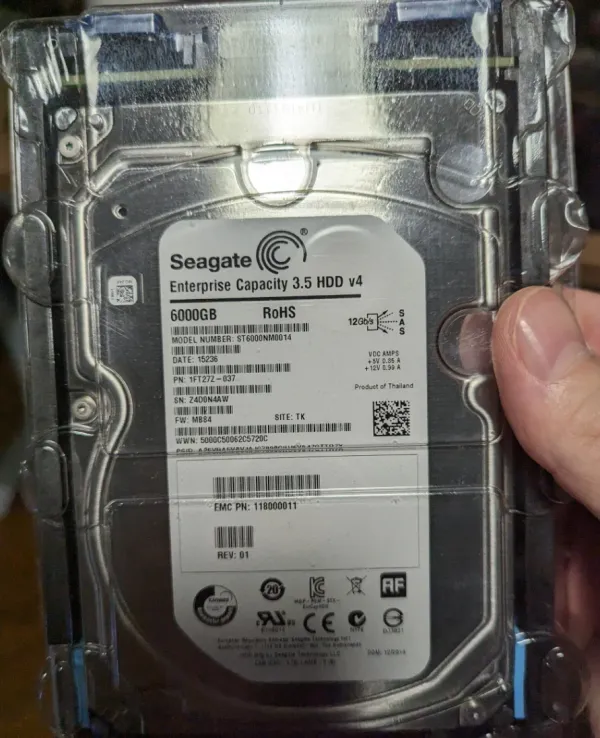
Drives are the ammunition of any NAS or homelab server. You can have the fastest CPU on the block, but a homelab lives or dies by its storage: capacity, redundancy, and cost-per-terabyte. My own main array runs 12×6TB Enterprise SAS drives in RAIDZ2 alongside a 5×8TB SATA RAIDZ1 pool, and a good chunk of that came from the recertified enterprise market rather than paying full retail.
This guide covers how to choose drives for a NAS or homelab server in 2026, and the recert SAS/SATA angle that Canadian builders in particular can use to slash cost-per-terabyte. For the full rig, see My Full Homelab Tech Stack.
The Homelab Hardware & Silicon Engineering Series
A battle-tested blueprint for homelab hardware: comparing server silicon, sizing quiet always-on mini-PCs, deploying turnkey NAS vs. custom chassis, and sourcing enterprise-grade storage media.
View tested enterprise drive models, localized smart links, and zero-dropout drives in the Core Lab Hardware Shop.
Hard Drive Basics
Platter speeds, cache, SAS, SATA, CMR vs SMR oh my! What does all this even mean?
To keep it simple, spinning "rust" (traditional magnetic hard drives with platters) have discs inside them, which a magnetic "head" reads and writes data to. It's like a wildly advanced version of those old huge floppy drives from way back in the late 1980's and early 1990's.
Once you understand some of the underlying terms and tech, it'll make things much easier for you to select the drives that you need, for your use case.
Platter Speeds
This one is pretty easy, faster=better (most of the time). For consumer/pro-sumer gear, you've got two choices and a higher tier for Enterprise:
- 5400 RPM
- 7200 RPM
- 10,000 RPM (Enterprise drives)
- 10K drives have mostly been replaced by SSDs by this point.
This metric directly effects how fast the disks inside the hard drive (the platters) spin, and can be read and written to which then dictates the overall performance of the drive. A modern drive can hit about 160MB/sec, and that's only because of 7200 RPM. Some Enterprise drives can hit about 250MB/s under ideal conditions, due to areal density/capacity!
Hard Drive Interfaces (SATA / SAS)
All consumer hard drives are SATA - Serial ATA drives. It's only in the business/Enterprise sphere you run into SAS - Serial-Attached SCSI. SAS drives are generally more reliable and faster than SATA, making them better suited to Enterprise use cases (servers) that require high performance and reliability. SAS drives often have more cache on each disk as well. SAS drives are full duplex as well and SATA is half. Networking term you ask? It means which direction the drives can read/write in at the same time... To SAS or not SAS around?
For the longest time, SAS drives were cheaper too, since they were usually purchased in bulk, and you need a specialized PCIE card to use them (an HBA - host bus adapter).
Basic Key Differences
| Feature | SATA | SAS |
|---|---|---|
| Reliability | Less reliable | More reliable |
| Data Transfer Speed | Slower | Faster |
| Use Case | Consumer desktops | Enterprise servers |
| Cost | Generally less expensive | Typically more expensive |
| Concurrent Data | Half-duplex (one direction) | Full-duplex (both directions) |
| Compatibility | Limited to SATA devices | Can support both SAS and SATA drives in the same server, but not in the same RAID configuration |
Use Cases
- SATA Drives: Ideal for consumer applications, such as personal computers and basic storage needs.
- SAS Drives: Best suited for enterprise applications, where multiple users access data simultaneously and high reliability is required.
If you can get a decent deal on SAS drives, don't sleep on it! Overall they are better.
CMR vs SMR?
This is the way in which the drives read and write data, and generally SMR (cheaper tech) is slower on RAID rebuilds, which has made it notoriously unpopular with the homelab / selfhosted community.
Just use CMR drives if using in RAID/ZFS, otherwise, cheapest drives you can get.
Does Bitrot Affect Me?
"Bitrot," or silent data corruption, is when a bit on your disk quietly flips without the drive noticing or reporting an error. No crash, no warning: just a photo with a corrupt block, or a database that subtly breaks months later. So is it a real threat, or a homelab boogeyman? The honest answer is that it is real but rare, and the risk scales with how much data you hoard.
The evidence is well documented:
- CERN, 2007: In a six-month study that wrote test files across 3,000+ nodes, CERN found silent corruption at every layer of the stack (disk, RAID, and memory), on the order of one corrupted bit in every 109. CERN data-integrity study.
- NetApp, 2008: A landmark analysis of 1.53 million drives over 41 months logged more than 400,000 silent checksum mismatches, and found that consumer-class ("nearline") drives suffered them roughly an order of magnitude more often than enterprise drives. USENIX FAST '08 paper.
- The datasheet math: a typical consumer hard drive is rated for one unrecoverable read error (URE) about every 1014 bits, which is only around 12.5 TB. Enterprise drives are usually rated ten times better (1015). Once your array is measured in the tens of terabytes, you are statistically going to meet a read error, usually at the worst possible moment: a rebuild.
And drives simply die, too. Backblaze's 2025 Drive Stats put the annualized failure rate across roughly 344,000 drives at 1.36%, so hardware failure is a constant, predictable background risk even when corruption stays invisible. Backblaze Drive Stats 2025.
Here is the point: you cannot spot bitrot with your eyes, and a plain mirror or hardware RAID will happily copy a corrupt block from one disk onto its twin. The only real defense is a filesystem that checksums every block and can repair it from parity. That is the entire reason I run ZFS, and why I scrub my pools on a schedule. If you take one thing from this guide, let it be that. Here is my complete RAID & ZFS write-up.
Best Hard Drives for a NAS or Homelab Server: Components & Upgrades
Hard Drives (The Ammo)
Now that you have been armed with the hard drive basics, onto what I use, live and die by, and rest my data on.
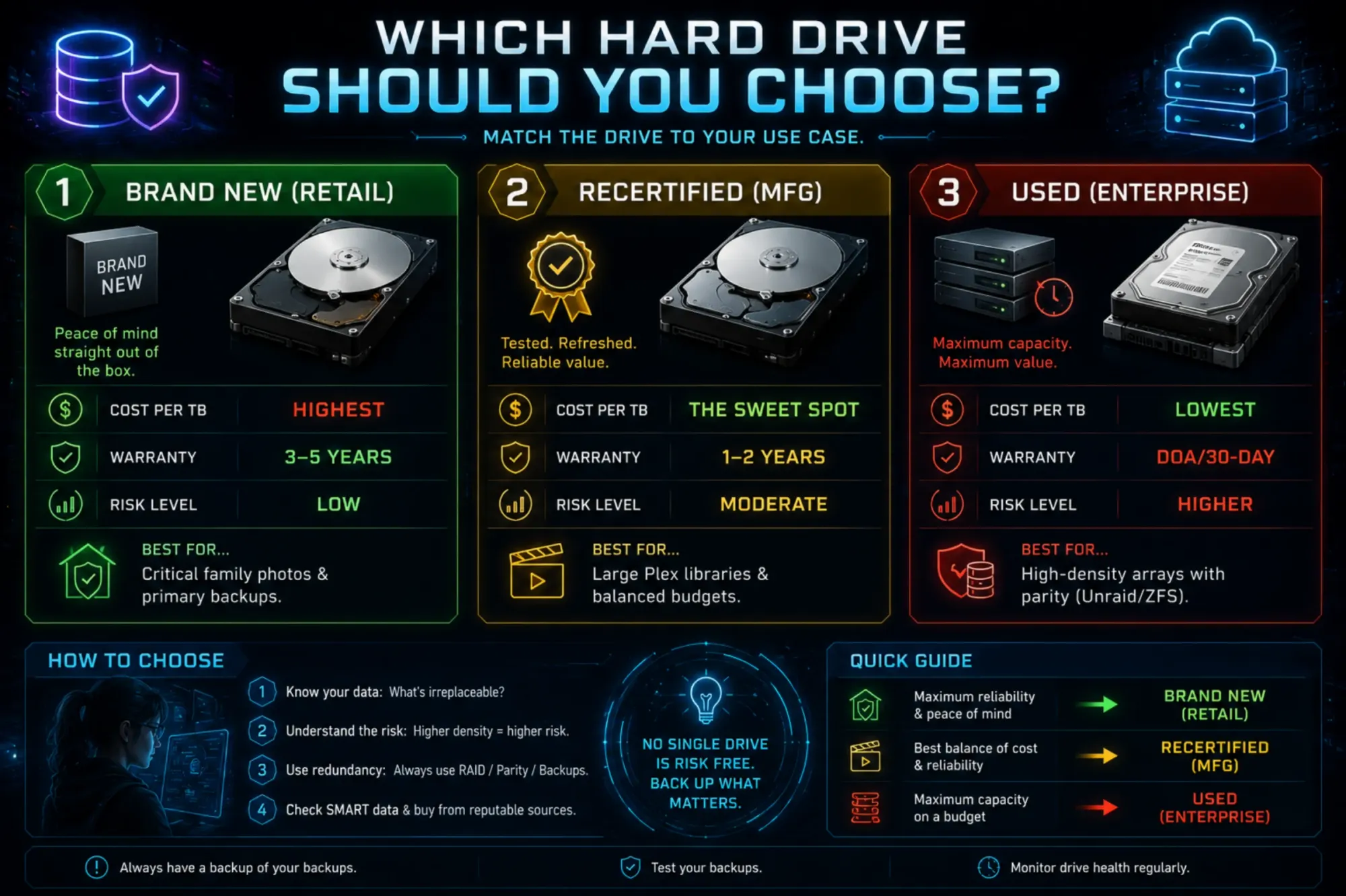
I'm a big fan of used/recertified Enterprise drives. People have strong feelings about this but I prefer a sweet spot with my very not unlimited budgets. I've been using recertified/second hand market drives since at least 2013. Important considerations when buying used/recertified drives:
- Price per TB, this is the ultimate metric.
- Reputation & Warranty of used/recertified Drive
- Ensure there's at least a DOA warranty, and/or a 30 day warranty so you have time to test it out and return/swap if needed!
- Mean-Time-Between-Failure rate (MTBF) of the drive
- Enterprise drives often have much higher MTBF
- Less so, SAS or SATA - I prefer SAS, but have and use both
- SAS is full-duplex, so it can read and write at the same time, while SATA is half-duplex. For spinning hard drives, though, the platter speed is the real bottleneck, so the real-world difference is small.
Brand is meaningless! I say it again - the BRAND is completely MEANINGLESS.
1. Price per TB 2. MTTF 3. Enterprise over consumer grade 4. 30 day or DOA warranty.
💾 The "Ammo" Matrix: Hard Drive Selection Guide
🛠️ Tactical Field Notes:
- The "Burn-In" Rule: Never trust a drive immediately, especially used or recertified ones. Run a Pre-clear or a full SMART Long Test before moving data onto it. If it’s going to fail, you want it to fail in the first 48 hours. As the devs/programmers say - you want things to fail fast and fail hard.
- The Noise Factor: Enterprise drives (SAS especially) are loud AF. If your server is in your bedroom, stick to 5400-7200 RPM "NAS" specific retail drives. If it's in a basement, go for the loudest, cheapest Enterprise SAS drives you can find.
- Parity is Not Backup: No matter which drive you pick, always have N+1 or N+2 redundancy. A used drive is perfectly safe if you have two other drives ready to take its place when it dies.
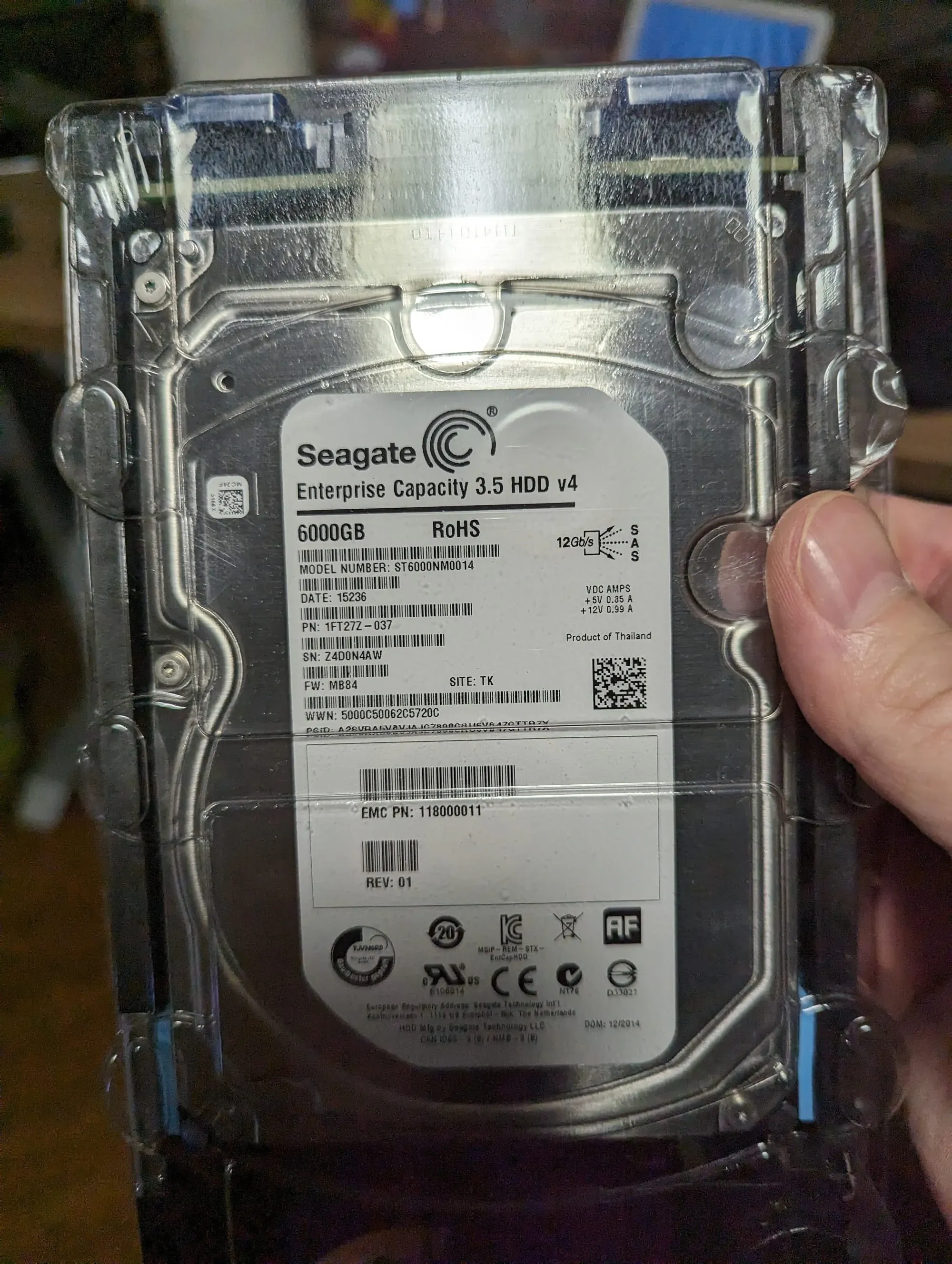
Recertified Enterprise SAS Hard Drives (14TB to 20TB)
- Homelab Role: High-Density ZFS RaidZ2 Storage Monolith Arrays
- Drive Architecture and Interface: Enterprise-grade dual-port 12Gbps SAS 3 interface with 7200 RPM spindle speed and helium-sealed drive mechanics. Designed for 2.5-million-hour MTBF and 550TB/year enterprise workload ratings.
- Sector Formatting and Controller Fit: Native 512e or 4Kn enterprise sector formatting. Requires an SAS Host Bus Adapter (HBA, such as an LSI Broadcom 9300-8i in IT-mode) and SFF-8643 to SFF-8482 cabling with SAS-compatible power.
- Deployment Note / Architectural Fit: The absolute lowest cost-per-terabyte storage medium for homelabs. By pairing recertified enterprise SAS drives with an inexpensive LSI HBA, homelabbers can build 80TB to 100TB+ redundant ZFS arrays at less than half the cost of retail consumer NAS drives.
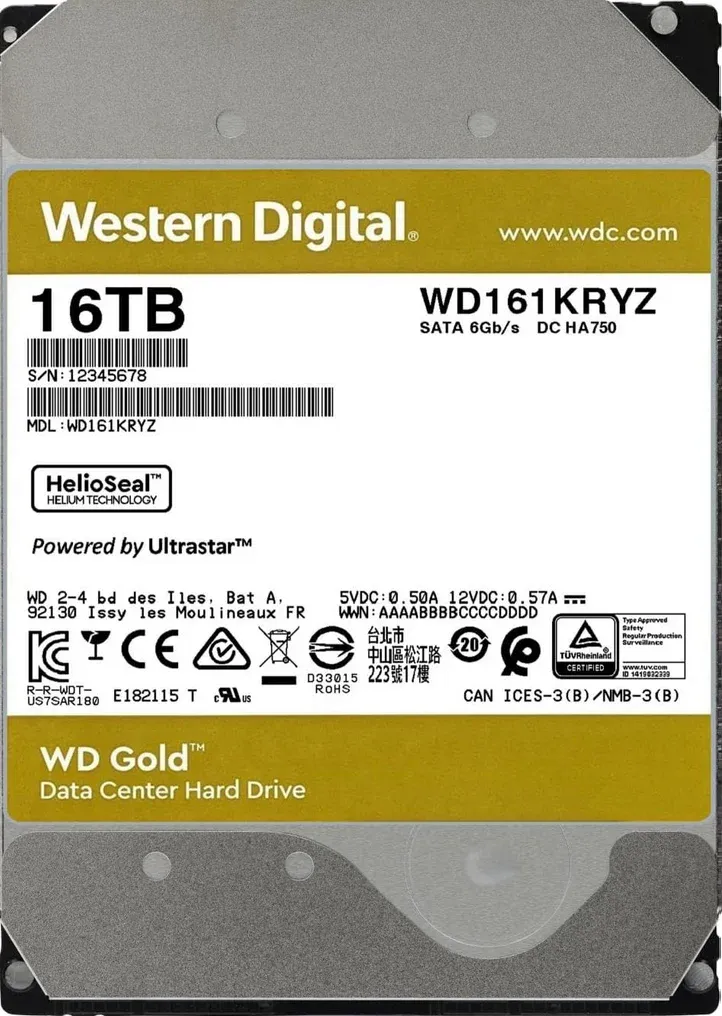
Recertified Enterprise SATA Hard Drives (14TB to 20TB)
- Homelab Role: Plug-and-Play Mass Storage for DIY NAS and Turnkey Systems
- Drive Architecture and Interface: Standard 6Gbps SATA 3 interface with 7200 RPM spindle speed, 512MB cache, and CMR (Conventional Magnetic Recording) technology with hermetically sealed helium enclosures.
- Compatibility and Workload: 2.5-million-hour MTBF and rated for 24/7 multi-drive vibration mitigation. 100% plug-and-play compatible with consumer motherboards, Synology, QNAP, and Terramaster enclosures without SAS HBAs.
- Deployment Note / Architectural Fit: The ideal balance of enterprise-grade endurance and universal consumer compatibility. Eliminates the need for specialized SAS HBAs while delivering the same high-capacity 550TB/year workload reliability for OpenMediaVault and TrueNAS storage pools.
Pro-Tip for the Canadian Market 🇨🇦
If you are buying from ServerPartDeals or GoHardDrive (the big US players), keep an eye on the exchange rate. Sometimes, even with shipping and the "Border Tax," their recertified 20TB-24TB drives are far cheaper than buying a new 14TB drive at a local big-box store. Below you'll find Canadian Homelab Hardware Buyer's Guide 👇
Keep Building the Fortress
This guide is one wing of the larger Homelab Hardware Guide. Continue your build with these companion resources:
Homelab Hardware Guides
The Complete Guide · Start Here
Best Homelab Hardware Guide (2026)
The Gatehouse
Best Mini PCs for a Homelab
The Engine
Best Homelab Server CPUs: Intel vs AMD
The Vault
Best Pre-Built NAS for a Homelab
The Ammo (This post)
Best NAS & Homelab Hard Drives
The Uplink
Homelab Networking Gear Blueprint
The Supply Line
Where to Buy Homelab Hardware in Canada
Frequently Asked Questions
Are recertified enterprise hard drives reliable?
Recertified drives are factory-tested and typically come with a warranty, which makes them a solid value for a NAS when bought from a reputable seller. Always run a full SMART test and burn-in before trusting new data to them.
What is the difference between CMR and SMR drives for a NAS?
CMR drives handle sustained random writes well and are the safe choice for ZFS and RAID. SMR drives are cheaper but can slow dramatically during rebuilds, so avoid them for NAS parity arrays.
How many drives do I need for RAIDZ2?
RAIDZ2 needs a minimum of four drives and can survive two simultaneous failures. Six or more drives is a common sweet spot, balancing usable capacity against redundancy.
Should I buy NAS-rated drives like IronWolf or WD Red?
NAS-rated drives are firmware-tuned for 24/7 operation, vibration tolerance, and RAID error handling. For a multi-drive array they are worth the small premium over normal consumer desktop drives.
Written by
On this page
What's Next?