My 2026 Homelab Networking Stack: OPNsense, UniFi & 10GbE
A real-world walkthrough of my 2026 homelab networking architecture: bare-metal OPNsense with 2.5GbE WAN, dual UniFi Gen2 switches, 10Gbps SFP+ storage backhaul, and Dockerized controller management.

Your ISP's router is a locked black box: dumbed-down firmware, zero VLAN support, no actionable firewall logs, and an integrated Wi-Fi radio that chokes the moment you add PoE security cameras and smart home sensors. Treating your home network as an unsegmented flat pool is an operational liability. Building a modular, multi-tier network stack (firewall, managed core switches, 10GbE storage backhaul, and separate access points) is the single highest-impact upgrade you can make to a homelab.
This post is the hardware counterpart to my OPNsense Master Series. Rather than detailing abstract enterprise recommendations, I am opening up the rack to document my exact 2026 production network. I will explain the hardware choices, show how I route 1.5Gbps symmetrical fiber across an aging desktop CPU, detail the 10GbE DAC storage backhaul, and provide the complete Docker Compose architecture for running the UniFi controller without cloud lock-in.
Quick Picks: Core Lab 2026 Networking Essentials
If you are looking for battle-tested hardware recommendations without wading through enterprise catalogue fluff, these are the exact cornerstones of my current deployment:
Repurposed Desktop / N100 + OPNsense
Intel Core i7 or modern Alder Lake-N N100 with multi-gigabit NICs. Runs Suricata IDS and Zenarmor with zero thermal throttling.
Ubiquiti UniFi 24-Port & 16-Port PoE
Quiet Gen2 switching. Handles 802.1Q VLAN trunking, PoE camera budgets, and access point delivery through a central local UI.
Binardat 8-Port 10G SFP+ Switch
Dead silent, fanless metal chassis. Delivers wire-speed 10Gbps transfers between NAS storage and compute over cheap passive DAC cables.
Ubiquiti UniFi AP Array (3x APs)
Ceiling and wall-mounted PoE APs. Handles multi-SSID VLAN mapping (Trusted, IoT, Guest) with seamless 802.11k/v/r client roaming.
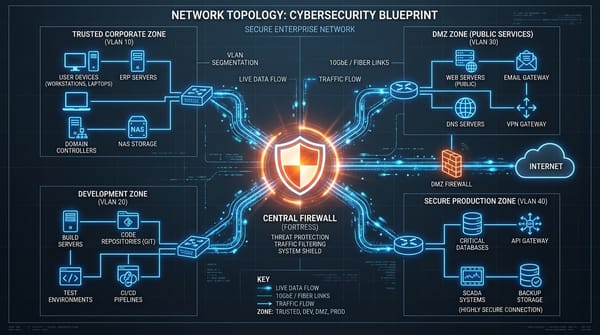
The Core Lab Network Architecture: Topology Diagram
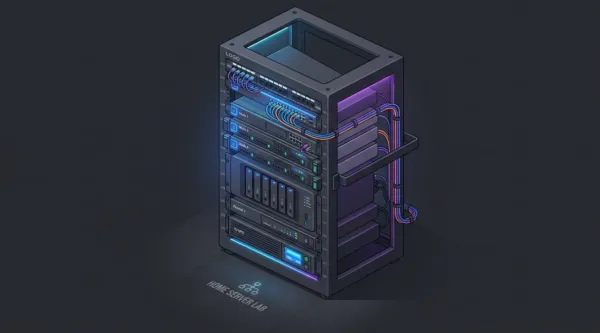
Here is how traffic physically and logically flows through my homelab: from the 1.5Gbps symmetrical fiber line down into the OPNsense bare-metal engine, across the UniFi distribution core, and through the 10GbE SFP+ storage backbone.
The Three Hardware Tiers: Why These Choices Work
1. The Firewall: A Repurposed Desktop, Not a Fragile Appliance
There is an aggressive marketing push in the homelab space insisting you must spend $400 to $600 on proprietary fanless micro-appliances (like Protectli or Netgate boxes) to run an open-source firewall. If low power draw is your sole metric, an Intel N100 mini-PC is a fantastic budget option. However, for sheer routing throughput and deep packet inspection, a repurposed desktop PC remains the ultimate sleeper firewall. In Canada, where telecommunications providers like Bell and Rogers push 1.5 Gbps to 3 Gbps fiber packages with proprietary gateways (such as the Bell Giga Hub), having dedicated 2.5GbE WAN capabilities is essential for running clean PPPoE or Advanced DMZ pass-through without paying steep monthly enterprise hardware rental fees.
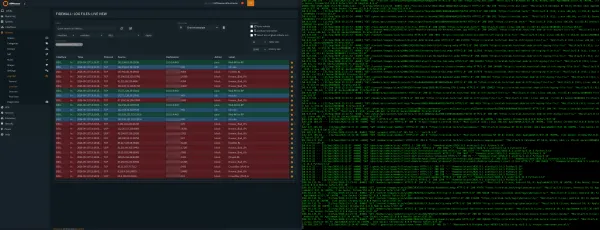
My OPNsense router runs on an old Alienware desktop chassis powered by an Intel Core i7-6700K. While that Skylake CPU is aging by desktop standards, in the networking world it is an absolute juggernaut. It features four physical cores and eight threads clocked at 4.0GHz. Even with hardware crypto (AES-NI), Suricata Intrusion Prevention (IPS), CrowdSec edge bouncers, and Zenarmor Layer-7 application control inspecting every inbound packet, CPU utilization rarely exceeds 12% under a full 1.5Gbps saturation test.
Overcoming the 1GbE Bottleneck on Fiber:
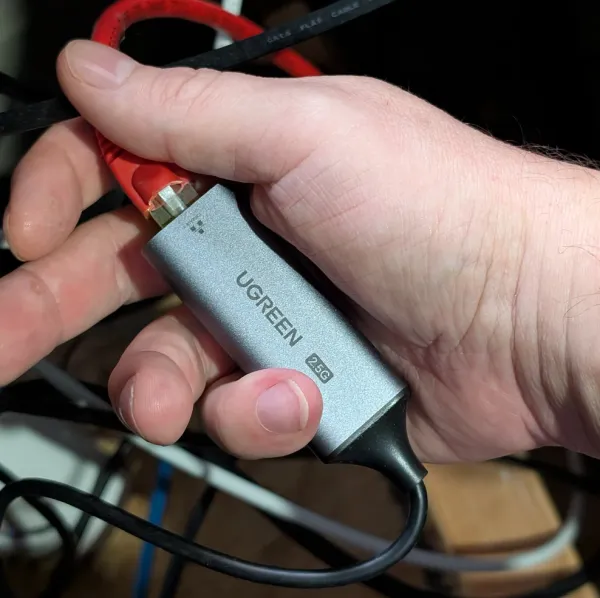
The onboard motherboard NIC was capped at 1GbE (limiting real-world throughput to 940 Mbps). Instead of discarding the system or purchasing an expensive proprietary NIC, I plugged in a sub-$25 UGREEN USB 3.0 to 2.5GbE Adapter (Realtek RTL8156B) as documented in my UGREEN 2.5G OPNsense WAN Review. Paired with the compiled FreeBSD realtek-re-kmod driver, it delivers rock-solid, sustained 1.5Gbps symmetric throughput without a single kernel panic since August 2024.
2. The Switching Core: Dual UniFi Gen2 Switches
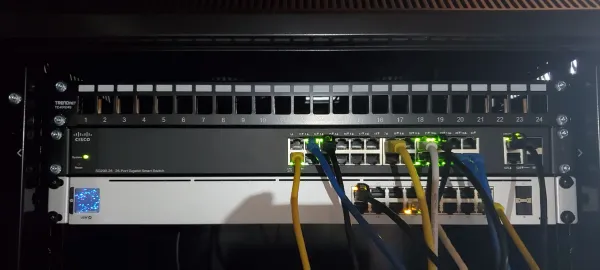
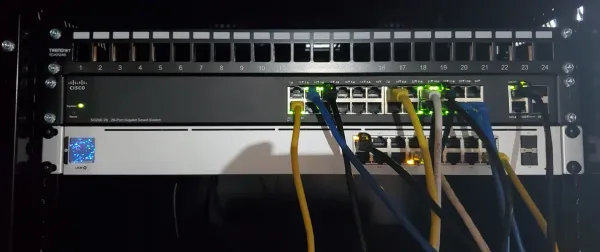
Switching in Core Lab is split into two dedicated tiers: a primary distribution core and a dedicated PoE utility switch:
- UniFi 24-Port Switch (USW-24-G2): This is the nerve centre of the house. All 802.1Q VLANs tagged at OPNsense arrive here over a high-speed trunk. It handles wired workstation drops, links to secondary switches, and provides silent, fanless operation in my workspace.
- UniFi 16-Port Switch with 8x PoE+ (USW-16-PoE): This switch is dedicated to powered perimeter devices. It powers all three UniFi Wi-Fi access points and external PoE security cameras over standard Cat6 runs, keeping power delivery isolated from the core data switch.
The main reason I chose UniFi for switching (rather than mixing mismatched managed switches like TP-Link Omada or Netgear Smart Managed) is centralized VLAN provisioning. When I create a new isolated DMZ VLAN or IoT network, I define it once in the controller, and it instantly synchronizes across all switch ports and wireless SSIDs simultaneously.
3. The Storage Backbone: Binardat 8-Port 10GbE SFP+ Switch
Gigabit networking is fatal to high-density storage servers. Backing up a 100GB virtual machine disk over standard gigabit takes fifteen minutes. Over a 10GbE link, it finishes in roughly 85 seconds.
In my rack, I route all storage traffic through a dedicated Binardat 8-Port 10G SFP+ Switch. While enterprise enthusiasts often spend $400 on MikroTik CRS309 or used Brocade switches, the fanless Binardat metal box costs less than $140 CAD ($100 USD) and provides eight full-speed 10G SFP+ cages.
Core Lab 10GbE Real-World Telemetry (iperf3 Benchmark)
[ ID] Interval           Transfer     Bitrate         Retr
[  5]   0.00-1.00   sec  1.10 GBytes  9.44 Gbits/sec    0
[  5]   1.00-2.00   sec  1.10 GBytes  9.42 Gbits/sec    0
[  5]   2.00-3.00   sec  1.10 GBytes  9.43 Gbits/sec    0
[  5]   3.00-4.00   sec  1.10 GBytes  9.44 Gbits/sec    0
- - - - - - - - - - - - - - - - - - - - - - - - - - - - - - -
[ ID] Interval           Transfer     Bitrate         Retr
[  5]   0.00-10.00  sec  10.98 GBytes  9.43 Gbits/sec    0   sender
[  5]   0.00-10.00  sec  10.97 GBytes  9.42 Gbits/sec        receiver
Measured between my 18-drive OpenMediaVault NAS (Fractal Define 7 XL) and primary Linux workstation via 0.5m passive Direct Attach Copper (DAC) cables.
Why DAC Cables Beat Fiber Inside the Rack:
For equipment sitting within the same rack or room, do not waste money on optical transceivers and fragile LC fiber patch cords. I use short 10G SFP+ Direct Attach Copper (DAC) cables. They consume less than 0.1W per port (compared to 2W to 3W for 10GBASE-T RJ45 copper transceivers that run boiling hot), generate zero latency, and negotiate instantly upon boot. Total continuous power draw for this entire physical networking tier (OPNsense desktop, USW-24, USW-16-PoE, and the Binardat 10G switch) measures under 65W at idle. Under Ontario time-of-use (TOU) hydro billing, running this enterprise-grade switching backbone costs less than $6 CAD per month in continuous electricity.
The Brain: Self-Hosting the UniFi Controller in Docker
You do not need to buy Ubiquiti's expensive Cloud Key hardware or hand your network credentials to Ubiquiti's cloud portal. I host the entire UniFi Network Application locally in Docker on my Linux server. It uses minimal resources, stores all configuration backups locally, and survives complete internet outages without complaint.
Here is my production Docker Compose configuration using the rock-solid LinuxServer image and a local MongoDB 7.0 database container:
services:
  unifi-db:
    image: mongo:7.0
    container_name: unifi-db
    restart: unless-stopped
    volumes:
      - /ssd/containers/unifi/db:/data/db
      - /ssd/containers/unifi/init-mongo.js:/docker-entrypoint-initdb.d/init-mongo.js:ro
    environment:
      - MONGO_INITDB_ROOT_USERNAME=root
      - MONGO_INITDB_ROOT_PASSWORD=${MONGO_ROOT_PASSWORD}
      - MONGO_INITDB_DATABASE=unifi
    networks:
      - unifi-internal

  unifi-network-application:
    image: lscr.io/linuxserver/unifi-network-application:latest
    container_name: unifi-network-application
    restart: unless-stopped
    depends_on:
      - unifi-db
    environment:
      - PUID=1000
      - PGID=1000
      - TZ=America/Toronto
      - MONGO_USER=unifi
      - MONGO_PASS=${MONGO_UNIFI_PASSWORD}
      - MONGO_HOST=unifi-db
      - MONGO_PORT=27017
      - MONGO_DBNAME=unifi
      - MEM_LIMIT=1024
      - MEM_MAX_LIMIT=2048
    volumes:
      - /ssd/containers/unifi/config:/config
    network_mode: host  # Required for L2 switch discovery & device adoption

networks:
  unifi-internal:
    driver: bridge
Note: Running the controller with network_mode: host is critical so it can properly listen for Layer-2 broadcast discovery packets from newly connected UniFi access points and switches during initial adoption.
VLAN Segmentation Matrix: How Traffic is Isolated
A multi-switch stack is meaningless without rigorous network segmentation. Every packet on my network is tagged at the OPNsense firewall and enforced across the UniFi switch ports and wireless SSIDs according to strict security tiers:
The Bottom Line: Building a Pragmatic Homelab Network
Building an enterprise-grade home network does not require spending thousands on branded enterprise hardware. By combining a repurposed desktop for OPNsense, an affordable sub-$25 USB 2.5GbE NIC, fanless Binardat 10G SFP+ switching for your storage backhaul, and Ubiquiti UniFi switches for clean VLAN distribution, you get unmatched reliability, dead-silent acoustics, and full 1.5Gbps throughput at a fraction of the cost.
For more detailed step-by-step walkthroughs on configuring the software powering this stack, explore:
Written by
On this page
What's Next?