
Prime Day 2026: Homelab, Networking & Budget PC Deals Worth Your Click

This post is for the people who have a rack in a closet, a NAS that runs 24/7, and a rough draft of a network diagram they've been meaning to clean up or better yet, have a missing piece they need to do the build! If that's you, I dug through the actual Prime Day promo catalog so you don't have to - here's what's genuinely worth looking at and most of it is what I have used.
🔌 High-Speed Networking & Switch Deals
If you have a rack in a closet or a growing pile of hardware on a desk, you know that gigabit networking quickly becomes a massive bottleneck. Upgrading to a faster backhaul doesn't have to break the bank. Here are the genuine networking wins from this year's catalog.
MikroTik CRS309-1G-8S+in (The 10GbE Standard)
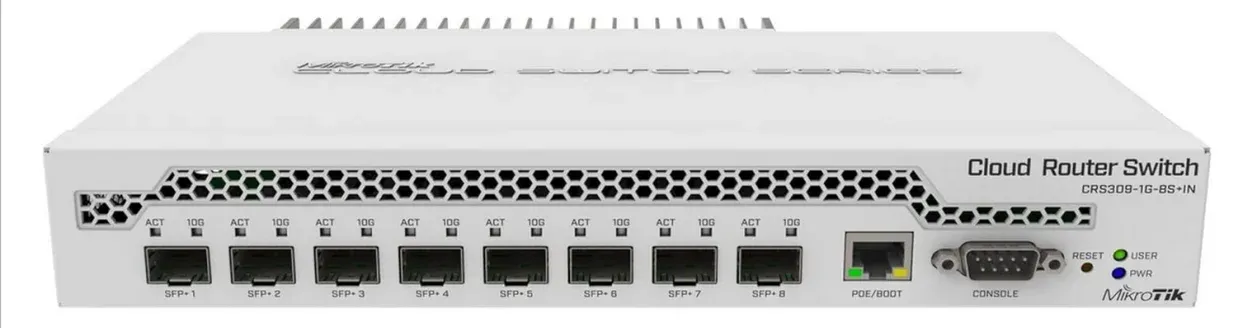
If you’ve been putting off a 10GbE core network upgrade because enterprise switch prices are offensive, this is your moment.
The MikroTik CRS309 gives you eight 10G SFP+ ports alongside a dedicated 1GbE RJ45 management port. It runs either RouterOS or SwOS, giving you full layer 2 and layer 3 managed control depending on how deep down the networking rabbit hole you want to go. For intensive lab workloads—like high-speed NAS access, VM storage replication, or local iSCSI targets—this switch is a total game-changer.
- Specs: 8 × SFP+ 10GbE Ports | 1 × Gigabit RJ45 Port | Fanless Passive Cooling | Dual-boot OS (RouterOS/SwOS)
- Best For: Aggregating storage traffic between a high-speed NAS and virtualization hosts without noise.
→ Check it on Amazon ⭐ 4.6 (On sale presently!)
A Cheaper Option at 1/2 the price!👇
Binardat 8-Port 10GbE SFP+ (The Budget Alternative)
Want 10GbE speeds but don't want to drop standard MikroTik cash? This is the budget response.
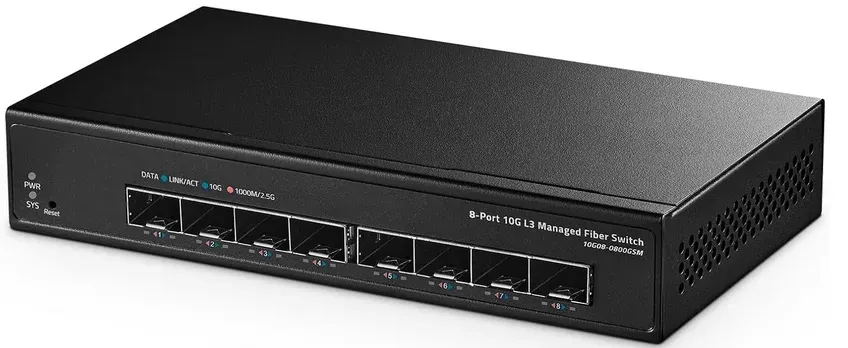
- Specs: 8 × 10G SFP+ Ports | 160Gbps Switching Backplane | Layer 2 Managed Features
- Best For: Getting maximum SFP+ port density on a tight budget (typically hovers around $125 CAD).
➡️Check it on Amazon ⭐ 4.0 (About $125 CAD only!)
Ubiquiti UniFi AP AC PRO (Reliable Wireless Infrastructure)

The UniFi AC PRO has been a staple recommendation in homelab circles for years because it simply works, the controller ecosystem is mature, and the hardware ages incredibly gracefully.
While it’s technically an older Wi-Fi generation at this stage, it remains a robust, enterprise-grade workhorse. It features standard 802.11ac Wave 2 tech, is completely PoE-powered, and handles advanced tasks like multi-SSID VLAN tagging and seamless client steering effortlessly. If you're looking to migrate off a flaky consumer mesh system into something you actually have visibility into, this is an excellent entry point.
- Performance: Real-world throughput easily hits 400–500 Mbps on clean channels.
- Best For: Stable, VLAN-aware whole-home wireless coverage with centralized management.
→ Check it on Amazon ⭐ 4.6
🖥️ Best Mini-PCs for Home Servers & Firewalls
The lines between a homelab and a custom build often blur. Whether you need a new storage node, a dedicated OPNsense box, or a virtualization host, Prime Day is a legitimate window to grab efficient compute clusters at a massive discount.
Here is what is sitting in the deal catalog right now that hits the absolute sweet spot for price and performance.
ACEMAGICIAN AMD Ryzen 4300U (The Low-Cost Docker Node)
This isn't the fastest or flashiest box on the market, but it represents the "utility sweet spot" for deployments where raw horsepower isn't the priority.
For the price of a couple of high-end single-board computers, you get a fully enclosed, x86-based system with expandable storage. It delivers roughly 28% higher performance than the standard Intel N100/N150 chips often found in this budget tier, making it incredibly versatile for deployment spin-ups.
- Ideal Use Cases:
- A lightweight, highly portable travel PC or crash-cart companion.
- A dedicated media player attached to a TV or projector.
- A standalone, low-power Docker node for isolated testing.
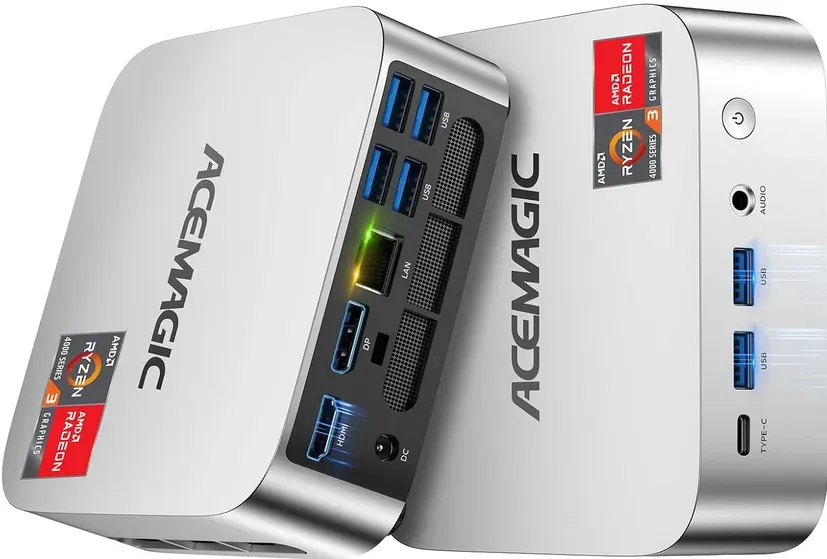
ACEMAGIC Mini PC Windows 11 Pro, AMD Ryzen 4300U
- ACEMAGIC Mini PC is powered by Latest Processor AMD Ryzen 4300U(4Cores/4 Threads, BASE 2.7GHz, MAX TO 3.7GHz) , delivers more than 28% higher performance than N150.
- 1000M RJ45 Gigabit Ethernet Port *1
- 16GB LPDDR4 & 512GB M.2 2280 SSD
- Expandable/Upgradable M.2 NVMe PCIe 3.0 SSD or M.2 SATA SSD to upgrade storage to 2TB.
GMKtec M7 Ryzen 7 PRO 6850H (The Ultimate Multi-Tasker)
This is the exact machine I run in my own lab, and it is still the one I would buy again without hesitation.
The 6850H’s integrated RDNA 2 GPU is genuinely useful for hardware-accelerated media transcoding, and the dual 2.5GbE NICs use real Intel controllers (not Realtek). It currently handles Debian alongside a ~50-container workload in my setup without a single complaint. If you want one compact machine to act as a Docker host, media server, and lightweight network controller, this is the pick.
- Specs: Ryzen 7 PRO 6850H (8C/16T, up to 4.70GHz) | 32GB DDR5 RAM | 512GB PCIe NVMe SSD | Dual USB4 | HDMI 2.1
- Best For: All-in-one homelab nodes, Proxmox hosts, and media servers.
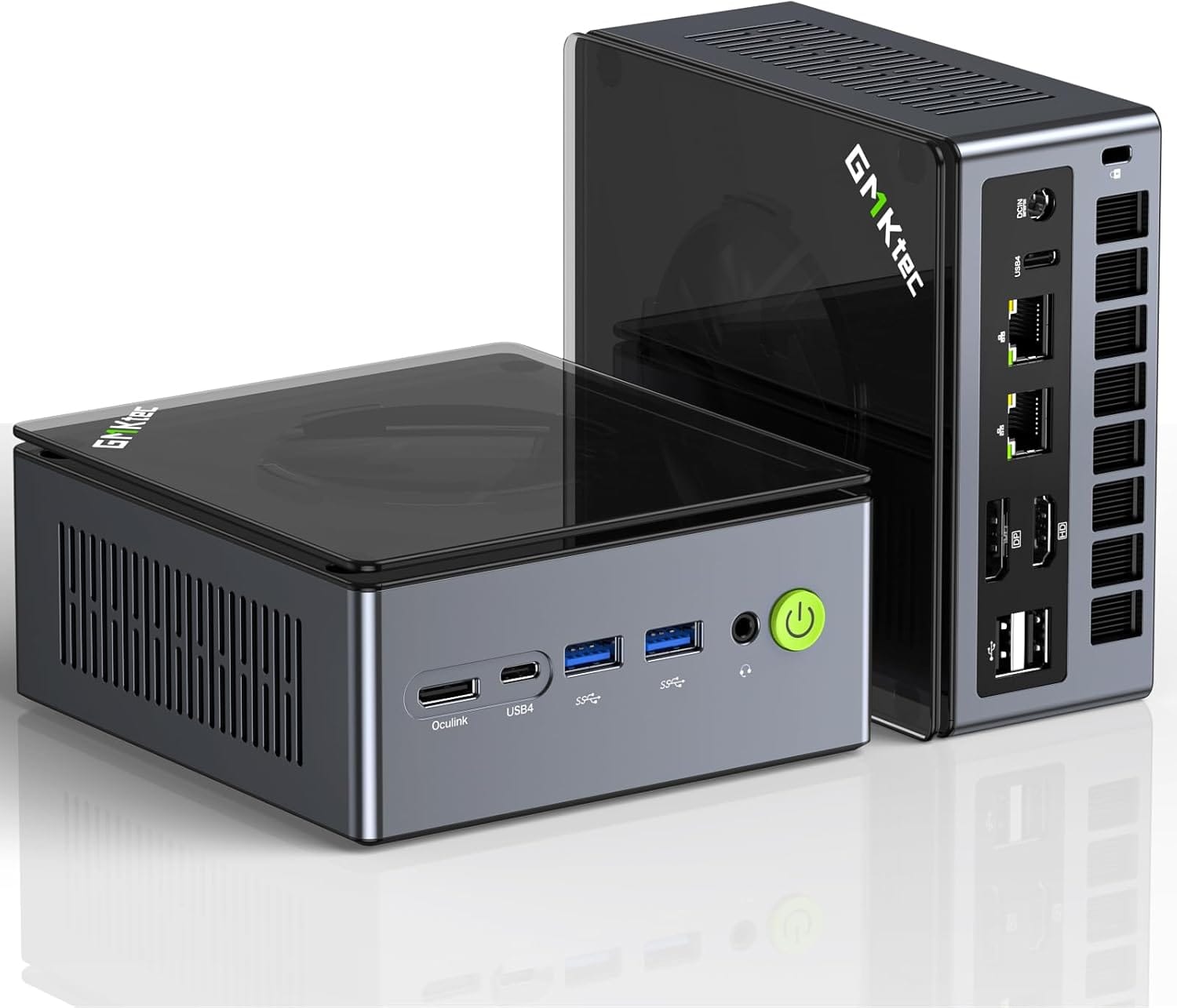
Dual NIC LAN 2.5G Desktop Computer, 32GB DDR5 RAM + 512GB Hard Drive PCle SSD, Dual USB4, HDMI 2.1, USB-C
GMKtec M8 Ryzen 5 PRO 6650H (The Dedicated OPNsense Box)
At roughly $389 CAD on sale, the M8 is my top recommendation for readers who want a robust, dedicated hardware appliance for routing and security.
The 6650H provides massive processing headroom for running resource-heavy packages like Zenarmor IDS/IPS, Suricata rulesets, and complex multi-VLAN routing without breaking a sweat or spiking your power bill.
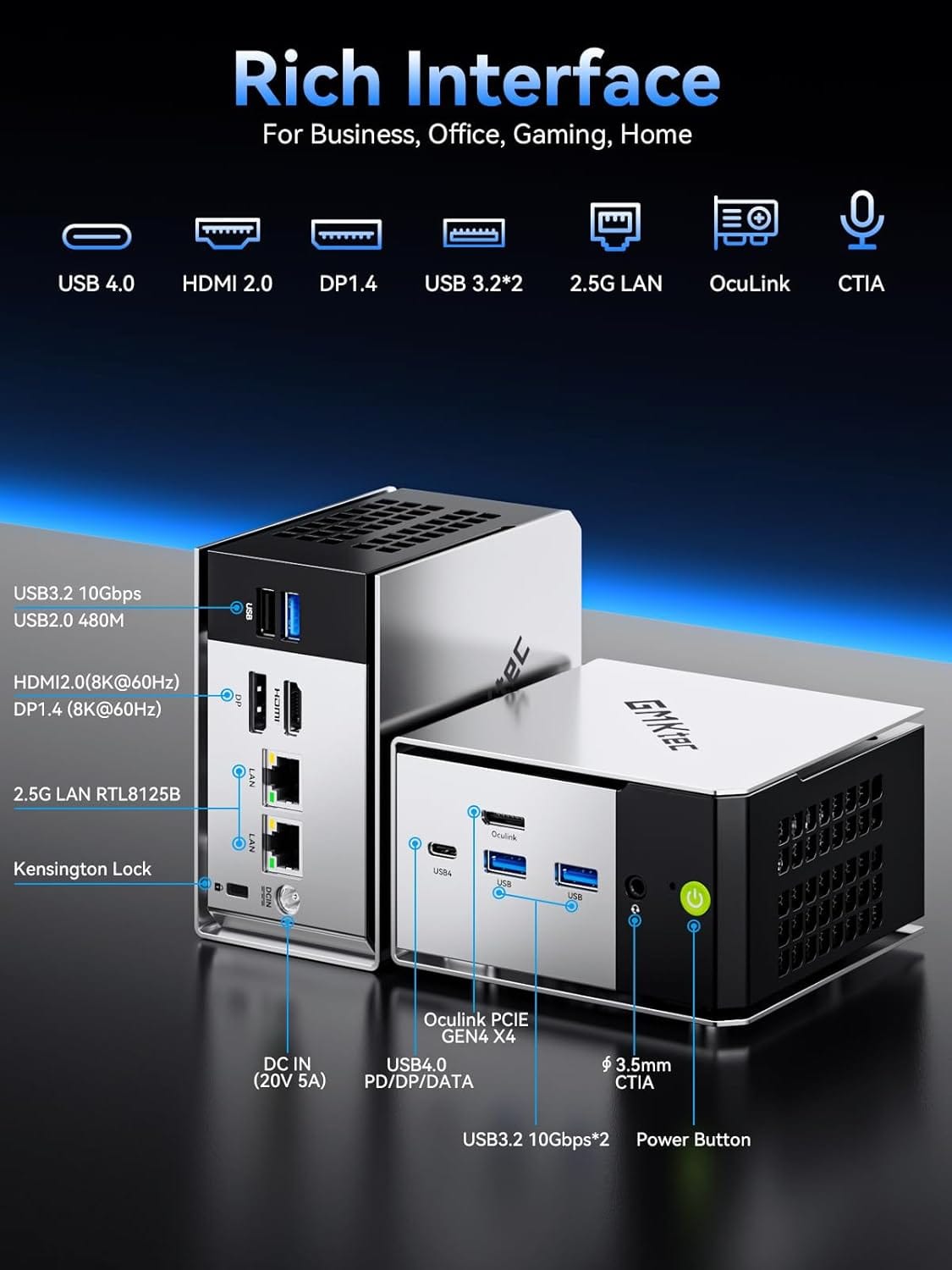
⚠️ Important Caveat: The M8 ships with onboard Realtek RTL8125B NICs. While Realtek has come a long way on Linux, some network purists still don't trust them under sustained routing loads. If you want total peace of mind, grab a cheap Intel I226 USB adapter to handle your WAN-facing traffic.
- Specs: Ryzen 5 PRO 6650H (6C/12T) | 16GB LPDDR5 RAM | 512GB PCIe SSD | Oculink & USB4 support
- Best For: OPNsense, pfSense, or dedicated network security monitoring nodes.
GMKtec Mini PC M8 Desktop Computer
- AMD Ryzen PRO 6650H (6C/12T 4.50Ghz)
- Dual NIC LAN 2.5GbE
- 16GB LPDDR5 RAM
- 512GB Hard Drive PCle SSD
- Oculink, USB4, HDMI, USB-C
GMKtec EVO-X2 Strix Halo (The Local LLM Monster)
This one is for the AI-curious crowd looking to break away from cloud API subscriptions. Warning: Expect some sticker shock here.
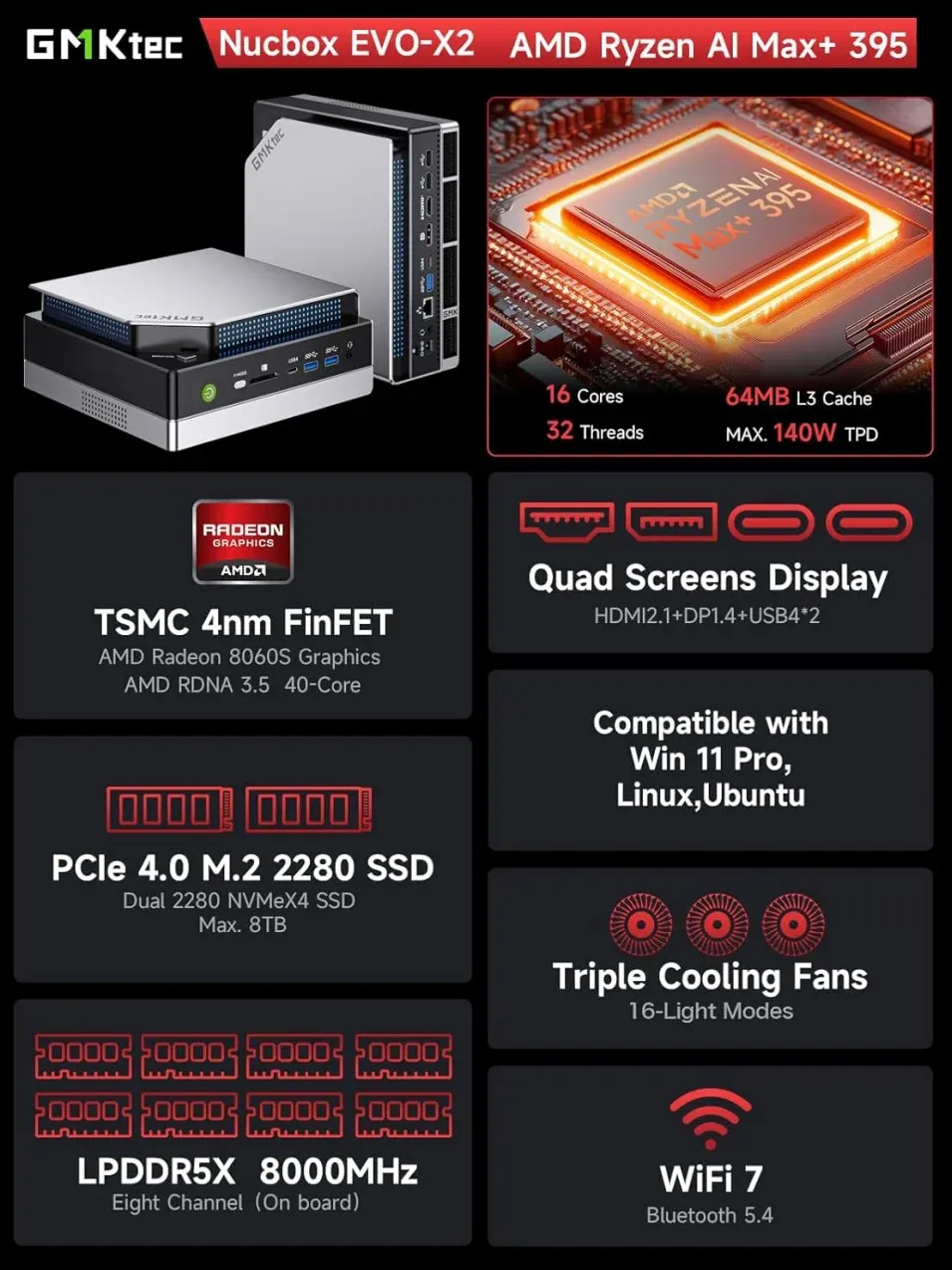
The standout feature is the massive 96GB to 128GB of unified memory shared directly between the CPU and the integrated Radeon 890M GPU. Because VRAM capacity is the ultimate bottleneck when running large language models locally, this unified architecture allows you to run massive 70B+ parameter models locally. To achieve that on a desktop, you would need a multi-discrete GPU setup costing two to three times as much.
- Specs: Ryzen AI Max+ 395 (Strix Halo) | Up to 128GB Unified RAM | Radeon 890M Graphics
- Best For: Local AI development, offline LLM inference, and heavy graphic/compute compute compilation.
GMKtec EVO-X2 AI Mini PC Ryzen Al Max+ 395
- EVOLUTION RYZEN AI MAX+ 395 MINI PC - GMKtec EVO-X2 is the next evolution in AI mini PC Ryzen Strix Halo series. Thanks to AMD Simultaneous Multithreading (SMT) the core-count is effectively doubled, to 32 threads. Ryzen AI Max+ 395 has 64 MB of L3 cache and can boost up to 5.1 GHz, depending on the workload. The Ryzen AI Max+ 395 is currently rated as the "most powerful x86 APU" on the market for AI computing.
- AI NPU with XDNA 2 ARCHITECTURE - Powered by 16 “Zen 5” CPU cores, 50+ peak AI TOPS XDNA 2 NPU and a truly massive integrated GPU driven by 40 AMD RDNA 3.5 CUs, the Ryzen AI MAX+ 395 is a transformative upgrade and delivers a significant performance boost over the competition. The Ryzen AI Max+ 395 excels in consumer AI workloads like the llama.cpp-powered application: LM Studio. Shaping up to be the must-have app for client LLM workloads, LM Studio allows users to locally run the latest language model without any technical knowledge required and unleash their creativity and productivity.
- AMD RADEON 8090S iGPU GAMING PC - The AMD Radeon RX 8060S offers all 40 CUs with up to 2.9 GHz graphics clock and uses the new RDNA 3.5 architecture. The powerful iGPU is positioned between an RTX 4060 and 4070 laptop GPU and therefore enables gaming in FHD at maximum details in most demanding games. The 8060S can also utilize the full 128GB pool, which is perfect for running LLMs such as Deepseek 70B Q8, which runs comfortably on this machine.
- EIGHT CHANNEL LPDDR5X - LPDDR5X is a new ground breaking memory small form factor installed on-board. With blazing speeds up to to 8000MT/s, it runs 1.5x faster than the DDR5 SODIMMs; 90% better performance over DDR5 SODIMMs in video conferencing and photo editing; 30% better performance in productivity apps; 12% better performance in digital content workloads.
Looking for more hardware choices? Check out my [AI/LLM Buyer's Guide] to find the best deals that fit your budget!
 Core Lab Joe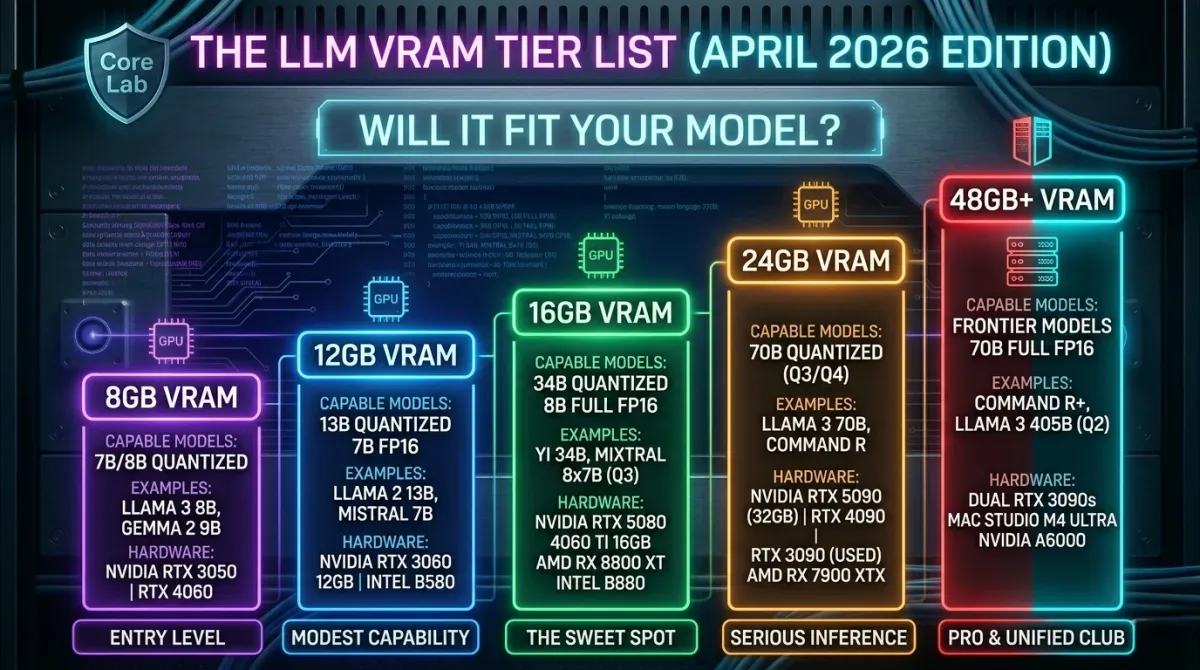
⚙️ Budget CPUs & Motherboards for Custom Builds
Intel Core i5-14400F + MSI Z790 (Sleeper Compute Base)
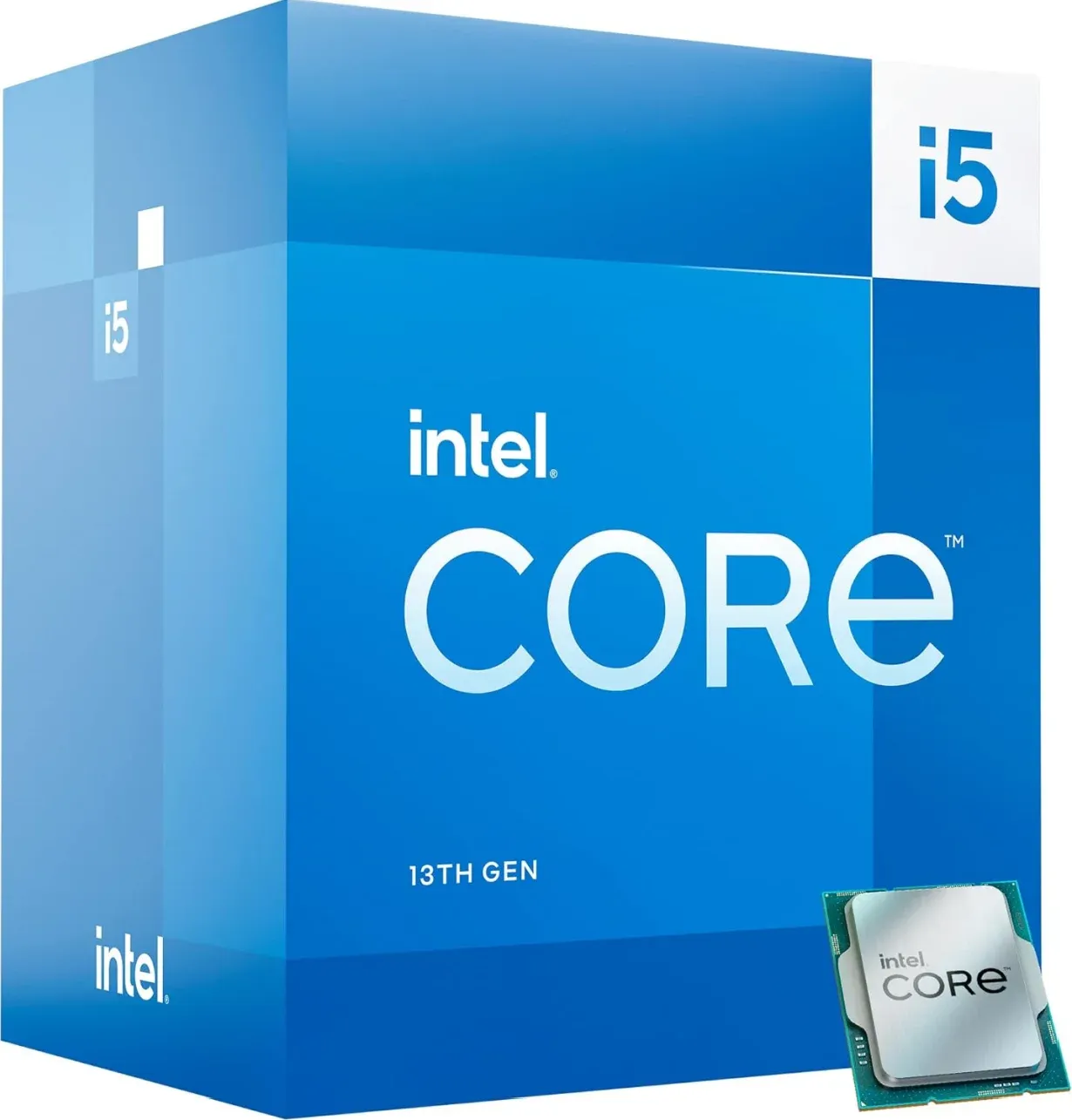
→ Check it on Amazon ⭐ 4.7
The i5-14400F is one of the strongest value propositions in the budget-to-midrange CPU bracket right now. Ten cores (6P + 4E), LGA1700 socket, no integrated graphics (hence the F), and single-thread performance that punches well above its price class.
For a homelab workload context: this runs Proxmox VMs, Docker stacks, and compiling like a boss, and everything you'd throw at a home server without breaking a sweat. It also makes an excellent base for a gaming build that doubles as your local compute node. It's like a "sleeper CPU" no one knows about.
The no-iGPU thing is worth keeping in mind - you'll need a GPU for display output at POST, even if it's just a cheap placeholder.
This Intel chip has:
- 6 P (performance) cores, 4 efficient cores
- Future-proof PCIe 5.0 support!
- Amazing mid-performance for the price
Worth it if: You're building a mid-range workstation, a gaming machine, or a Proxmox host and want a modern platform without overpaying for cores you won't use. No frills - just raw power!
Affordable Intel LGA 1700 Motherboard to match!
This Z790 motherboard is presently on sale at -41% off! If you're shopping affordable intel - WHAT ARE YOU WAITING FOR?
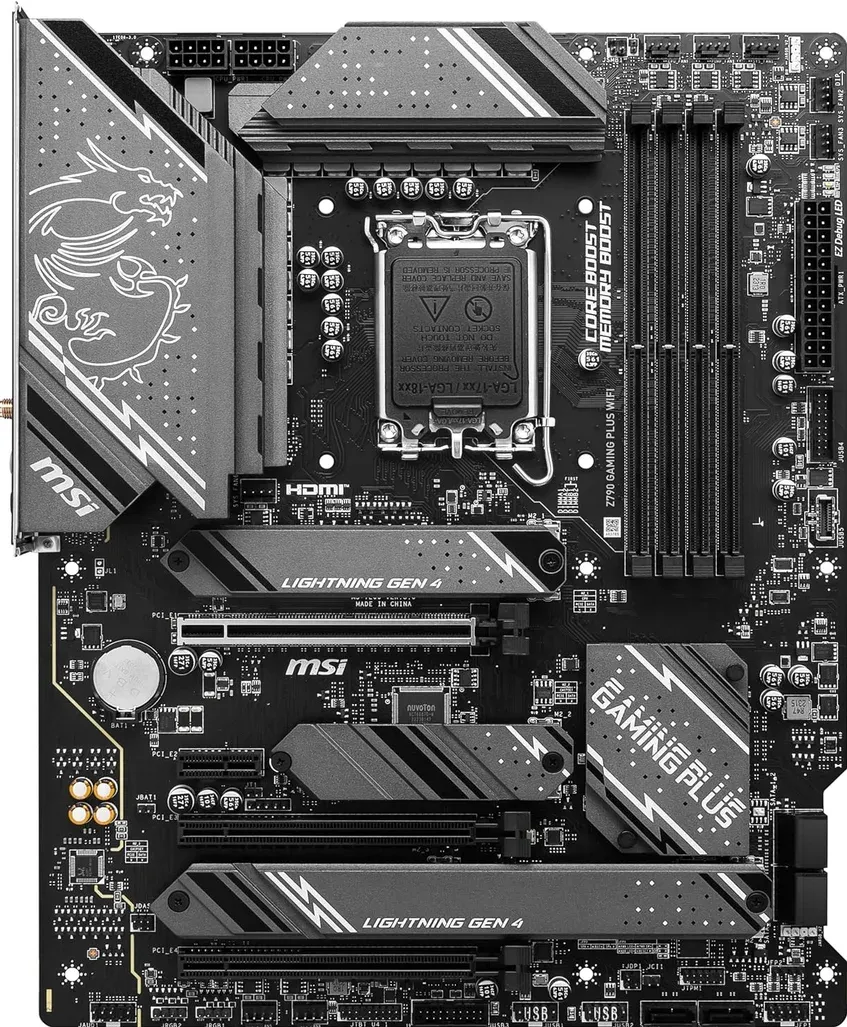
MSI Z790 Gaming Plus WiFi-AMZ Gaming Motherboard, LGA 1700
- Support Intel Core 14th/13th/12th Gen Processors, Intel Pentium Gold and Celeron Processors for LGA 1700 socket
- Supports DDR5 Memory, Dual Channel DDR5 7200+MHz (OC)
- Enhanced Power Design: 14+1+1 Duet Rail Power System with DrMOS, dual 8-pin CPU power connectors, Core Boost, Memory Boost
- Lightning Fast Game experience: PCIe 5.0 slot, Lightning Gen 4 x4 M.2 with M.2 Shield Frozr, USB 3.2 Gen 2x2 20G
Intel Core i5-14600K (The QuickSync Transcoding King)
Intel Core i5-14600K Desktop CPU
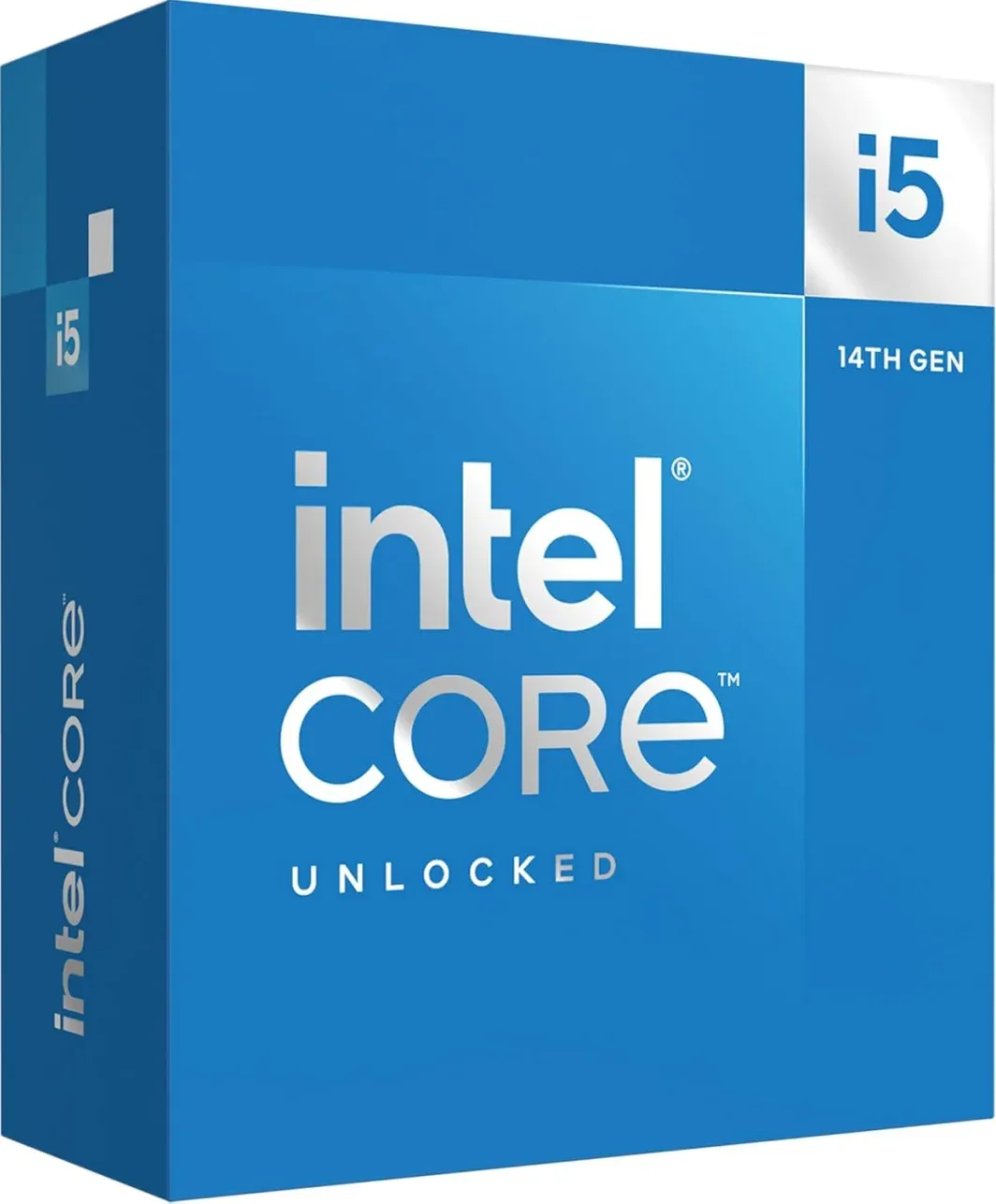
- 14 cores (6 P-cores plus 8 E-cores) and 20 threads.
- Integrated Intel UHD Graphics 770 included 👈 Transcoding MONSTER!
- Up to 5.3 GHz Max Turbo Frequency
- Compatible with Intel 600-series (with potential BIOS update) or 700-series chipset-based motherboards
- DDR4 and DDR5 platform support cuts your load times and gives you the space to run the most demanding games
AMD Ryzen 5 5600 + Gigabyte B550M (Value-Per-Dollar Champion)
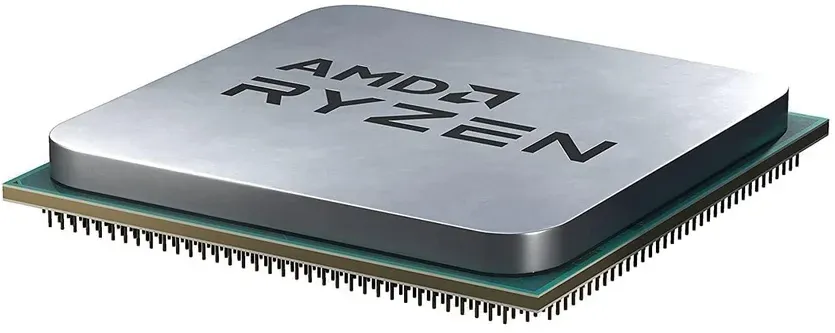
On the flip side, an even MORE affordable option with 6 cores and 12 threads is this wonderful Ryzen! These are anywhere from $50-60 USD cheaper even than the Intel chip above.
That said, the chip above is roughly 10-15% faster in most tasks, but you pay a little extra for that.
Also no builtin GPU - you'll need a GPU for display output at POST, even if it's just a cheap placeholder.
This Ryzen chip has:
- 65 Watts (Very efficient!)
- Excellent value for money
- AM4 platform (Can be built with PLENTY of second hand market motherboards, DDR4 RAM etc)
I have these exact processors in 2 other PCs in my house and I was honestly shocked at the performance you get for this price point.
What's that you said? How many computers DO I have at the Core Labs HQ? Correct - tttoooo many! 😅😮And yes - they're all built from second hand market parts 😉
Affordable AM4 Motherboard to Match!
Same - this motherboard is one of the cheapest I've seen, packed with this feature set in all of 2026. -42% off! So this brings it to $89.99 USD!
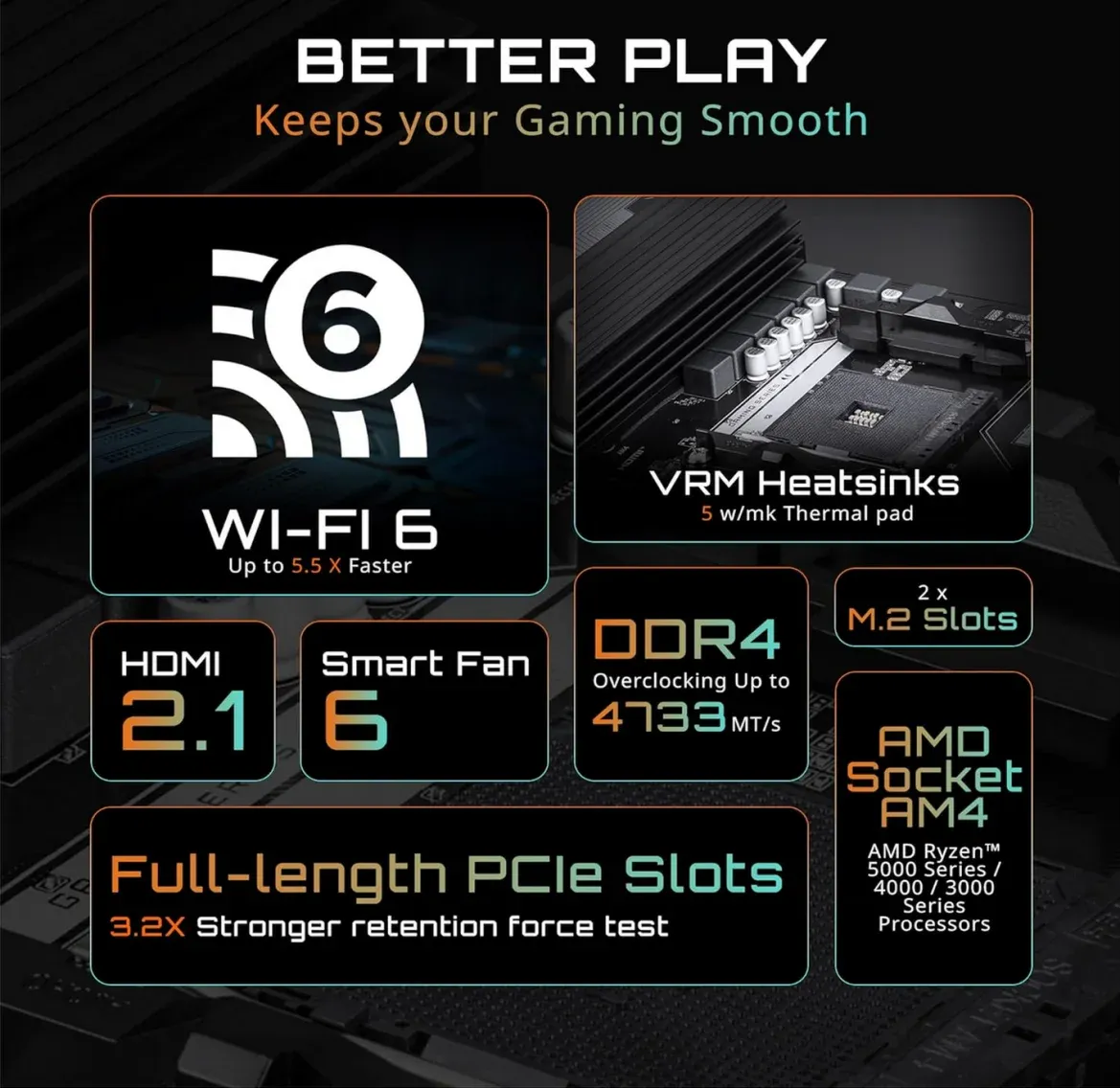
GIGABYTE B550M Gaming X WIFI6 AMD AM4 mATX Motherboard
- AMD Socket AM4: Ready to support AMD Ryzen 5000/4000/3000 Series Processors
- Enhanced Power Solution: Digital 5+3 VRM Design with 4-layer PCB and premium chokes and capacitors for steady power delivery.
- Boost Your Memory: Compatible with DDR4 and supports 4 DIMMS with Extreme Memory Profile support.
- Comprehensive Connectivity: 1x PCIe 4.0 x16 slot with reinforced PCIe UD Armor, 1x PCIe 4.0 M.2 slot, 1x PCIe 3.0 M.2 slot, 4x USB 3.2 Gen 1 Type-A ports for hassle-free setup.
🗄️ Network Attached Storage (NAS) Showcase
I have to give a serious slow clap to UGREEN. They have shaken up the consumer and prosumer storage space with a fantastic line of dedicated NAS hardware that challenges the old guard such as Synology & D-Link.
UGREEN DXP4800 Pro & Plus (4-Bay Powerhouses)
The DXP4800 Pro is an absolute powerhouse for a pre-built unit. A good friend of mine recently picked one up, which gave me a chance to get hands-on with it. The standout feature here is the hardware: it packs a modern Intel 13th Gen processor complete with Intel QuickSync.
This makes it an absolute monster for running automated media servers alongside family photo backups.
If you want to save some cash, the DXP4800 Plus drops the price by roughly $150 CAD. It retains a highly capable Intel Pentium Gold platform, making it a great Docker host and file repository, though it has slightly less headroom for heavy, concurrent 4K video transcoding streams.
- DXP4800 Pro Specs: Intel 13th Gen Core CPU | 4 Drive Bays | Dual 2.5GbE / 10GbE Networking | Built-in QuickSync
- DXP4800 Plus Specs: Intel Pentium Gold 8505 (5-Core) | 8GB DDR5 RAM | 1 × 10GbE + 1 × 2.5GbE Ports | Dual M.2 NVMe Slots
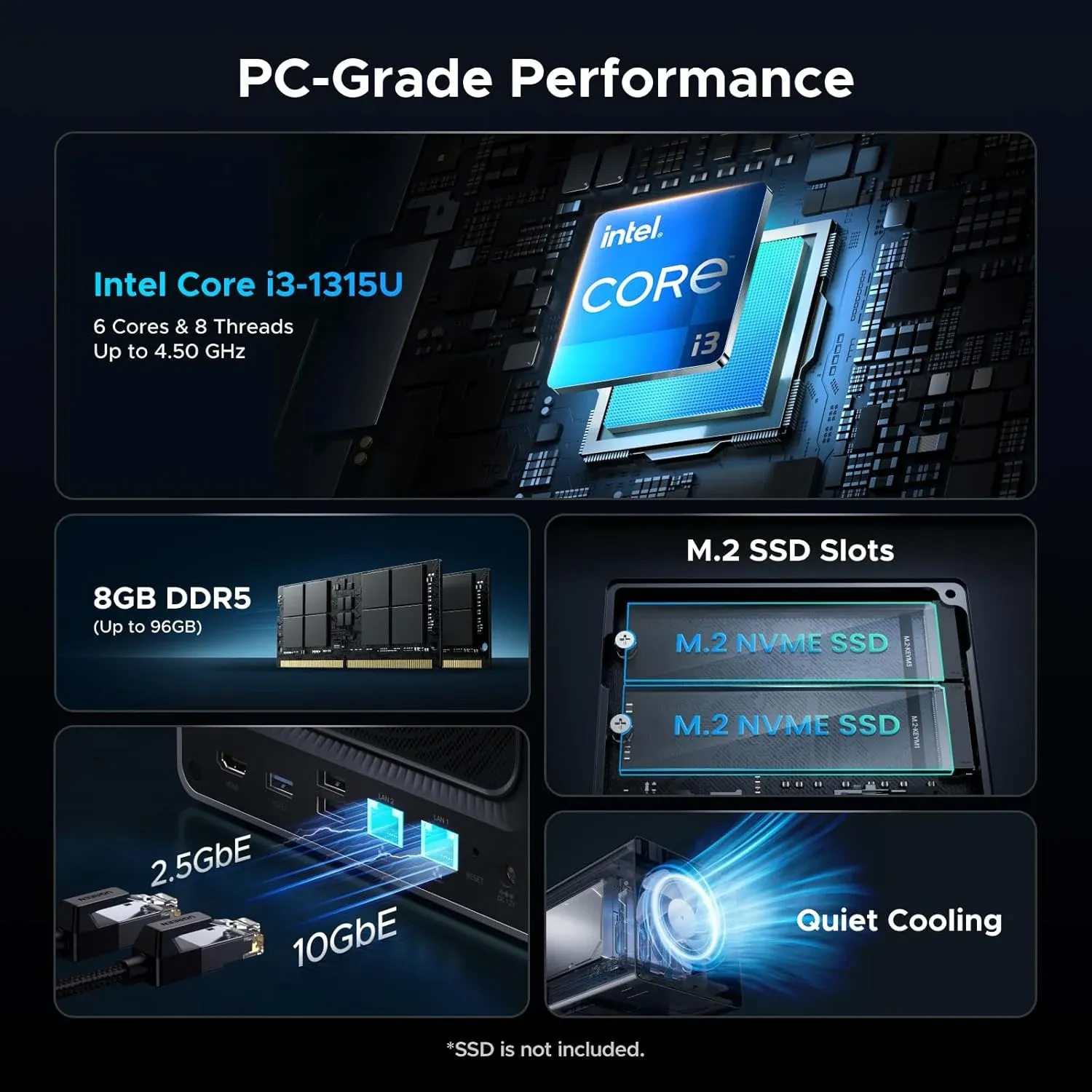
UGREEN NAS DXP4800 Pro
- Massive 144TB Storage Capacity: Store 47M+ photos or 92K+ movies. Never worry about storage space again.
- Intel® Core™ i3-1315U Processor : Able to handle demanding tasks concurrently, from Docker containers and virtual machines to file sync and media transcoding
- Dual M.2 NVMe SSD Slots:Set up SSD caching to speed up everyday actions like photo previews, app loading, and general system operation.
- Dual High-Speed Network Ports (10GbE + 2.5GbE): 2.5GbE provides smooth performance on common networks, with a 10GbE port for high-speed connections when available.
- 2-Year Warranty: Enjoy 2 years of protection with UGREEN.
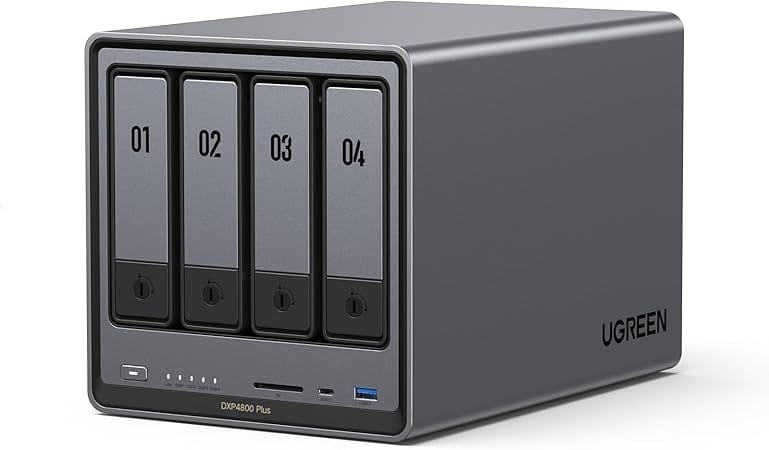
4-Bay NAS! Intel Pentium Gold 8505 5-Core CPU, 8GB DDR5 RAM, 128G SSD, 1 * 10GbE, 1 * 2.5GbE, 2 * M.2 NVMe Slots, 4K HDMI
UGREEN DXP6800 Pro (6-Bay Storage King)
If you need a wider array for parity drives or raw capacity, the DXP6800 Pro adds two extra mechanical drive slots. While this 6-bay model runs on an Intel 12th Gen architecture rather than the newer 13th Gen found in the 4800 Pro, don't let that fool you - the 10-core i5 processor is incredibly beefy, and the 12th Gen QuickSync engine handles Jellyfin or Plex transcoding without breaking a sweat.
- Specs: 6-Bay Desktop Chassis | Intel i5-1235U (10 Cores) | 8GB DDR5 RAM | Dual 10GbE Ports | Dual Thunderbolt 4 Ports
- Best For: Massive media storage arrays needing high-bandwidth network pipes.
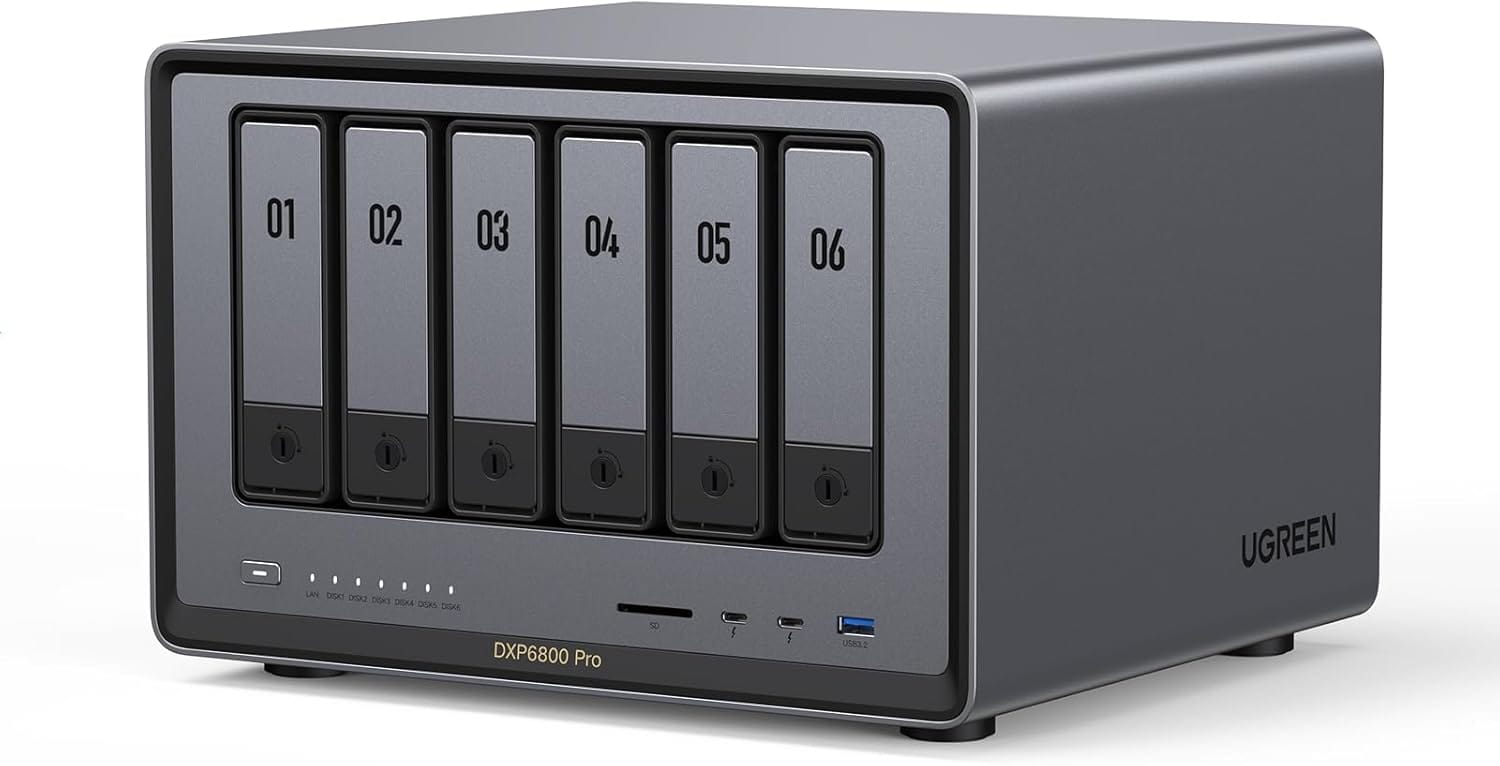
- 6-Bay Desktop NAS
- Intel i5 1235u 10-Core CPU
- 8GB DDR5 RAM
- 128G SSD
- 2 * 10GbE
- 2 * M.2 NVMe Slots
💾 Storage Picks (Spinning Rust & Solid State)
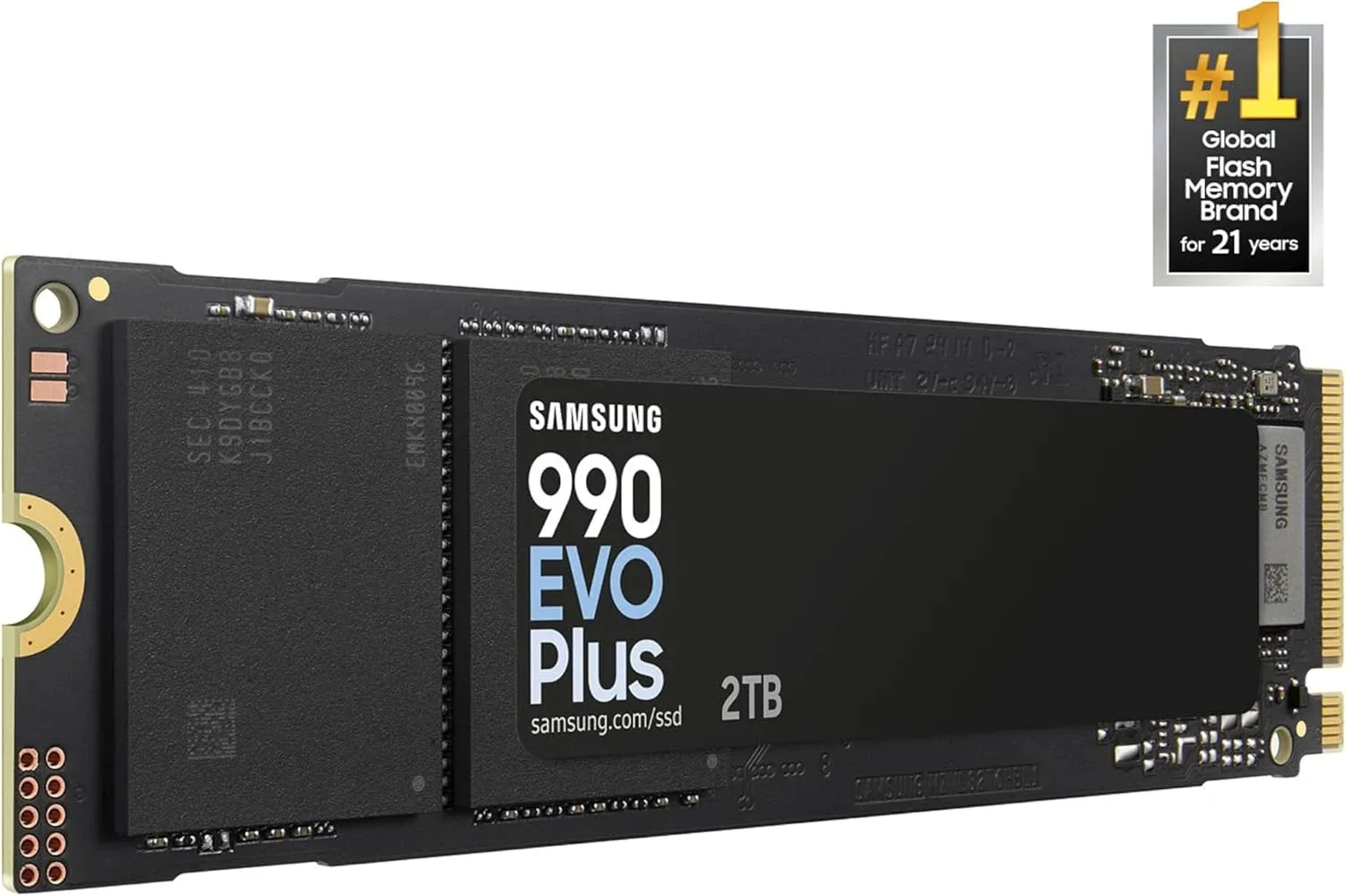
Samsung 990 EVO Plus NVMe SSD - The NVMe I Just Reviewed
I recently ran a comprehensive Linux testing and benchmarking review on this exact drive. The hybrid PCIe Gen 4 ×4 / Gen 5 ×2 interface is a clever engineering trick. It manages to keep sequential read/write speeds exceptionally high while keeping operational thermals remarkably sane. If your server or mini-PC has tight airflow restrictions and you need to balance speed, heat management, and long-term durability, this is exactly what I would buy.
- Interface: Hybrid Gen 4 ×4 / Gen 5 ×2 NVMe
- Best For: Primary OS boot drives, VM datastores, or high-speed caching in fanless mini-PCs.
WD Red SA500 NAS SATA SSD (500GB) - The Endurance Workhorse
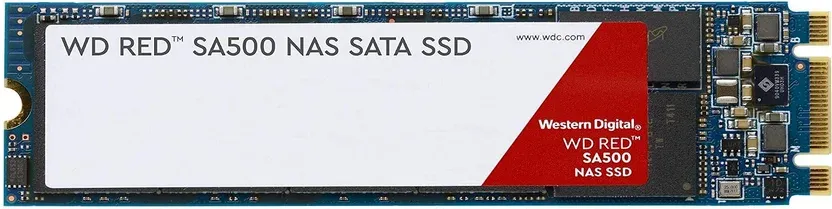
The WD Red SA500 series is built from the ground up for always-on, 24/7 NAS environments. Unlike generic consumer SSDs that burn through their write endurance when subjected to constant server logs, the SA500 is optimized for heavy, random-read patterns and mixed caching workloads. At the 500GB tier, this drive is the perfect fit for specialized infrastructure roles:
- A dedicated, rock-solid OS boot drive for TrueNAS SCALE, OpenMediaVault, or Proxmox.
- A high-end ZFS SLOG (intent log) device to speed up synchronous writes.
- A dedicated L2ARC cache tier for mechanical pools.
→ Check it on Amazon ⭐ 4.7
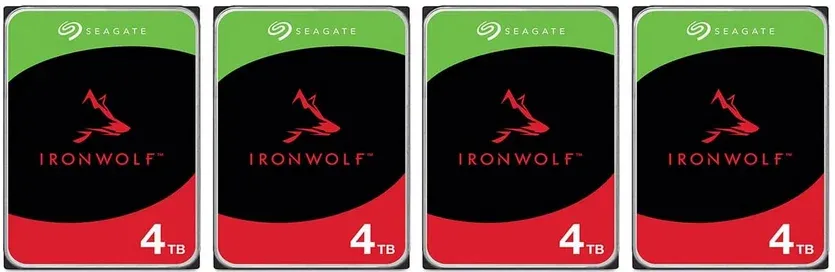
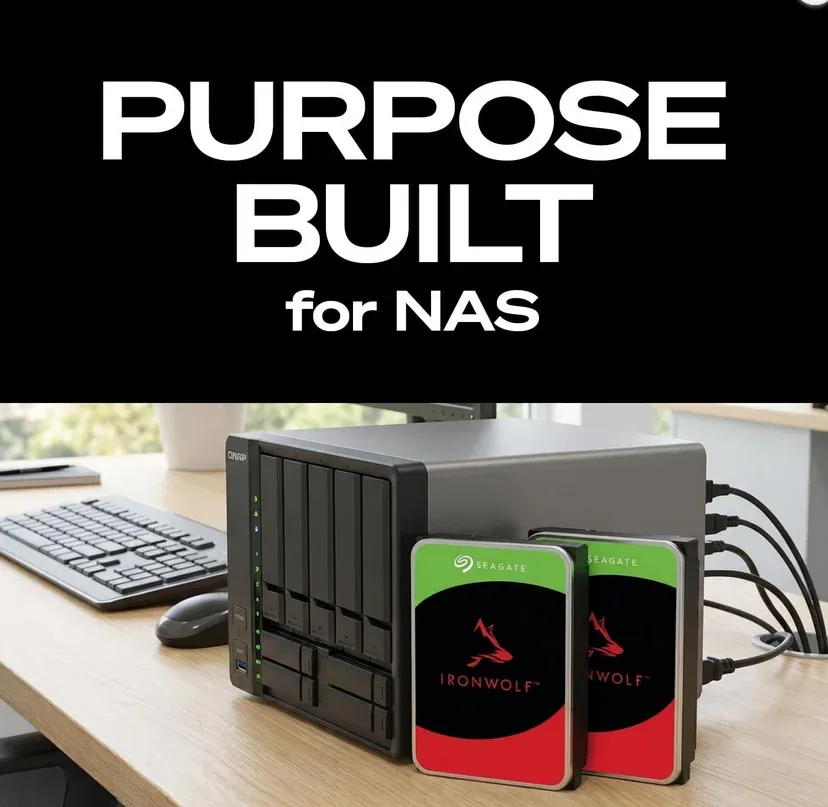
Seagate IronWolf NAS Hard Drives (4TB / 8TB) - Bulk Spinning Rust
Mechanical storage isn't glamorous, but when you need raw Terabytes per dollar, you buy enterprise-class spinning rust. The IronWolf line is rated for continuous 24/7 workloads, features AgileArray firmware for optimal RAID balancing, and carries a reassuring 3-year warranty.
During major sale windows, the 4TB models frequently drop below $100 CAD, making them an absolute steal for parity array expansions. If you want a sweeter spot for capacity density, the 8TB variant offers the perfect middle ground for long-term data archiving.
- Features: 24/7 NAS Rated | RV (Rotational Vibration) Sensors | High Workload Rating
- Best For: Expanding multi-drive ZFS, Unraid, or TrueNAS storage pools.
4 Pack option - on sale!
Seagate IronWolf 8TB - Middle Ground Option
⚡ Peripherals, UPS, & Infrastructure Essentials
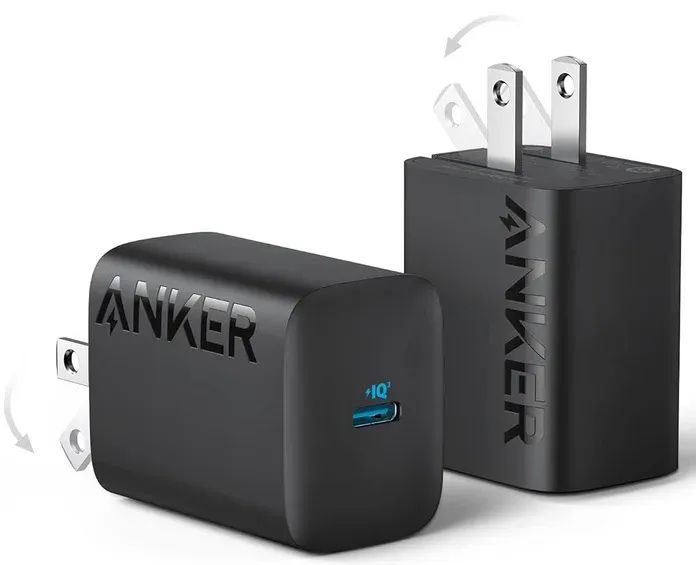
Anker 312 30W USB-C Charger — 2-Pack
→ Check it on Amazon ⭐ 4.8
Yes, I'm putting a charger in the PC builder section, and I stand by it. If you're building a new desk setup around a modern machine, you're almost certainly also running a laptop, a phone, and miscellaneous USB-C devices from that desk. The Anker 312 at 30W is enough to fast-charge a phone or run a small laptop, and at 2-pack pricing on Prime Day, this is the kind of accessory buy that rounds out a build nicely.
Anker's quality control is consistently good. These are compact, foldable, and don't hog adjacent outlets.
Worth it if: You're setting up a clean desk and want to retire the pile of mismatched charger bricks. It's a small thing that makes a difference every day.
I have a pile of various Anker accessories, and my workstation (Dirty Snow) also comes with a USB-C charging & data port directly off the motherboard.
APC Back-UPS Pro 1500VA (The Lab Insurance)
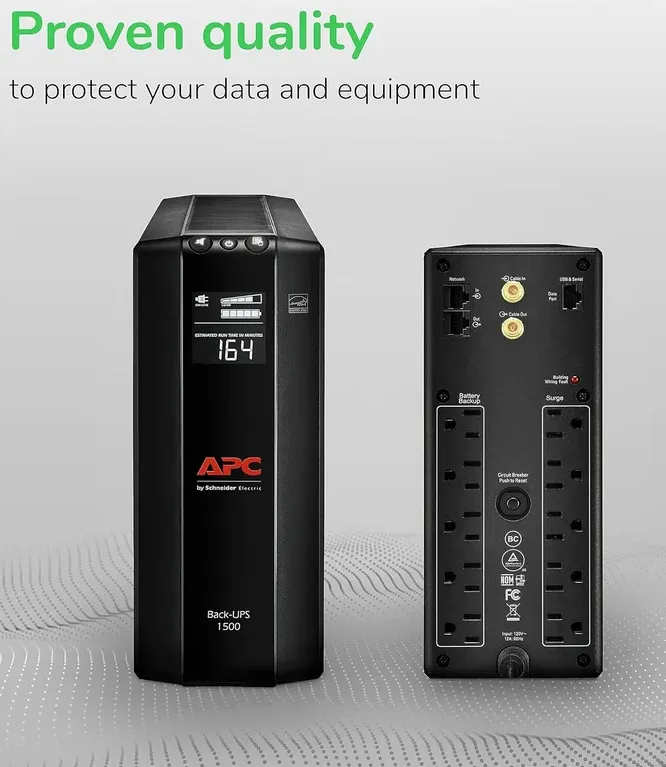
APC Back-UPS Pro 1500VA (BR1500G) - Protect Your Gear
I'll say it once a year: if you're running a self-hosted stack on hardware you care about, you need a UPS. One power flicker can corrupt a ZFS pool or an OMV config you've been building for months. The APC 1500VA gives you ~10 minutes on a GMKtec-class mini PC draw, enough to gracefully shut everything down, or to ride out the typical blip without so much as an interrupted SSH session. I sure got bit in the butt when I hadn't realized my UPS batteries were dead this past spring!
trueCABLE Cat6 & TRENDnet 2.5GbE Adapter
→ Check it on Amazon ⭐ 4.7

Not glamorous, but if you've been putting off running a proper wired backhaul between buildings or burying a run to a garage AP, this is the cable. ETL Listed, 23AWG solid bare copper, rated for PoE++ (4PPoE), and outdoor/direct burial rated. This is the spec sheet you want for an install you're doing once and not touching again.
Grab it by the spool. You'll use it and it's cheaper in bulk (by FAR!) than individually.
Worth it if: You're running outdoor cable, burying a line to a detached garage or outbuilding, or just tired of CCA (copper-clad aluminum) junk from the bargain bin.
I personally went a level further than this, and got STP (Shielded twisted-pair) 23AWG CMR in-wall rated cable but this is very close/similar.
TRENDnet 2.5GbE USB-C Adapter (TUC-ET2G) - Cheap USB NIC Insurance
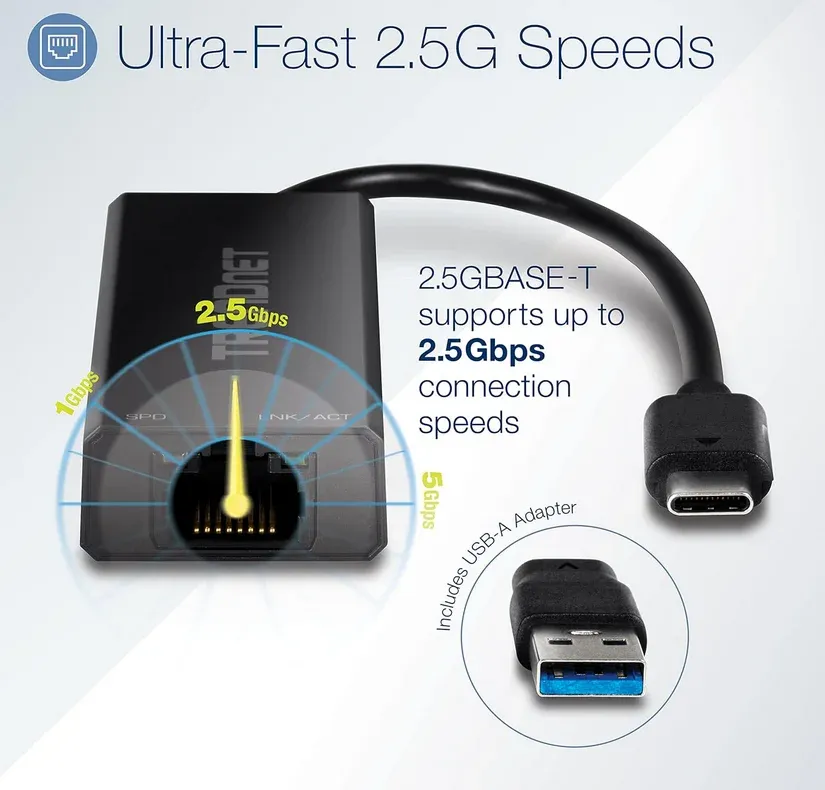
Every homelab build should have one of these in a drawer. $30 CAD, works out of the box on Linux (r8152 driver), and it's the fastest way to add 2.5GbE to anything with a USB-C port. I use this as the "real" WAN port on OPNsense builds with Realtek onboard NICs.
🪵 The Bottom Line
Prime Day deal hunting for tech gear is a lot of noise. But if you know what you're actually looking for, there are real wins in here: particularly if a 10GbE switch upgrade or a fresh build has been sitting on your mental backlog.
The MikroTik CRS309 and UniFi AC PRO are the standout finds for networking. The i5-14400F and WD Red SA500 are the workhorses for the build side. Everything else on this list is the kind of thing you'll be glad you grabbed when the deal was live.
I'll update this post if prices/sales move meaningfully during the sale window (June 20–24). Worth bookmarking!
Running any of these in your setup? Drop a comment or reach out — always curious what others are running. And if you found this useful, sharing it with another homelab person is the best thing you can do for the blog.
As always, thanks for being part of the journey. If you pick up any of this gear and have questions about the setup, drop a comment on the relevant guide or fire me an email: happy to help!
The privacy post in particular: if you're in tech or law and have additions, corrections, or context I missed, I want to hear it. This stuff matters.
See you in the logs 😉

Member discussion