The 2026 Homelab Networking Gear Blueprint
The real networking gear running my homelab: OPNsense, UniFi switches and APs, and budget 10GbE SFP+ switching, laid out as a layer-by-layer buying blueprint.

Everyone obsesses over CPUs, RAM, and terabytes. Then they run the whole thing over a plastic ISP router and a single gigabit link, and wonder why their NAS crawls and their VM migrations take all night. The network is the nervous system of a homelab, and it is the one part I refuse to cheap out on.
This is not a theory post. Every piece of gear below is either running in my own lab right now, or is the exact unit I would buy to replace it today. In fact, the packets carrying this very page to your screen are flowing through the budget 10GbE switch I recommend further down. Here is the blueprint, layer by layer.
Mastering Homelab Networking Architecture
Master subnetting math, construct isolated 802.1Q VLAN tiers, configure secure stateful NAT traversal, and architect reliable multi-gigabit physical infrastructure.
View verified pricing, localized smart links, and hardware compatibility notes in the Core Lab Hardware Shop.
My Network at a Glance
Before the shopping list, here is the actual topology this blog runs on. Traffic hits Cloudflare, drops to my OPNsense firewall, fans out across a UniFi core switch and a 10GbE SFP+ backbone, and lands on a VLAN-segmented Docker host. Notice the segmentation: infrastructure, Docker services, and media each live on their own VLAN.
flowchart TB
%% EDGE
A[🌍 Internet]
B[☁️ Cloudflare Edge]
%% FIREWALL
C[🛡️ OPNsense Firewall]
%% SWITCHING
D[🔀 UniFi Core Switch]
%% SECURITY LAYER
E[🌐 SWAG Reverse Proxy]
F[🔐 Authelia SSO]
%% DOCKER HOST
G[🐳 Docker Host]
%% APPLICATIONS
H[📸 Immich]
I[📄 Paperless-NGX]
J[⚙️ n8n Automation]
K[🏠 Home Assistant]
%% MEDIA
L[🎬 Jellyfin]
M[🎞️ Plex]
%% INFRASTRUCTURE
N[🧠 AdGuard DNS]
O[⏱ Local NTP]
P[📷 Frigate NVR]
%% EDGE FLOW
A --> B --> C --> D
%% APP INGRESS
C -->|HTTPS| E
E --> F --> G
%% MEDIA BYPASS (still via proxy)
C -->|Direct Media Port| E
E --> L
%% DOCKER SERVICES
G --> H
G --> I
G --> J
G --> K
G --> P
G --> M
%% INFRA ENFORCEMENT
C -->|Forced DNS| N
C -->|Forced NTP| O
%% VLAN GROUPS
subgraph VLAN7 ["VLAN 10 — Home Infrastructure"]
N
O
end
subgraph VLAN8 ["VLAN 20 — Docker Services"]
G
H
I
J
K
P
end
subgraph VLAN42 ["VLAN 50 — Media"]
L
M
end
%% STYLING
classDef edge fill:#000000,stroke:#00ff88,color:#00ff88,stroke-width:2px
classDef firewall fill:#001a12,stroke:#00ff88,color:#00ff88,stroke-width:3px
classDef proxy fill:#002b22,stroke:#00ffaa,color:#00ffaa
classDef docker fill:#001f1a,stroke:#00dddd,color:#00dddd
classDef infra fill:#001a1a,stroke:#00bbff,color:#00bbff
class A,B edge
class C firewall
class E,F proxy
class G,H,I,J,K,L,M,P docker
class N,O infra
%% CLICKABLE LINKS
click C "https://corelab.tech/opnsensept1/" "OPNsense Firewall Guides"
click E "https://corelab.tech/swag-reverse-proxy-guide/" "SWAG Reverse Proxy"
click F "https://corelab.tech/digital-castle-swag-crowdsec-authelia/#part-5-autheliacentralized-multi-factor-authentication-authorization" "Authelia Authentication"
click L "https://corelab.tech/jellyfin-guide-https/" "Jellyfin Securely"
click M "https://corelab.tech/best-plex-server-hardware/" "Plex Server Hardware Guide"
click N "https://corelab.tech/tag/dns/" "DNS Guides"
click P "https://corelab.tech/setupfrigate/" "Frigate NVR Setup"
Every box in that diagram is clickable on the full homelab tour. New to VLANs and subnets? Start with Homelab Networking Basics and VLANs & Routing.
Layer 1: The Firewall (The Brain)
Your firewall is the single most important box on the network. It is your DNS enforcer, your VLAN router, your VPN endpoint, and your first line of defense. I run OPNsense, and I will not go back to a consumer router.
My own firewall is a repurposed Alienware XS1R3 that I gave a second life: new CPU cooler, more RAM, a fresh SSD, and upgraded NICs. That "hand-me-down gaming rig as a firewall" move is one of the best value plays in the hobby. You do not need new hardware to run a serious firewall.
If you would rather buy a purpose-built, silent, low-power box, a dual-NIC mini PC is the answer. I cover the exact models (including the dedicated OPNsense units I trust) in the Best Mini PCs for a Homelab guide, and the software side lives in my OPNsense series.
 Core Lab Joe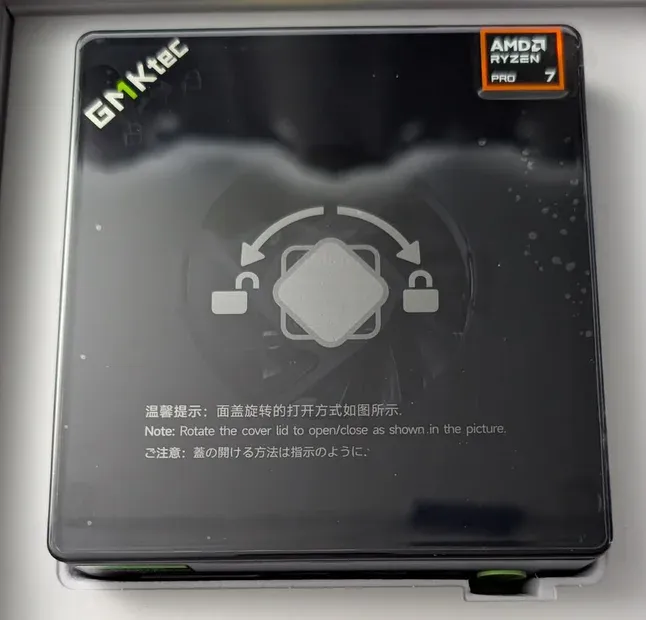
 Core Lab Joe
Layer 2: The Core Switch (Managed & PoE)
Once you have more than a handful of devices and you want VLANs, a dumb switch stops cutting it. You want a managed switch, and ideally one with PoE so it can power your access points and cameras over the same cable that carries their data.
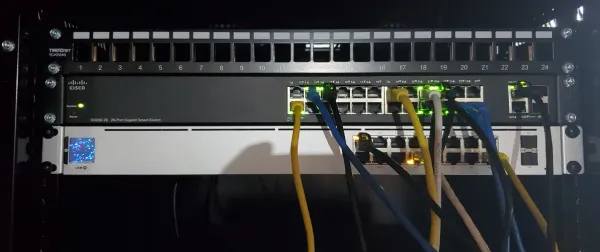
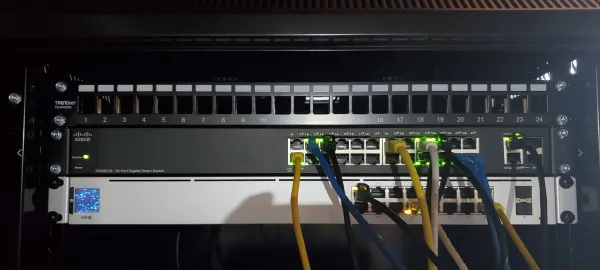
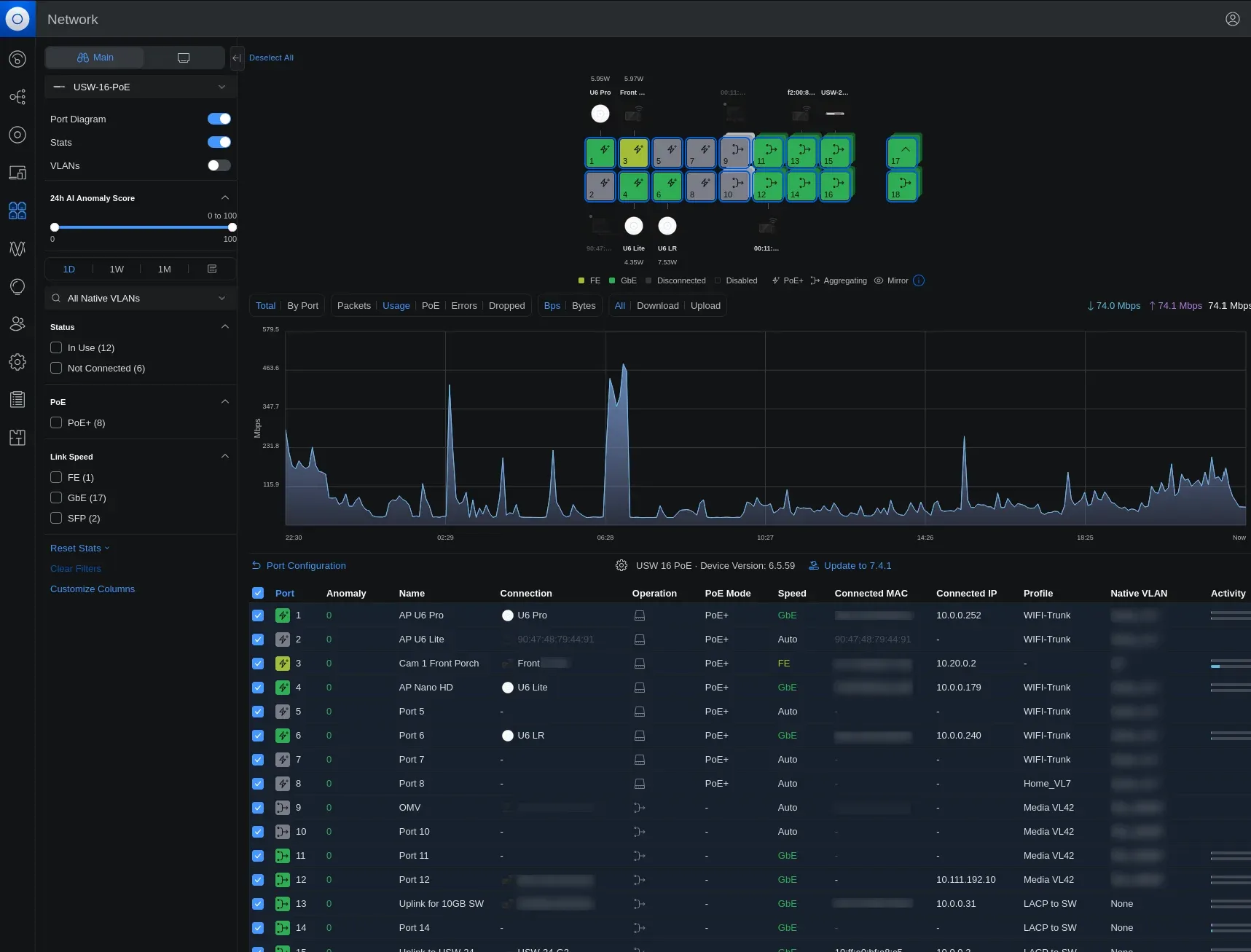
I run two Ubiquiti UniFi switches as the core of my wired network:
- UniFi USW-16-PoE (Gen2): the PoE workhorse that feeds my access points and Frigate cameras. → Check the USW-16-PoE on Amazon
- UniFi USW-24-G2: 24 ports of aggregation for everything else in the rack. → Check the USW-24-G2 on Amazon
The reason I stay in the UniFi ecosystem for switching and Wi-Fi is the single controller (more on that below). VLAN tagging, per-port profiles, and PoE scheduling all live in one clean interface instead of a dozen web logins.
Layer 3: The 10GbE Backbone (Without Enterprise Prices)
Gigabit is the bottleneck nobody notices until they move a lot of data. The moment you do high-speed NAS access, VM storage replication, or local iSCSI targets, 1GbE becomes a wall. The fix is a small 10GbE SFP+ switch acting as a fast spine between your NAS and your compute hosts. The good news: it no longer costs enterprise money.
Binardat 8-Port 10GbE SFP+ (What I Actually Run)
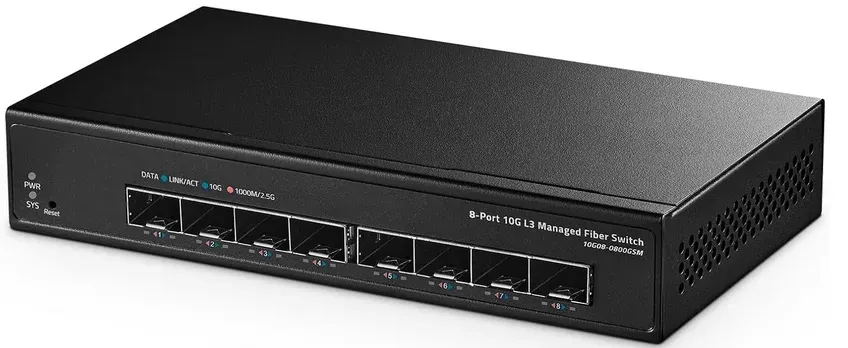
This is the "off-brand bad boy" the packets for this page are flowing through right now. I have one running in my lab and I rate it a solid 4.5 out of 5 for budget builds. It gives you serious SFP+ port density for roughly the price of a single enterprise port.
- 8 × 10G SFP+ ports | 160 Gbps switching backplane | Layer 2 managed
- Best for: maximum SFP+ density on a tight budget (hovers around $125 CAD)
→ Check the Binardat 10GbE switch on Amazon
MikroTik CRS309-1G-8S+in (The Premium Standard)
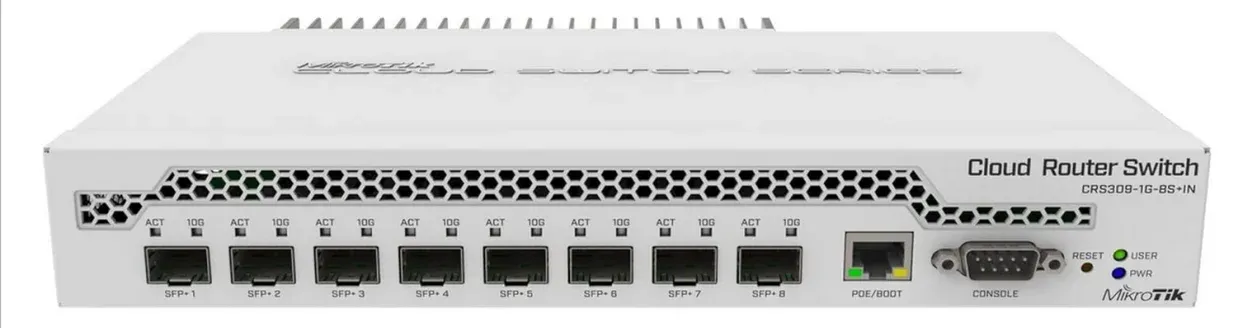
If you’ve been putting off a 10GbE core network upgrade because enterprise switch prices are offensive, this is your moment.
If you want a name-brand 10GbE core with real routing chops, the MikroTik CRS309 is the homelab standard. Eight SFP+ ports plus a gigabit management port, fanless, and it dual-boots between RouterOS (full Layer 3) and SwOS (simple Layer 2), so it scales with how deep you want to go.
- 8 × SFP+ 10GbE | 1 × Gigabit RJ45 mgmt | Fanless | RouterOS / SwOS
- Best for: aggregating NAS and virtualization traffic quietly
→ Check the MikroTik CRS309 on Amazon
Layer 4: Wireless (Enterprise APs, Not Consumer Mesh)
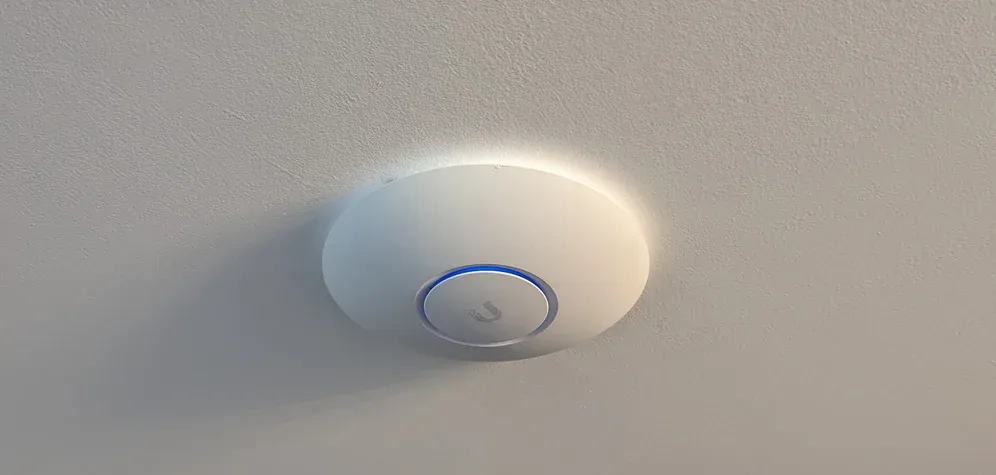
If you have ever fought a flaky consumer mesh system, you already know why homelabbers move to real access points. I run three UniFi APs to blanket my house, which sounds like overkill until you meet my walls: heavy brick and concrete that eat Wi-Fi for breakfast. The only real fix for a difficult layout is running dedicated wired backhaul to robust APs.
- UniFi U6 Long-Range: Wi-Fi 6, maximum coverage for the far corners. → Check the U6 LR on Amazon
- UniFi U6 Pro: the high-throughput workhorse for the busy core of the house. → Check the U6 Pro on Amazon
- UniFi U6 Lite: the affordable infill AP for spare rooms. → Check the U6 Lite on Amazon
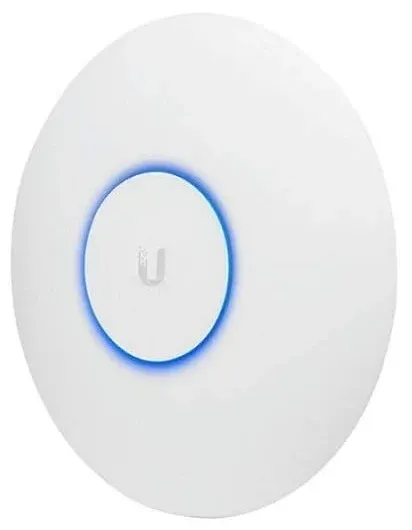
On a tighter budget, the older UniFi AP AC PRO is still a fantastic entry point. It is 802.11ac Wave 2, PoE-powered, ages gracefully, and handles multi-SSID VLAN tagging and client steering effortlessly. It has been a homelab staple for years because it simply works. → Check the UniFi AC PRO on Amazon
The Single Pane of Glass: A Self-Hosted Controller
Here is the trick that makes the UniFi gear worth it: you do not need a Cloud Key or a subscription. I run the UniFi Network Controller as a Docker container on my own server. Every switch, AP, and VLAN is managed from one self-hosted dashboard that I control completely. If you are already running Docker for the rest of your lab, adding the controller is a five-minute job and it keeps your network management on your own infrastructure. For FREE.
Cabling & the Cheapest Way Into Faster-Than-Gigabit
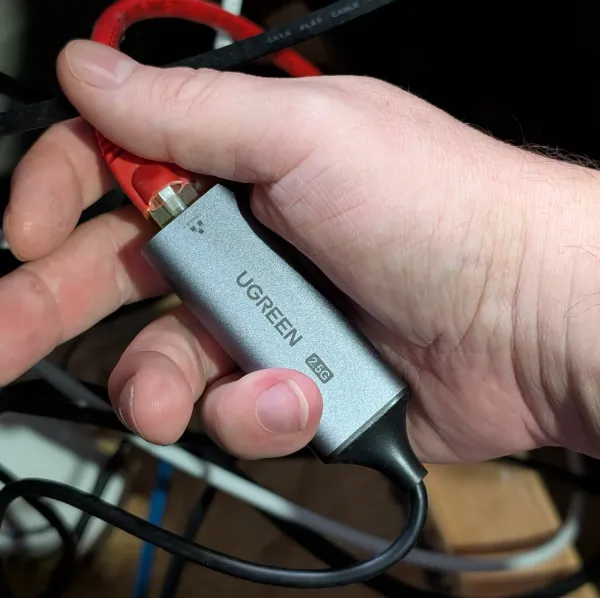
Two things people skimp on and regret: cable and the on-ramp to multi-gig. Buy proper Cat6 (it is cheap insurance for 10GbE runs), and if you are not ready for full SFP+, the single cheapest upgrade is a USB 2.5GbE adapter. It drops a non-networking mini PC or laptop onto your faster network for the price of lunch.
Do Not Forget the UPS
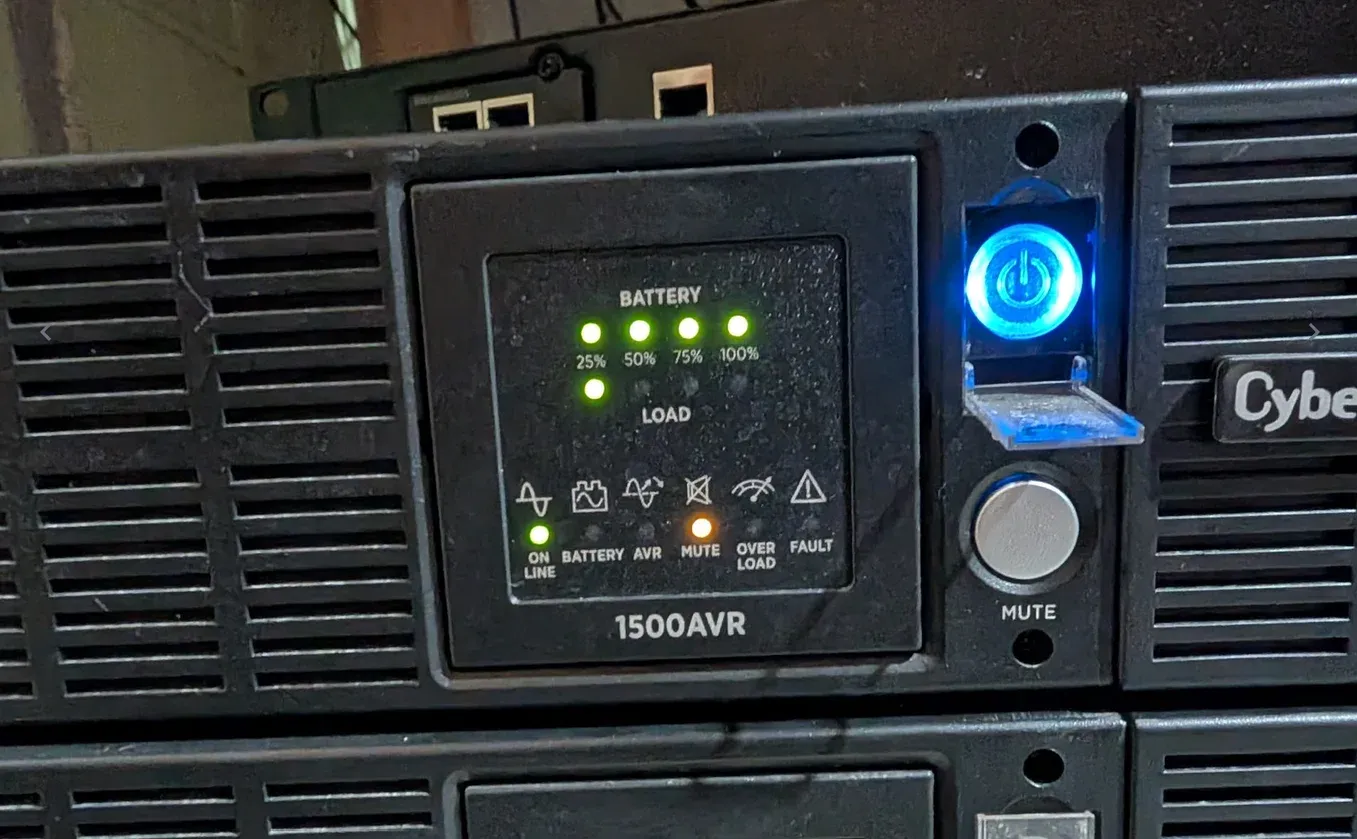
A network you cannot trust to survive a flicker is not infrastructure, it is a hobby. A line-interactive UPS keeps your firewall, switches, and NAS alive through brownouts and gives everything time to shut down cleanly. The APC Back-UPS Pro line is my "lab insurance." → Check the APC Back-UPS Pro on Amazon
A Sensible Upgrade Path
You do not have to buy all of this at once. Here is the order I would spend money in:
- Ditch the ISP router first. Put OPNsense on a cheap dual-NIC mini PC. Biggest single jump in control and security.
- Add a managed PoE switch. Unlocks VLANs and powers your APs over one cable.
- Move to real access points. One good wired AP beats three consumer mesh pucks.
- Dip into 2.5GbE with cheap USB adapters where you feel the pinch.
- Build the 10GbE spine last, once your NAS and compute hosts are ready to saturate it. 10Gbps is very fast and very often overkill. Technically I don't even need it with the crazy setup I have, but at the time I bought the Binardat switch it was very cheap.
Keep Building the Fortress
Networking is one wing of the larger Homelab Hardware Guide. Continue with:
- Best Mini PCs for a Homelab (your OPNsense firewall box)
- The OPNsense Series (the software that runs it)
- My Full Homelab Tech Stack (see it all wired together)
Homelab Hardware Guides
The Complete Guide · Start Here
Best Homelab Hardware Guide (2026)
The Gatehouse
Best Mini PCs for a Homelab
The Engine
Best Homelab Server CPUs: Intel vs AMD
The Vault
Best Pre-Built NAS for a Homelab
The Ammo
Best NAS & Homelab Hard Drives
The Uplink (This post)
Homelab Networking Gear Blueprint
The Supply Line
Where to Buy Homelab Hardware in Canada
Frequently Asked Questions
Is 10GbE networking worth it for a homelab?
For most people, only between two devices: your NAS and your main virtualization or backup host. That is where gigabit actually hurts, during large file transfers, VM migrations, and iSCSI. A cheap 8-port SFP+ switch as a dedicated spine between those machines is the highest-impact 10GbE upgrade. Blanketing every client in 10GbE is usually a waste.
Do I need a managed switch for a homelab?
Yes, as soon as you want VLANs. Network segmentation (keeping IoT, cameras, and lab services on separate VLANs) is the single biggest security improvement most homelabs can make, and it requires a managed switch. PoE support is a bonus that lets one cable both power and connect your access points.
Should I use OPNsense or my ISP router?
OPNsense, without question, once you are past the basics. A dedicated firewall gives you real VLAN routing, DNS enforcement, a built-in VPN server, deep packet inspection, and visibility a consumer router cannot match. It runs happily on a repurposed PC or a cheap dual-NIC mini PC.
Can I run the UniFi controller without a Cloud Key?
Yes. The UniFi Network Controller runs as a Docker container (or on any always-on machine) with no subscription and no cloud dependency. If you already run a homelab server, self-hosting the controller is the smarter, cheaper choice and keeps management fully under your control.
Written by
On this page
What's Next?