
Part 3: The Domino Effect - What To Do When Your Email & Socials Get Hacked
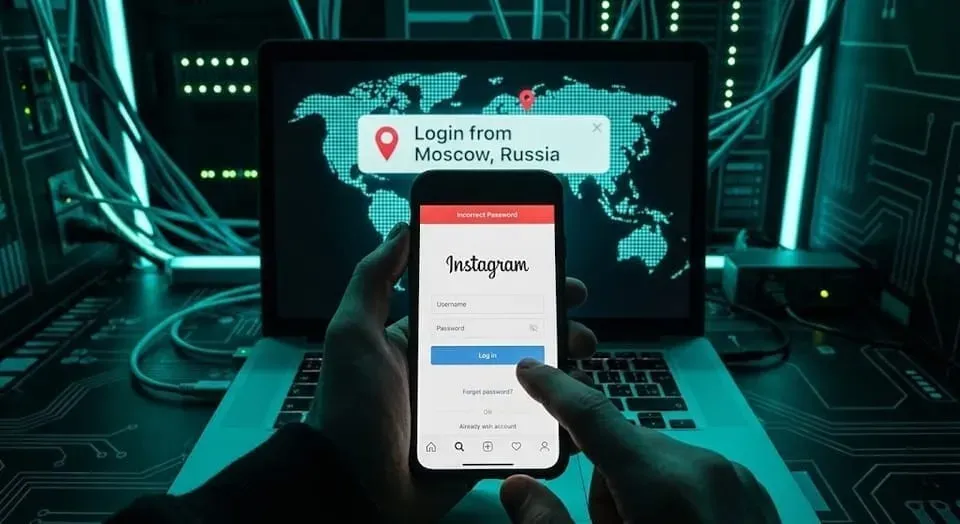
It started with a Direct Message. A friend sent you a link: "Is this you in this video? OMG." Curious, you clicked. It looked like the Facebook login page. You typed your password. Nothing happened. Weird. You shrugged and went on with your day. Six hours later, your phone explodes with texts.
"Why are you posting about crypto?" "Did you really just ask my mom for money?"
You try to open Instagram. "Password Incorrect." You try to open Facebook. "Password Incorrect." Panic sets in. You go to your email to reset the passwords. "Password Incorrect."
Game over. You aren't just locked out; someone else is locked in.
This is the classic Credential Harvesting attack. Today, we’re going to look at why securing your email is actually more important than the social media account itself.
The Identity Theft Survival Guide
We have aligned the following "Battle Plan" with the NIST Incident Response Framework (Detect, Contain, Eradicate, Recover) and cross-referenced it with official guidance from the RCMP and Canadian Anti-Fraud Centre so you know exactly who to call (and who not to).
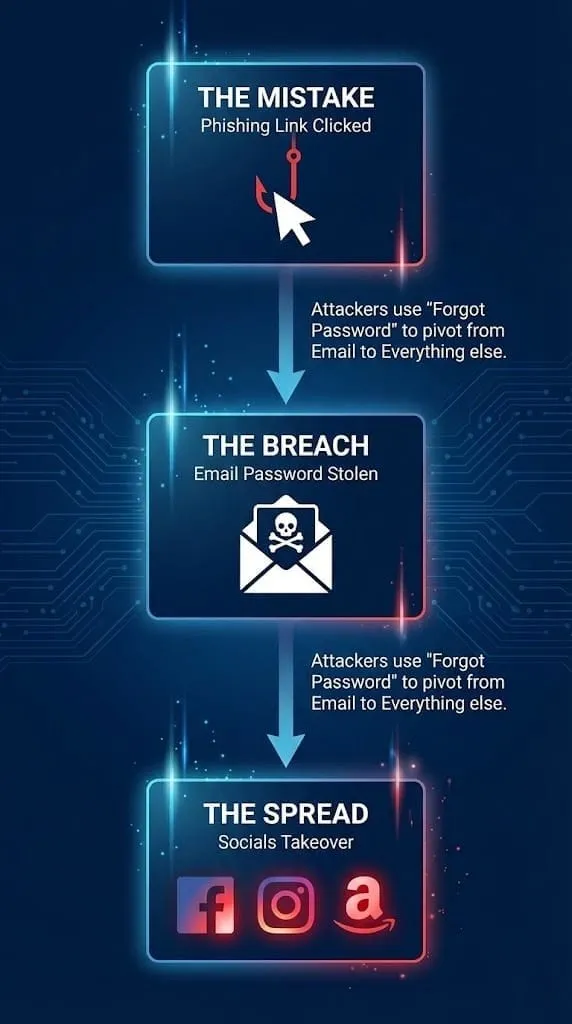
THE BATTLE PLAN: A Civilian's Guide to Incident Response
Phase 1: Containment (Stop the Bleeding)
DO NOT try to recover your Facebook account yet. If you recover it while the attacker still has your email, they will just steal it back in 5 minutes. You must secure the "Crown Jewels" (your Email) first.
1. The "Hail Mary" Email Recovery
- Go to your email provider (Gmail/Outlook/Yahoo) immediately.
- Select "Forgot Password?"
- If the attacker hasn't changed your "Recovery Phone Number" or "Recovery Email" yet, you might get lucky. Reset the password immediately to something complex (16+ characters).
2. If You Are Locked Out of Email:
- You must initiate the Account Recovery Claim with the provider.
- Pro Tip: Do this from a device and Wi-Fi network you use frequently (like your home PC). The algorithms trust "familiar" locations more than random ones.
3. The "Kill Switch" (Force Logout)
- Once you are back in your email, find the security setting labeled "Sign out of all other web sessions" or "Manage Devices."
- Why this is critical: Changing the password does not always kick the hacker out if they have an active "session token." You must manually force the logout.
Phase 2: Eradication (Remove the Spies)
This is the step 90% of victims miss, and it’s why they get re-hacked a week later.
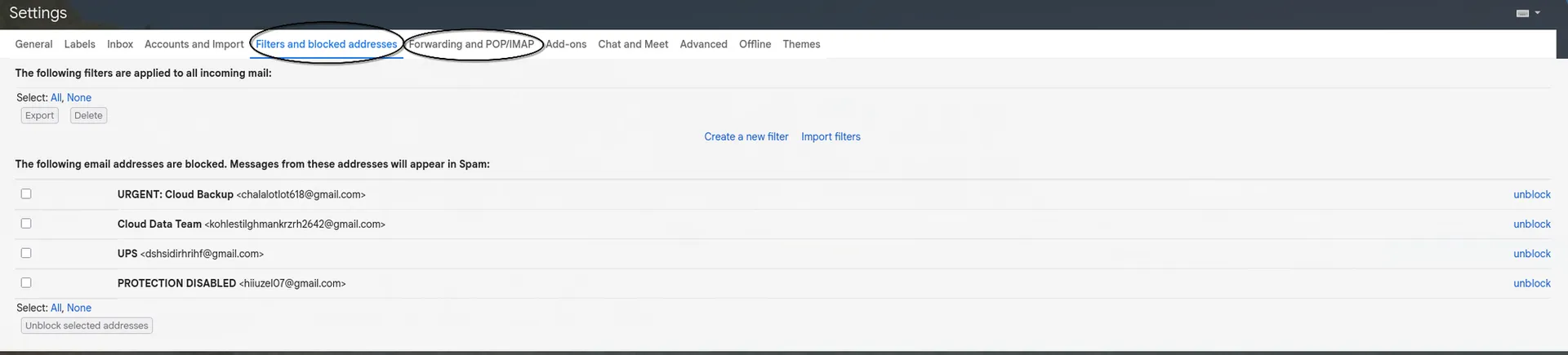
1. Hunt for "Shadow" Rules (Crucial!)
- Attackers often set up email rules to hide their activity.
- Check: Settings > See all settings > Filters and Blocked Addresses (Gmail) or Rules (Outlook).
- Look for: "If email contains 'Password Reset', delete it" or "Forward all mail to [[email protected]]."
- Action: Delete these rules immediately.
2. Check Connected Apps
- Look for "Third Party Apps" or "Authorized Applications" in your security settings. If you see "Samsung Galaxy S8" and you own an iPhone, revoke access.
Phase 3: The Official Canadian Reporting Protocol
In Canada, we have a fragmented system for reporting cybercrime. Here is the official hierarchy of who you need to contact.
1. Local Police (Non-Emergency Line)
- Why: You need a Case Number.
- Reality Check: The police will not assign a detective to "hack back" your Facebook. However, banks and insurance companies often require a police file number to reverse fraudulent charges.
- Action: Call the non-emergency line or file an online report (available for Toronto Police, Vancouver Police, OPP, etc.). State clearly: "I am a victim of Identity Fraud."
2. Canadian Anti-Fraud Centre (CAFC)
- Why: This creates a federal record. The CAFC shares intelligence with the RCMP's National Cybercrime Coordination Centre (NC3) to track organized crime rings.
- Action: File a report online via theFraud Reporting Systemor call 1-888-495-8501.
3. Credit Bureaus (The Financial Shield)
- Why: If the attacker has your email, they likely have your bills, which means they have your address and full name. They may try to open credit cards in your name.
- Action: Contact both major bureaus to place a "Fraud Alert" on your file.
- Equifax Canada: 1-800-465-7166
- TransUnion Canada: 1-800-663-9980
4. Managing the SIN (Social Insurance Number)
- The Myth: "I need a new SIN immediately."
- The Reality: Service Canada rarely issues new SINs unless there is proof of ongoing misuse (like someone working a job under your name).
- Official Advice: According to Employment and Social Development Canada, you should not waste time trying to change your SIN immediately. Instead, monitor your mail for T4s from jobs you don't have, and report that specific fraud if it occurs.

If you are unsure whether your email, Microsoft 365 account or devices are still compromised, a professional cyber security support team can help review the breach, secure your accounts and reduce the risk of being hacked again.
Phase 4: Recovery (Reclaim the Territory)
Now—and only now—is it safe to go after your social media.
1. The "Compromised Account" Flow
- Don't just use "Forgot Password." Use the hacked account report forms:
- Facebook: facebook.com/hacked
- Instagram: instagram.com/hacked
- These flows act differently than standard resets; they often ask you to verify your identity with an ID upload or a "Video Selfie" to prove you are the human in the photos.
2. Damage Control (The "Burn Notice") You need to warn your network immediately so they don't become victims.
- Action: Post on an alternate platform (LinkedIn, Twitter, WhatsApp Status) or text your close contacts.
- See the "Quick Copy Template" below.
Phase 5: Fortify (Never Again)
1. The Golden Rule: Compartmentalization
- Your email password must be unique. It cannot be the same password you use for a random shopping site or forum. If that forum gets hacked, your email gets hacked.
- Solution: Use a Password Manager (Bitwarden, 1Password) to generate random complex passwords for everything.
2. Upgrade your 2FA (Guidance from CCCS)
- The Canadian Centre for Cyber Security explicitly recommends moving away from SMS (text message) authentication.
- Move to App-Based Auth: Use Google Authenticator, Aegis, or Authy. These codes live on your phone, not in the text network, making them immune to SIM swapping.
Bonus Resource: The "Burn Notice" Template
Copy and paste this to send to family groups or post on alternate social media to stop the spread.
⚠️ URGENT: I HAVE BEEN HACKED ⚠️
Hi everyone, please DO NOT open any links sent from my [Facebook/Instagram] account or my email in the last 24 hours.
My account has been compromised and the attackers are sending out phishing links / crypto scams / asking for money in my name.
I will never ask you for money or passwords over chat.
I am currently working on recovering the accounts. If you received a strange message from me, please delete it and do not report it as spam yet (so I can recover the account).
Thanks, [Your Name]
Member discussion