Mealie Docker Setup Guide (2026): Build a Self-Hosted Recipe Manager Your Whole Family Will Actually Use
Learn how to install Mealie with Docker in 2026. Build a beautiful self-hosted recipe manager with recipe imports, meal planning, shopping lists, and secure remote access.

Have you ever bookmarked a recipe only to discover it six months later buried somewhere between browser bookmarks, Pinterest boards, screenshots, and random notes? That was our household for years. Recipes lived everywhere. Some were bookmarked, others were printed and stuffed into kitchen drawers, and plenty were forgotten in a phone gallery.
Eventually I decided there had to be a better way! Like most of my homelab projects, I started by searching for a Docker-based recipe manager. After looking around, Mealie immediately stood out.
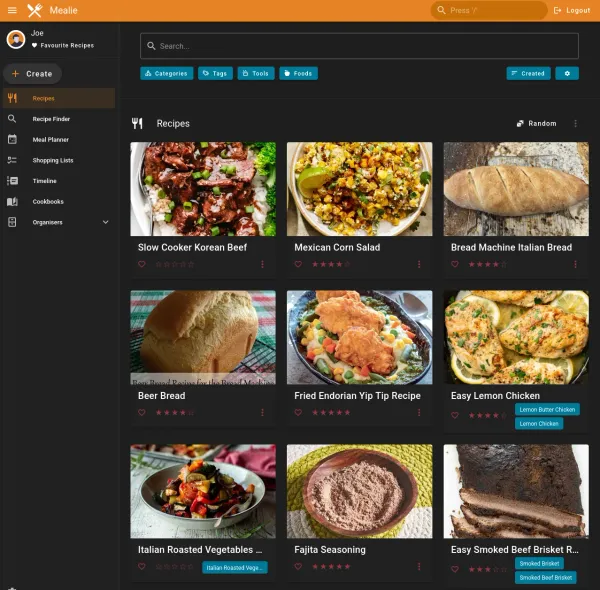
Enter Mealie: a modern, self-hosted recipe manager that allows you to collect recipes from across the internet, automatically import ingredients and instructions, generate shopping lists, plan meals, and access everything from any device.
Best of all, it runs easily in Docker and is simple enough that even non-technical family members can use it.
In this guide I'll show you how to deploy Mealie using Docker, configure it, import recipes, organize your collection, and make it accessible to your household.
What is Mealie?
Mealie is an open-source recipe management platform designed for self-hosters. Some of its key features include:
- Automatic recipe importing from websites
- Shopping list generation
- Meal planning
- Recipe scaling
- Categories and tags
- Family sharing
- Mobile-friendly interface
- Self-hosted ownership of your data
Unlike commercial recipe services, your recipes remain under your control.
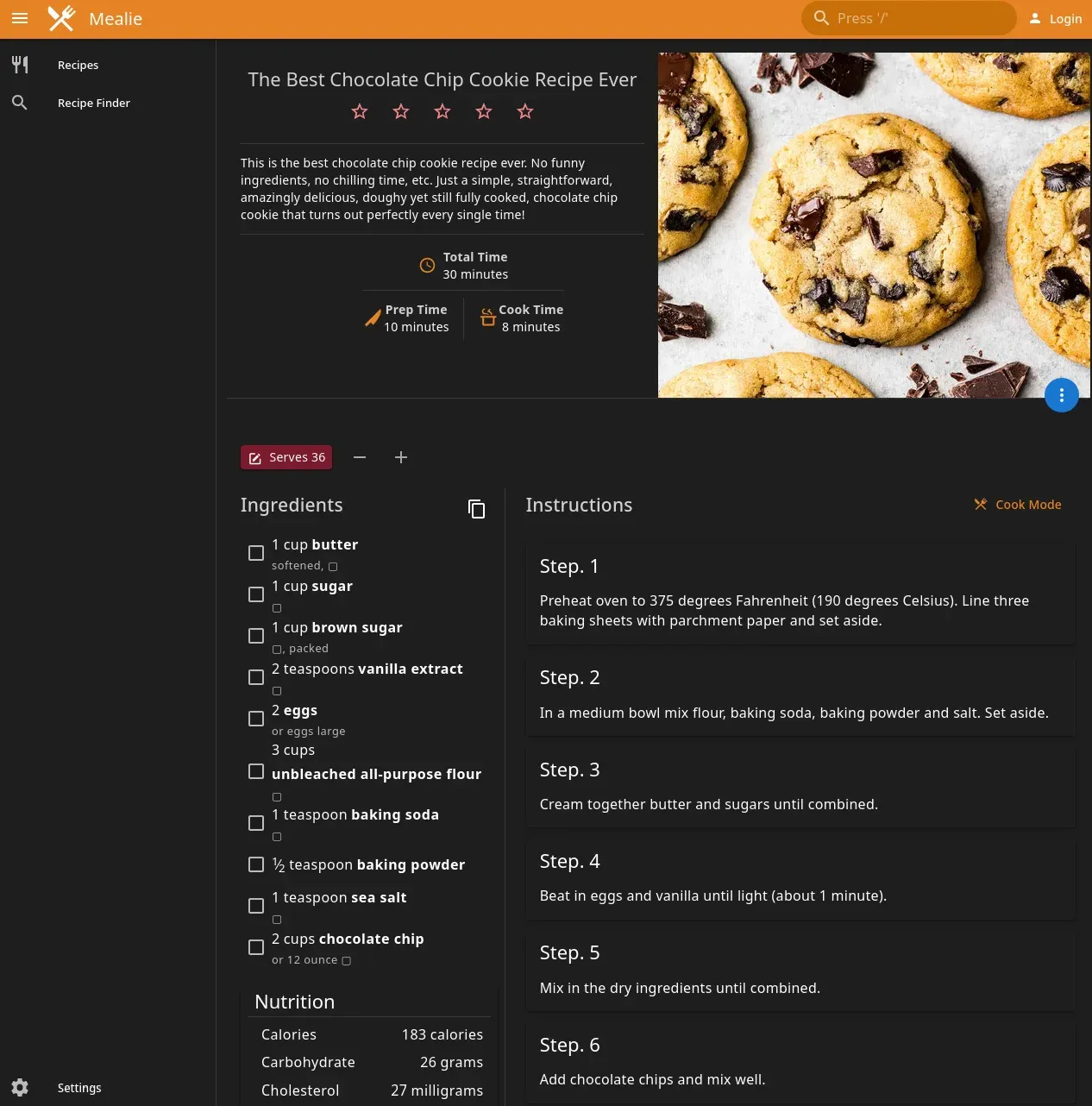
Cook Mode
Such an under-rated but fantastic feature! It:
- keeps screen awake
- has large buttons
- follows step-by-step recipes
- no scrolling
- perfect for tablets
That's one of Mealie's biggest selling points.
Why I Chose Mealie
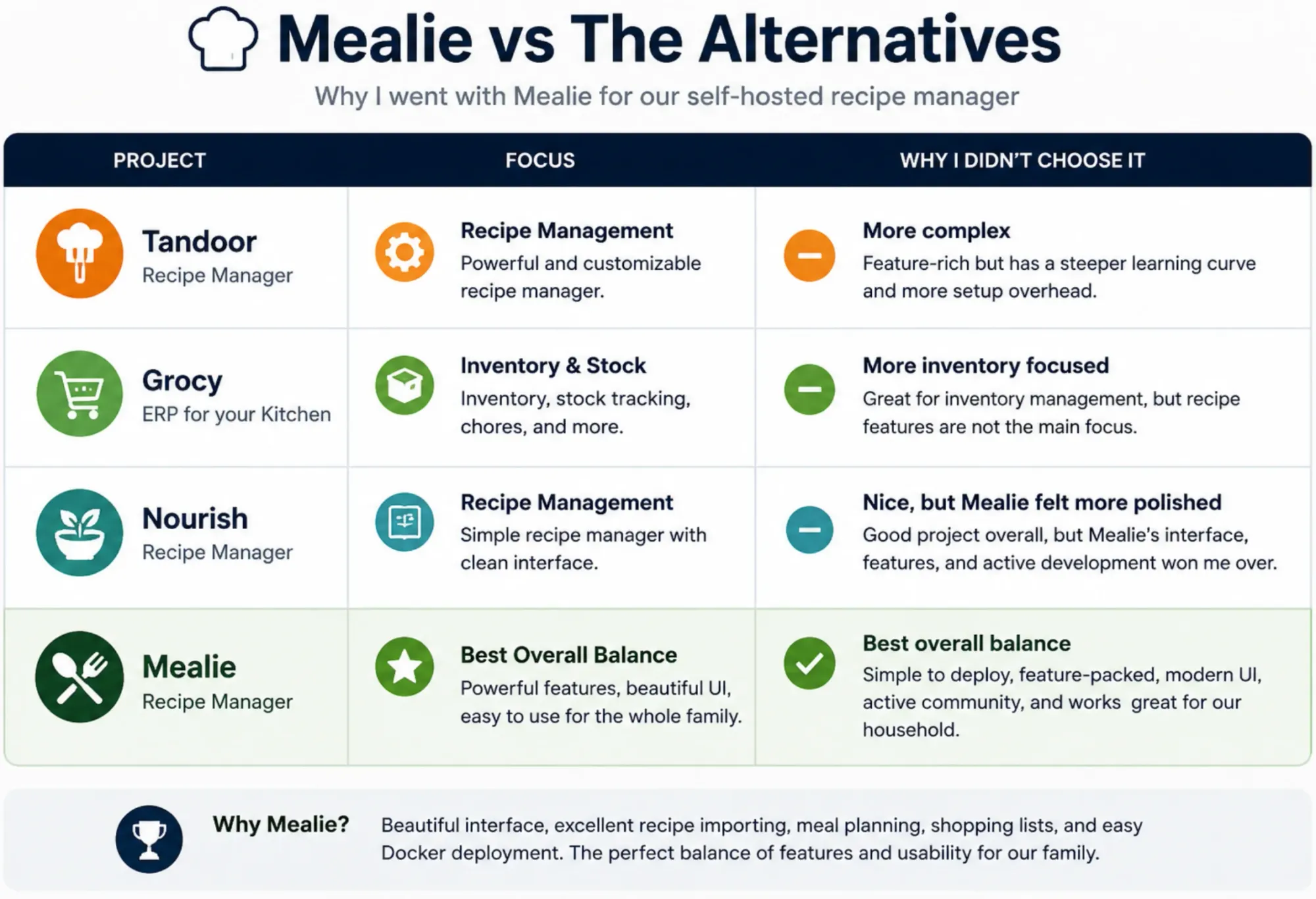
Nope, I didn't test a bunch of other recipe apps, I didn't spend weeks comparing every recipe manager available. Mealie immediately caught my attention because it looked polished, had an active community, and supported everything I wanted out of the box. After using it for several months, I haven't felt the need to switch. Here's what I immediately fell in love with:
- Mealie's beautiful yet simple webgui
- Simple deployment (1 container, 1 backend db)
- Features, all the features!
- My fav and most used is the automatic recipe import function however.
A Breakdown of the competitors:
It Actually Looks Modern
Many self-hosted projects are powerful but intimidating. Mealie looks polished enough that family members can use it without training and I don't have to get calls or complaints, it's just a website!
Recipe Importing Works Surprisingly Well
Paste a recipe URL and Mealie automatically extracts:
- Ingredients
- Instructions
- Images
- Preparation times
- Serving sizes
This alone saves an incredible amount of manual work!
If you're already running docker, it literally takes a few minutes to spin it up!
Deploying Mealie with Docker
Prerequisites
Before beginning, you'll need:
- A Docker host
- Docker Compose
- Persistent storage
- Reverse proxy (if you want to share it over the web)
- A domain or subdomain (as above)
My installation runs behind SWAG and Authelia, but any reverse proxy solution will work!
Create Your Directory Structure
Create a directory for Mealie:
mkdir -p ~/docker/mealie
cd ~/docker/mealie
Docker Compose File
Create a docker-compose.yml file, I do it with nano docker-compose.yml:
 mealie:
    container_name: mealie
    image: ghcr.io/mealie-recipes/mealie:v3.15.0
    restart: unless-stopped
    dns:
      - 10.0.0.1
    ports:
      - "9925:9000"
    depends_on:
      - mealie-db
    environment:
      - TZ=America/Toronto
      - PUID=1000
      - PGID=1000
      - ALLOW_SIGNUP=false #Set to true when inviting fam
      - ALLOW_PASSWORD_LOGIN=true
      - BASE_URL=https://yourown.domain.ca
      - DB_ENGINE=postgres
      - POSTGRES_SERVER=mealie-db
      - POSTGRES_PORT=5432
      - POSTGRES_USER=mealie
      - POSTGRES_PASSWORD=yourown_long_pw
      - POSTGRES_DB=mealie
      - MAX_WORKERS=1
      - WEB_CONCURRENCY=1
    volumes:
      - /brain/DOCKERS/mealie/data:/app/data

  mealie-db:
    container_name: mealie-db
    image: postgres:17
    restart: always
    expose:
      - "5432"
    environment:
      - POSTGRES_USER=mealie
      - POSTGRES_PASSWORD=yourown_pw #Should match the one above!
      - POSTGRES_DB=mealie
    volumes:
      - /brain/DOCKERS/mealie-db:/var/lib/postgresql/data
Here's the official one for reference.
| Variable | Purpose |
|---|---|
| BASE_URL | Public URL |
| ALLOW_SIGNUP | Disable public registration |
| MAX_WORKERS | Resource optimization |
| WEB_CONCURRENCY | Number of worker processes |
Save the file with CTRL-O to overwrite if it's an existing compose, or
Start Mealie
Launch the container:
docker compose up -dVerify it started correctly:
docker logs -f mealieYou should see the Mealie container running.
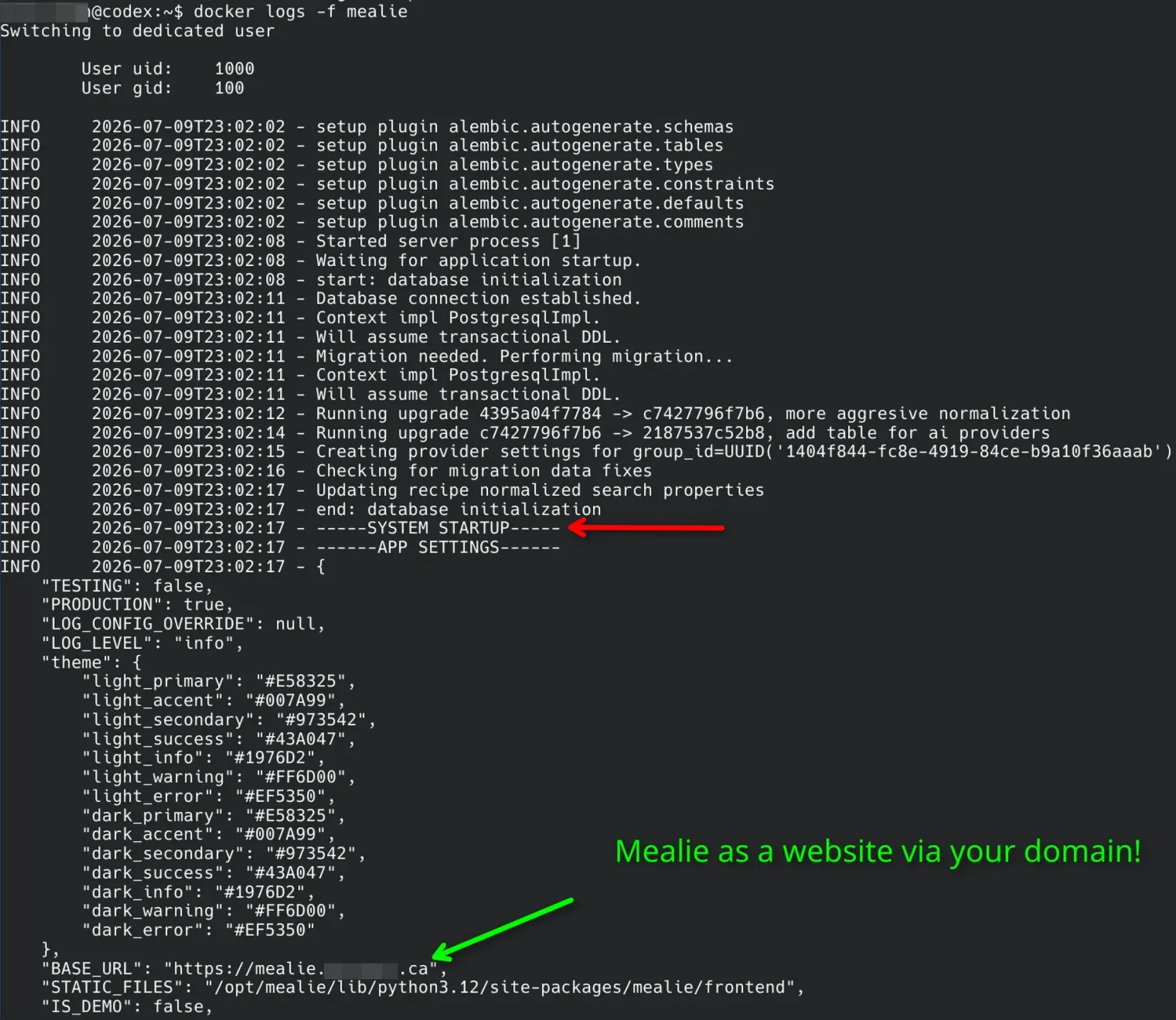
SYSTEM STARTUP followed by your configured BASE_URL, the application initialized successfully.CTRL-C to drop out of that running log.
Initial Login
Browse to:
http://your-server-ip:9925The nice setup wizard will appear which makes 'onboarding' a breeze! You'll be prompted to create:
- Administrator account
- Username
- Password
Configuring Mealie
Once logged in, spend a few minutes configuring the basics. Navigate to:
Settings → Admin SettingsConfigure:
- User invites for fam/friends
- Separate Cookbooks if wanted
- Notifiers if you want
- Separate Households if you want
In other words, you can use this app to host a recipe website for multiple households and families, and share recipes!
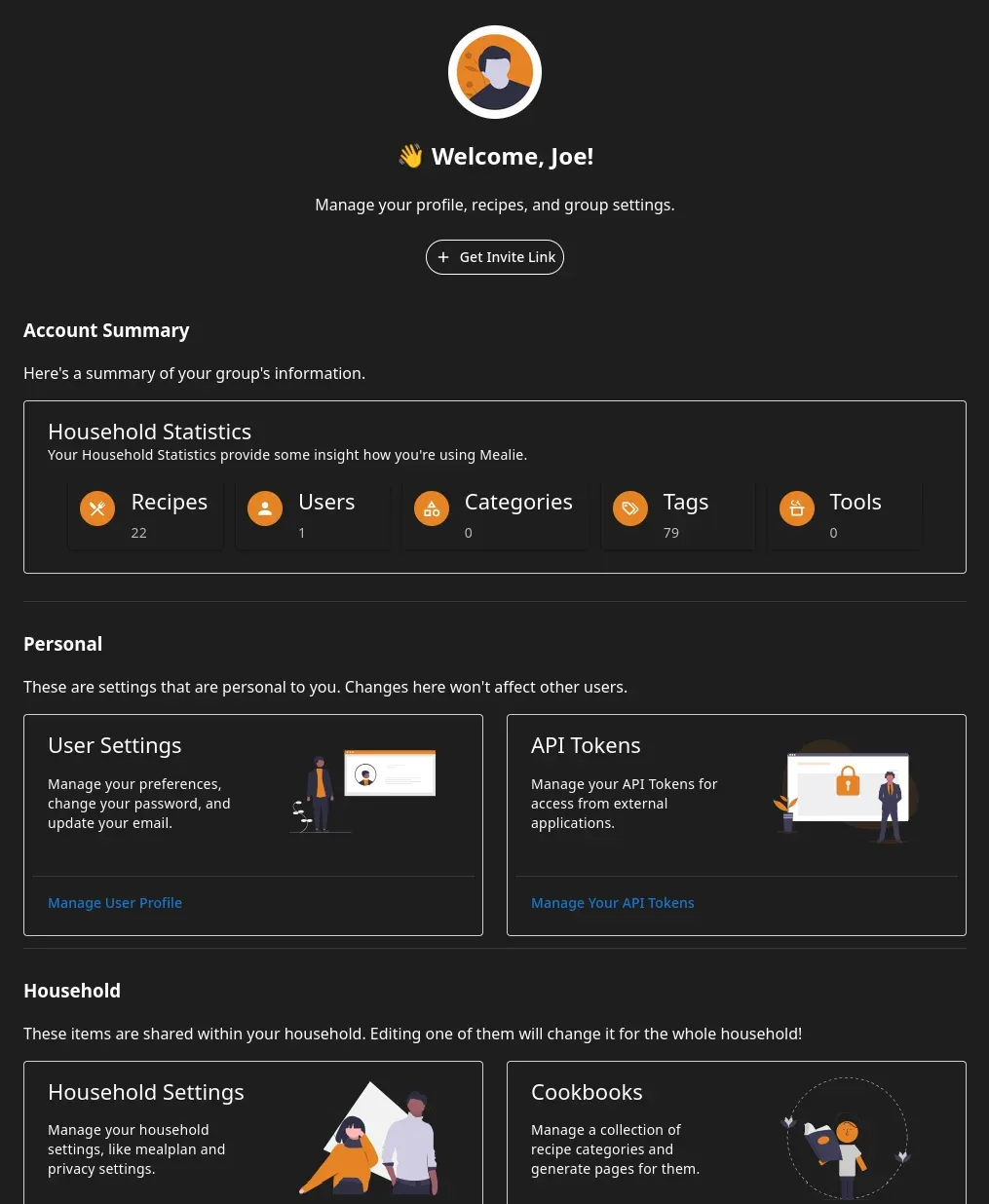
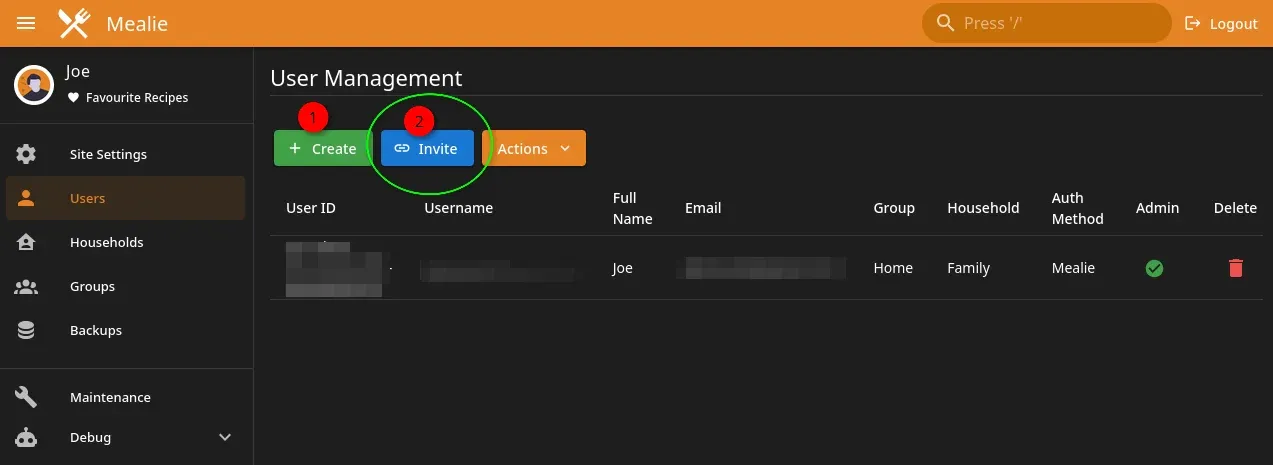
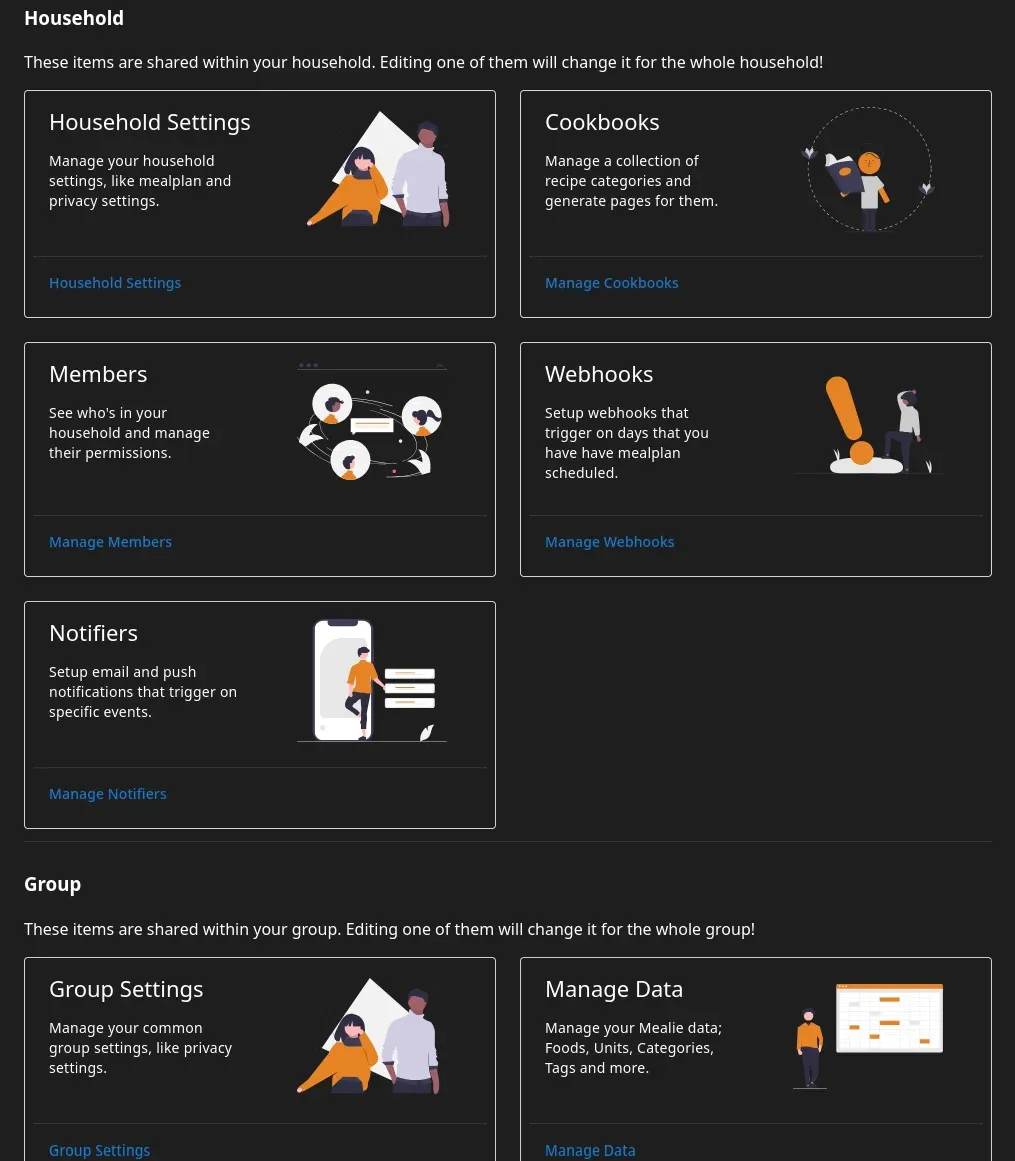
Various settings pages of Mealie, spend a few minutes getting acquainted.
Import Recipes From Almost Any Website
This is where Mealie becomes truly useful. Copy the URL of a recipe from:
- AllRecipes
- Serious Eats
- Budget Bytes
- NYT Cooking (where compatible)
- Food Network
- BBC Good Food
- blogs
Then:
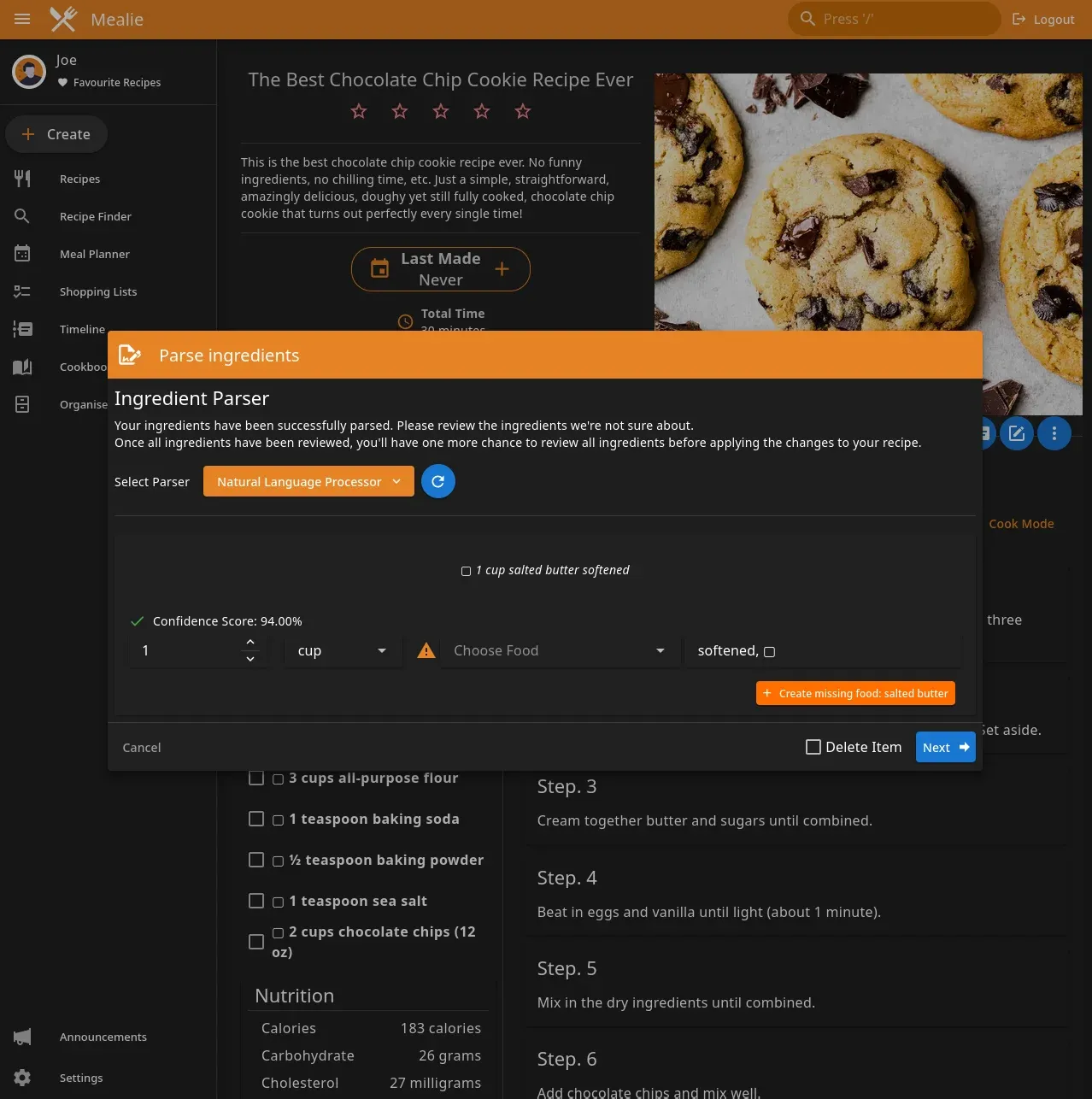
- Click Create
- Select Import Recipe
- Paste URL
Within seconds Mealie typically imports:
- Ingredients
- Instructions
- Photos
- Serving sizes
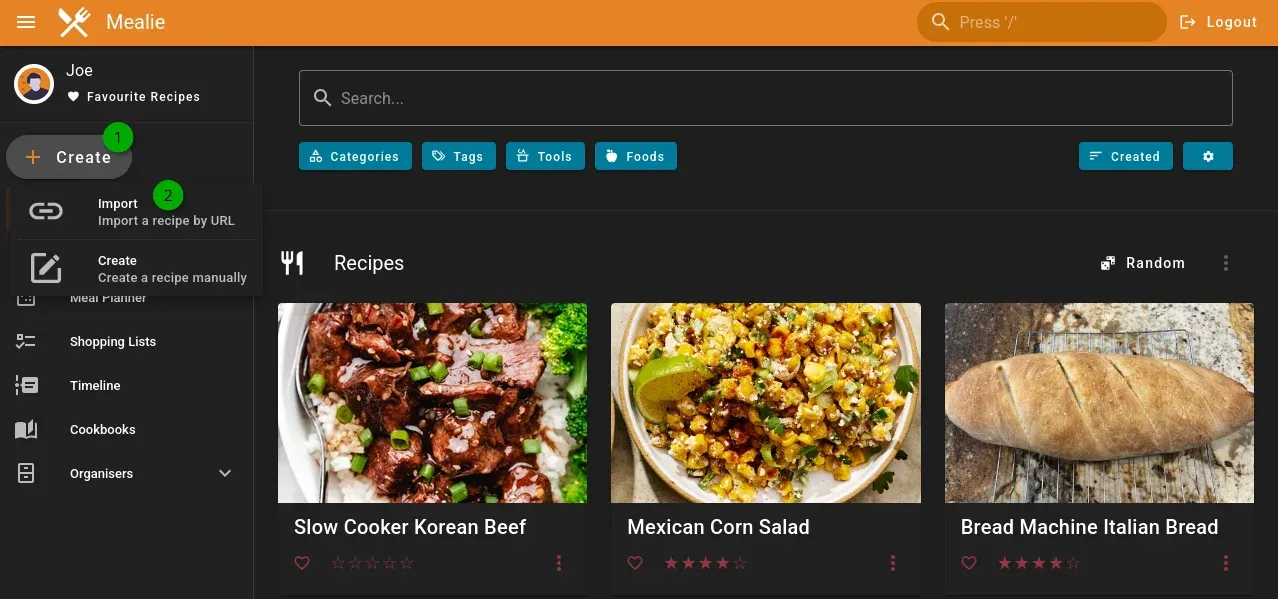
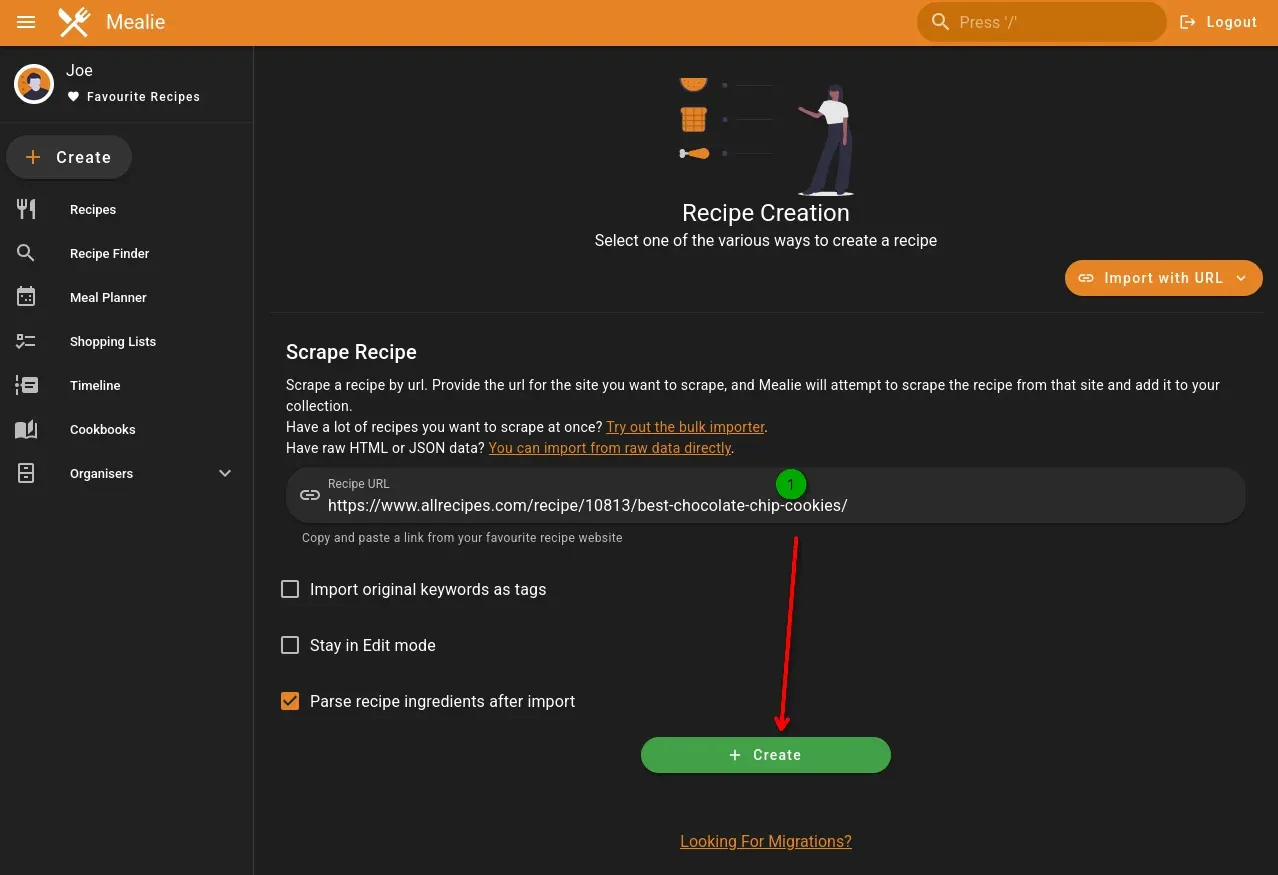
Making Mealie Accessible Outside Your Home
If you'd like access while shopping:
- Reverse proxy Mealie
- Add HTTPS (Automatic w/SWAG)
- Protect it with Authelia or another authentication layer (Optional, recommended)
Example:
recipes.yourdomain.comEvery member of my household simply opens Mealie in their browser. The interface automatically adapts to phones, tablets, and desktops without requiring a dedicated app. Truly killer functionality and your family will dig it, you know, after you convince them to cook.
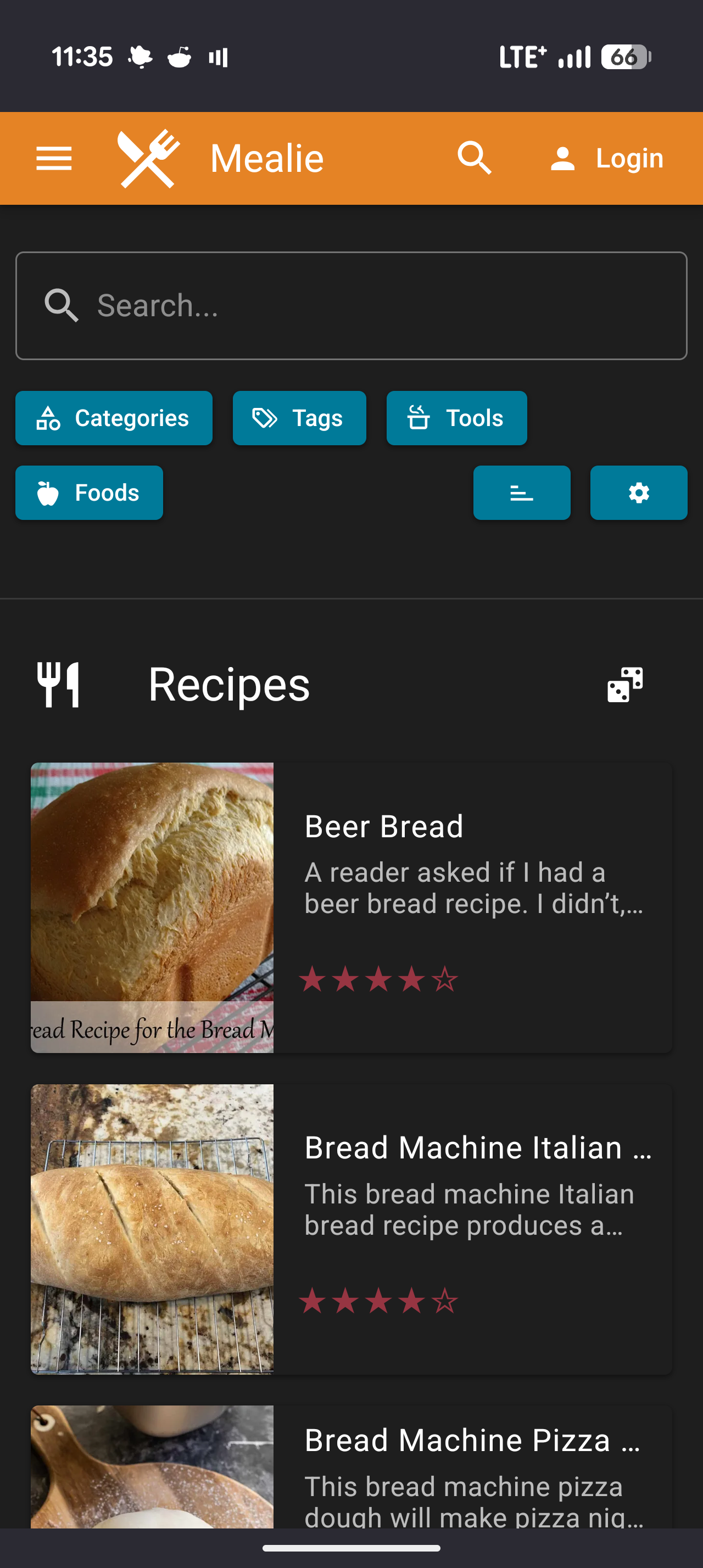
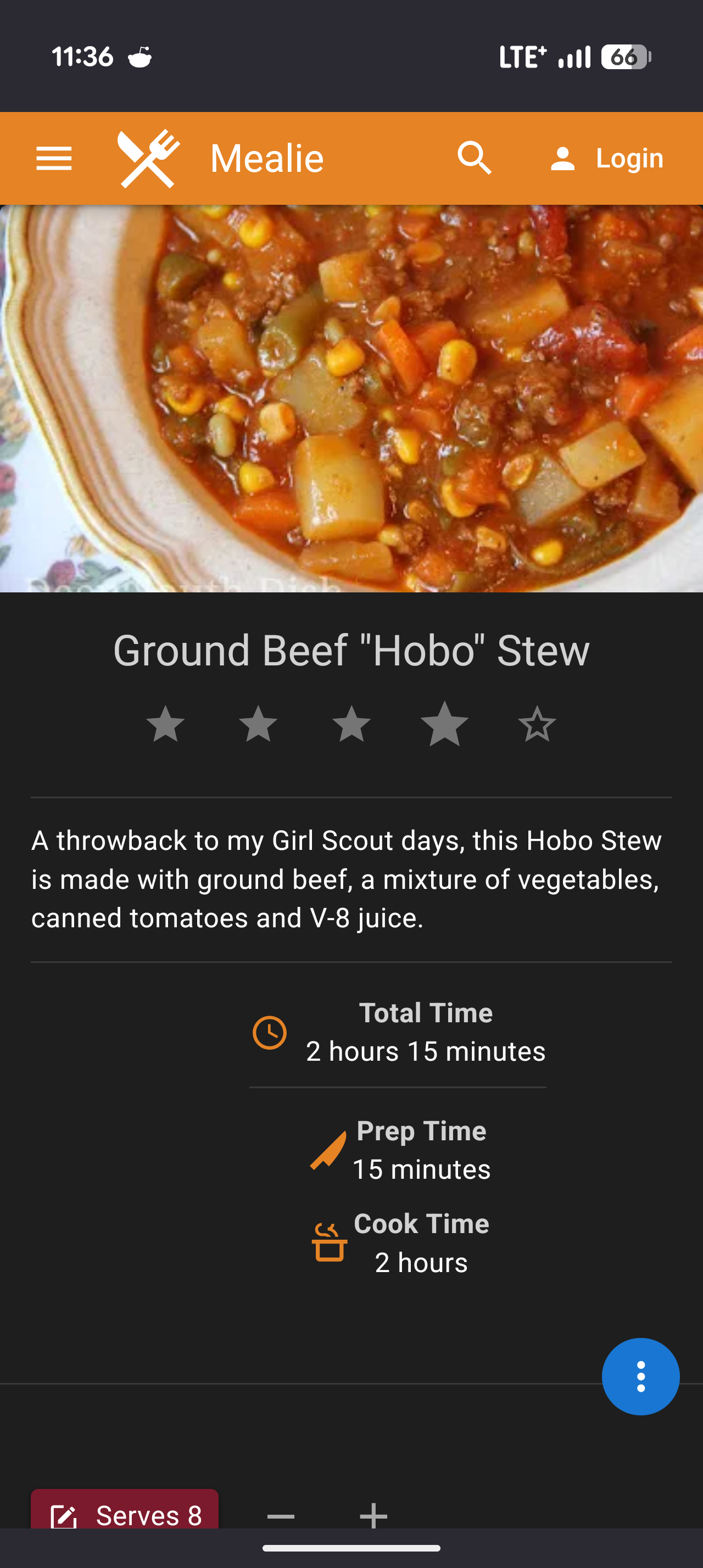
Left side is the Mealie splash page, right side is inside a recipe. It's all optimized for Mobile as well!
Fixing Imported Recipes
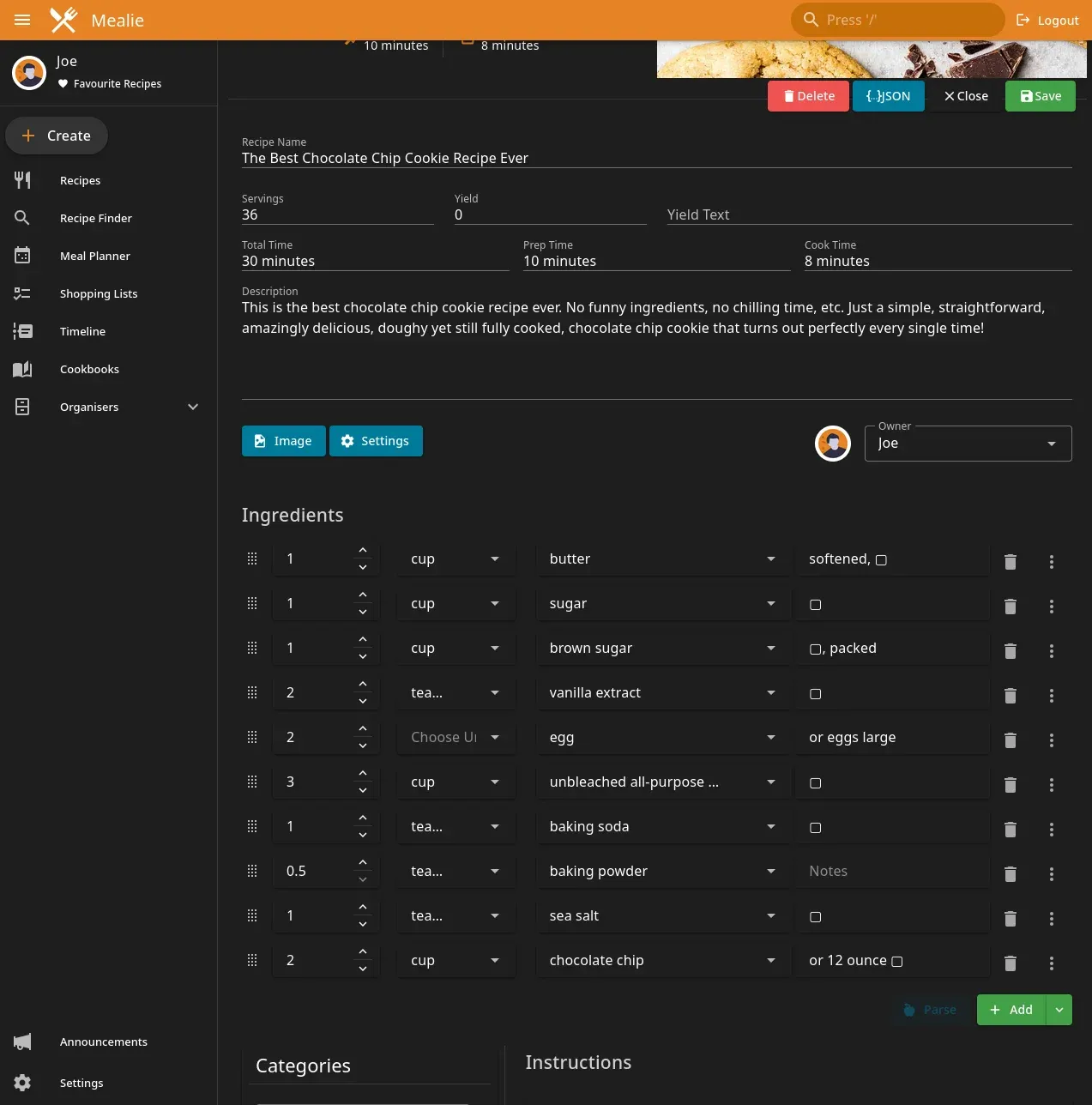
No importer is perfect. Always verify:
- Measurements
- Ingredient quantities
- Formatting
Fortunately, editing recipes is straightforward.
Organizing Recipes
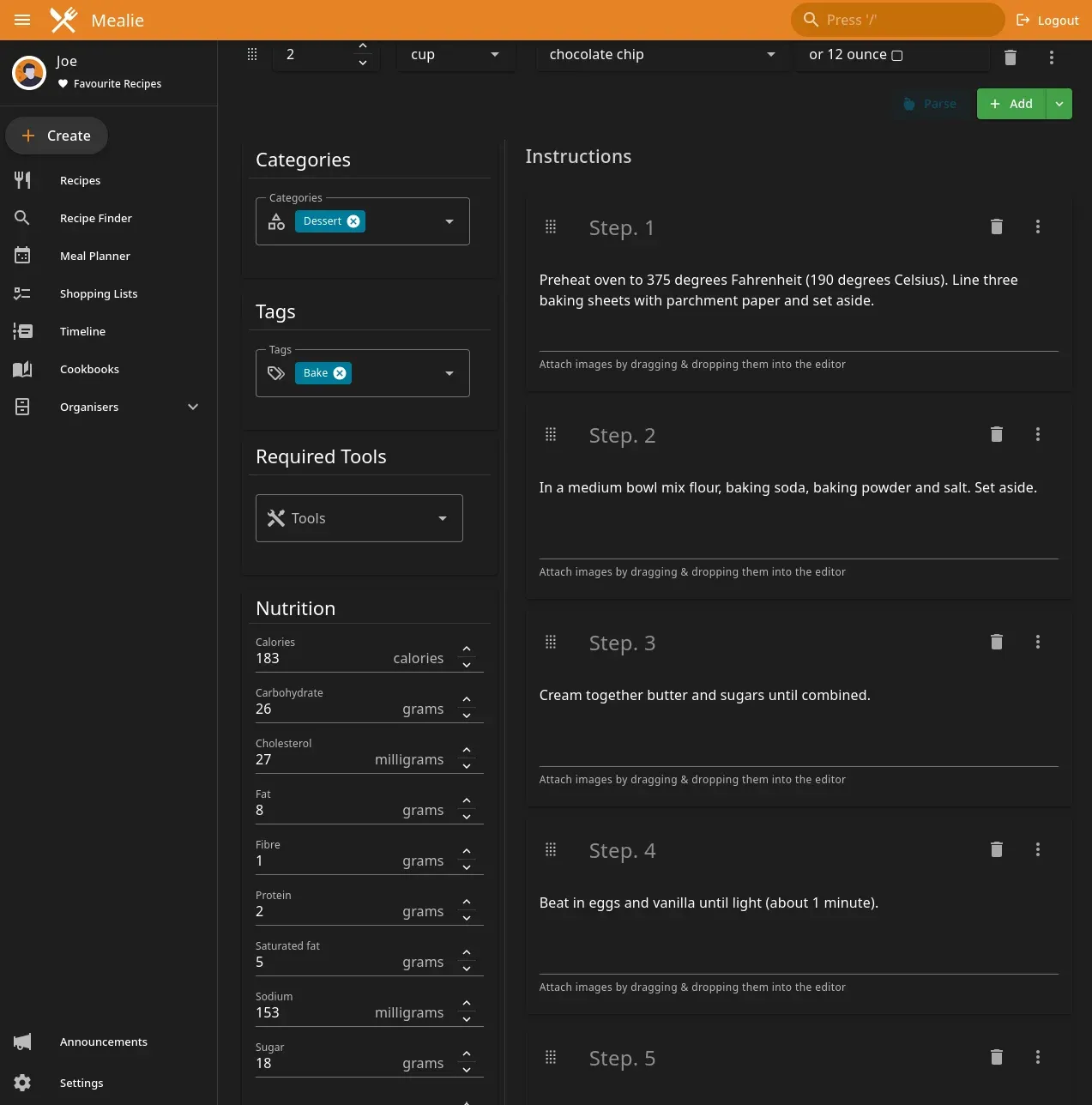
As your collection grows, organization becomes increasingly important. I recommend creating categories such as:
- Breakfast
- Lunch
- Dinner
- Desserts
- BBQ
- Holidays
- Slow Cooker
- Air Fryer
Tags can then be used for:
- Chicken
- Beef
- Vegetarian
- Quick Meals
- Meal Prep
Meal Planning
One of Mealie's most underrated features is meal planning.
Open:
Meal Plannerand schedule recipes throughout the week. This makes weekly grocery planning significantly easier once you've loaded up and tagged all your recipes!
Shopping Lists
Once meals are planned, generating shopping lists becomes almost automatic. Mealie can combine ingredients from multiple recipes into a single list.
I have to use this feature a little more!
Backup Strategy
Recipes are valuable data. I lost them once and it made everyone pretty sad! I strongly recommend backing up:
/app/dataRegularly. Like twice a week with all my other important data. If you're already backing up Docker volumes using:
- Duplicati
- Restic
- Kopia
- Synology Active Backup
then simply include your Mealie data directory.
Ideas for Home Lab Integration
Mealie becomes even more useful when integrated into a larger homelab. Some ideas include:
Wall-Mounted Kitchen Tablet (One day! One day I'll get to this!)
Display recipes directly in the kitchen.
Home Assistant Dashboard
Create quick links to favorite recipes.
Family Portal
Expose Mealie through your existing authentication platform.
QR Code Labels
Generate QR codes linking directly to recipes that people can use or your kids can use when they want easy access without even having to manually browse to it!
Mealie At a Glance
| Feature | Support |
|---|---|
| Docker Compose | ✅ |
| PostgreSQL | ✅ |
| SQLite | ✅ |
| Automatic Recipe Import | ✅ |
| Meal Planner | ✅ |
| Shopping Lists | ✅ |
| Multiple Users | ✅ |
| Mobile Friendly | ✅ |
| Cook Mode | ✅ |
| Self-Hosted | ✅ |
| Free & Open Source | ✅ |
Final Thoughts
Mealie is one of those rare self-hosted projects that delivers immediate value. Unlike many homelab applications that exist primarily for learning, Mealie solves a real-world problem that the entire household can benefit from.
If you've ever struggled to organize recipes, shopping lists, and meal planning, it's well worth spending fifteen minutes deploying.
Once it's set up, you'll wonder why you didn't start using it sooner.
FAQ
Does Mealie require PostgreSQL?
No. Mealie supports both SQLite and PostgreSQL. SQLite is suitable for smaller or single-user deployments, while PostgreSQL is recommended for larger households or long-term installations due to its improved scalability, reliability, and backup options. This guide uses PostgreSQL for the best overall experience.
Can Mealie import recipes automatically?
Yes. One of Mealie's standout features is its automatic recipe importer. Simply paste the URL of a supported recipe website, and Mealie will attempt to import the ingredients, cooking instructions, images, preparation times, and serving sizes. While the importer works remarkably well, it's always worth reviewing imported recipes for formatting or measurement corrections.
Can multiple family members use Mealie?
Absolutely. Mealie supports multiple users, households, permissions, and shared recipe collections. Each member of your household can access recipes, contribute new ones, help plan meals, and generate shopping lists from any device.
Can I access Mealie outside my home?
Yes. If you publish Mealie behind a reverse proxy such as SWAG, Traefik, or Nginx Proxy Manager and secure it with HTTPS, you can safely access your recipes from anywhere. For additional security, I recommend protecting it with Authelia or another authentication provider before exposing it to the internet.
Is Mealie free?
Yes. Mealie is completely free and open source. You can self-host it on your own hardware using Docker, giving you full ownership of your recipes and personal data without recurring subscription fees.
Does Mealie work on mobile devices?
Yes. Mealie's responsive web interface works exceptionally well on smartphones, tablets, laptops, and desktop computers. It also includes a dedicated Cook Mode that makes following recipes in the kitchen much easier by presenting clear, easy-to-read cooking steps.
How much memory and CPU does Mealie need?
Mealie is lightweight and runs comfortably on most homelab servers or small mini PCs. For most households, a single CPU core and a few hundred megabytes of RAM are sufficient, making it an excellent addition to an existing Docker server.
Is Mealie suitable for beginners?
Yes. Mealie is one of the easiest self-hosted applications to deploy. With a simple Docker Compose file and an intuitive setup wizard, most users can have it running in less than 15 minutes.
Written by
On this page
What's Next?


Cybersecurity Threat Intel: What the Critical PHP RCEs and Tailscale Disclosures Mean for Homelabbers
The past 72 hours delivered a brutal one-two punch: critical PHP RCEs ('php2shell') followed by a 12-hour-old Tailscale SSH socket vulnerability disclosure. Here is my technical breakdown and how I hardened my homelab.