Best Homelab Hardware Guide (2026): Servers, Mini-PCs, CPUs & Parts
As an IT professional and veteran, I’ve spent 20 years deploying infrastructure in environments where failure wasn't an option. I built Core Lab because I realized the average home network is now a target, and the average "consumer" hardware isn't built to defend it. But it can be crafted and formatted to be!
The goal of this guide isn't just to sell you parts. It's to help you provision a Digital Fortress - efficient, powerful, and secure - without wasting money on marketing fluff.
This helps support my writing, the site & infrastructure and positively reinforces me to keep going!
At Core Lab, I prioritize Stability, Efficiency, and Security. Whether you are building a silent 'Gatehouse' node or a massive storage 'Vault,' this is the hardware I recommend & trust to hold the line.
The Hardware Strategy
Quick Picks: Homelab Essentials
Hardware Selector Quiz!
Best Mini PCs for Homelab Workloads (Low Power & Always-On)
Hardware has become extremely performant in the past 10 years, especially so for even smaller computers. So far I've played with a few different mini-pcs which are in different price ranges, and different architecture (Intel vs AMD, classic).
The "Twin Lake" N150's are newer and better than the legendary N100, offering better Quicsync engines for hardware transcoding and better performance overall, all the while still just sipping power.
Affordable Mini-PCs: Entry to Self-Hosting
The Mission: I would utilize these types of mini-PCs for "Always-On" critical infrastructure - services that must run 24/7 without spinning the power meter (Home Assistant, VaultWarden, Frigate etc). You can also use these to be the 'perfect' media player - forget transcoding, they can play almost anything!
We'll start with most affordable, and move down from there.
ABeelink EQR5 Mini PC, AMD Ryzen 5 5500U Mini PC - Great Mini Firewall or Server
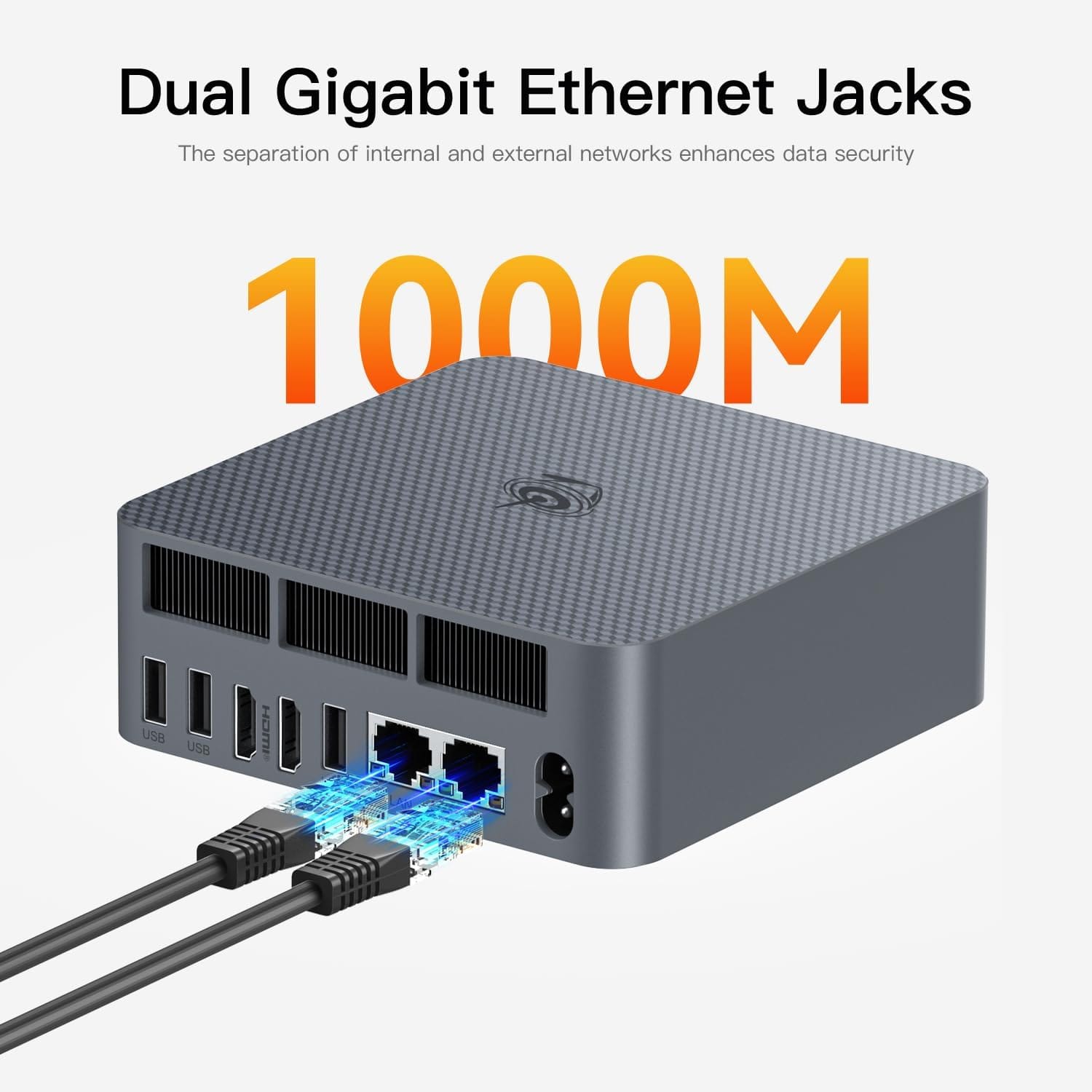
Beelink EQR5 Mini PC, AMD Ryzen 5 5500U!
- 6C/12T, up to 4Ghz
- 16GB DDR4 RAM
- 480GB SSD
- Dual 2X1Gbps Ethernet (Perfect for OPNsense!)
- LIFETIME Warranty support from Beelink!
There are 9 variations on the link, differing in RAM & storage and of course, price.
Capabilities:
- Tiny Powerful Footprint: For less that the cost of running a light bulb, this could run some serious dockers for you!
- Price ranges: for any budget (almost), massive bang for buck
- Limited Media Server ability: for that look down further 👇
Why I Chose It: At about half the cost of the GMKtec down below, this is the new cost efficiency champion.
KAMRUI Pinova P2 Small Gaming PC - Media Server & Player Master!
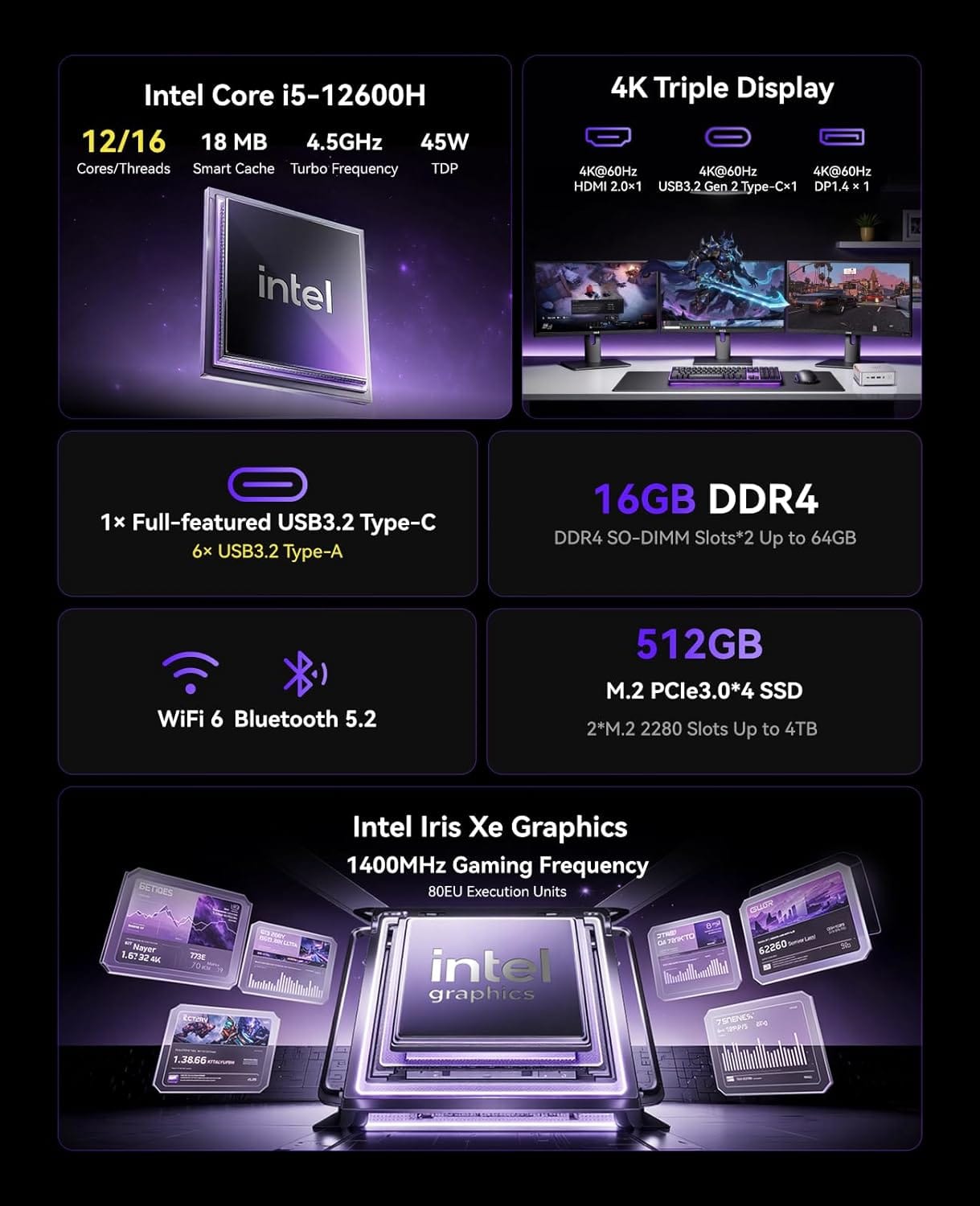
Intel Core i5-12600H
- Intel Core i5-12600H(Beats 1185G7/12450H)
- 16GB DDR4 RAM
- 512GB SSD
- 1X1Gbps RJ45 Ethernet
- 45 Watts running power!
There are 10 variations on the link, differing in RAM, storage and price.
Capabilities:
- Transcoding King🔥: Unlike the Ryzen, this features Intel Iris XE which is like Intel QuickSync. It can transcode multiple 4K streams while using less power than some lightbulbs! She bangs!!!
- Can use this as a Plex or Jellyfin server
- Sweet spot as a media server for cost / ability.
The "Max Flex" Tiny HomeLab Mini-PC Server
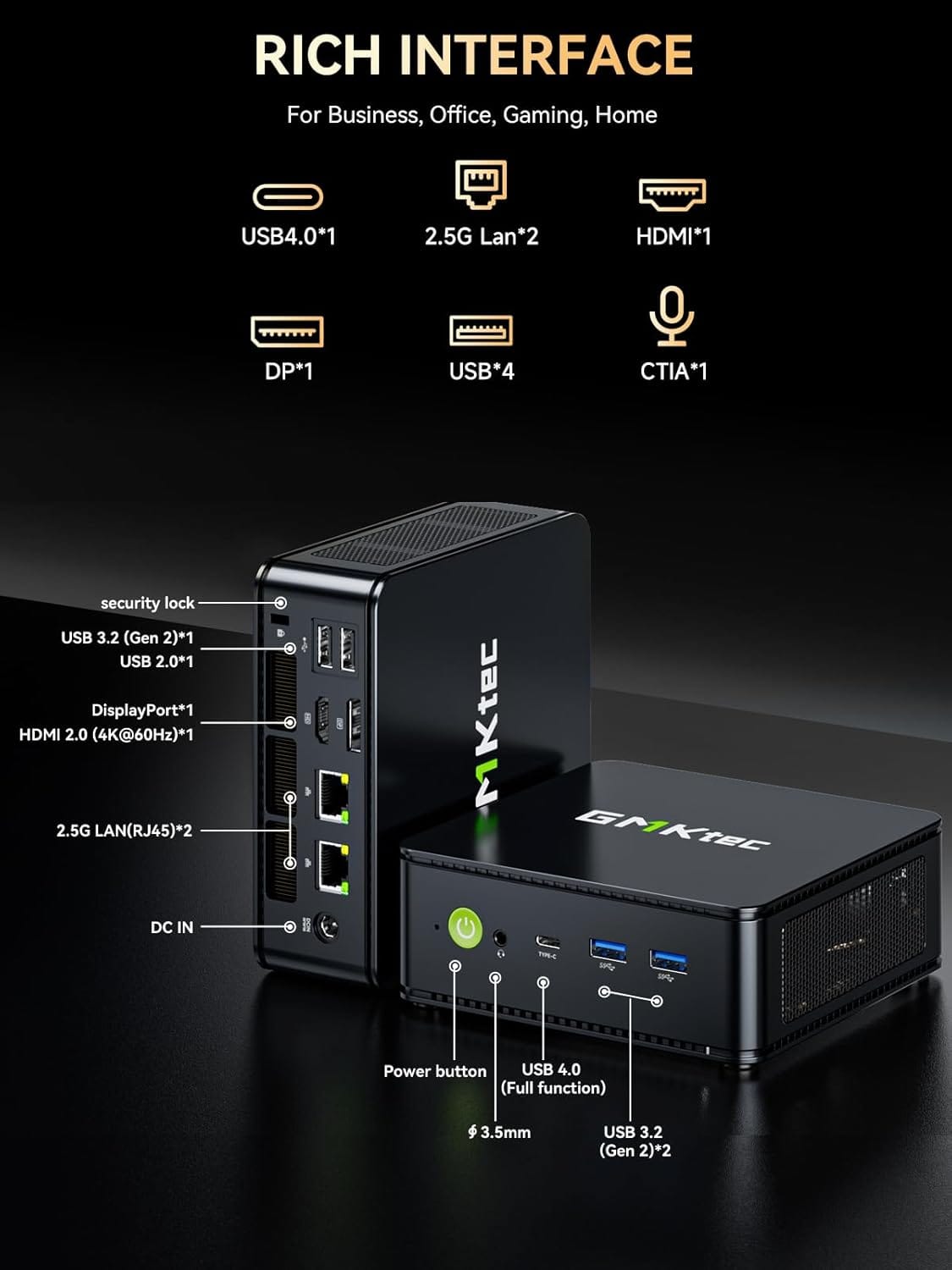
GMKtec M6 Ultra Gaming Mini PC
- Ryzen 7640HS 4C/12T 4.3Ghz CPU
- Dual NIC LAN 2.5GbE
- 32GB LPDDR5 RAM
- 45 Watts on avg, max 60!
There are 4+ variations on the link, differing in RAM, storage & price.
Why I Chose It: For 90% of homelab tasks, it is more than enough. It represents the perfect entry point for a Digital Fortress: cheap, reliable, and invisible. Flexible enough to fit basically any scenario. You'll be hard pressed to find something else at this price point, as capable.
Capabilities:
- Powerful: enough to be a Proxmox cluster node, or an OPNsense firewall with advanced features enabled, it's a "do anything" box at a (relatively) affordable price.
- Connectivity: Equipped with Dual 2.5GbE LAN allowing maximum deployment scenarios!
- Upgradable RAM & storage.
Medium Rangers: Middle in terms of price, incredible in terms of performance
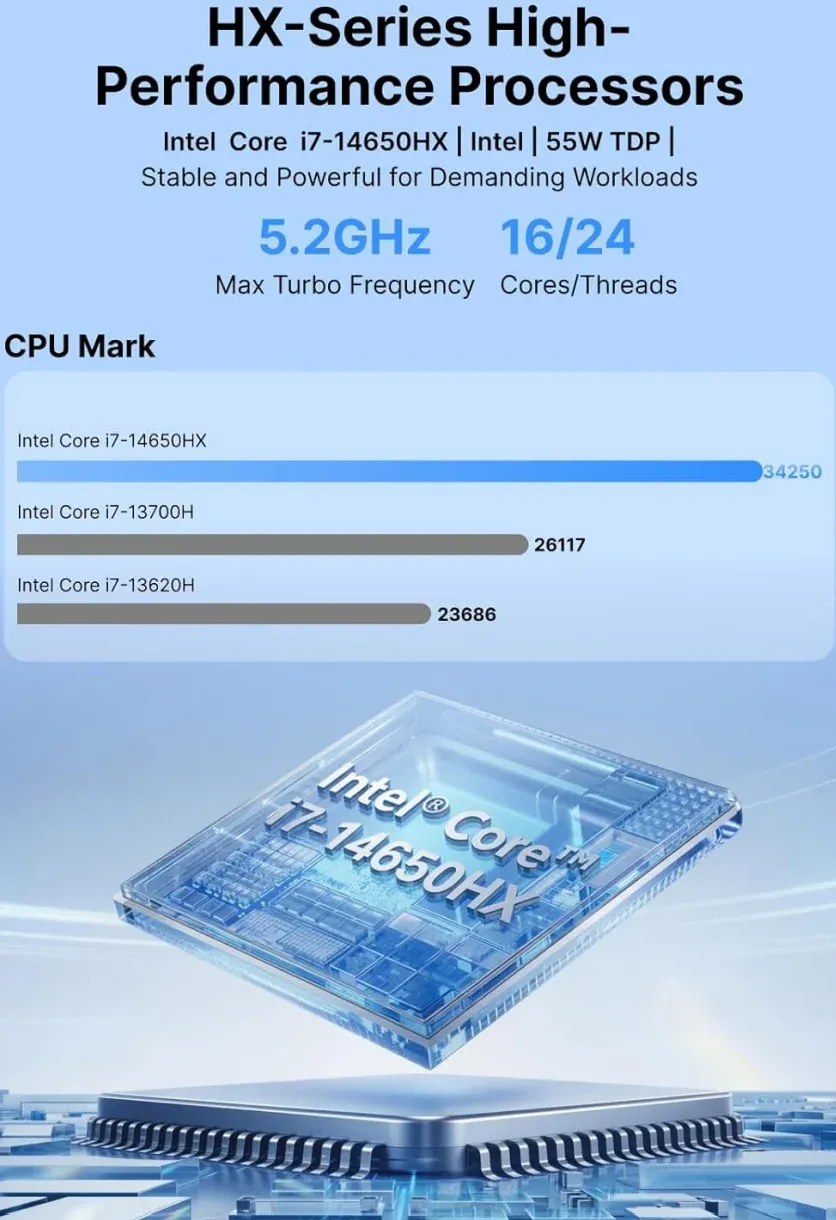
ACEMAGIC M5 Mini PC
- Core i7-14650HX (16 cores / 24 threads)
- 32GB DDR4
- 1TB SSD
- NVMe PCIe4.0/USB3.2/Type-C/BT5.2/WiFi6
- Using only 55 Watts
Why I Chose It: This is a massive step up from the choices above, but still half the cost of the heavy-scouts below. At 32GB DDR4 RAM, you can do anything with it. For homelab server tasks, you don't actually need (or benefit) from expensive DD5 ram. Here's where you save money using last year's tech, which will carry you forward for many years.
There's also a much cheaper 16GB RAM / 512GB NVME version too!
Capabilities:
- Powerful & Robust features: It can likely do just about anything you throw at it. 30 dockers? Sure. Proxmox and half a dozen VMs? Sure. Mini-travel gaming PC to take with you? Absolutely!
- Transcoding Power: It is a beast for transcoding. It can easily handle 8+ simultaneous 4K HDR to 1080p transcodes in Plex or Jellyfin.
- Codec Support: It supports hardware decoding for almost everything, including HEVC (H.265) 10-bit and VP9. However, unlike the new Core Ultra (Lunar Lake) or the N150, this specific UHD graphics version does not support AV1 hardware encoding, though it does support AV1 decoding.
- The Trade-off: This is a 55W TDP chip that can burst over 150W. In a Mini PC form factor, this means significantly higher power consumption at idle and louder fan noise compared to the 6W N100/N150. Overall this unit is better for gaming, or being a general server than streaming media server. But this is energy efficient virtualization.
- Connectivity: Equipped with only 1X1Gbps NIC, this is it's only downfall.
- EASILY mitigated with a USB3.0 2.5Gbps NIC!
- Upgradable RAM & storage.
If you must have DDR5 though, here's a great option!
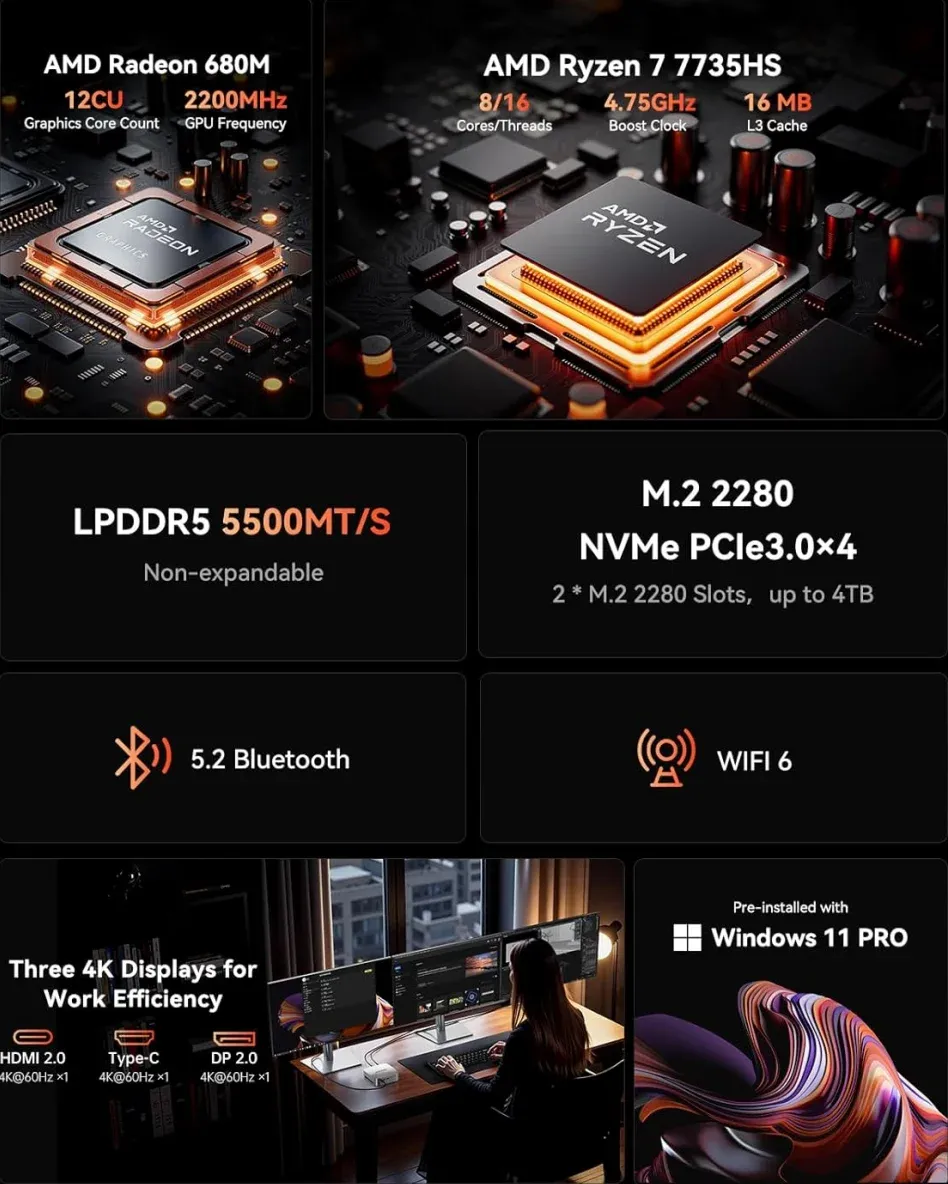
ACEMAGICIAN M1 Mini PC
AMD Ryzen 7 7735HS 24GB LPDDR5 512GB PCle SSD Mini Computers(8C/16T, up to 4.75GHz) Radeon 680M
Why I Chose It: Latest & greatest tech (Both CPU & RAM). At 24GB DDR5 RAM, you can do anything with it.
Capabilities:
- Powerful & Robust features: As it's cousin above, it can basically do anything.
- The 7735HS is an 8-core/16-thread powerhouse. If hardware transcoding fails, it has enough raw CPU "grunt" to handle several 1080p transcodes via software (CPU) alone.
- 4K Capability: The Radeon 680M can handle multiple 4K HDR to 1080p transcodes effectively if you are using Jellyfin or a properly configured Plex instance.
- Connectivity: A step up from above, this unit has 1X2.5Gbps NIC.
- EASILY mitigated with a USB3.0 2.5Gbps NIC!
The Heavy Scouts: Beefy Mini-PCs (Not cheap!)
These are more or less, full on modern desktop / workstation replacements, in tiny form factors!
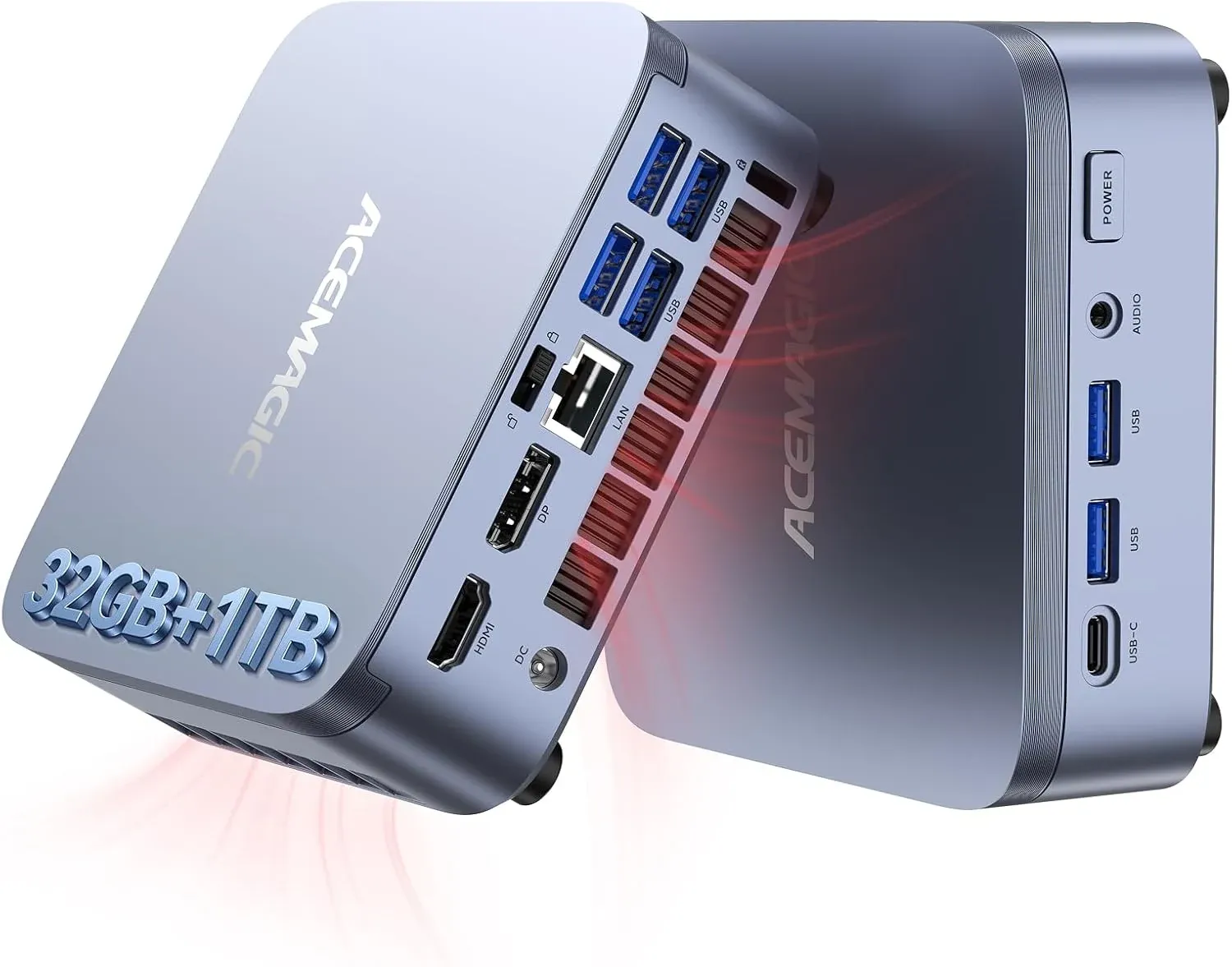
ACEMAGIC M5 Mini PC Windows 11 Pro
- Intel Core 14500HX
- 32GB DDR4
- 1TB SSD
- NVMe PCIe4.0/USB3.2/Type-C/BT5.2/WiFi6
At just 55 watts, this ACEMAGIC Mini PC is ridiculously "overpowered". Maximum bang for buck / deal!
The Mission: Anything. This is easily powerful enough to run as your virtualization home.
Capabilities:
- Virtualization: With 32GB DDR4, this is a perfect Proxmox or LXC/Container host (14/20 Cores, WTF?!) as well.
Last but not least... GMKtec Mini PC M7 PRO
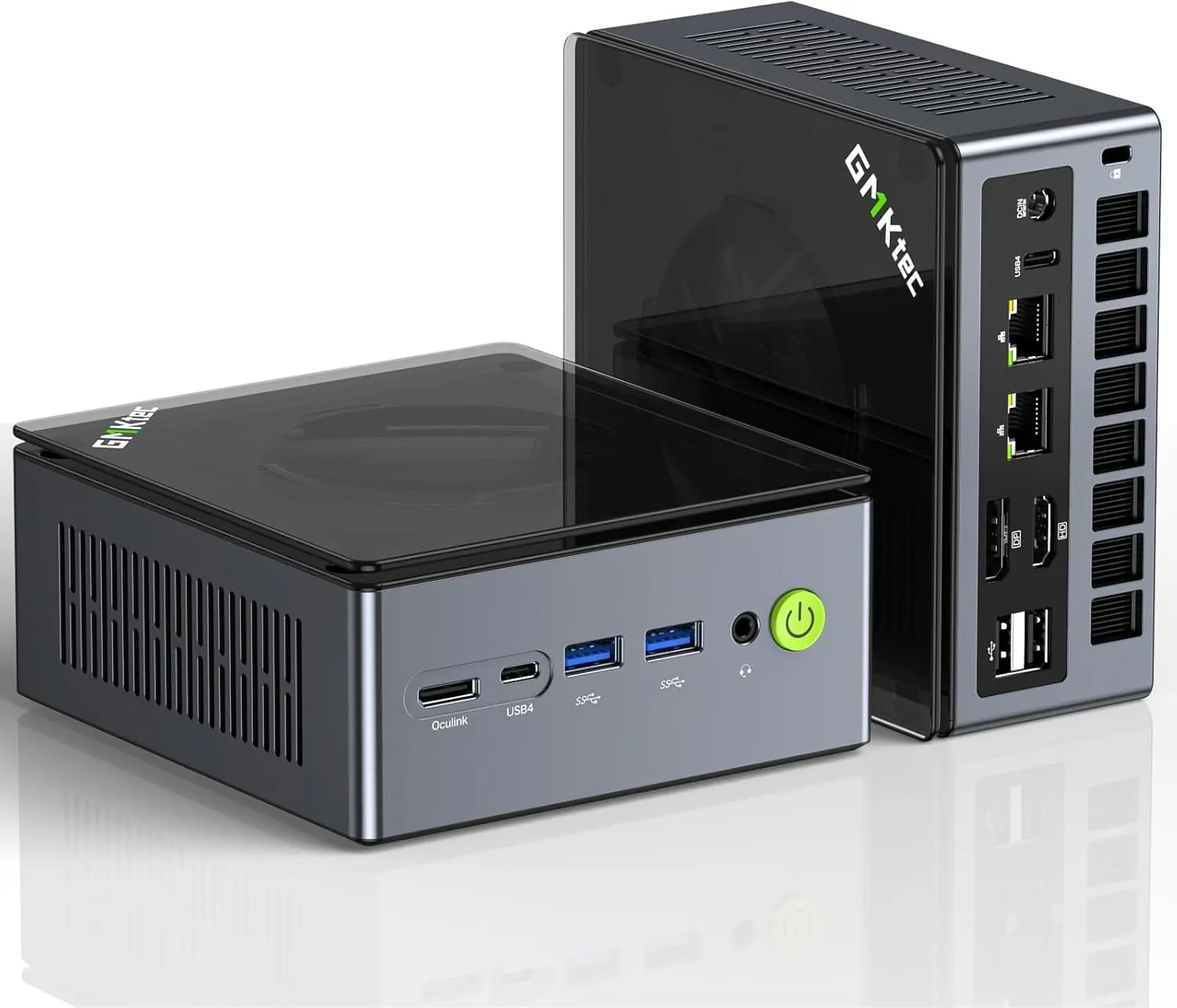
Dual NIC LAN 2.5G Desktop Computer, 32GB DDR5 RAM + 512GB Hard Drive PCle SSD, Dual USB4, HDMI 2.1, USB-C
The Mission: I deployed this unit to replace my aging, power-hungry OPNsense tower. At the time I purchased it, it was actually on sale and about $500 Canadian. Sadly, the current version is more than double this cost...
Why I Chose It: Some might call a Ryzen 7 "overkill" for a firewall, but I disagree. This is basically a "mobile" chip which sips power. When you are running Zenarmor (Next-Gen Webfilter) and performing deep packet inspection at gigabit speeds, you need raw horsepower. This unit handles my entire network security stack without breaking a sweat, all while drawing a fraction of the power of my old desktop.
Capabilities:
- Virtualization: With 32GB DDR5, this is a perfect Proxmox or LXC/Container host (16 Cores) as well.
- Expansion: It features Ocu-link, meaning you can attach an external GPU later if you want to turn this into a dedicated AI node or gaming rig. Basically it's got limitless flexibility.
What Hardware Do You Actually Need for a Homelab?
This is the heart of your fortress. It stores your data (NAS) and/or streams your media (Plex/Jellyfin). It is designed for high capacity and 24/7 uptime. I'll break down different styled builds into categories. This gives you an idea of what to aim towards or look at buying.
- Loadout A: The Standard Issue (Intel i5)The "Safe" default. Best for most people.
- Loadout B: The Heavy Gunner (AMD Ryzen / i7)The Performance King. VMs, Gaming, brute force.
- Loadout C: The Stealth Operator (Low Power / i3)The Efficiency King. "Electrically Focused" builds.
⚠️ Intel vs. AMD: The Tactical Decision Matrix (2026)
Before you pick your parts, you must choose your ecosystem. In the homelab world, this isn't about brand loyalty - it's about compatibility & efficiency.
| Feature | Intel (Blue Team) | AMD (Red Team) |
| Primary Goal | Plex & Smooth Streaming | Jellyfin, VMs, & Raw Power |
| Transcode Engine | QuickSync (QSV): The gold standard. | AMF: Incredible, now with AV1 support. |
| HDR Tone Mapping | Flawless: Works on Windows & Linux. | Conditional: Best on Linux/Docker. |
| Platform Life | Legacy: LGA1851 is the new standard (Replaces dead LGA1700). Excellent power efficiency. | Future-Proof: AM5 is fully mature and supported through 2027+. |
| Virtualization | Great (E-cores handle background tasks). | Superior: Higher multi-core "grunt" per $. |
| The Verdict | "I want my movies to play everywhere." | "I want a beast that handles everything." |
Further down the rabbit hole:
| CPU | Cores / Threads | Power (TDP) | Best For | Why I Recommend It |
|---|---|---|---|---|
| Intel Core Ultra 3 12100F | 4 / 8 | 58W | Entry homelabs | Extremely efficient and cheap. Perfect for small Docker stacks and basic services. |
| Intel Core Ultra 5 245K | 14 Cores | 125W | Plex + containers | Great balance of price and performance with strong media capabilities. |
| Intel Core Ultra 7 265K | 20 Cores | 125W | Heavy virtualization | Excellent for large container stacks and multiple VMs. |
| AMD Ryzen 5 7600 | 6 / 12 | 65W | Budget builds | Excellent efficiency and very capable entry homelab CPU. |
| AMD Ryzen 7 9700X | 8 / 16 | 65W | Balanced workloads | Fantastic performance-per-watt for mid-range servers. |
| AMD Ryzen 9 9950X | 16 / 32 | 170W | Large homelabs | Massive multithread performance for heavy VM workloads. |
How to use this guide:
- If you picked Intel in the Matrix: Jump to Loadout A (Performance) or Loadout C (Stealth).
- If you picked AMD in the Matrix: Jump to Loadout B (Brute Force).
- If you need a Private Brain: Skip to The Oracle for AI-specific builds.
⚠️ Intel vs. AMD: The Transcoding Brief📊
For a dedicated media server, the choice of CPU dictates your capabilities. Click here for a real transcoding deep dive, then come back!
1. The Intel Advantage (Plex Standard) If your mission is a seamless Plex experience, Intel 12th Gen+ is mandatory.
- Why: Intel Quick Sync Video (QSV) is the only officially supported hardware method for HDR-to-SDR tone mapping. This ensures your 4K movies look correct on 1080p screens without crushing your CPU.
2. The AMD Reality (Jellyfin & VMs) AMD Ryzen chips are incredible for virtualization and Jellyfin (which supports them well), but Plex support remains unofficial and volatile on Linux.
- Field Note: I run a Ryzen build myself for the raw multi-core power, but I pair it with a discrete NVIDIA GPU to handle the transcoding duties.
Best CPUs for a Homelab Server
🖥️A Builds (Intel): The Streamers
This build remains the top recommendation for Plex/Jellyfin due to Intel's Quick Sync Video (QSV). However, for 2026, we are transitioning from the retired LGA1700 platform to the ultra-efficient LGA1851 (Core Ultra 200S series).
2026 Intel Builds
— Low End Tier —
— Medium Tier —
— High End Tier —
2024/25 Intel Builds👇
| Tier | Component | Description | Check Price |
|---|---|---|---|
| Intel iGPU (Quick Sync) Builds | |||
| Low End | CPU | Intel Core i3-14100 (4-Core, UHD 730 Graphics) | Check Price |
| Low End | Motherboard | H610 or B760 Chipset (LGA 1700, DDR4) | Check Price |
| Low End | RAM | 32GB (2x16GB) DDR4 3200 | Check Price |
| Medium | CPU | Intel Core i5-14500 (14-Core, UHD 770 Graphics) | Check Price |
| Medium | Motherboard | B760 Chipset (LGA 1700, DDR5) | Check Price |
| Medium | RAM | 32GB (2x16GB) DDR5 5600 | Check Price |
| High End | CPU | Intel Core i7-14700K (20-Core, UHD 770 Graphics) | Check Price |
| High End | Motherboard | Z790 Chipset (LGA 1700, DDR5) | Check Price |
| High End | RAM | 64GB (2x32GB) DDR5 6000 | Check Price |
Core Lab's Overall Current "Best" (Price/Performance!) Intel iGPU Chip:
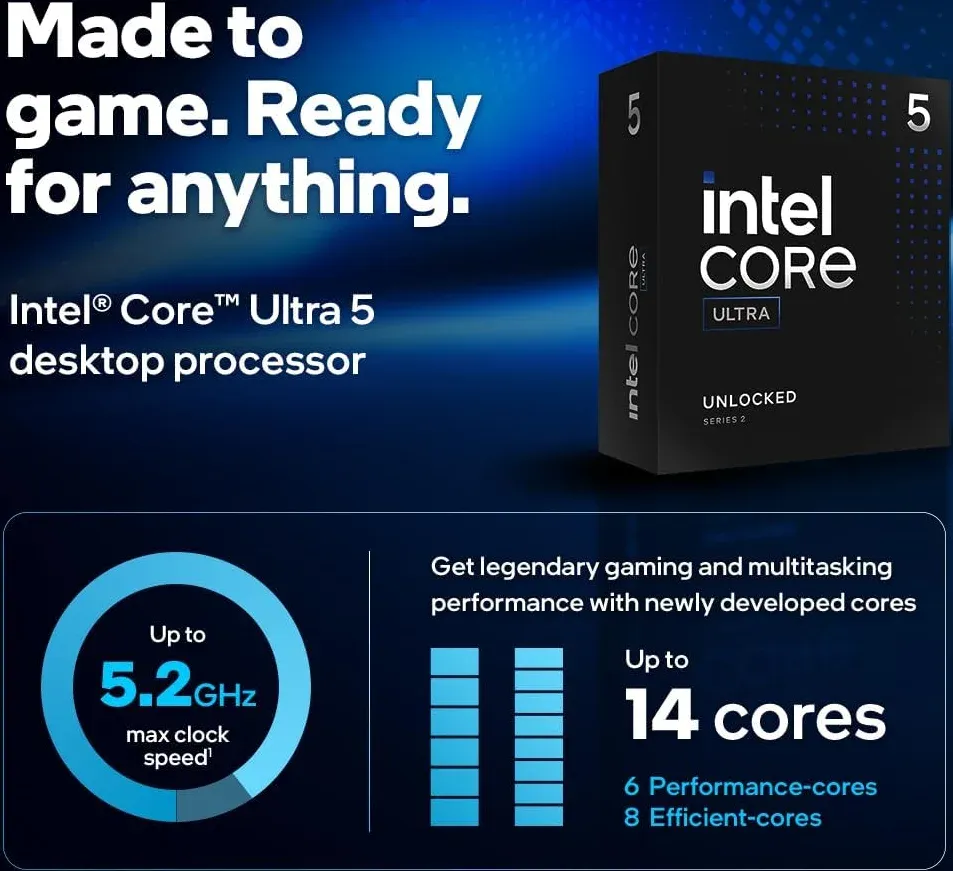
Why I love it in 2026: Intel finally fixed their power draw issues. Arrow Lake runs incredibly cool, and the updated Xe LPG graphics engine handles 4K AV1 tone-mapping without breaking a sweat. It's the ultimate media server foundation.
Core Lab's 2025 Overall "Best" (Price/performance!) Intel iGPU Chip:
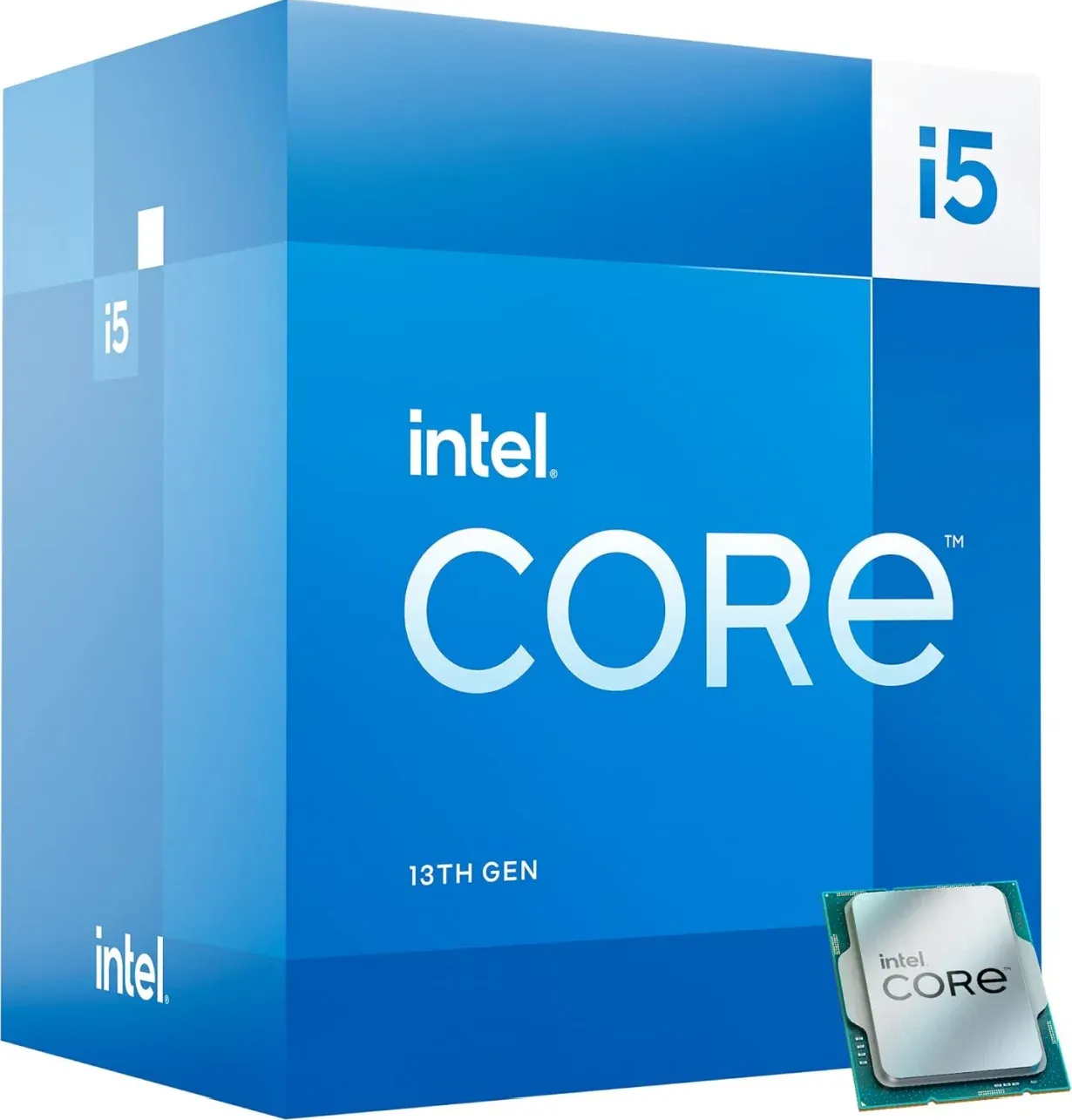
Intel Quicksync UHD770 (Same as 14th gen!), great power efficiency and strong overall performance. Massive bang for your bucks!
⚡Extra High End, NO limits!
| Device | Model | Reason |
|---|---|---|
| CPU | Intel i5-13600k | iGPU with built-in Quicksync transcoding hardware |
| Motherboard | SUPERMICRO MBD-X13SAE-F | IPMI + iGPU support. Enterprise grade motherboard |
| Case | Fractal Design Define 7 XL | Can hold up to 20! 3.5" drives for relatively affordable price. |
| Memory | 64GB DDR5 RAM | 64GB is enough to run my entire production stack as OMV7, 58+dockers, etc |
| Boot Drive | 2x Samsung 500GB M.2 NVMe SSD | Best to run your OS in RAID1 or ZFS mirror |
| HBA card | LSI 9305-16i HBA card | Connects up to 16 hard drives to a single PCIe 8x slot. |
| Power Supply | CORSAIR RM850x Fully Modular Low-Noise ATX Power Supply Gold | 850w is enough to never worry about it again. |
| Hard Drives | 6-12X whatever size you want! |
🔴B Builds: AMD Ryzen Brute Force
These builds are great all-rounders, especially for Jellyfin, which has better support for AMD's iGPU transcoding. The latest 8000G series includes modern AV1 support.
2026 AMD Builds
— Low End Tier —
B650M / B550M Chipset
Affordable entry into AM5 with reliable DDR4 support.
Get This Board— Medium Tier —
— High End Tier —
2025 Builds (No GPU required)👇
| Tier | Component | Description | Check Price |
|---|---|---|---|
| AMD Ryzen iGPU (APU) Builds | |||
| Low End | CPU | AMD Ryzen 5 5600G (AM4, Vega 7 Graphics) | Check Price |
| Low End | Motherboard | B550 Chipset (AM4, DDR4) | Check Price |
| Low End | RAM | 32GB (2x16GB) DDR4 3200 | Check Price |
| Medium | CPU | AMD Ryzen 5 8500G (AM5, Radeon 760M Graphics) | Check Price |
| Medium | Motherboard | B650 Chipset (AM5, DDR5) | Check Price |
| Medium | RAM | 32GB (2x16GB) DDR5 6000 (EXPO) | Check Price |
| High End | CPU | AMD Ryzen 7 8700G (AM5, Radeon 780M Graphics) | Check Price |
| High End | Motherboard | B650 Chipset (AM5, DDR5) | Check Price |
| High End | RAM | 32GB (2x16GB) DDR5 6000 (EXPO) | Check Price |
Core Lab's Overall "Best" AMD Chip:
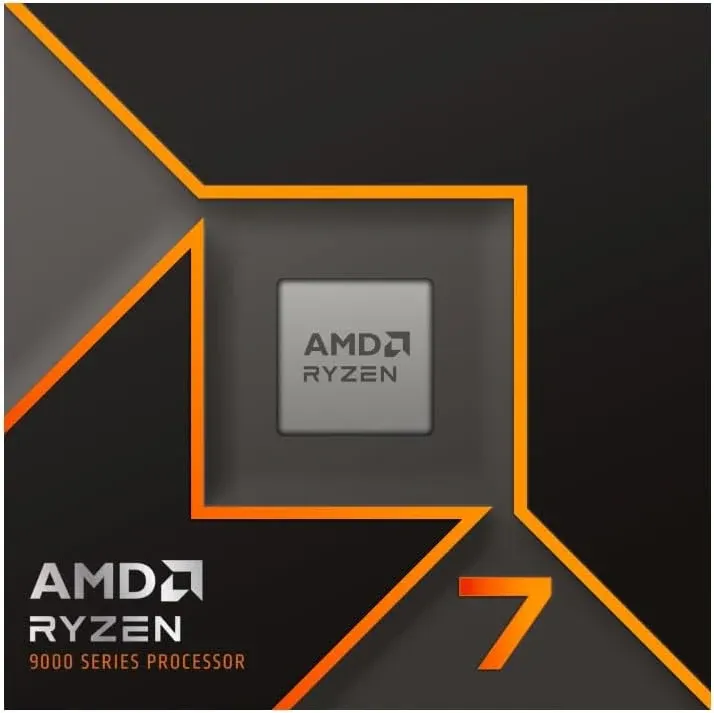
AMD Ryzen 7 9700X
- 8 Cores and 16 processing threads, based on AMD "Zen 5" architecture
- 5.5 GHz Max Boost, unlocked for overclocking, 40 MB cache, DDR5-5600 support
- For the state-of-the-art Socket AM5 platform, can support PCIe 5.0 on select motherboards
Why I love it in 2026: AMD dramatically lowered the TDP for the 9700X down to 65W out of the box. You get massive server-grade multi-core performance for Proxmox/VMs at a fraction of the heat. Note: Pair with a discrete GPU if you need heavy Plex transcoding.
Core Lab's Overall "Best" (Price/performance!) AMD iGPU Chip:
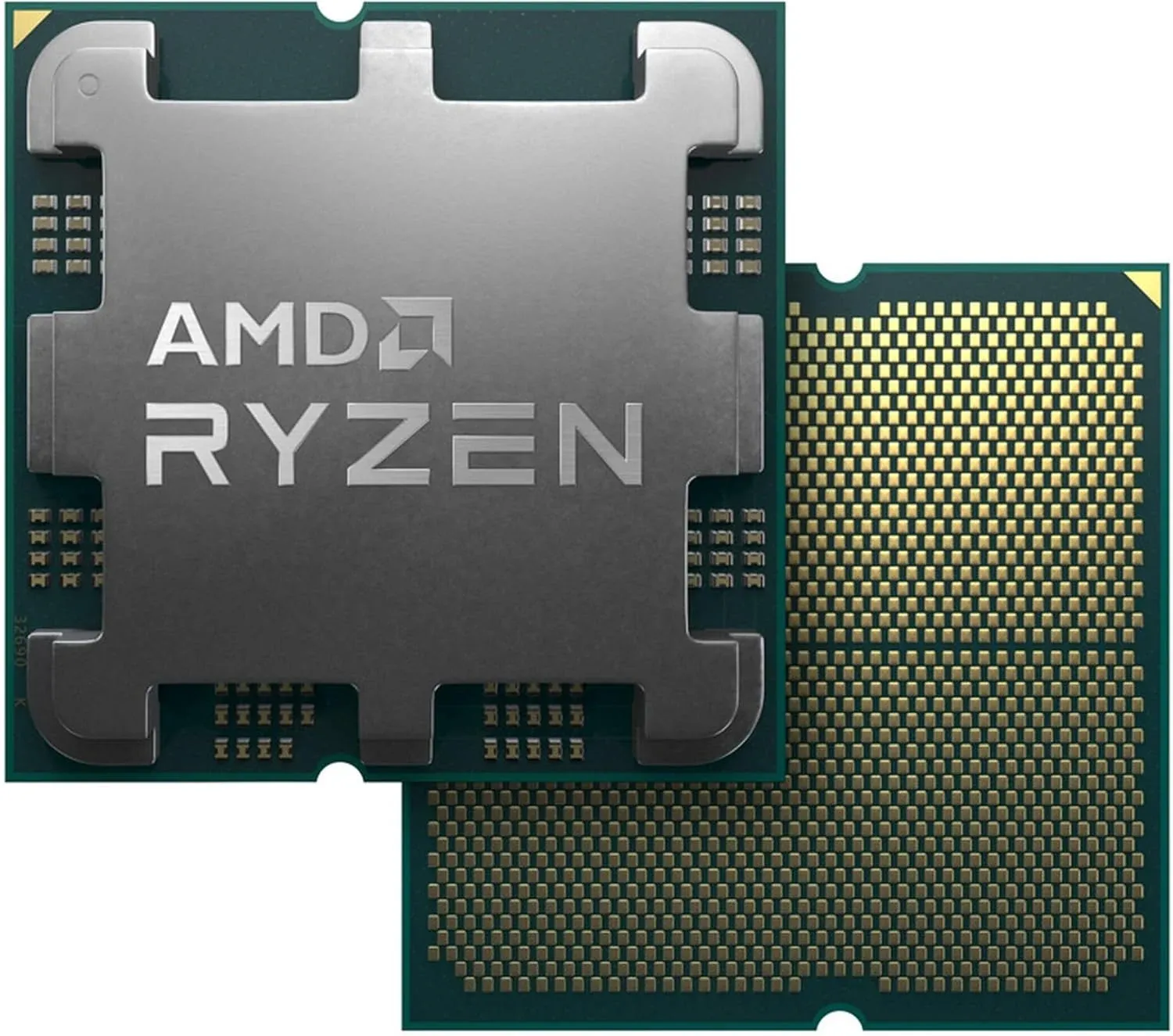
AMD Ryzen 7 8700G 8-Core, 16-Thread
5.1 GHz Max Boost, unlocked for overclocking, DDR5 support
Supports AV1 encoding which is neat, great for Jellyfin, not as great for Plex (yet!). Supports HDR tonemapping!
Comparison Table: Ryzen 7 8700G vs. Intel i5-13500k
| Feature | Ryzen 7 8700G | Intel i5-13500 |
| Best For | Jellyfin / 1080p Gaming | Plex / Pure Media Server |
| Transcode Engine | AMD AMF | Intel QuickSync (QSV) |
| AV1 Encoding | Yes | No (Decode only) |
| Tone Mapping | Great (Jellyfin/Linux) | Superior (Plex & Jellyfin) |
| Idle Power Draw | Very Low (~5-10W) | Low (~8-12W) |
| Platform | AM5 (Supported until 2027+) | LGA1700 (Dead Platform) |
Power Efficiency / Low Power Monsters - Loadout C: The Stealth Operator✨
- Mission: You need mass storage (NAS), but you live in an area with expensive electricity (or you just hate waste). You trade raw CPU power for silence and efficiency.
- The Core: Intel Core i3-12100 / i3-14100 (or N100 ITX Board).
- Why: Modern i3 chips idle at nearly the same wattage as a lightbulb. They are powerful enough to saturate a 2.5GbE link and transcode Plex, but they won't spin your power meter like a top.
- Power Profile: ~25W Idle (depending on drives).
Power Efficiency & Low Power Monsters
Builds focused on minimizing monthly electricity costs without sacrificing 24/7 uptime reliability.
Intel N100 / N305
(6W-15W TDP) The absolute gold standard for low power. Perfect for Home Assistant and 1-2 4K transcodes in a tiny footprint.
Check PriceCore i3-14100
(60W TDP) Combines industry-leading Quick Sync transcoding with incredibly low idle power draw for a full desktop platform.
Check PriceAMD Ryzen 7 7700
(65W TDP) A highly efficient 8-core CPU. Perfect for heavy virtualization where core count matters as much as the power bill.
Check PriceBest GPUs for Transcoding🎮
Most homelab servers run "headless" (no monitor), but adding a GPU provides the firepower needed for heavy tasks like 4K Transcoding or AI inference.
Recommended Dedicated GPUs (dGPU)
Essential for hardware transcoding (Plex/Jellyfin) on non-iGPU Ryzen builds.
Intel Arc A380
The budget king for media servers. Low power draw with massive AV1 transcoding potential.
Check PriceNVIDIA RTX 3060
12GB of VRAM makes this perfect for a mix of Plex transcoding and local AI/LLM workloads.
Check PriceNVIDIA RTX 4060
Incredible power-to-performance ratio and the modern Ada Lovelace NVENC encoder.
Check Price1. The Transcoding Specialist: Intel Arc A310 / A380
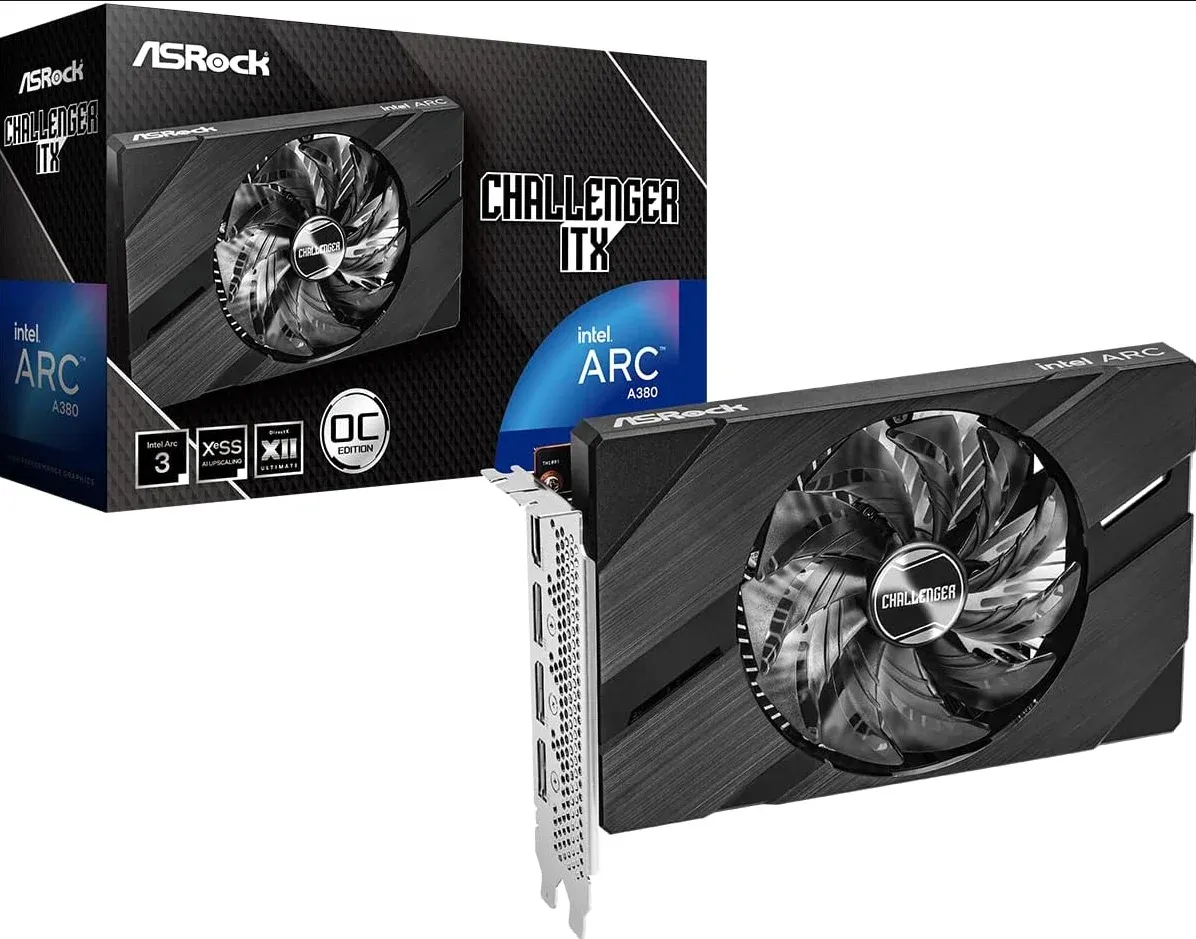
Intel Arc A380 Challenger ITX 6GB OC Graphics Card
Single Slot ITX | 2250 MHz | 6GB GDDR6 | DisplayPort 2.0 | HDMI 2.0b | 0dB Cooling | 8K Support | 500W | DirectX 12 Ultimate | PCle 4.0
Mission: Crushing 4K Plex or Jellyfin streams.
- Why: For ~$130, these cards support AV1 Encoding, which even older NVIDIA cards lack. If you have an older server (Ryzen or old Xeon) without an iGPU, this is the cheapest way to make it a modern media powerhouse.
- Power: Low profile, low wattage, no external power cables needed.
2. The AI Workhorse: NVIDIA RTX 3060 (12GB)
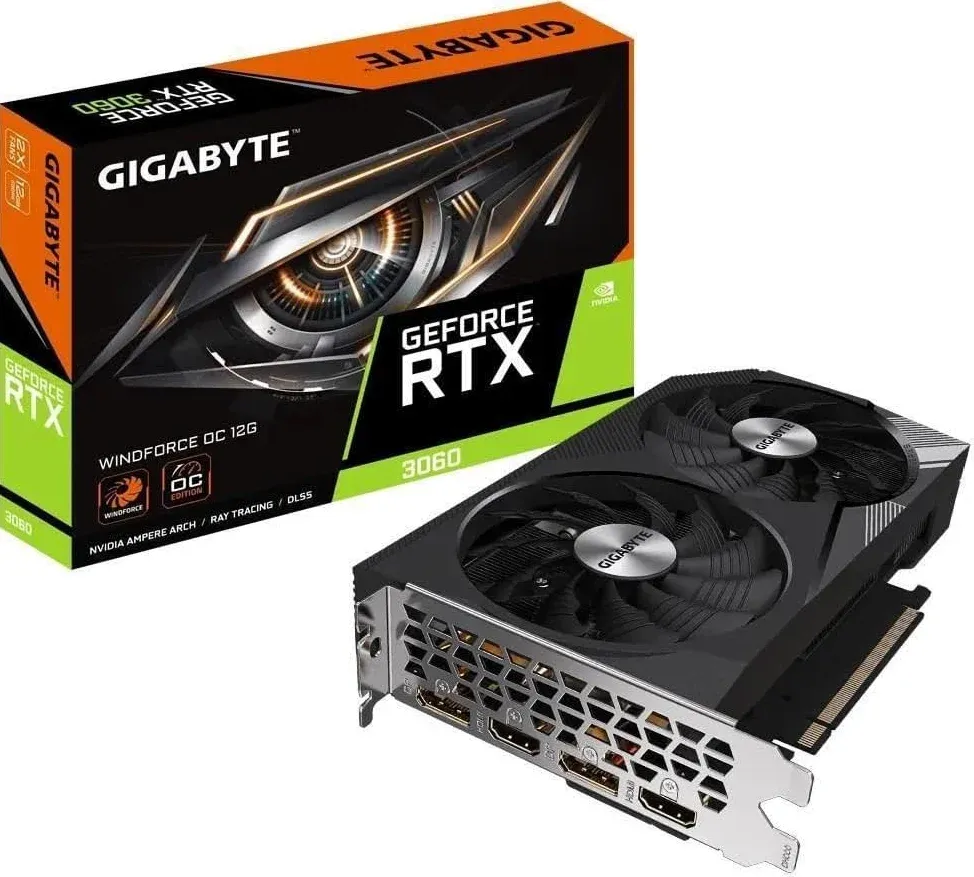
GIGABYTE GeForce RTX 3060 WINDFORCE OC 12G (rev. 2.0) Graphics Card
2X WINDFORCE Fans, 12GB 192-bit GDDR6, GV-N3060WF2OC-12GD
- Mission: Running Local LLMs (Ollama) and "Private GPTs."
- Why: In the AI world, VRAM is King. This card remains the undefeated champion of value because it offers 12GB of VRAM at a budget price point. It allows you to run competent models (Llama 3 8B) comfortably or transcode a massive amount of concurrent users.
3. The Veteran: NVIDIA Quadro P2000 / Tesla P4
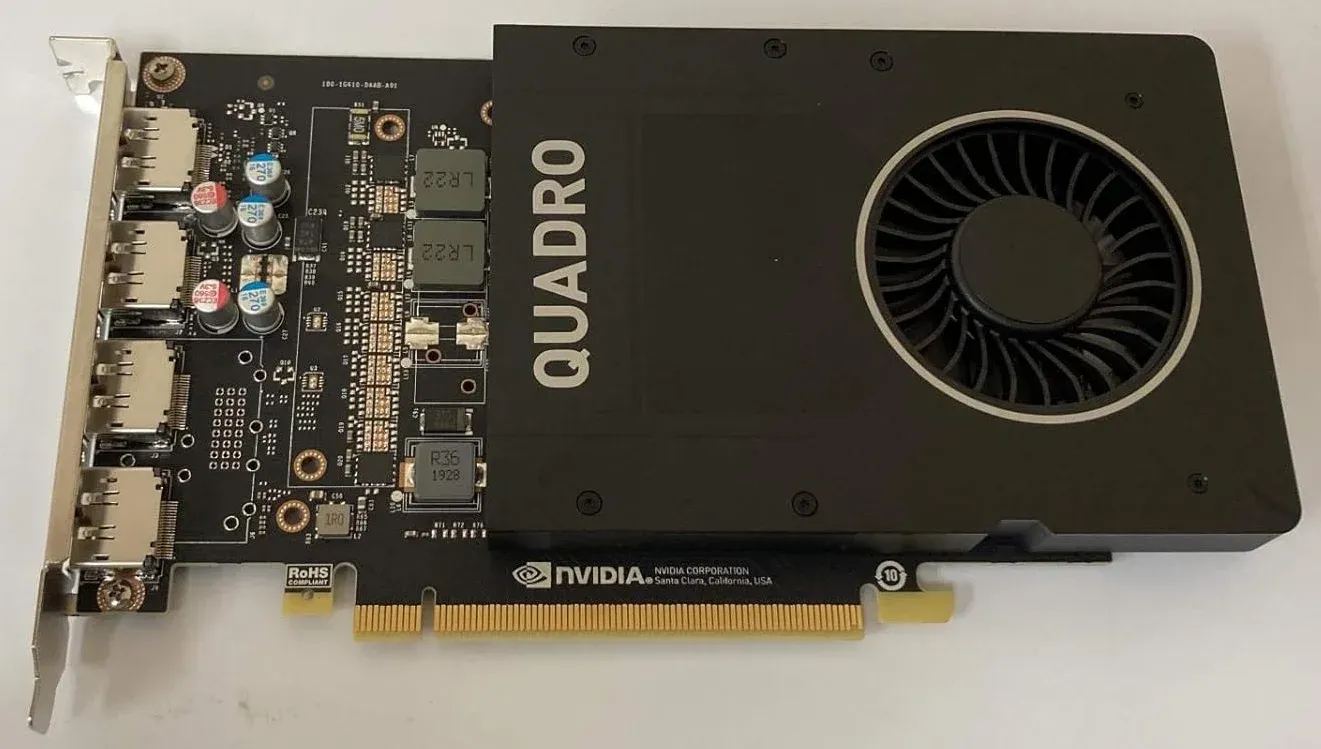
NVIDIA Quadro P2000
Video Memory: 5GB GDDR5 | Memory interface: 160 Bit | The P2000 supports HDR color for 4K at 60Hz for 10/12b HEVC decode and up to 4K at 60Hz for 10b HEVC encode | Form Factor: Full height
- Mission: Low-power transcoding in tight spaces.
- Why: These are eBay treasures. They are single-slot, sip power, and are virtually indestructible. Perfect for 1U rackmount servers or small chassis where airflow is tight.
🧠 Building a Dedicated AI Server? Selecting a GPU for Large Language Models is complex. You need to balance VRAM, Bandwidth, and Model Size.👇
 Core Lab Joe
Best Homelab Chassis/Case
I'm a huge fan of Fractal Design cases. They are fantastic to build in, look at, feature rich and very intentionally engineered features, considering airflow and sound/vibration primarily.
See the JONSBO below for a very nice equivalent. 👇
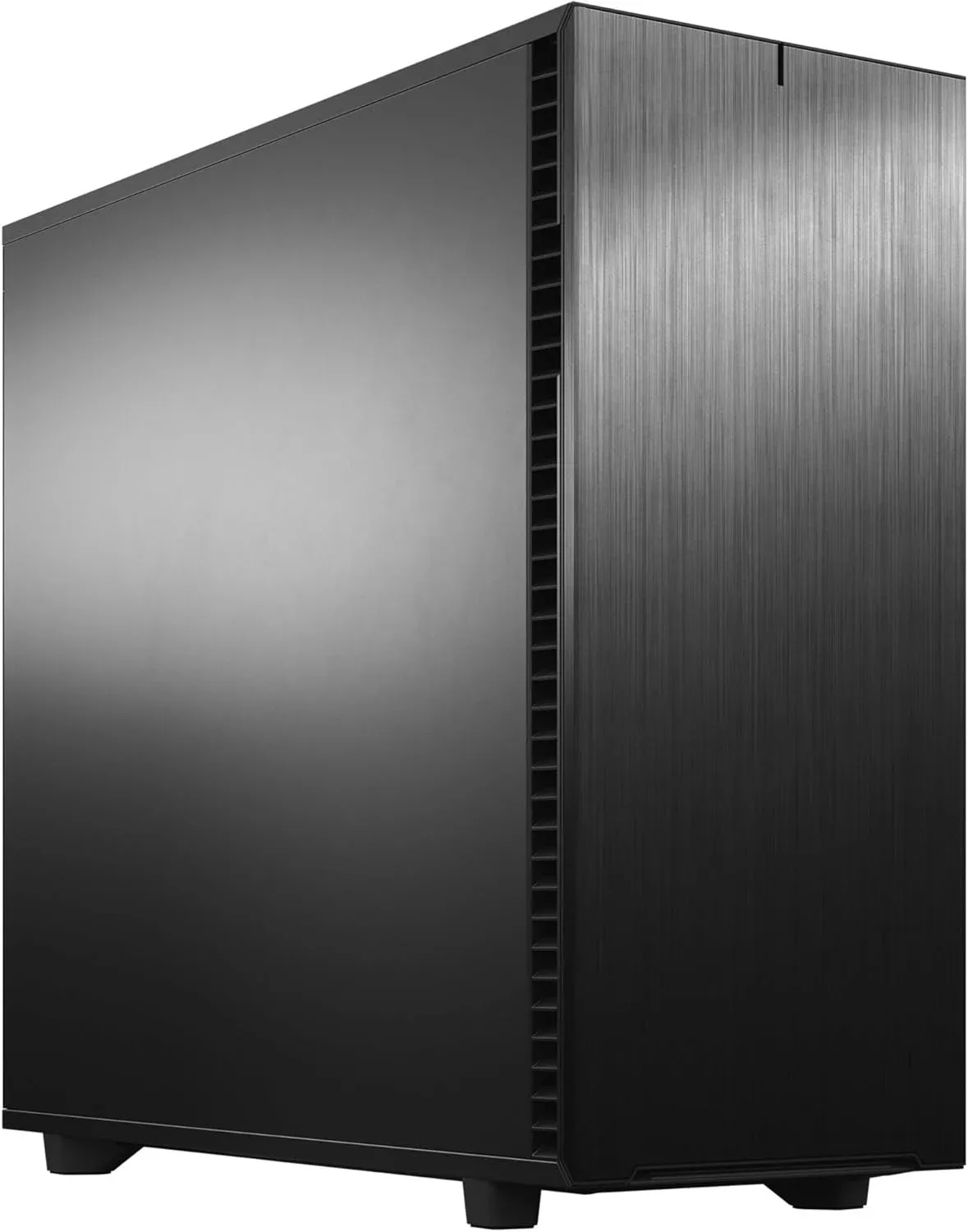
Fractal Design Node 804 Case - MicroATX Cube Case
- Highly effective dual chamber case layout for best possible cooling with excellent water cooling compatibility, supporting up to four radiators simultaneously
- Minimalistic design with an elegant brushed aluminum front panel
- Unique hard drive mounting system, fitting up to 8x 3.5″, 4x 2.5” or up to 10x 3.5”, 2x 2.5″ drives HDD/SSD
- Three Fractal Design Silent Series R2 fans included with the case and space for an additional seven fans, fan controller included
- Featuring a window side panel to show off your set up in style
- Additional space in the front to mount a slim slot-in ODD, optical bay drive, and 2x 2.5″ drives
- Five expansion slots that allows for multiple GPU setups
Pretty sure that Fractal above is on sale due to this JONSBO below!👇
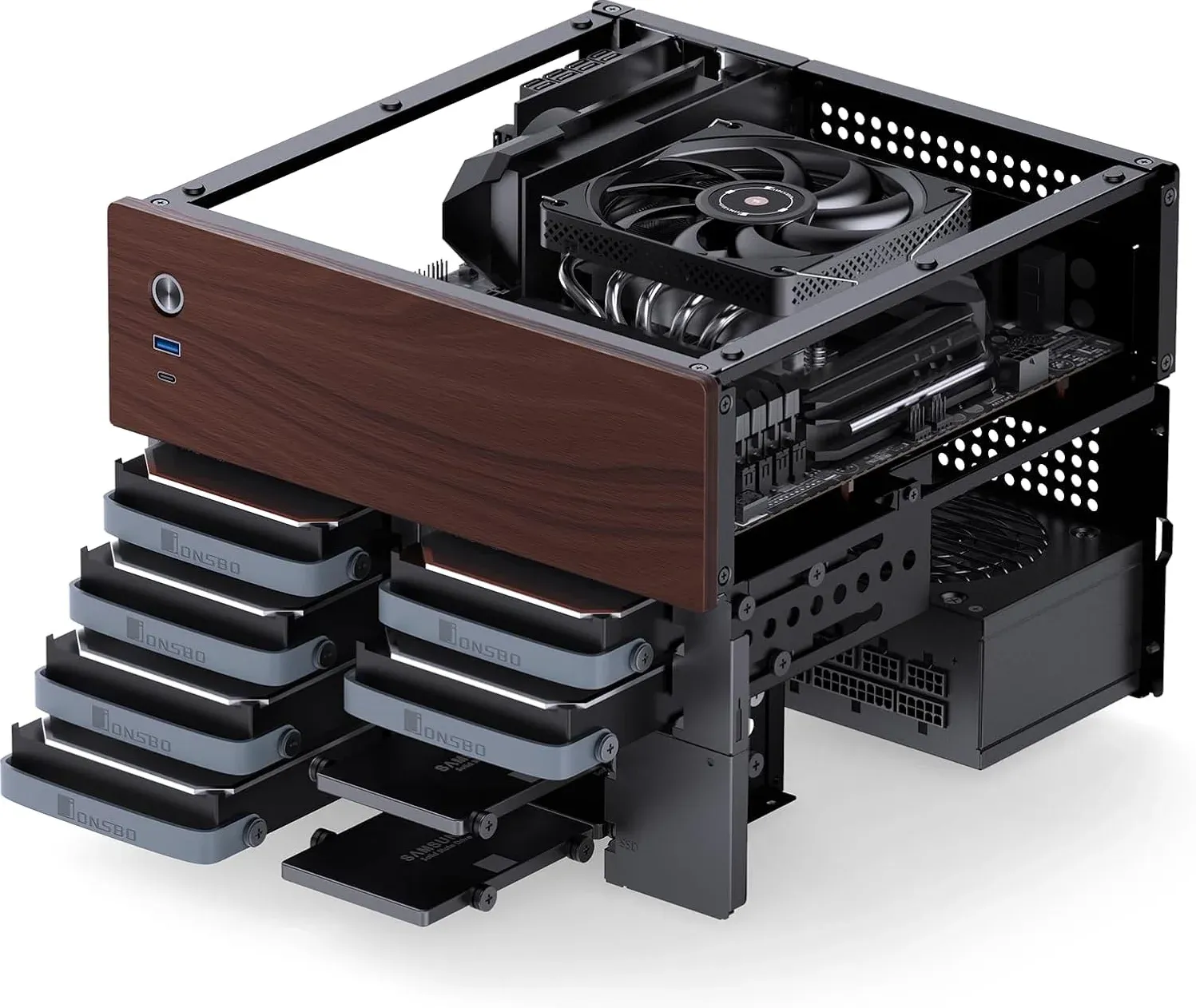
JONSBO N4 Black NAS PC Case, Walnut Wood
8-Drive Bay/6 * 3.5 "HDD (4 hot-swap, 2 Non hot-swap), 2 * 2.5SSD, Micro ATX Chassis
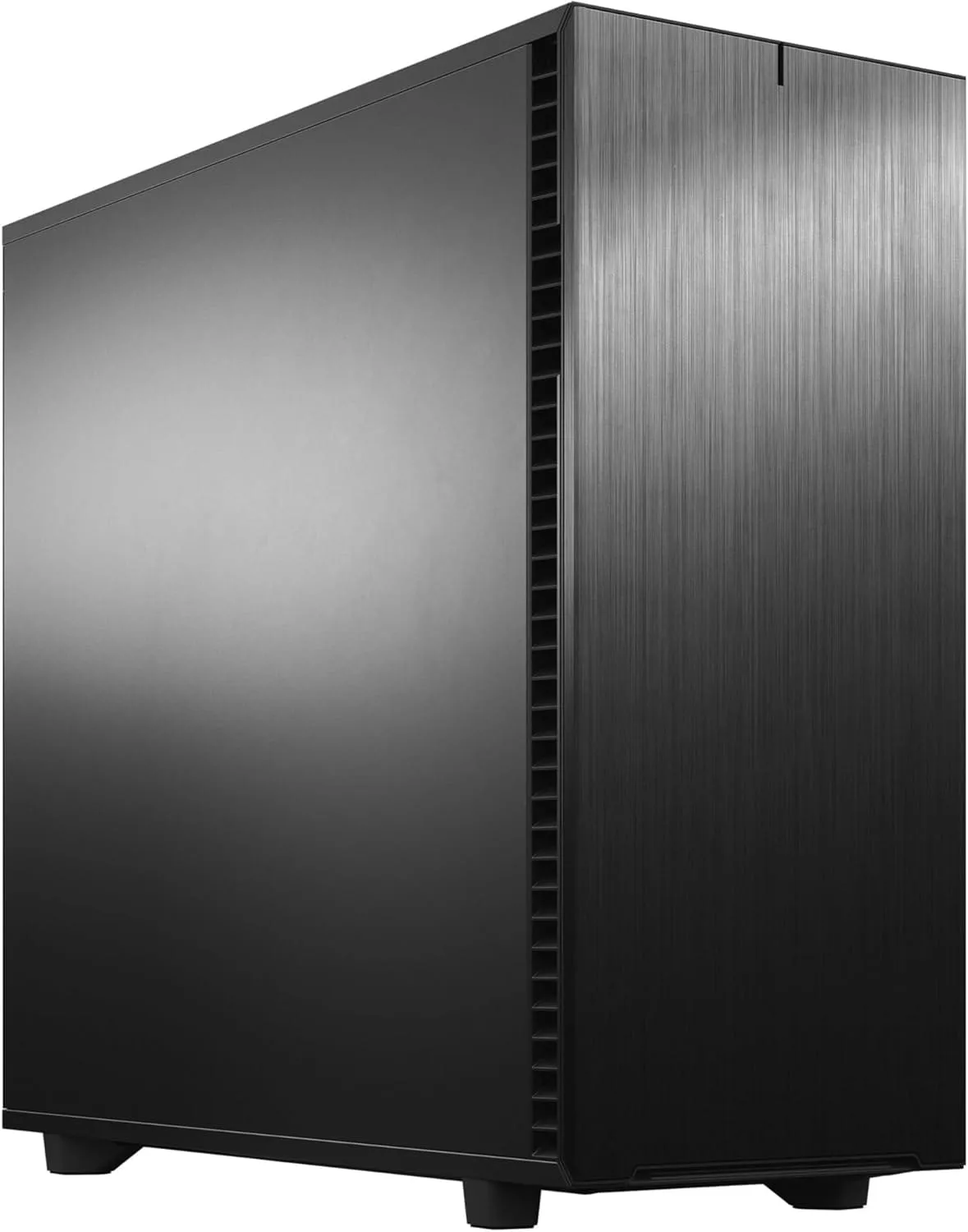
My favourite homelab server+nas / all-in-one case!
- New chassis design opens up to fully expose the case interior
- Anodized aluminum front panel with reversible dual-handed hinges
- Mount up to 18 HDD/SSDs plus five SSDs in the Storage Layout
This ☝️is the case I built my server/nas in!
Dedicated AI / LLM Builds (Oracle)🧠
AMD Ryzen non-iGPU Builds (dGPU Required)
This is the "Power Server" route. The CPU focuses 100% on running your Docker containers and other services, while a dedicated GPU handles all transcoding and AI tasks.
AMD Ryzen Builds (dGPU Required)
— Low End Tier —
— Medium Tier —
— High End Tier —
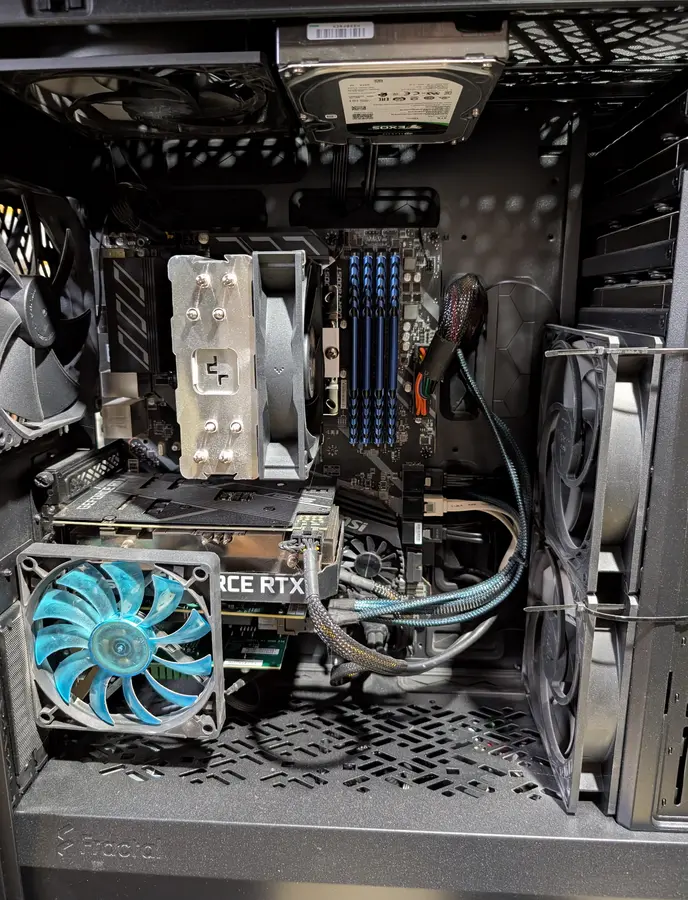
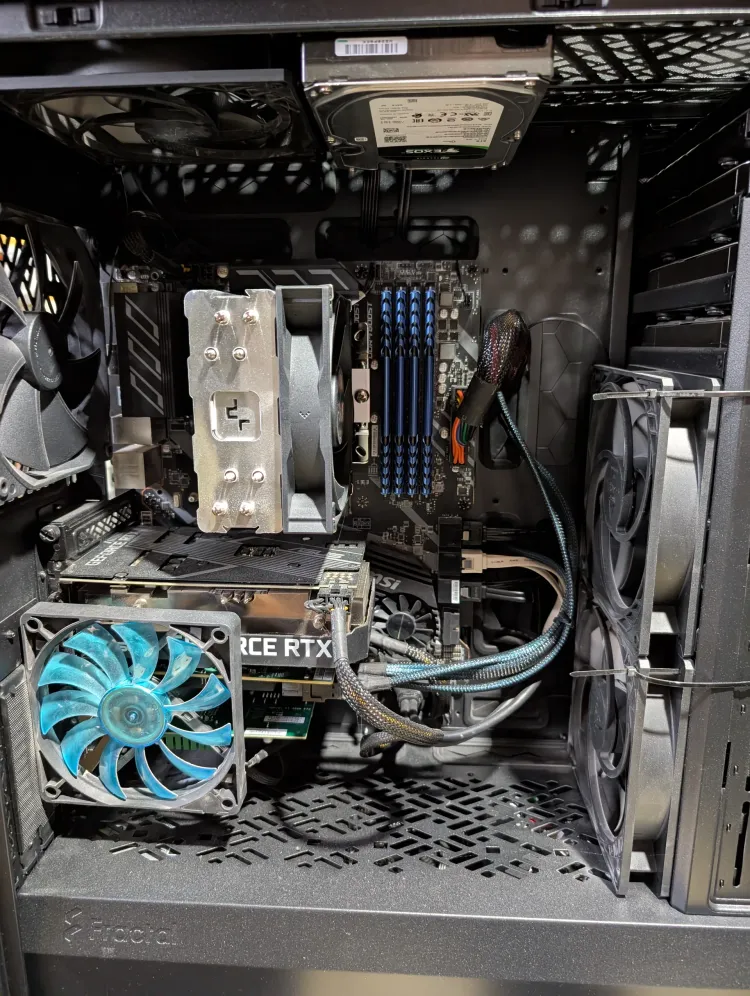
🎉Core Lab's current Custom Server/NAS!
If you'd like something for comparison, here's my current build.
 Core Lab Joe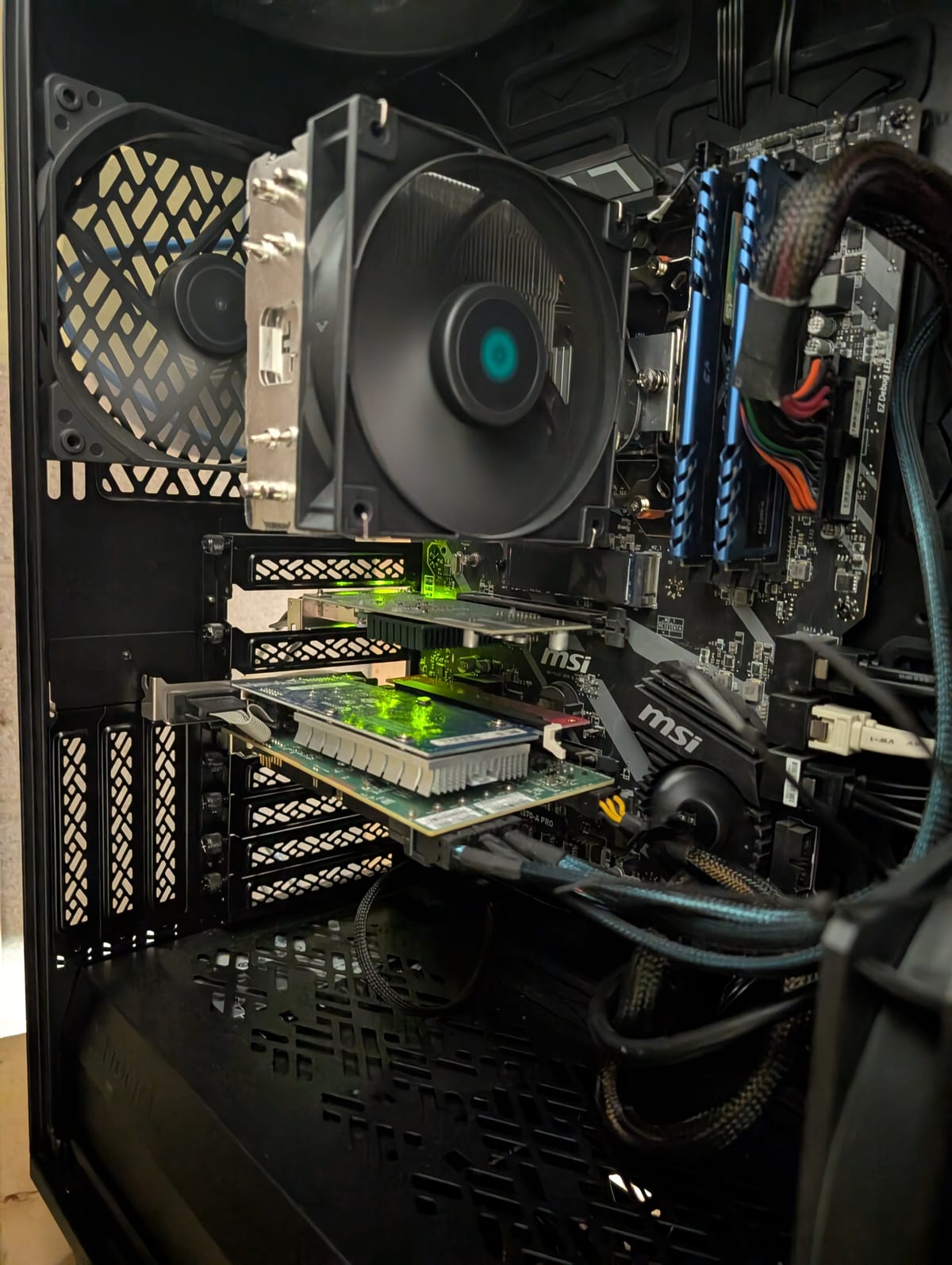
Here is what I'd recommend if you're starting a build in 2026. Shared components is for both builds below.
| Component | Description | Check Price |
|---|---|---|
| Shared Components (For Both Builds) | ||
| Case | Fractal Design Define 7 XL (Full Tower) | Check Price |
| Case (Compact) | Fractal Design Node 804 (Micro-ATX) | Check Price |
| Power Supply | 650W-750W 80+ Gold Modular (e.g., Corsair RM, SeaSonic FOCUS) | Check Price |
| Boot Drive | 1TB M.2 NVMe SSD (e.g., WD Black SN770, Samsung 980 Pro) | Check Price |
| Bulk Storage | (As needed) 16TB+ SATA HDD (e.g., Seagate Exos, WD Red Pro) | Check Price |
| HBA Card | LSI 9300-8i or 9207-8i (Flashed to "IT Mode") | Check Price |
| 10Gbps NIC | Mellanox ConnectX-3 or Intel X520-DA2 (SFP+) | Check Price |
| Path 1: The "All-in-One Transcoding" Build (Recommended for Media) | ||
| CPU | Intel Core i5-13500 or i5-14500 (w/ Quick Sync iGPU) | Check Price |
| Motherboard | B760 Chipset Motherboard (DDR4 or DDR5 variant) | Check Price |
| RAM | 32GB (2x16GB) DDR4 3200 or DDR5 5600 (Match motherboard) | Check Price |
| GPU | N/A (Uses powerful Intel Quick Sync iGPU for transcoding) | - |
| Path 2: The "Power User / AI" Build (For dGPU Tasks) | ||
| CPU | AMD Ryzen 7 7700 (8-Core, 16-Thread) | Check Price |
| Motherboard | B650 Chipset Motherboard (AM5) | Check Price |
| RAM | 32GB (2x16GB) DDR5 6000 CL30 (AMD EXPO) | Check Price |
| GPU | NVIDIA RTX 3060 12GB (Great for AI/Plex) or RTX 4060 | Check Price |
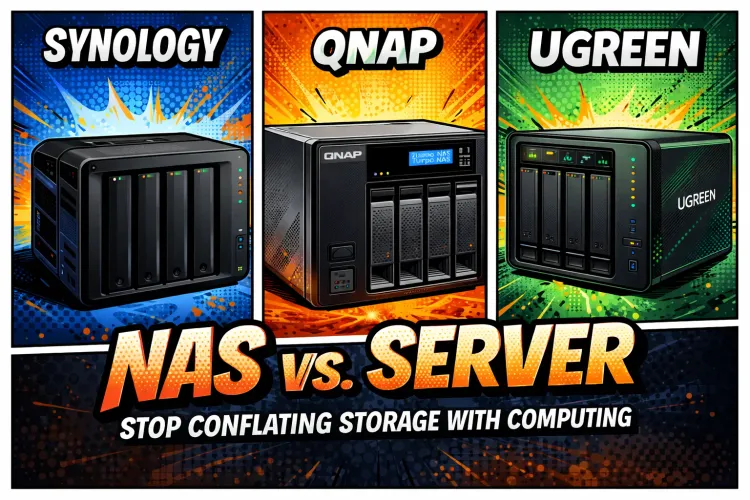
Best All Around Pre-Built NAS 💾
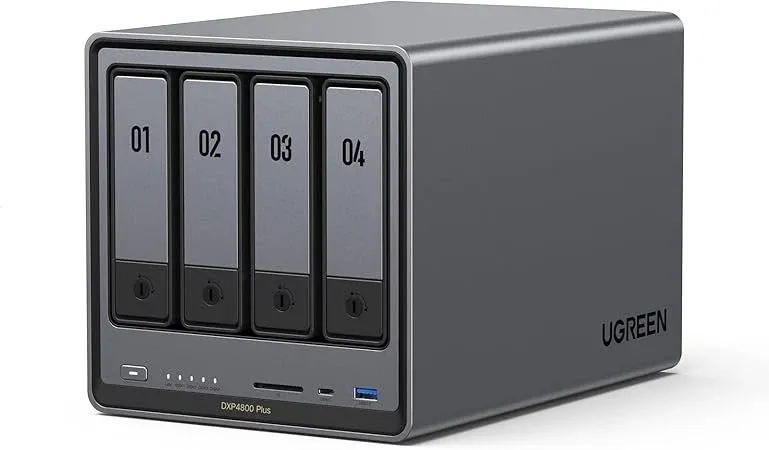
DXP4800 Plus
If I was recommending a prebuilt NAS today that matched the sweet spot of price/performance/features, it would have to be the UGREEN DXP 4800 Plus.
There's a LOT to love with the DXP4800 right now and it's easy to see why this specific one is exploding on Amazon and UGREEN's website right now!
- 4 bays for 3.5" hdds
- Intel Pentium Gold 8505 (5 cores/6 threads, 12th gen Intel w/ limited Quicksync)
- 8GB DDR5
- 128GB SSD
- 1X10Gbps RJ45 NIC!
- 1X 2.5Gbps RJ45 NICs
- 2XM.2 NVMe Slots
- 4k HDMI port
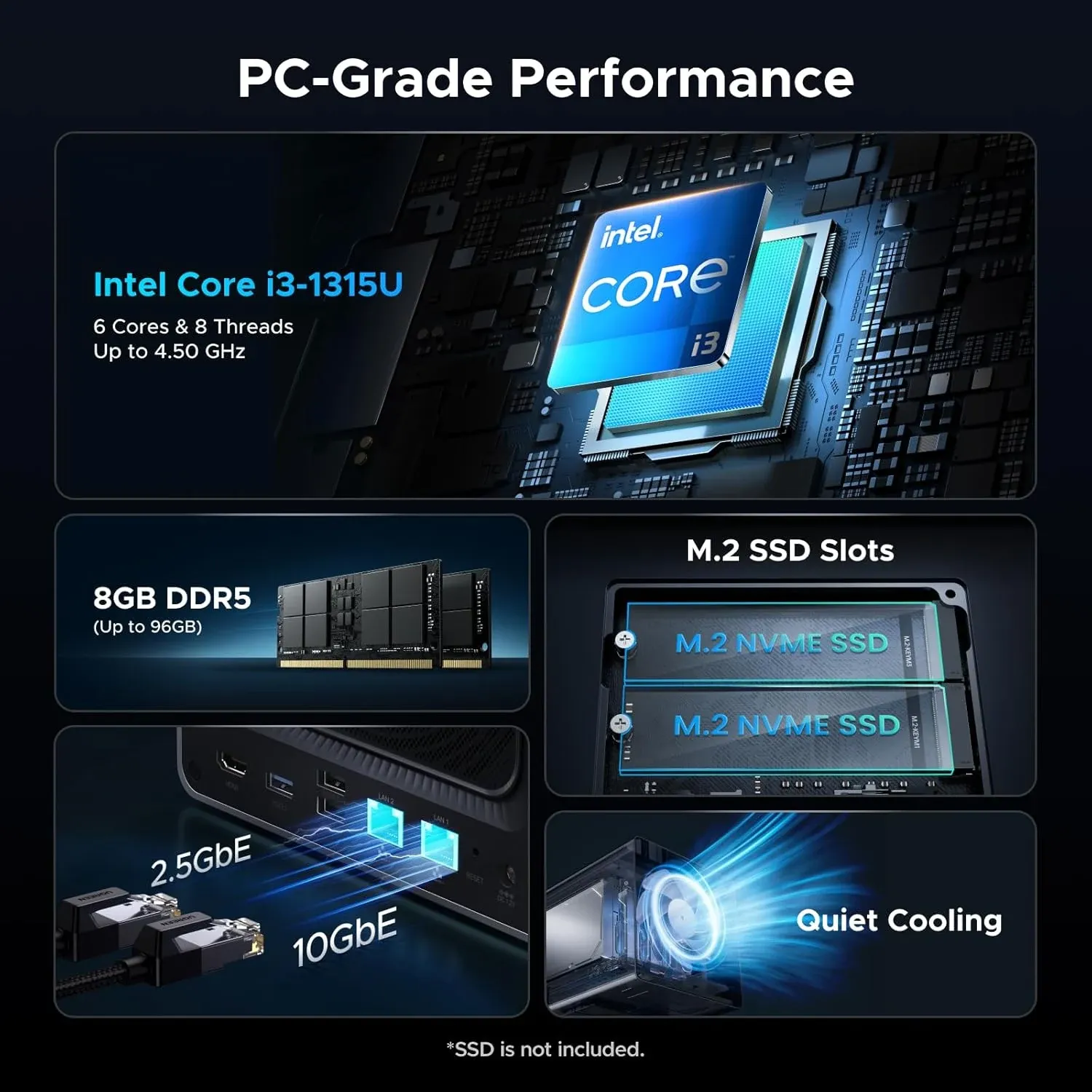
DXP4800 Pro
A slight step up for marginal cost, and not-so-marginal performance gains! So what's the extra cost and all the fuss about you ask?
Basically the CPU that's included with this model.
- Same specs as DXP4800 Plus above except for;
- Intel Core i3-1315U (6 cores/8 threads, Intel newer Intel Quicksync!)
- 64 Execution units (EUs) vs 48 EUs in the Plus model which means more simultaneous 4k transcodes.
NAS RAM Upgrades
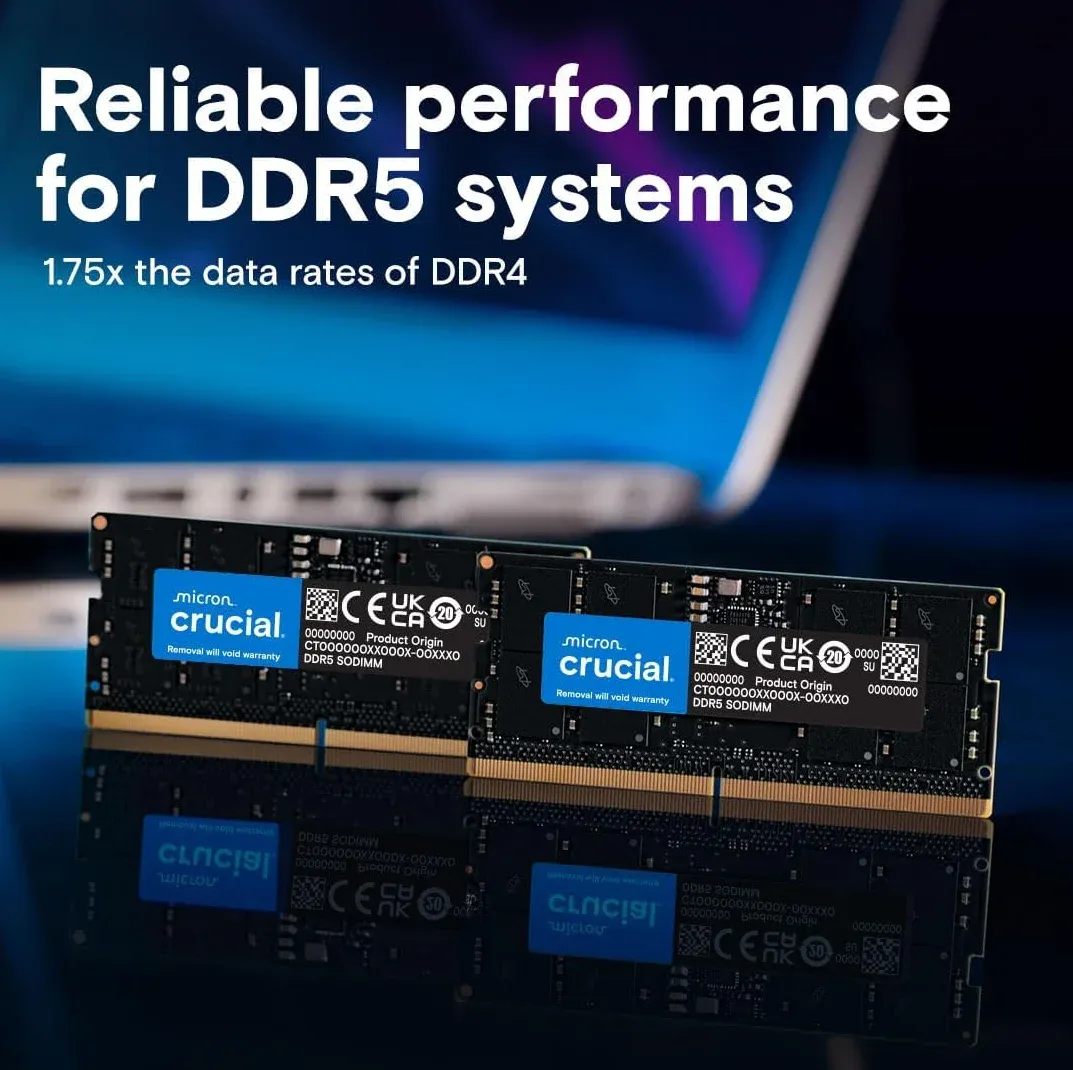
In either case, I suggest upgrading the RAM on these units if you plan to use VMs or containers on them. 👇 Note: You do NOT need fast ram (4800Mhz is good). If you put faster ram in the NAS, it will simply down-clock it for complete compatability with the CPU!
UGREEN NAS Performance as a Media Server (Plex/Jellyfin)
For media serving, the most critical component is the Integrated GPU (iGPU) and its support for Intel QuickSync (QSV). Both CPUs feature modern QSV engines capable of hardware-accelerated transcoding for almost all modern codecs.
- Transcoding Capabilities: Both units excel at transcoding 4K HEVC (H.265) and AV1 content. Because they both use 12th/13th Gen architecture, they can decode AV1 in hardware, which is a major "future-proofing" feature for modern high-quality rips.
- Performance Difference: The Core i3-1315U in the Pro model has 64 Execution Units (EUs) compared to the 48 EUs in the Pentium Gold 8505. In practical terms, the Pro can handle a higher number of simultaneous 4K transcodes (e.g., 4-5 streams vs 2-3 streams) before hitting hardware limits.
- Efficiency: For a single user or a small household, you likely won't notice a performance difference. Both can transcode a 4K HEVC file to 1080p with very low CPU overhead (typically under 20%).
Overall System Performance
- Multitasking: The Pro model features an extra Performance Core (P-core) and two additional threads. This makes it notably better if you plan to run Virtual Machines (VMs) or a lot of docker containers alongside your media server.
- Expansion: Both units support NVMe SSD caching or storage pools via dual M.2 slots, which significantly speeds up Plex/Jellyfin metadata loading and poster art browsing.
- Connectivity: Both models are uniquely powerful in the market for including 10GbE networking as standard, allowing for extremely fast file transfers if your home network supports it.
✨Dedicated Server / Hypervisor Builds
These builds will be specialized for any self-hosting & homelab tasks, plus be your storage all in one. These start utilizing "Enterprise" hardware. One day I'll be building something like this, on an "Epyc" level 😉.
AMD/Eypc Builds
Virtual machines & proxmox, everywhere!
| Feature | Description |
|---|---|
| Purpose | High-performance home server, NAS, media server, virtualization host, and more. |
| CPU | AMD EPYC 7302P (16 Cores/32 Threads) – Offers excellent core count for virtualization and heavy workloads. |
| Motherboard | Server-grade motherboard with dual 10GbE ports and ample PCIe slots (Supermicro, ASUS, or similar). Look for IPMI support for remote management. |
| RAM | 64GB - 128GB ECC Registered DDR4 RAM (3200MHz) - ECC is crucial for data integrity in a server environment. |
| Storage (OS/Metadata) | 500GB - 1TB NVMe SSD (RAID 0 or 1 for performance/redundancy) |
| Storage (Media/Data) | 8 x 8TB or 12 x 8TB Enterprise-grade HDDs (RAID 6 or 10 for data protection and performance) - Consider a JBOD configuration for maximum capacity if redundancy is less critical. |
| Storage Controller | Hardware RAID controller (LSI/Broadcom) for optimal RAID performance. |
| Network | Dual 10GbE ports (bonded for increased bandwidth) |
| Power Supply | Redundant 750W - 1000W 80+ Platinum or Titanium PSU (for reliability) |
| Case | 4U Rackmount Chassis or Tower Case (with good ventilation and cooling) |
| Cooling | High-performance CPU cooler (air or liquid) and ample case fans. |
| Estimated Power Draw (Idle) | 200-300W |
| Estimated Power Draw (Full Load) | 500-700W |
| Estimated Cost | $2000 - $4000+ |
| Notes | This is a high-end build. IPMI is highly recommended for remote management. Consider a UPS for power protection. |
Intel/Xeon Builds
No limits build. All the things!
| Device | Model | Reason |
|---|---|---|
| CPU | Intel i5-13600k | iGPU with built-in Quicksync transcoding hardware |
| Motherboard | SUPERMICRO MBD-X13SAE-F | IPMI + iGPU support. Enterprise grade motherboard |
| Case | Fractal Design Define 7 XL | Can hold up to 20! 3.5" drives for relatively affordable price. |
| Memory | 64GB Kingston 32GB DDR5 4800MT/s ECC CL40 2RX8 | 64GB is enough to run my entire production stack as OMV7, 58+dockers, etc |
| Boot Drive | 2x Samsung 500GB M.2 NVMe SSD | Best to run your OS in RAID1 or ZFS mirror |
| HBA card | LSI 9305-16i HBA card | Connects up to 16 hard drives to a single PCIe 8x slot. |
| Power Supply | CORSAIR RM850x Fully Modular Low-Noise ATX Power Supply Gold | 850w is enough to never worry about it again. |
| Hard Drives | Whatever you decide is your sweet spot for drive sizes! |
Homelab Hardware Comparison Table (2026)
| Hardware Type | Best For | Power Draw | Noise | Expandability | Typical Use Cases |
|---|---|---|---|---|---|
| Mini PC (N100 / N305 / Ryzen Embedded) | Always-on services | ⭐ Very Low | Silent | ❌ Limited | Home Assistant, DNS, *arr stack, light Plex |
| DIY Consumer Server | Balanced homelab | ⭐⭐ Low–Medium | Quiet | ✅ High | Plex, virtualization, ZFS, Docker |
| Used Enterprise Server | Lab learning / heavy compute | ❌ High | Loud | ⭐⭐⭐ Very High | ESXi labs, bulk VMs, PCIe-heavy workloads |
| Single-Socket Workstation | Power-efficient performance | ⭐⭐ Medium | Quiet | ⭐⭐ Medium | Transcoding, AI inference, NAS + compute |
| Multi-Node Mini Cluster | High availability | ⭐⭐ Medium | Quiet | ⭐⭐ Medium | Kubernetes, Ceph, HA labs |
Quick takeaway:
If your homelab runs 24/7, power efficiency beats raw performance almost every time.
If I were building today, I’d run a low-power mini PC for infrastructure services, and a single efficient DIY server for storage, Plex, and virtualization — not a rack full of screaming enterprise gear. I kinda did this in 2022 when I rebuilt from 2 old Enterprise servers both with ancient dual xeons + 2 NAS to a single custom server + a 1 NAS.
Best Hard Drives for a NAS or Homelab Server: Components & Upgrades
Hard Drives (The Ammo)
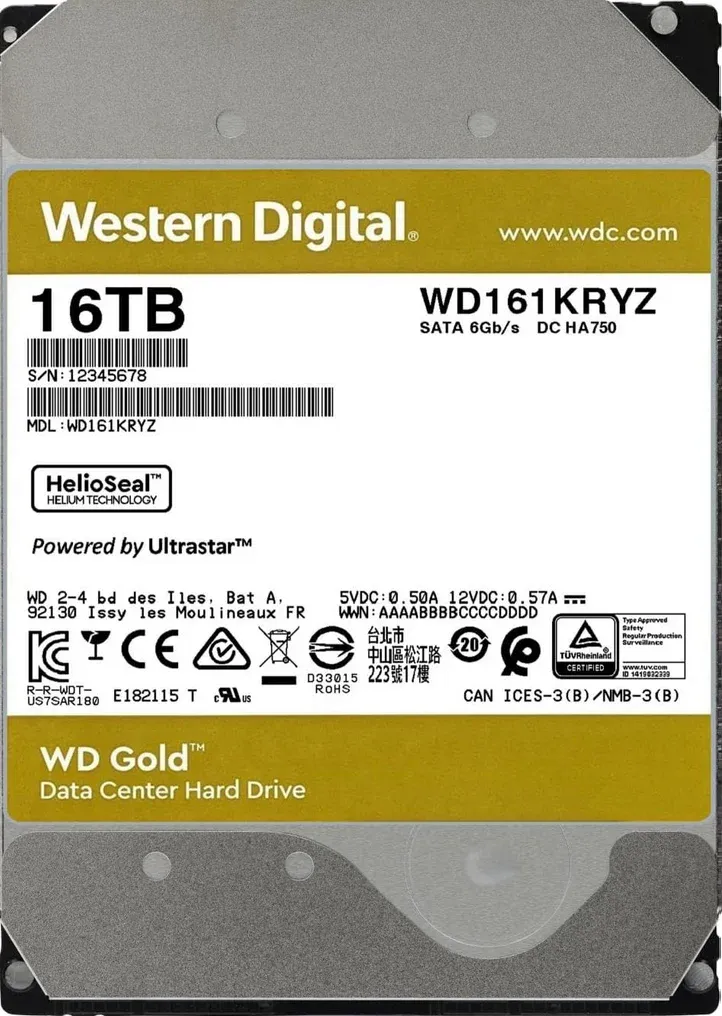
I'm a big fan of used/recertified Enterprise drives. People have strong feelings about this but I prefer a sweet spot with my very not unlimited budgets. I've been using recertified/second hand market drives since at least 2013. Important considerations when buying used/recertified drives:
- Price per TB, this is the ultimate metric.
- Reputation & Warranty of used/recertified Drive
- Ensure there's at least a DOA warranty, and/or a 30 day warranty so you have time to test it out and return/swap if needed!
- Mean-Time-Between-Failure rate (MTTF) of the drive
- Enterprise drives often have much higher MTTF
- Less so, SAS or SATA - I prefer SAS, but have and use both
- Brand is almost meaningless
💾 The "Ammo" Matrix: Hard Drive Selection Guide
| Drive Type | Cost per TB | Warranty | Risk Level | Best For... |
| Brand New (Retail) | Highest | 3–5 Years | Low | Critical family photos & primary backups. |
| Recertified (Mfg) | The Sweet Spot | 1–2 Years | Moderate | Large Plex libraries & balanced budgets. |
| Used (Enterprise) | Lowest | DOA/30-Day | Higher | High-density arrays with parity (Unraid/ZFS). |
🛠️ Tactical Field Notes:
- The "Burn-In" Rule: Never trust a drive immediately—especially used or recertified ones. Run a Pre-clear or a full SMART Long Test before moving data onto it. If it’s going to fail, you want it to fail in the first 48 hours. As the devs/programmers say - you want things to fail fast.
- The Noise Factor: Enterprise drives (SAS especially) are loud AF. If your server is in your bedroom, stick to 5400-7200 RPM "NAS" specific retail drives. If it's in a basement, go for the loudest, cheapest Enterprise SAS drives you can find.
- Parity is Not Backup: No matter which drive you pick, always have N+1 or N+2 redundancy. A used drive is perfectly safe if you have two other drives ready to take its place when it dies.
Pro-Tip for the Canadian Market 🇨🇦
If you are buying from ServerPartDeals or GoHardDrive (the big US players), keep an eye on the exchange rate. Sometimes, even with shipping and the "Border Tax," their recertified 20TB–24TB drives are 40% cheaper than buying a new 14TB drive at a local big-box store.
Recertified Enterprise SAS Drives
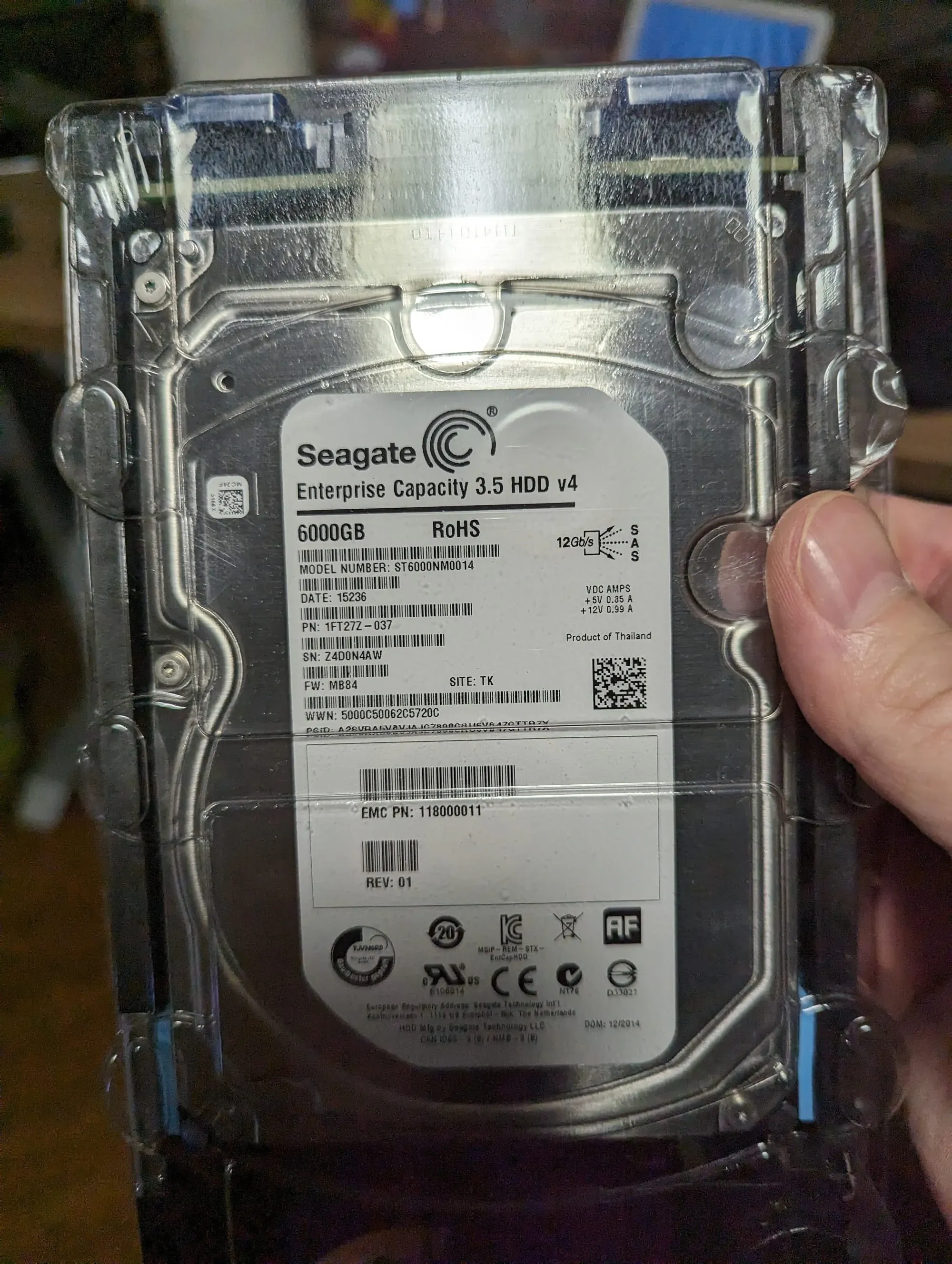
12Gbps, SAS interface required, greater performance, various sizes
Where to Buy Homelab Hardware in Canada (2026)
Sourcing enterprise gear in the Great White North can be a challenge due to "The Border Tax" and high shipping costs for heavy rackmount units. If you are building your digital fortress from within Canada, here are the battle-tested sources I recommend:
1. The Used Enterprise Market (Best for "The Command Center")
- eBay Canada (Maravi & CalgaryComputerWholesale): These are two of the most reputable Canadian sellers for used Dell PowerEdge and HP ProLiant servers. Buying from within Canada saves you the $100+ "brokerage fees" that UPS and FedEx often tack onto US shipments.
- Kijiji & Facebook Marketplace: Since enterprise gear is heavy, local pickup is king. Look for "E-Waste" or "IT Asset Recovery" listings in major hubs like Vancouver, Edmonton/Calgary, Toronto, Montreal, Halifax, and Ottawa. Basically the larger the city, the better the used 'pickings'.
- GovDeals / GCSurplus: Keep an eye on Canadian government auctions for decommissioned workstation clusters and networking racks. Believe it or not these are free & you don't have to be a government agent to use them 😉
2. New Hardware & Mini PCs (Best for "The Gatehouse")
- Memory Express: Still the gold standard for Canadian PC builders. Their "Uber Price Match" is great for shaving 10% off the difference if you find a better price at Canada Computers or Newegg.ca. For fellow veterans/military, they also offer an additional discount of about 5%!
- Canada Computers: Excellent for walk-in availability of Fractal Design cases (The Armor) and 3.5" high-capacity drives.
https://www.cbc.ca/news/business/canada-computers-data-breach-website-9.7067138
- Amazon.ca (Mini PC Brands): For N150 or Ryzen Mini PCs (GMKtec/Beelink), Amazon is often your only choice. Tactical Tip: Check the "Other Sellers" section to ensure the unit is shipping from a Canadian warehouse to avoid surprise duties at your door.
3. Avoiding the "Border Tax"
If you must order from the US (like ServerPartDeals for recertified drives):
- Use USPS (Canada Post): Whenever possible, choose USPS. They charge a flat ~$10 handling fee. Avoid UPS Standard—their brokerage fees on a $500 server can sometimes exceed $150.
- Customs Declarations: Ensure your items are marked as "Computer Parts" (HS Code 8473.30). Under many trade agreements, these are duty-free, though you will still pay your provincial HST/GST.
- Kinek Points: Lastly, there is the Kinek option if you live in a border town but, this DOES require you to cross the border and actually enter the USA to obtain your packages. It could also invite a lot of questions!
🚀 You have the hardware... now what?
A pile of parts is not a homelab. It's just expensive metal. Now that you've picked your server, it's time to build the "Brain" that runs your digital life. Building your own server is one of the most rewarding parts of self-hosting, but choosing the right components can feel overwhelming. Get it right, and you'll have a powerful, efficient machine perfectly tailored to your needs.
- Step 1 (The Inspiration): Want to see how I crammed 80TB of storage into a single case? Check out my [80TB "Monster" DIY NAS Build Log].
 Core Lab Joe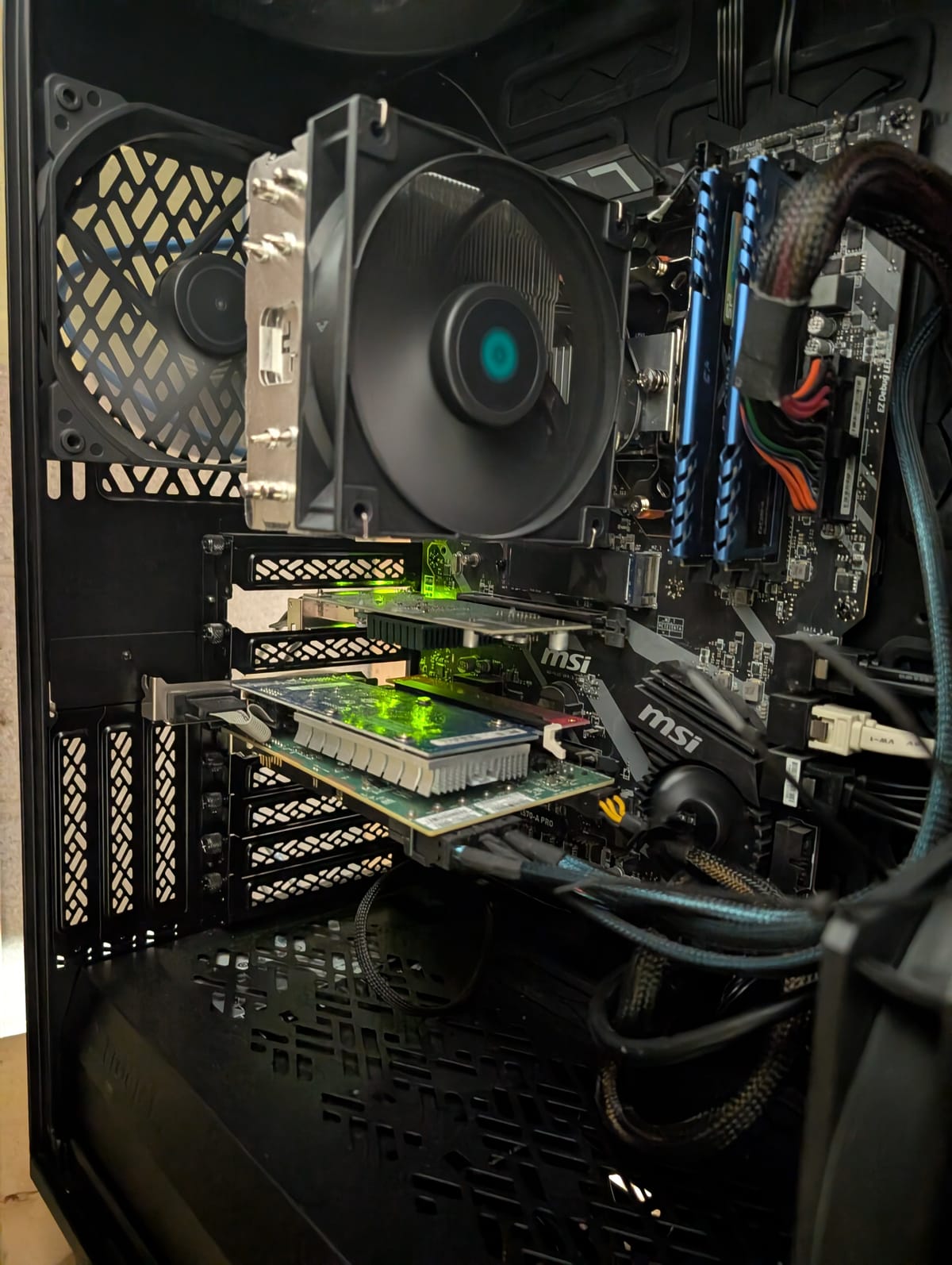
- Step 2 (The Software): Ready to install Plex, Home Assistant, and the *Arrs? Follow my guides to the for a fully functional stack.👇
 Core Lab Joe
If you want to secure your homelab and lock it completely down, read below.👇
 Core Lab Joe
Homelab Hardware FAQ
What is the best homelab hardware in 2026?
The best homelab hardware depends on your specific workload. Mini PCs, like those featuring the Intel N150 (Twin Lake), excel for low-power, always-on services. Meanwhile, DIY servers with modern AMD Ryzen 9000 series chips are superior for heavy virtualization, and Intel Core Ultra CPUs dominate for Plex or Jellyfin media servers due to their advanced transcoding.
Are mini PCs powerful enough for a homelab?
Yes, modern mini PCs are more than powerful enough for the majority of homelab tasks, including Docker containers, light virtualization (LXC/VMs), and high-bitrate media streaming. They are the ideal choice when power efficiency and noise are a priority.
Intel or AMD CPUs for a homelab server?
Intel remains the preferred choice for media-focused labs because QuickSync offers mature support for hardware transcoding and HDR tone mapping. AMD typically offers superior multi-core performance and raw "grunt," making it the better choice for heavy virtualization and private AI/LLM workloads.
Do I need ECC RAM for a homelab?
ECC RAM is beneficial for long-term data integrity, especially if you are running ZFS or an always-on storage "Vault." However, for standard application hosting and media streaming, non-ECC RAM is perfectly acceptable and much more affordable for most users.
Is used enterprise hardware worth it for a homelab?
Used enterprise gear offers great performance per dollar, but it comes with a "hidden cost": higher power consumption, loud industrial fans, and physical bulk. For a home environment, modern consumer hardware or Mini PCs are usually more practical and cost-effective over time.
How much CPU power do I actually need for a homelab?
Most homelabs are significantly overbuilt. Standard home services and containers require very few resources. The primary drivers for high CPU demand are virtualization density (running many VMs), AI workloads, and high-volume video transcoding.
What’s the biggest mistake people make when buying homelab hardware?
The most common mistake is prioritizing maximum specs over power efficiency. This often results in a "noisy jet engine" in the closet that is expensive to run and remains 90% underutilized.
Is 2.5GbE enough for a homelab in 2026?
While 2.5GbE is the new standard for entry-level nodes, 10GbE (SFP+) is highly recommended for your primary storage backbone to prevent bottlenecks during large backups or concurrent 4K streams.
Can I run AI LLMs on a Mini-PC?
Yes, provided you have at least 32GB of fast RAM. For better performance, look for NPU-equipped chips like the Core Ultra or units with an OCuLink port that allow you to attach an external GPU (eGPU) later.

Member discussion