Core Lab Tech's Self-Hosted Lab (My Digital Fortress, 2026)
A tour of Core Lab's real homelab: 192TB+ of ZFS storage, OPNsense on repurposed hardware, 54 Docker containers, and where to start building your own.
As an IT professional, I’ve been fascinated by the idea of having a self-hosted digital environment. The thought of controlling my own data, experimenting with different technologies, and having a backup of everything was incredibly appealing. It began in 2011/2012, with a little known project called “XBMC”. Not long after, I discovered Plex Media Server... Things quickly got ah, out of hand!
This post is part of my Custom NAS/Server Series:
Custom NAS & Servers
What is a Homelab?
Simply put, a homelab is a personal computing environment built within your home. It’s often used for experimentation & learning, hosting services, and, for some, a personal backup solution. My goal with this setup is to learn about server administration, networking, and various open-source technologies, all while having a fun and saving money!
I explain my setup in reverse chronological order so you can inspect my current production hardware first. If you are starting out or upgrading your homelab infrastructure, explore my budget homelab beginner-to-pro blueprint.
My Full Tech Stack
What powers my smart home & keeps it connected.
Logical diagram first. Some of the items are clickable! Apologies but you'll need full-screen to view this properly.
flowchart TD
%% EDGE
A[🌍 Internet]
B[☁️ Cloudflare Edge]
%% FIREWALL
C[🛡️ OPNsense Firewall]
%% SWITCHING
D[🔀 UniFi Core Switch]
%% SECURITY LAYER
E[🌐 SWAG Reverse Proxy]
F[🔐 Authelia SSO]
%% DOCKER HOST
G[🐳 Docker Host]
%% APPLICATIONS
H[📸 Immich]
I[📄 Paperless-NGX]
J[⚙️ n8n Automation]
K[🏠 Home Assistant]
%% MEDIA
L[🎬 Jellyfin]
M[🎞️ Plex]
%% INFRASTRUCTURE
N[🧠 AdGuard DNS]
O[⏱ Local NTP]
P[📷 Frigate NVR]
%% EDGE FLOW
A --> B --> C --> D
%% APP INGRESS
C -->|HTTPS| E
E --> F --> G
%% MEDIA BYPASS (still via proxy)
C -->|Direct Media Port| E
E --> L
%% DOCKER SERVICES
G --> H
G --> I
G --> J
G --> K
G --> P
G --> M
%% INFRA ENFORCEMENT
C -->|Forced DNS| N
C -->|Forced NTP| O
%% VLAN GROUPS
subgraph VLAN7["VLAN 10 — Home Infrastructure"]
N
O
end
subgraph VLAN8["VLAN 20 — Docker Services"]
G
H
I
J
K
P
end
subgraph VLAN42["VLAN 50 — Media"]
L
M
end
%% STYLING (Dark Mode Optimized - Frigate Theme)
  classDef edge fill:#2d3436,stroke:#0984e3,stroke-width:2px,color:#dfe6e9
  classDef firewall fill:#2d3436,stroke:#d63031,stroke-width:3px,color:#fff
  classDef proxy fill:#2d3436,stroke:#00cec9,stroke-width:2px,color:#dfe6e9
  classDef docker fill:#2d3436,stroke:#6c5ce7,stroke-width:2px,color:#dfe6e9
  classDef infra fill:#2d3436,stroke:#fdcb6e,stroke-width:2px,color:#dfe6e9

  class A,B edge
  class C firewall
  class E,F proxy
  class G,H,I,J,K,L,M,P docker
  class N,O infra


%% CLICKABLE LINKS
click C "https://corelab.tech/opnsensept1/" "OPNsense Firewall Guides"
click E "https://corelab.tech/swag-reverse-proxy-guide/" "SWAG Reverse Proxy"
click F "https://corelab.tech/digital-castle-swag-crowdsec-authelia/#part-5-autheliacentralized-multi-factor-authentication-authorization" "Authelia Authentication"
click L "https://corelab.tech/jellyfin-guide-https/" "Jellyfin Securely"
click M "https://corelab.tech/best-plex-server-hardware/" "Plex Server Hardware Guide"
click N "https://corelab.tech/tag/dns/" "DNS Guides"
click P "https://corelab.tech/setupfrigate/" "Frigate NVR Setup"
- 1X Custom Server/NAS combo (Tower, not rack-mount, purely due to space)
- 80TB usable
- 1X Synology NAS appliance (Used strictly as a NAS, no dockers/apps)
- 112TB usable
- 1X Repurposed (Free, hand-me-down) Alienware XS1R3 Computer
- Exclusively running OPNsense Firewall
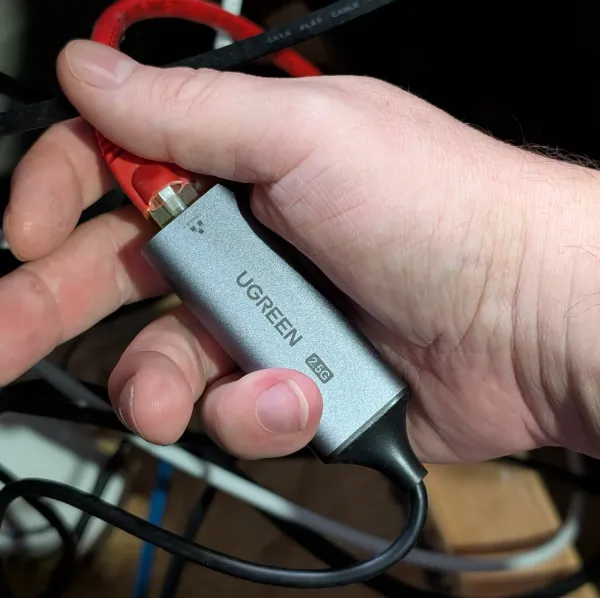
- New CPU cooler, more ram, new HDD, upgraded NICs
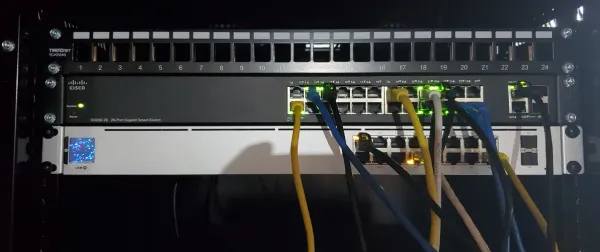
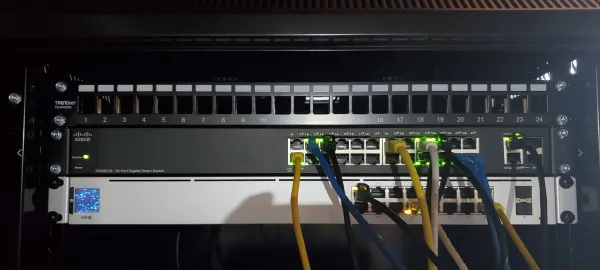
- 2X Ubiquiti Switches (USW-16-PoE gen2, USW-24-G2)
- 3X Unifi APs (U6 LR, U6 Pro, U6 Lite)
- Unifi Network Controller via Docker app
- 2X Reolink 822A 4k PoE cameras
- 1X Reolink Doorbell Cam, wifi version
Simpler, physical connectivity diagram.
flowchart TD
    %% Core flow
    subgraph Internet_FW["🌐 Internet & Firewall"]
        I["🌐 Internet"] --> C["🛡️ OPNsense Firewall (Alienware XS1R3)"]
    end

    subgraph Switching["🔀 Core Switching"]
        C --> B["🔀 Binardat 10G SFP+ Switch"]
        B --> D1["📡 UniFi PoE Switch"]
        B --> D2["📡 UniFi Switch (Non-PoE)"]
    end

    subgraph Servers["💾 Servers & Storage"]
        D2 --> A["💾 Custom Server/NAS (80TB, Docker Host)"]
        D2 --> B2["🗄️ Synology NAS (112TB)"]
        A --> E{"⚙️ UniFi Network Controller (Docker)"}
    end

    subgraph WirelessIoT["📶 Wireless & IoT"]
        D1 --> F["📶 UniFi APs (U6 LR, Pro, Lite)"]
        D1 --> G["📷 Reolink Cameras (PoE)"]
        F --> H["🚪 Reolink Doorbell Cam (WiFi)"]
    end

%% Styling (Dark Mode Optimized - Frigate Theme)
      style I fill:#2d3436,stroke:#0984e3,stroke-width:2px,color:#dfe6e9
      style C fill:#2d3436,stroke:#d63031,stroke-width:3px,color:#fff
      style B fill:#2d3436,stroke:#b2bec3,stroke-width:2px,color:#dfe6e9
      style D1 fill:#2d3436,stroke:#b2bec3,stroke-width:2px,color:#dfe6e9
      style D2 fill:#2d3436,stroke:#b2bec3,stroke-width:2px,color:#dfe6e9
      style A fill:#2d3436,stroke:#6c5ce7,stroke-width:3px,color:#fff
      style B2 fill:#2d3436,stroke:#00cec9,stroke-width:2px,color:#dfe6e9
      style E fill:#2d3436,stroke:#fdcb6e,stroke-width:2px,color:#dfe6e9
      style F fill:#2d3436,stroke:#00b894,stroke-width:2px,color:#dfe6e9
      style G fill:#2d3436,stroke:#00b894,stroke-width:2px,color:#dfe6e9
      style H fill:#2d3436,stroke:#00b894,stroke-width:2px,color:#dfe6e9


    %% Subgraph styling (clean + dashed)
    style Internet_FW fill:transparent,stroke:#888,stroke-width:1px,stroke-dasharray: 4 4
    style Switching fill:transparent,stroke:#888,stroke-width:1px,stroke-dasharray: 4 4
    style Servers fill:transparent,stroke:#888,stroke-width:1px,stroke-dasharray: 4 4
    style WirelessIoT fill:transparent,stroke:#888,stroke-width:1px,stroke-dasharray: 4 4
All of this provides me with 192+TB of redundant storage, 60+ dockers, webhosting needs, Plex for my house and NGFW protection!
Where to Begin Starting your Own Homelab?
- 1. The Mini-PC / SFF Route: This path starts with small, efficient PCs like Intel NUCs or BeeLinks, or the cheaper Minisforum PCs.
- Pros: Low power, quiet, small.
- Cons: Limited storage and PCIe slots.
- Recommendations: A GMKTek Mini-PC or a used Lenovo/Dell SFF PC is a perfect, low-cost way to start running Docker containers.
- 2. The Enterprise Rackmount Route: Used enterprise gear like Dell PowerEdge R720/R730s can be a perfect way to start, if you get them for the right price.
- Pros: Insane power for the price, tons of RAM and PCIe slots, built-in remote management (IPMI).
- Cons: Loud, power-hungry, heavy.
- Recommendation: You can find amazing deals on used Dell servers on eBay more than Amazon generally. You'll also need a good network rack and probably some quiet Noctua fans to replace the stock ones.
- You can also run a fairly quiet homelab!
- 3. The DIY NAS / All-in-One Tower:
- Pros: The "best of both worlds." Full control, high storage capacity, and quiet operation (if you build it right).
- This is the path I chose: It runs everything - NAS, containers, and Plex. I've written a complete step-by-step guide with my exact parts list to show you how to build one.
 Core Lab Joe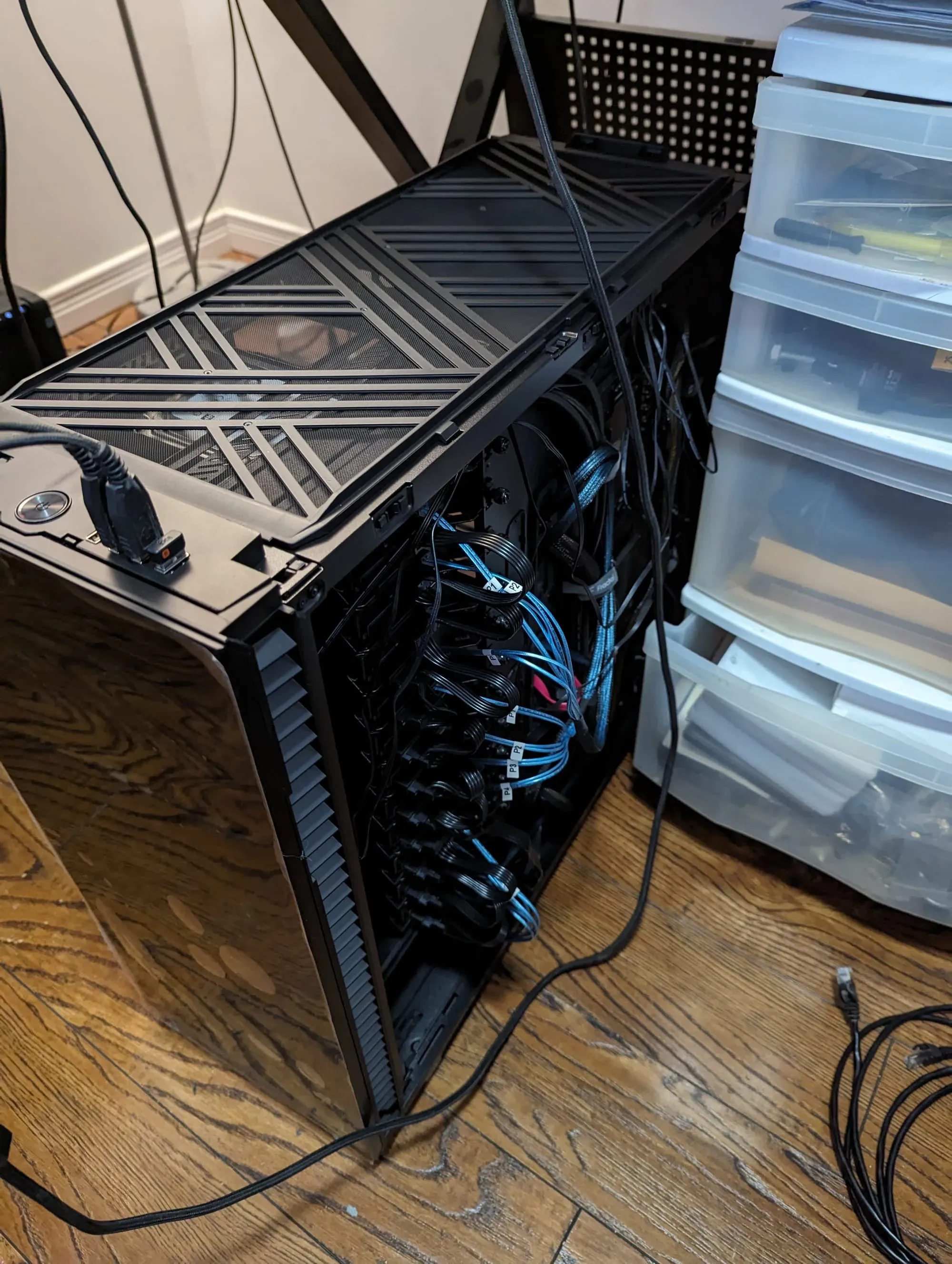
Operating System Choice
Debian, always Debian...
Operating system: Open Media Vault 8. OMV provides a slick and intuitive web-based GUI to manage your system primarily, as a NAS. However it has the capability to basically do anything you want in the computing world with omv-extras, their plugin environment. OS currently runs on a separate SATA SSD, not RAIDed...
I've got 60+ docker containers all running in a docker compose environment, beautifully humming along on this rig. Here's the list:
Core Lab Active Container Directory
A complete inventory of the microservices running on the Core Lab bare-metal OMV8 infrastructure.
| Service Name | Stack / Category | Primary Function |
|---|---|---|
| SWAG | Edge & Security | NGINX reverse proxy with automated Let's Encrypt SSL and built-in fail2ban/CrowdSec integrations. |
| CrowdSec | Edge & Security | Real-time Intrusion Prevention System (IPS) that drops malicious IPs at the reverse proxy. |
| AdGuard Home | Edge & Security | Network-wide DNS sinkhole for aggressive ad and tracker blocking. |
| Authelia | Identity & Auth | Single Sign-On (SSO) and Two-Factor Authentication (2FA) portal protecting internal apps. |
| LLDAP | Identity & Auth | Lightweight LDAP directory for centralizing user credentials across all services. |
| Vaultwarden | Identity & Auth | Self-hosted Bitwarden-compatible password and secrets manager. |
| Jellyfin | Media | Primary FOSS media server for streaming movies and TV (Intel QuickSync accelerated). |
| Plex | Media | Enterprise-grade media server offering extensive cross-platform client support and remote streaming. |
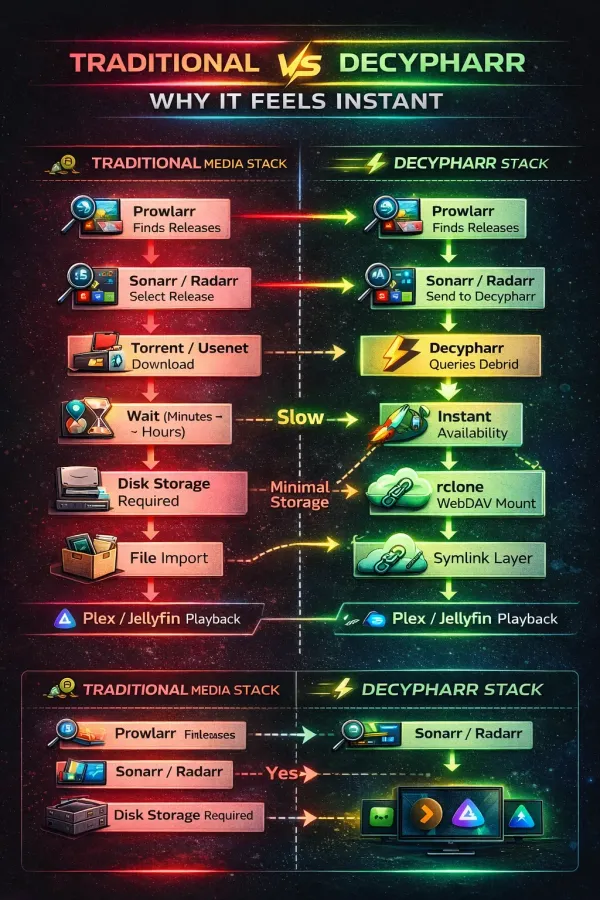
| Decypharr | Media | Debrid cloud-streaming bridge enabling zero-download, instant media playback via symlinks. |
| Sonarr & Radarr | Media (Arr Stack) | Automated PVRs for acquiring, organizing, and upgrading TV shows and Movies. |
| Prowlarr | Media (Arr Stack) | Centralized indexer manager feeding search queries to the entire Arr stack. |
| Jellyseerr | Media (Arr Stack) | User-facing web portal for discovering media and pushing requests to Sonarr/Radarr. |
| Maintainerr | Media (Arr Stack) | Automated retention manager that purges watched media and unmonitors it in the Arrs to save space. |
| Decluttarr | Media (Arr Stack) | Cleanup utility that removes stalled, failed, or ghosted downloads from the download client queues. |
| qBittorrent (Hotio) | Media | Torrent download client configured with internal VPN routing (NET_ADMIN). |
| Trawl | Media | MITM proxy utilized for Cloudflare bypass on strict indexers. |
| Immich | Personal Cloud | High-performance Google Photos alternative with hardware-accelerated Machine Learning for facial recognition. |
| Paperless-ngx | Personal Cloud | Digital filing cabinet that ingests, OCRs, and tags PDFs and scanned receipts. |
| Mealie | Personal Cloud | Recipe manager that imports ingredients and instructions directly from ad-heavy web URLs. |
| Obsidian (Sync) | Personal Cloud | Backend sync server for local markdown note-taking. |
| Home Assistant | Automation | The central brain of the smart home, routing local IoT devices without cloud reliance. |
| Frigate | Automation | NVR (Network Video Recorder) with real-time AI object detection via TensorRT. |
| UniFi Controller | Infrastructure | Management portal for Ubiquiti networking hardware (APs and Switches). |
| Uptime Kuma | Monitoring | 60-second ping monitor providing a real-time status dashboard and Discord alerts. |
| Scrutiny | Monitoring | Web dashboard for visual SMART hard drive health tracking to preempt disk failure. |
| Homelable | Monitoring | Network topology visualization to map VLANs and reverse proxy routes. |
| Ghost (Coreblog) | Web | The CMS engine natively powering corelab.tech. |
Note: This table omits the 20+ dedicated database sidecars (Postgres, KeyDB, MySQL) that operate seamlessly in the background to support these core applications.
I have been running Plex since about... Oh, 2013?... Jellyfin came along and now I run both so I can be familiar with them, and write guides for both. I use both! Jellyfin has come a LONG way 2025-2026 and is fantastic...
I'm currently using Jellyfin as my "Limitless Cloud Media Server" which streams from Decypharr, via Real Debrid and Usenet as the backend... Slick eh 😉
Key Details
Advanced OMV Details
OMV's built ontop of Debian 12, as such you can literally do almost everything and anything with it. OMV's shining quality (IMO) is it's flexibility. It sits on top of Debian and the largest 'change' they make to Debian that I struggled with, is the networking software. They use netplan vs traditional linux network stack and if/updown scripts. Since it's Debian under the hood, I opted to install Docker Compose directly onto the OS vs using omv-extra's webgui compose.
Head on over to my Open Media Vault 8 Setup Guide.
Storage Tech: ZFS from omv-extras. 12X 6TB Enterprise SAS 3.5 disks setup as RAIDZ2 +5X8TB SATA 3.5" disks setup as RAIDZ1.
Don't want to buy matching drives? Check out my [OMV8 MergerFS & SnapRAID Guide] (COMING SOON-ish!) to build an expandable array instead.
Peripherals: LSI Megaraid 9400-16i HBA (upgraded May 2026 from a 9300-16i), RTX 3060 12GB GPU, Dual 10GB SFP+ NIC, PCIE riser, 9?X 120mm cooling fans, a lot of fans...
🤿Deep Dives of Fav Containers/Apps Running in my Lab
 Core Lab Joe
 Core Lab Joe
 Core Lab Joe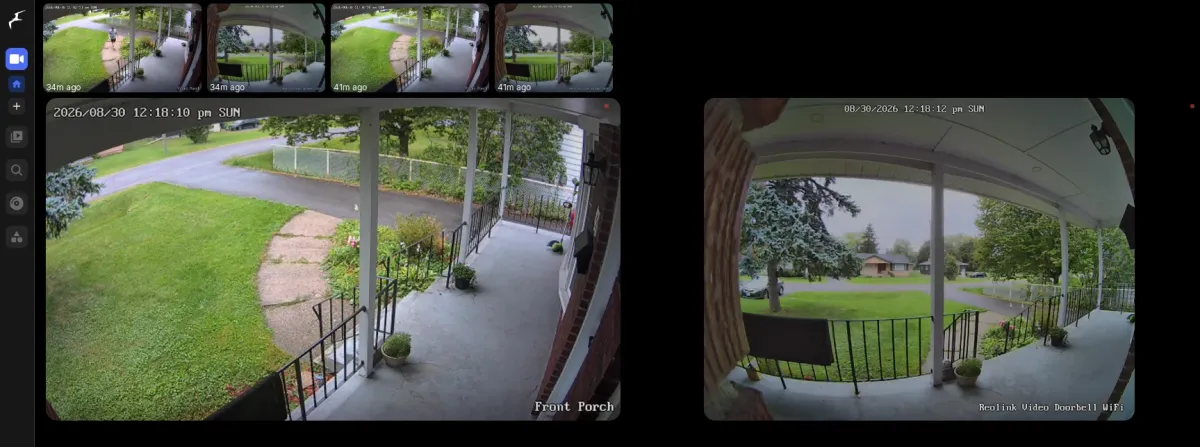
 Core Lab Joe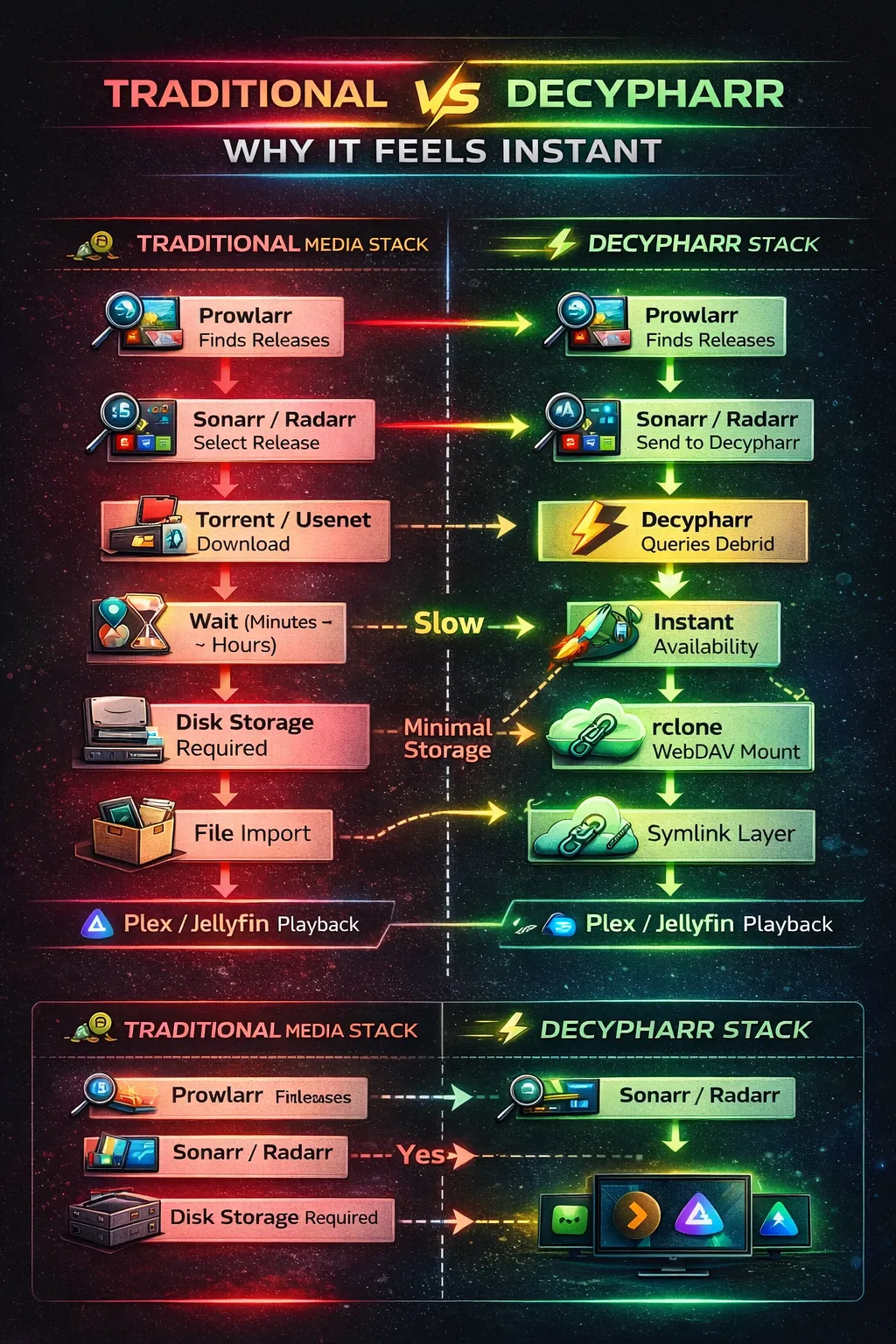
 Core Lab Joe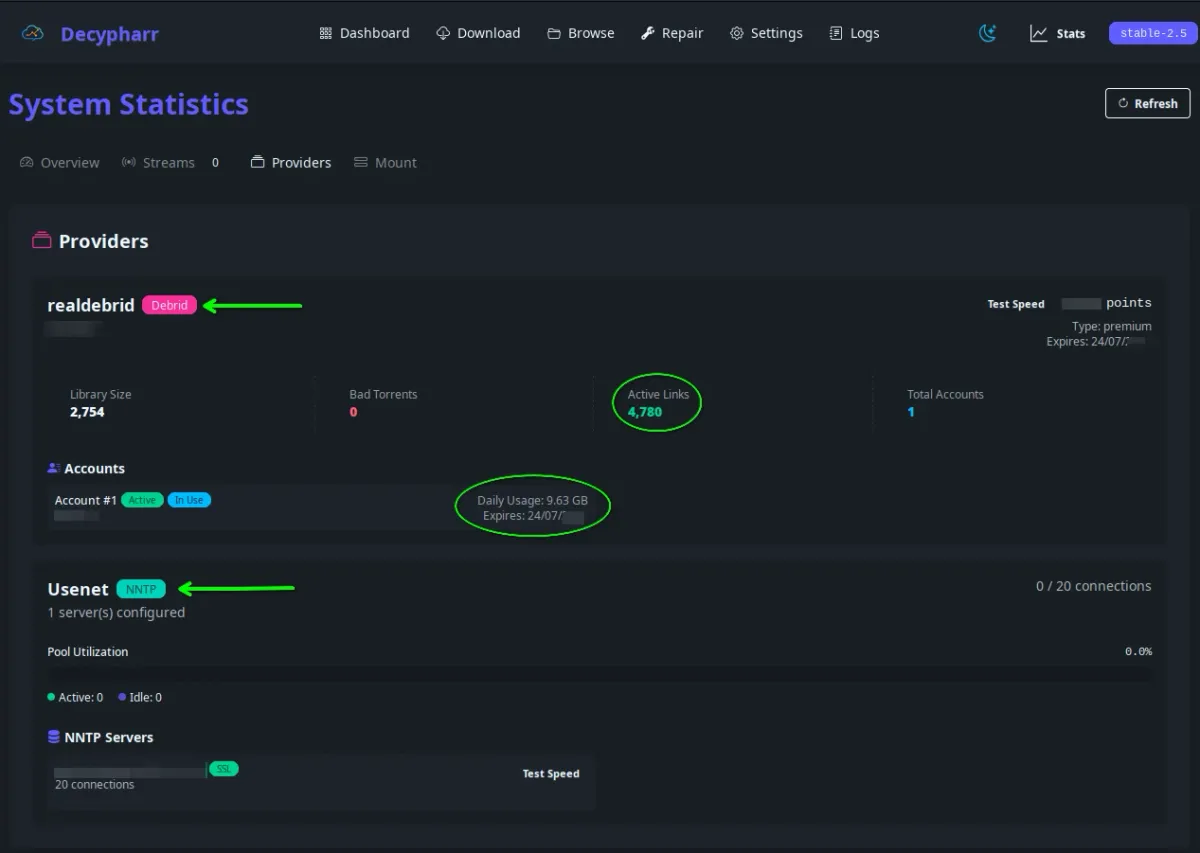
❓ Frequently Asked Questions (FAQ)
What operating system does Core Lab's homelab run?
The main server runs OpenMediaVault 8, built on Debian 12, chosen for its web-based NAS management GUI plus the flexibility of a full Debian base underneath via the omv-extras plugin ecosystem.
How much storage does the homelab have?
Roughly 192TB+ of redundant storage across two boxes: an 80TB usable custom NAS/server combo (12x6TB Enterprise SAS drives in RAIDZ2, plus 5x8TB SATA drives in RAIDZ1) and a 112TB Synology NAS used strictly for storage, no containers or apps.
What ZFS pool layout is used?
Two pools on the main server: 12x 6TB Enterprise SAS 3.5" disks in RAIDZ2, plus 5x 8TB SATA 3.5" disks in a separate RAIDZ1 pool, managed through OMV's ZFS plugin.
How many Docker containers run in this homelab?
60+ containers! I finally migrated away from a monolithic single compose file, into 9 separate compose "stacks" as well, which is much better overall, more organized and I am utilizing proper .env files and permissions. It's basically an Enterprise setup now.
What firewall and networking hardware powers the homelab?
OPNsense running on a repurposed, hand-me-down Alienware XS1R3 (upgraded with a new CPU cooler, more RAM, a new HDD, and upgraded NICs), behind two Ubiquiti switches and three UniFi access points, all managed through a self-hosted UniFi Network Controller in Docker.
Where should I start if I want to build my own homelab?
Three common paths: a Mini-PC/SFF route (low power, quiet, limited storage/PCIe), a used enterprise rackmount route (huge power-per-dollar, but loud and power-hungry), or a DIY NAS/all-in-one tower that runs NAS duties, containers, and a media server on one machine, the path this lab actually took.
What's Next?