

Part 1: The Data Pipeline - Where Your Identity Leaks
Stop thinking of identity theft as a "hack." Learn how corporate negligence and data aggregation fuel the Canadian black market, and why your info is at risk.

We like to think of identity theft as a sudden "hack." In reality, it’s a slow-motion leak. Your data doesn’t just disappear; it moves through a pipeline of corporate negligence and criminal aggregation. Welcome to a series of posts that may genuinely make you want to have a tinfoil hat surgically installed!
The Identity Theft Survival Guide
1. The Corporate Sieve
In 2026, we’ve seen that even "non-sensitive" leaks (names, DOBs) are the fuel for targeted attacks. See Part 2 for how attackers use this "Golden Trio" to bypass Telus/Bell support.
2. The Credential Trap
This is where my "Golden Rule" from the OMV 8 guide applies: If you reuse a password, you don’t have a password—you have a vulnerability. Credential stuffing is why that 5-year-old forum account is now a threat to your bank account.
3. Data Aggregation and Dark Web Sales
Stolen data isn’t only from direct hacks. It is also scraped, traded, and aggregated by data brokers and criminal marketplaces. Underground sellers compile “identity profiles” that include email, phone, DOB, and partial SIN — the exact combo attackers need. This is why targeted attacks are often not random.
Part 2: The ‘Golden Trio’ - Why Support Verification Fails
Attackers don’t just need your email or phone — they need three things carriers and banks frequently accept as identity proof:
- Full legal name
- Date of birth
- Partial SIN (last digits)
While SINs aren’t supposed to be used for authentication, in practice many support systems still allow them in verification flows — a known abuse vector in Canada.
This combination is so powerful that attackers use it to bypass carrier support and reset account logins. It’s not luck — it’s targeted data usage.
Part 3: Targeting You - It’s Not Guesswork
Before contacting your telecom provider, attackers often already know:
- Which mobile carrier you use
- What email platform you use
- Where you live
- Historical personal details from public profiles
They engineer timing (evening hours or holiday weekends), rehearse social engineering scripts, and exploit human trust. Research and official guidance confirm social engineering is a primary attack vector.
Part 4: Self-Audit - Start From a Position of Reality
1. Check If Your Email Was Exposed
Use reliable breach-checking services:
- 🔍 Have I Been Pwned – enter your email to see known breaches.
This is one of the most widely recognized breach databases. - 🔍 Firefox Monitor – another free way to check and register for alerts.
- 🔍 Google Password Manager & browser security checkers can also flag compromised credentials.
If your email appears in any breach:
- Change the password everywhere that credential was used.
- Treat that password as completely compromised.
2. Lock Down Your Email
Your email is the backbone of your digital identity. Immediately:
- Remove old recovery phone numbers and email addresses you no longer control.
- Force a sign-out of all logged-in sessions.
- Review and delete unauthorized forwarding rules.
These steps make it much harder for attackers to reset other accounts through your email.
3. Tighten Your Carrier Account
Log in to your mobile provider’s portal (or call if locked out) and confirm:
- Port protection / transfer block (prevents number porting without extra verification)
- Account passcode / PIN that isn’t your birthdate or phone number
- SMS-based authentication is not the only MFA method you depend on
Limiting the use of SMS as a recovery channel reduces your risk by a significant margin.
4. Monitor Credit and Financial Stakes
Canadian identity theft guidance specifically recommends reviewing credit reports and placing alerts if fraud is suspected.
Part 5: Prevention That Actually Works
These steps are far stronger than generic “be careful online” advice.
1. Unique Passwords for Every Account
A password manager makes this manageable, and it is one of the single most effective defenses against credential reuse.
2. Move Away from SMS MFA
SMS should never be your go-to for account recovery:
- Authenticator apps (Google Authenticator, Aegis)
- Hardware security keys
- Passkeys where supported
These are phishing-resistant and can’t be stolen via SIM swap.
3. Reduce Public Profiling
Limit publicly visible personal details that attackers can use to impersonate you:
- DOB
- Phone numbers
- Email on public sites
- Childhood pet names and other security question fodder
Canadian Reporting and Support Resources
If you suspect identity theft or a breach:
- 📞 Local Police: File a report — you’ll need a case number for banks and insurers.
- 📞 Canadian Anti-Fraud Centre (CAFC): Report cybercrime and contribute to national tracking.
- 🛡 Office of the Privacy Commissioner of Canada: Identity theft guidance and mitigation steps.
The Takeaway
SIM swaps and credential hijacks feel sudden, but they are almost always the result of long-standing identity exposure. Attackers prey on pre-existing leaks and weak verification systems.
You can’t stop every breach, but you can:
- Harden your recovery paths
- Remove reusable authentication risks
- Monitor proactively instead of reacting too late
The best incident response is making yourself a bad target before the attack ever starts.
Next Step: You know how they get your data. Now see the live execution in [Part 2: The 8-Minute SIM Swap Nightmare.]
❓ Frequently Asked Questions (FAQ)
What is the “Golden Trio” attackers use to steal a Canadian identity?
Full legal name, date of birth, and the last few digits of your Social Insurance Number. Carrier and bank support lines frequently accept this combination as identity proof, even though SINs were never meant to be used for authentication, which is why attackers specifically hunt for all three.
How does reusing passwords lead to identity theft?
Credential stuffing. Attackers take email/password pairs leaked from one breached site and try them against banks, email providers, and carrier accounts. A 5-year-old forgotten forum account with a reused password becomes a direct path into your bank login.
How do I check if my email has already been exposed in a data breach?
Run it through a breach-checking service as your first self-audit step, then treat any exposed password as compromised everywhere you reused it, not just on the breached site.
Is SMS-based two-factor authentication safe to keep using?
No, it's the weakest form of MFA against a targeted attack. A SIM swap defeats SMS-based 2FA entirely, since the attacker receives your codes once your number is ported. Moving to an authenticator app or a hardware key removes SMS as the single point of failure.
Are SINs actually supposed to be used to verify your identity in Canada?
No. Social Insurance Numbers aren't designed as an authentication factor, but in practice many carrier and support verification flows still accept them, which is exactly the abuse vector the “Golden Trio” attack relies on.
What's the single most effective way to prevent this kind of identity theft?
Unique passwords on every account, so a breach anywhere doesn't become a breach everywhere. Combine that with reducing how much of your full name, DOB, and personal details are sitting on public profiles, since that's the raw material attackers use to pass verification checks in the first place.
Written by
On this page
What's Next?
Part 2: The 8-Minute Nightmare - What To Do When You Are Sim Swapped in Canada
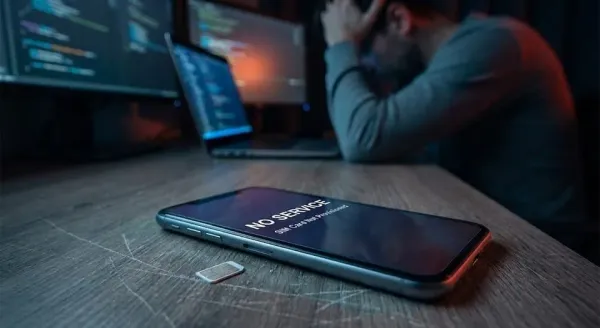
At 5:45 PM, the spam calls started. By 6:00 PM, the phone was dead and the bank accounts breached. If you see 'No Service,' you have minutes to act. Here is the definitive Canadian battle plan to stop a SIM Swap, lock down your credit, and stop the bleeding.

The Homelab Digital Estate: Building an End-of-Life Disaster Response Plan (From Markdown to ReMemory)
What happens to your homelab and encrypted family photos if you die tomorrow? How I built a two-tier digital estate response plan, combining plain-language family runbooks with offline Shamir threshold cryptography using ReMemory.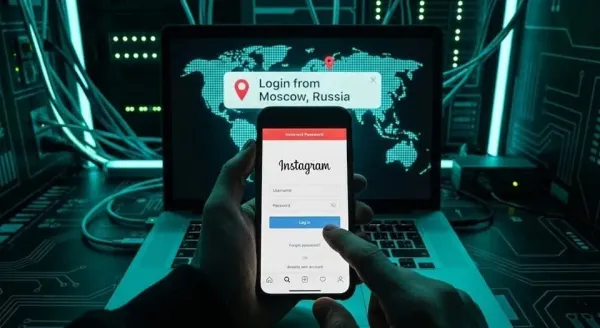
Part 2: The 8-Minute Nightmare - What To Do When You Are Sim Swapped in Canada
At 5:45 PM, the spam calls started. By 6:00 PM, the phone was dead and the bank accounts breached. If you see 'No Service,' you have minutes to act. Here is the definitive Canadian battle plan to stop a SIM Swap, lock down your credit, and stop the bleeding.