🚨An Early Gift for My Subscribers: Pre-Holiday Tech Deals & Exclusive Codes❗
Curated pre-holiday deals on QD-OLED monitors, homelab mini-PCs, 2.5Gbps networking upgrades, and portable displays, plus exclusive subscriber codes.

Hey everyone,
As we get closer to the holiday rush, the "deals" are about to become overwhelming. Most of it is just noise—the same-old tech with a different discount and many of the real deals will sell out fast.
I've been in contact with some brands and partners and, I've managed to secure a genuinely great early-access exclusive discount code on hardware I think you, as a community of self-hosters and gamers, will actually appreciate 😀 Feel free to share this post to anyone shopping for these items, and they too, can join our little Core Lab club!
This post has a deep dive into why I've selected this gear, as you may come to expect from Core Lab. Not a blind advertisement but the reasons I would (and still might) buy some of this gear. The exclusive discount codes are my thank-you gift to you for being a subscriber. You'll find them at the bottom of this email / post 😉
Let's get into the hardware.
1. The Visual Upgrade: INNOCN's 27" QD-OLED Monsters
For years, we've had to choose: speed (high-refresh-rate IPS/VA) or quality (OLED's perfect blacks). That compromise is finally over. INNOCN has dropped two new 27" monitors that are game-changers for a hybrid gamer/creator/self-hoster setup. Although this brand is 'newer' to North America, they've been gaining a lot of traction over recent years, with some people lamenting they couldn't buy this brand until now. INNOCN tries to hit the 'sweet spot' between price/performance.
The two models to watch are the 2K (1440p) @ 500Hz (GA27M1Q) and the 4K (2160p) @ 240Hz (GA27W1Q).
1. Samsung QD-OLED Panel (This is the big one)
These aren't using older, dimmer WOLED panels. INNOCN is using the original Samsung QD-OLED panels.
- Why it matters: QD-OLED (Quantum Dot OLED) gives you the pixel-perfect, instantaneous 0.03ms response time and infinite contrast that OLED is famous for, but with significantly higher color volume and brightness. Your blacks are black (not "dark gray" like an IPS), and colors pop without looking over-saturated. For gaming, it's a revelation. For video, it's pro-grade.
2. VRR Tech (G-Sync/FreeSync)
Both models feature Variable Refresh Rate (VRR) and are G-Sync/FreeSync compatible.
- Why it matters: At 500Hz or 240Hz, your GPU will be working hard. VRR ensures the monitor's refresh rate is perfectly synced to your graphics card's frame output. The result? Zero screen tearing. It's a non-negotiable feature for fast-paced, competitive gaming, and it's great to see it implemented correctly here.
3. Integrated "MAC-View Mode"
This is the niche feature I didn't know I needed.
- Why it matters: Many of you, like me, are hybrid users. You have a gaming PC, but you use a MacBook for development, content creation, or work. "MAC-View mode" is a built-in color profile that aims to match the color and gamma output of Apple's displays. This makes context-switching between your PC and your Mac seamless, with consistent color accuracy. It's a small, smart feature that shows they understand their audience.
Which one is for you?
- The Gamer's Choice (GA27M1Q): If you are a competitive FPS player, 1440p at 500Hz is your endgame. The motion clarity is unlike anything you've ever seen.
- The Hybrid Choice (GA27W1Q): If you're a hybrid creator/gamer who values resolution, the 4K 240Hz model is the perfect balance of insane detail and high-refresh-rate smoothness.

INNOCN 27" 2K 500Hz QD-OLED (GA27M1Q)
The ultimate competitive gaming monitor. With a Samsung QD-OLED panel, 0.03ms response time , and a blindingly fast 500Hz refresh rate, this 1440p monitor delivers unparalleled motion clarity and perfect blacks.

INNOCN 27" 4K 240Hz QD-OLED (GA27W1Q)
The perfect hybrid monitor for creators and gamers. You get the same Samsung QD-OLED panel quality, but at a stunning 4K resolution with an ultra-smooth 240Hz refresh rate. Features MAC-View mode for color-accurate work.
2. The Homelab/Media Center: Picking Your Mini-PC
This is where things get fun. A Mini-PC is the perfect foundation for a silent, low-power 24/7 self-hosted server or a high-performance 4K media player. I've selected two different tiers based on your needs.
The Powerhouse: KAMRUI E3B (Ryzen 7)
If you're looking for a single, compact box that can do everything, this is it. The KAMRUI E3B is an absolute beast for its size, packing an AMD Ryzen 7 5825U processor. That's 8 cores and 16 threads, which is desktop-level power.
- The Use Case: This is your all-in-one homelab server. It has more than enough power to run Proxmox with multiple, heavier VMs (like a full-blown Windows VM, Frigate NVR, and your entire Docker stack). With support for 32GB+ of RAM and 4K triple-display output, it's also a fantastic, high-performance media player or even a light 1080p gaming machine. It's the "do-it-all" choice.

KAMRUI E3B Mini-PC (AMD Ryzen 7 5825U)
The 8-Core, 16-Thread powerhouse. This is the one to get for serious Proxmox virtualization, heavier Docker workloads, or a high-end 4K media center. Supports 32GB+ RAM, 4K triple displays, and WiFi 6.
The Efficiency Champs: ACEMAGIC Visa V1 (N-Series)
If your goal is a dedicated-function server (like a 24/7 Docker host, Pi-hole, or Home Assistant box) or a simple, silent media player , the N-series processors are legendary for their low power consumption. The ACEMAGIC Visa Mini V1 is the perfect chassis for them.
These Intel "Alder Lake-N" chips are all 4-core, but have different power targets (TDP). The N150's 6W TDP is the key—it runs silent, cool, and costs pennies per year, making it the true "always-on" self-hosting choice.
| Model | Intel CPU | TDP (Power) | CPU Clock (Boost) | Ideal Use Case |
|---|---|---|---|---|
| Visa V1 (Performance) | Intel N97 | 12W [39] | Up to 3.6GHz [14, 38] | Zippy 4K Media Player, Light Desktop Use |
| Visa V1 (Efficiency) | Intel N150 | 6W [38, 42] | Up to 3.4GHz [38] | **Best for 24/7 Self-Hosting (Docker, HA, Plex)** |
| Visa V1 (Budget) | Intel N95 | 12W [39, 42] | Up to 3.4GHz [38] | Basic Media Player, Simple Servers (e.g., Pi-hole) |

ACEMAGIC Visa Mini V1 (Intel N150 Model)
The ultimate low-power homelab server. The 6W Intel N150 (16GB RAM / 512GB SSD) is the perfect, silent choice for running Proxmox, Home Assistant, Plex, and all your 24/7 services.
The No Compromise AMD Mini-PC
Stepping into the ring with an AMD Ryzen 7 PRO 6850H processor, 32GB DDR5 and up to 1TB of NVME, you get almost limitless expansion options due to dual USB4.0 & an Oculink port connected by two (2!) 2.5Gbps NICs included, so you get literally everything you could want however, they do cost more... Sometimes you get what you pay for!
- The Use Case: Anything. Literally. Homelab server. Portable gaming PC. VR Living room gaming PC. Proxmox host etc...
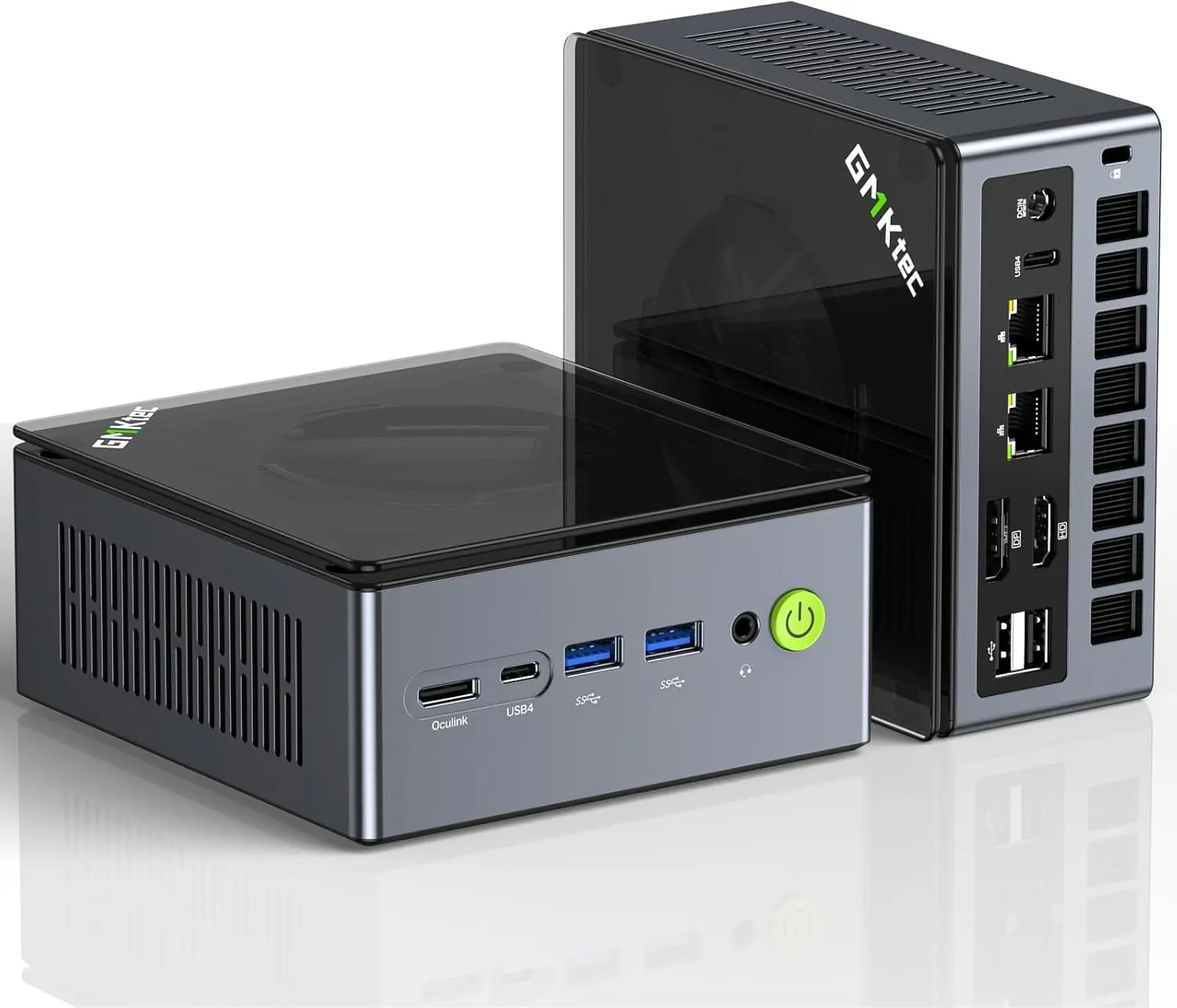
Dual NIC LAN 2.5G Desktop Computer, 32GB DDR5 RAM + 512GB Hard Drive PCle SSD, Dual USB4, HDMI 2.1, USB-C
3. The Pro-Move: Adding a 2.5Gbps Network Port
Here's the one "catch" with most Mini-PCs, including the powerful KAMRUI E3B: they typically ship with a single 1-Gigabit Ethernet port. For a media player, that's fine. But for self-hosters, that's a bottleneck.
If you want to run a router VM (like pfSense or OPNsense), you need a second NIC for your WAN/LAN. If you're running Proxmox, you'll want a separate network for management or high-speed storage access.
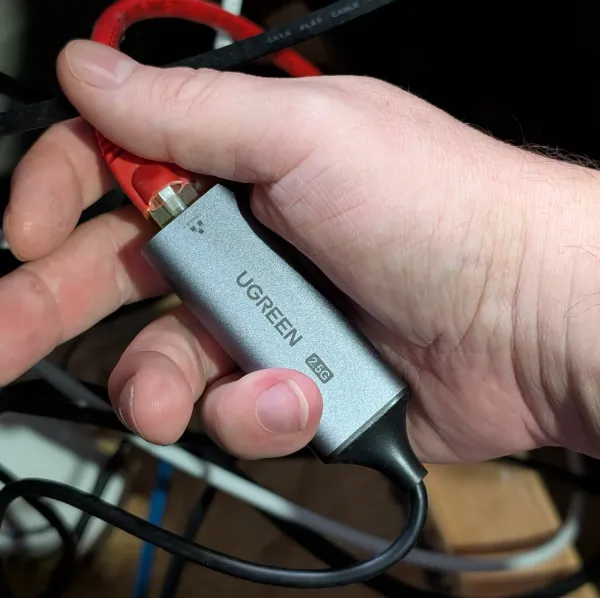
The fix is a high-quality USB 3.0 to 2.5Gbps Ethernet Adapter. This instantly upgrades your machine and gives you the second port you need. Based on reviews from other homelabbers, the most reliable "plug-and-play" options for Linux and Proxmox are the UGREEN and Cable Matters adapters. They are known to work out of the box with the right drivers.

Cable Matters USB-C to 2.5Gbps Ethernet Adapter
The essential upgrade for any Mini-PC homelab. Add a 2.5Gbps port for a router-on-a-stick, a Proxmox management network, or faster file transfers. Highly compatible with Linux.
4. The Utility Player: ROYY 15.6" Portable Monitor
This last one is a "productivity multiplier." It's a 15.6" FHD 1080p IPS screen extender. The ROYY model is simple, reliable, and just works. It connects via a single USB-C (for power and video) or HDMI + USB-C (for power).
Core Lab Specific Use Cases:
- For Self-Hosters: The Portable "Crash Cart" This is the perfect admin console. Your Proxmox server is headless, but what happens when the network goes down or you need to access the BIOS? You don't want to lug a full 27" monitor and keyboard into your server closet. This 15.6" screen is lightweight, plugs in with one cable, and gives you a direct dashboard for initial setup, debugging, or emergencies.
- For Gamers: The Secondary Screen Traveling for the holidays? At a LAN party? This lets you bring your dual-monitor setup with you. Keep Discord, OBS, a build guide, or a YouTube walkthrough running on this second screen while you game on your laptop's main display.
- For Everyone: It's just a fantastic, 300-nit 1080p IPS panel for multitasking. It makes working from a laptop in a hotel, a coffee shop, or even just your couch 200% more productive.

ROYY 15.6" Laptop Screen Extender
A plug-and-play 1080p FHD IPS portable monitor. Instantly adds a second screen to your laptop via USB-C or HDMI. Perfect for travel, as a server admin dashboard, or for multitasking.
Get Exclusive Deals Like This
Exclusive, time-sensitive discount codes for these products were delivered to my private email subscribers. Subscribe for free to get access to the next exclusive deal drop and my self-hosting tech insights!
Written by
On this page
What's Next?