

Best NAS for Photographers in 2026: UGREEN vs. Synology vs. Custom ZFS
The complete photographer storage architecture for 2026: the SD-to-cloud pipeline, the Lightroom SQLite catalog trap, 2.5GbE/10GbE network math, running Immich in Docker, and why UGREEN beats Synology for creative workflows.

Photographers face a very specific storage crisis that generic 'best NAS' hardware roundups completely misunderstand. You are not simply parking family spreadsheets or streaming compressed movie files. You are managing an unrelenting, data-dense production pipeline: high-resolution camera sensors fill memory cards in hours, massive uncompressed RAW archives demand ultra-low-latency scratch disks for batch culling, finished client catalogues need a redundant home that you can search and browse, and not a single frame is truly safe until a cryptographic copy lives offsite.
On top of the raw data volume, working photographers fight a monthly cash bleed of recurring cloud subscriptions ($120 to $240 every year for a measly 2TB Google One or Apple iCloud plan) and a notorious, fatal architectural trap involving how Adobe Lightroom Classic interacts with network file systems.
In this comprehensive architecture guide, I break down the exact storage workflow required for photographers in 2026. As an enterprise ZFS systems engineer who runs custom rackmount servers in my own production lab, I evaluate turnkey hardware through the cold, objective lens of silicon performance, PCIe bandwidth, network saturation, and container software openness. While I personally run custom ZFS hardware, the reality for working creatives is simple: you want to spend your weekends shooting and editing, not managing Linux kernel updates. That is why the UGREEN NASync line has become my primary recommendation for photographers -and I compare it honestly against Synology and DIY ZFS builds below.
The 4-Stage Photographer Storage Architecture: From SD Card to 3-2-1 Cloud Backup
Before you spend a single dollar on hard drives or enclosures, you must understand the storage pipeline. Every reliable photography workflow consists of four discrete stages, each fulfilling an isolated role. Confusing these stages is how photographers end up with painfully slow Lightroom exports or catastrophic data loss.
- Stage 1: The Field Shoot (SD / CFexpress Cards): Your memory cards are temporary, fragile capture buffers, never long-term storage. A single commercial session or all-day wedding on a modern 45MP to 61MP body easily generates 100GB to 300GB of uncompressed RAW files. The single goal of Stage 1 is high-speed ingest to get files into two physical locations immediately, allowing you to format the cards in-camera before the next shoot.
- Stage 2: The Local Edit (High-Speed NVMe Scratch Disk): Ingest the active shoot directly to a fast internal NVMe SSD on your workstation or editing laptop. This is where your active Lightroom Classic catalogue lives and where you perform batch culling, metadata tagging, and color grading. Local NVMe speeds (3,000 to 7,000 MB/s) are mandatory for fluid thumbnail generation and, as shown below, are non-negotiable for database safety.
- Stage 3: The Active Archive (The Multi-Bay NAS): Once a shoot is culled and delivered, the master RAW image files migrate over high-speed networking to your centralized NAS. This is your permanent, searchable, always-on library: years of master archives in one protected RAID array, shared seamlessly across local editing workstations and indexed by modern self-hosted photo tools like Immich.
- Stage 4: Offsite Disaster Insurance (The 3 in 3-2-1): Your NAS automatically encrypts and pushes your master archives to an offsite destination. A NAS sitting in your studio is vulnerable to physical theft, power surges, fire, or water damage. Offsite replication is what turns local redundancy into true business continuity.
The Lightroom Classic Catalog Trap: Why Storing .lrcat on a NAS Corrupts Data
This is the single most critical technical lesson in this entire guide. It is where thousands of photographers inadvertently corrupt months of editing work by blindly following generic 'just store everything on a shared network drive' advice.
Adobe Lightroom Classic stores its catalogue file (the database. SQLite is an extraordinarily efficient, embedded database engine, but it relies strictly on atomic, kernel-level file locking mechanisms to prevent corruption while reading and writing metadata.
Adobe Lightroom Classic explicitly refuses to open catalogues stored on network shares.Network file-sharing protocols (specifically SMB and NFS) do not implement POSIX atomic file locking with 100% reliability over TCP connections. A momentary network latency spike, an interface renegotiation, or a sleeping network adapter breaks lock synchronization. Because of this architectural reality, Attempting to circumvent this with symlinks or network tricks puts your catalogue in severe jeopardy of database corruption.
Edit Locally, Archive Remotely.The architectural solution is straightforward and guarantees maximum editing performance:
- Keep the .lrcat File Local: Always keep your active Lightroom catalogue and its preview cache on your high-speed internal NVMe SSD. The database itself is relatively compact (a few gigabytes for tens of thousands of images), so it consumes minimal local drive space.
- Store Master RAWs on the NAS: Lightroom Classic does not alter your original master RAW files; it merely references them. The multi-terabyte RAW files can live permanently on your NAS over a fast 2.5GbE or 10GbE network share.
- Leverage Smart Previews: Generate Smart Previews during initial ingest. Smart Previews are compact, highly compressed DNG files stored locally with your catalogue. They allow you to edit, cull, and color-grade smoothly even when disconnected from your local network (e.g. traveling with a laptop). When you reconnect to your studio LAN, your edits synchronize back to the master files automatically.
Network Speed Math for RAW Photos: 1GbE vs. 2.5GbE vs. 10GbE Ingest Benchmarks
A NAS storage pool is only as fast as the network cable bridging it to your editing desk. For creative professionals transferring multi-gigabyte folders of RAW photos, the local networking interface dictates whether ingesting a shoot takes two minutes or twenty minutes.
| Network Interface | Real-World SMB Throughput | 64GB Shoot Ingest Time | 128GB Wedding Ingest Time | Photographer Verdict |
|---|---|---|---|---|
| Standard 1GbE | ~110 to 118 MB/s | ~9 min 40 sec | ~19 min 20 sec | Painful Bottleneck. Severe friction during batch culling. |
| Multi-Gig 2.5GbE | ~280 to 295 MB/s | ~3 min 45 sec | ~7 min 30 sec | The Golden Sweet Spot. Fully saturates spinning hard drive RAID arrays. |
| High-Speed 10GbE | ~1,050 to 1,150 MB/s | ~58 seconds | ~1 min 55 sec | Studio God Tier. Requires NVMe cache pool or multi-drive striped ZFS vdevs. |
2.5GbE is the baseline non-negotiable target.For solo photographers and small studios in 2026, At ~285 MB/s of real-world throughput, 2.5GbE perfectly saturates a standard 4-drive spinning mechanical RAID array without requiring costly enterprise switches. If your editing laptop or desktop only has a standard 1GbE RJ45 port, you can upgrade it instantly with an affordable USB 3.0 to 2.5GbE adapter without opening your computer case.
10GbE networking.If you operate a commercial studio with multiple editors simultaneously pulling 45MP RAW files or ProRes video footage off the server, step up to Over a 10GbE link, folder transfers exceed 1,100 MB/s, allowing you to edit high-resolution files directly across the network as if the drive were physically mounted inside your workstation.
2026 Hardware Shootout: UGREEN NASync vs. Synology DiskStation vs. Custom ZFS
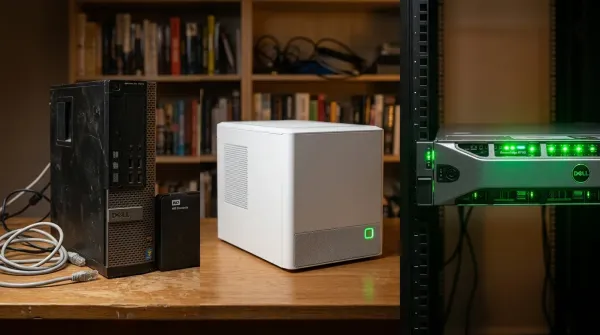
When building a photography storage foundation today, you have three distinct paths: UGREEN NASync, Synology DiskStation, or a bespoke DIY ZFS build.
| Feature / Specification | UGREEN NASync (UGOS Pro) | Synology DiskStation (DSM) | Custom DIY NAS (TrueNAS ZFS) |
|---|---|---|---|
| Target Photographer | Working shooters wanting modern hardware and Docker Immich without custom building. | Non-technical shooters prioritizing turn-key software polish over transfer speeds. | Homelab engineers demanding enterprise-grade ZFS snapshots and zero vendor lock-in. |
| Silicon & iGPU Engine | Intel 12th Gen (N100 up to Core i5-1235U) with Iris Xe / Intel UHD QuickSync. | Aging AMD Ryzen Embedded (V1500B / R1600) with ZERO integrated graphics. | User choice: Intel Core i5 QuickSync or AMD Ryzen AM4/AM5. |
| Out-of-the-Box Networking | Dual 2.5GbE baseline; native 10GbE RJ45 on DXP4800 Plus & DXP6800 Pro. | Still ships 1GbE on most prosumer units. Requires proprietary $150 10GbE add-on card. | PCIe expansion: dual 10G SFP+ or 2.5GbE NICs. |
| Drive Ecosystem Freedom | 100% Unlocked. Pair with low-cost Seagate IronWolf or Recertified Enterprise SATA drives. | Aggressive locked verified-drive warnings; nudges buyers to expensive Synology HDDs. | 100% Unlocked. Full native SMART and ZFS scrub telemetry. |
| Self-Hosted Photo Stack | Native Debian Linux with full Docker Compose support for Immich. | Synology Photos (polished, native, simple) or containerized Immich without iGPU acceleration. | Immich inside TrueNAS SCALE Apps or Docker container. |
The Fall of the Incumbent: Where Synology Stumbles for Creatives
For over a decade, Synology was the default recommendation across the creative industry. DiskStation Manager (DSM) remains the most polished, rock-solid operating system on the market. However, Synology's hardware strategy over recent product cycles has created severe friction for performance-focused photographers:
- No Integrated Graphics Engine: Prosumer units like the DS923+ and DS1522+ utilize embedded AMD Ryzen processors (V1500B / R1600) with zero integrated graphics. That means no Intel QuickSync hardware transcoding for video and zero GPU acceleration for machine-learning photo processing.
- 1GbE Networking Throttling: Synology still stubbornly ships gigabit RJ45 interfaces as the baseline on $600+ appliances, forcing users to purchase proprietary $150 PCIe add-in cards just to reach 10GbE.
- Locked Drive Warnings: Recent DSM releases increasingly push restrictive verified-drive policies, flashing warning notifications if you install third-party enterprise hard drives instead of heavily marked-up Synology-branded drives.
Why UGREEN NASync Dominates Creative Workflows (Intel QuickSync & Multi-Gig)
UGREEN's NASync series entered the market by capitalizing directly on the incumbent's weaknesses. Running a Debian Linux foundation (UGOS Pro), UGREEN delivers hardware specifications that are unmatched in their price bracket: modern 12th Gen Intel hybrid processors with Iris Xe / Intel UHD graphics, out-of-the-box multi-gigabit networking, dual M.2 NVMe slots for SSD cache or flash storage pools, and complete freedom to install any enterprise CMR hard drives you choose.

UGREEN NASync DXP4800 Plus (Intel Pentium Gold 8505 10GbE + 2.5GbE)
- Homelab Role: The Premier Turnkey Storage Appliance for Professional Photographers
- Silicon and Media Engine: Intel Pentium Gold 8505 Hybrid Architecture (5 Cores / 6 Threads: 1 P-core up to 4.4GHz + 4 E-cores) with Intel UHD Graphics (48 EUs). Full native hardware acceleration for Immich machine learning and video transcoding.
- High-Speed I/O and Networking: Native 10GbE RJ45 port + 2.5GbE RJ45 port out of the box. Dual M.2 PCIe 4.0 NVMe slots, 4x hot-swap SATA drive bays, 8GB DDR5 4800MHz RAM (expandable to 64GB), and SD card reader slot.
- Deployment Note / Architectural Fit: The undisputed sweet spot for photographers. The 10GbE interface eliminates network transfer bottlenecks entirely, while the 5-core hybrid Intel silicon effortlessly powers background Immich facial recognition indexing.
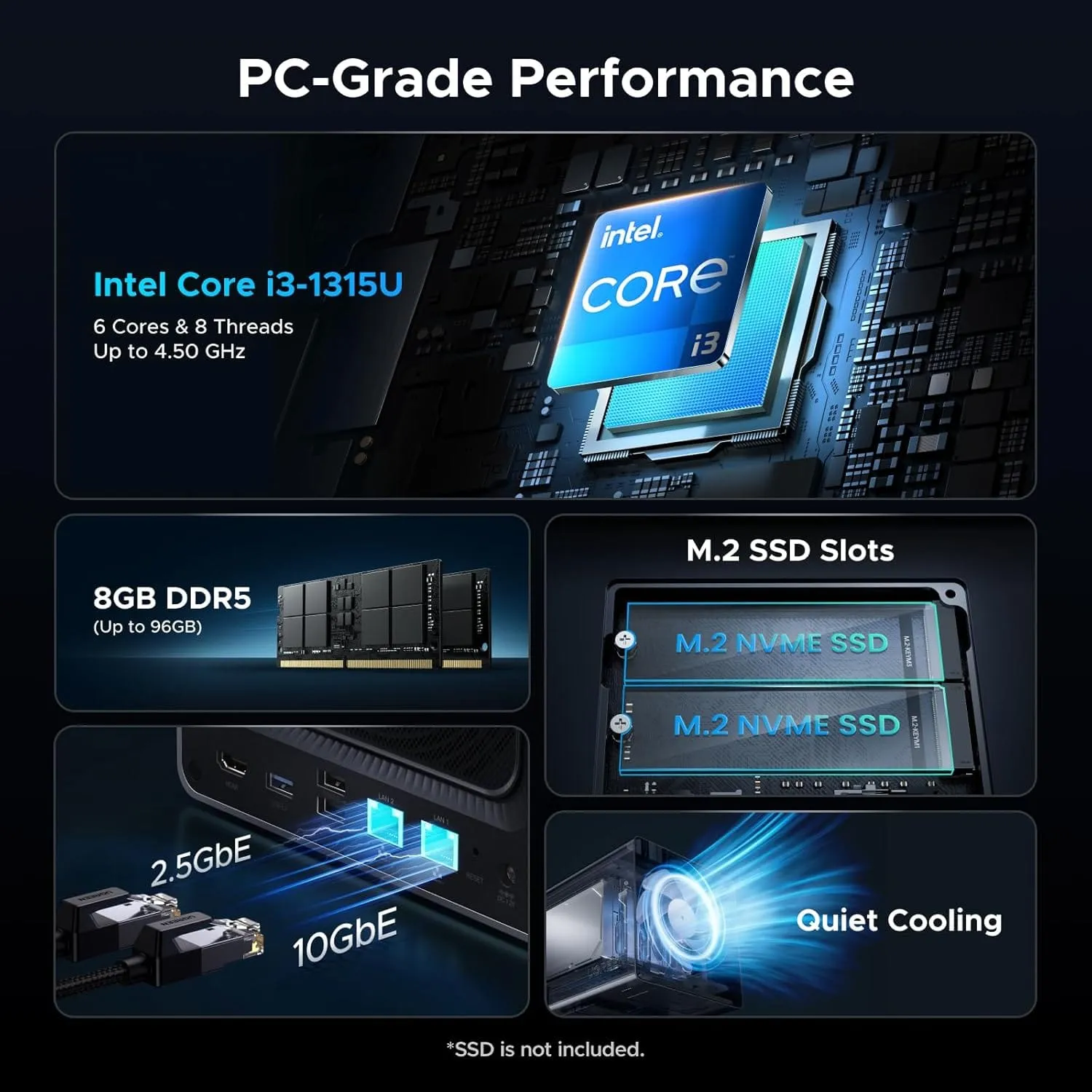
UGREEN NASync DXP4800 Pro (Intel Core i5-1235U 4-Bay 10GbE)
- Homelab Role: High-Performance 4-Bay Vault for Demanding Creative Workflows
- Silicon and Media Engine: Intel Core i5-1235U (10 Cores / 12 Threads: 2 P-cores + 8 E-cores up to 4.4GHz, 12MB Cache) with Intel Iris Xe Graphics (80 EUs). Hardware acceleration for AV1, HEVC 10-bit, and AI photo indexing.
- High-Speed I/O and Networking: 10GbE RJ45 LAN interface, dual M.2 PCIe 4.0 NVMe slots, dual USB4 connectivity, 8GB DDR5 4800MHz memory, and 4x hot-swap SATA bays.
- Deployment Note / Architectural Fit: Combines the compact 4-bay footprint with heavy-duty 10-core processing muscle. Ideal for photographers managing multi-terabyte wedding and commercial catalogues with simultaneous background container services.
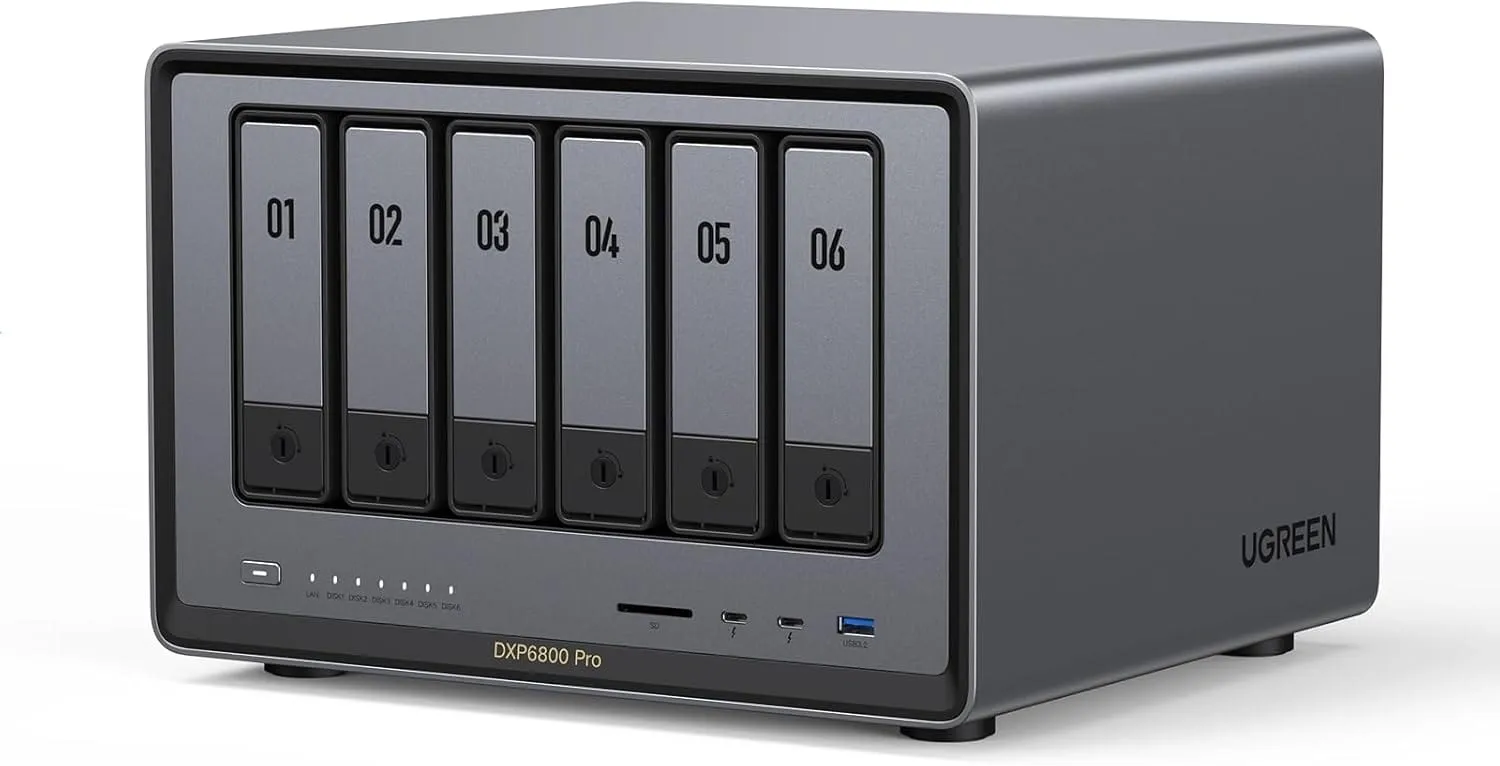
UGREEN NASync DXP6800 Pro (Intel Core i5-1235U 6-Bay Dual 10GbE)
- Homelab Role: High-Throughput Commercial Studio Vault and Multi-Editor Workstation Hub
- Silicon and Media Engine: Intel Core i5-1235U (10 Cores / 12 Threads: 2 P-cores + 8 E-cores up to 4.4GHz, 12MB Cache) with Intel Iris Xe Graphics (80 EUs). Desktop-class parallel compute for massive photo and video libraries.
- High-Speed I/O and Networking: Dual 10GbE RJ45 high-bandwidth interfaces, dual full-speed Thunderbolt 4 (40Gbps) ports, 6x 3.5-inch SATA bays, dual PCIe 4.0 M.2 slots, and 8GB DDR5 RAM (expandable to 64GB).
- Deployment Note / Architectural Fit: The powerhouse studio monolith. Designed for creative teams needing dual 10GbE connectivity to serve concurrent editing workstations without throughput contention.

Synology DiskStation DS923+ (4-Bay Turnkey DSM Storage)
- Homelab Role: Turnkey Prosumer Storage for Users Prioritizing Software Polish Over Speed
- Silicon and Architecture: AMD Ryzen Embedded R1600 Dual-Core (2.6GHz to 3.1GHz, 4 Threads) with 4GB DDR4 ECC unbuffered memory (expandable to 32GB). Zero integrated graphics.
- Storage Fabric and Networking: 4x hot-swap SATA drive bays (expandable to 9 bays with DX517), dual M.2 NVMe SSD cache slots, and dual 1GbE RJ45 network ports (10GbE requires proprietary add-in card).
- Deployment Note / Architectural Fit: Features the industry's most polished operating system (DSM) and Synology Photos. Recommended exclusively for non-technical users who require zero maintenance and do not mind 1GbE network limits.
The Killer App: Running Immich in Docker for Self-Hosted AI Photo Management
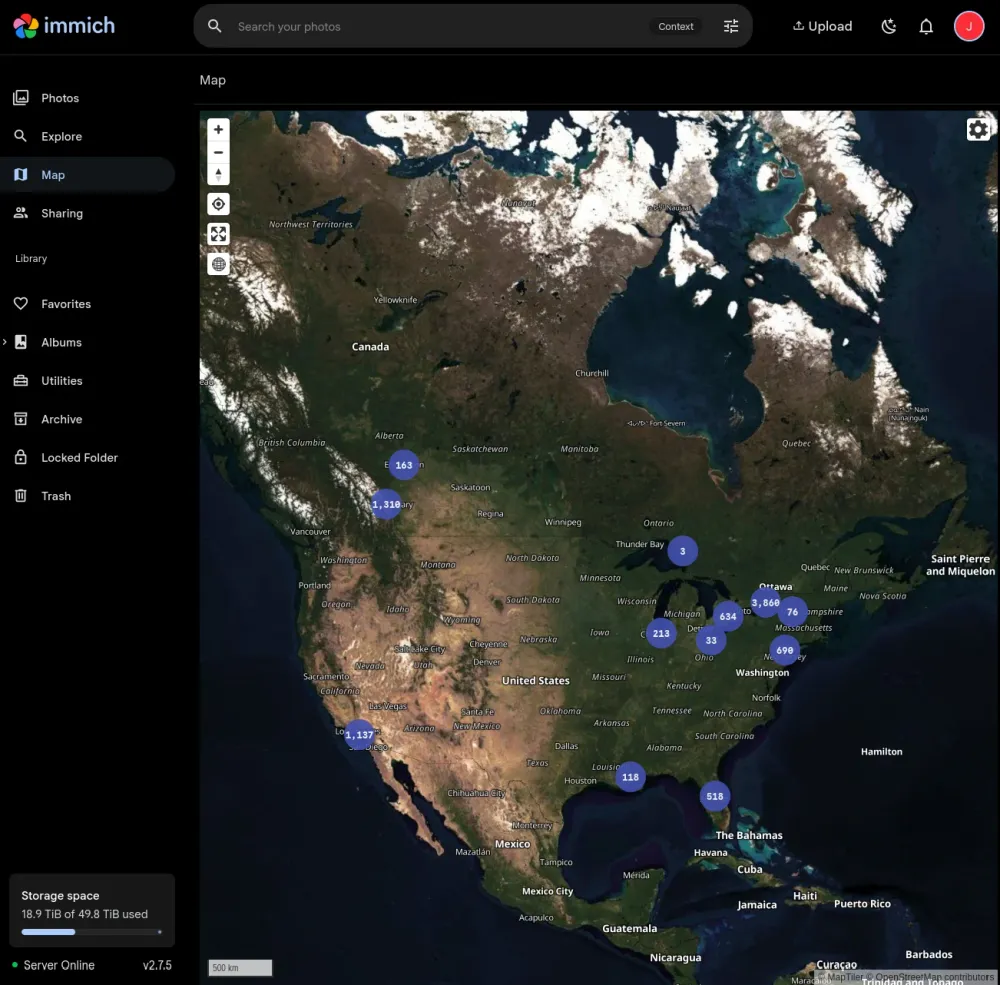
Immich. Hardware is only half the equation. The true power of a modern NAS for photographers lies in the software ecosystem. While UGREEN's native UGOS photo manager is rapidly improving, the undisputed heavyweight champion of self-hosted photography in 2026 is:
Immich is an open-source, high-performance self-hosted alternative to Google Photos and Apple iCloud. It provides a blistering fast web timeline, automatic background mobile phone camera backup (iOS and Android), reverse geocoding on an interactive world map, and native support for modern camera RAW formats (.CR3, .ARW, .NEF, .DNG).
Crucially, Immich features state-of-the-art on-premises machine learning models for facial recognition and semantic CLIP visual search. You can search your library for natural language queries like or 'vintage sports car in rain', and Immich instantly returns the exact matching RAW images without sending a single byte of your clients' data to third-party cloud servers.
Because UGREEN NASync units run a full Debian Linux core with Docker Compose support and modern Intel Iris Xe graphics, Immich executes machine learning indexing at lightning speed. Here is the production Docker Compose stack for deploying Immich on UGOS Pro:
# Core Lab Production Stack: Immich for Creative Photographers on UGREEN NASync
name: immich

services:
  immich-server:
    container_name: immich_server
    image: ghcr.io/immich-app/immich-server:release
    volumes:
      - /volume1/Photos/MasterRAWs:/usr/src/app/upload
      - /etc/localtime:/etc/localtime:ro
    env_file:
      - .env
    ports:
      - 2283:2283
    depends_on:
      - redis
      - database
    restart: always

  immich-machine-learning:
    container_name: immich_machine_learning
    image: ghcr.io/immich-app/immich-machine-learning:release
    volumes:
      - /volume1/docker/immich/model-cache:/cache
    env_file:
      - .env
    restart: always
    # Hardware Acceleration for Intel QuickSync / OpenVINO on UGREEN
    devices:
      - /dev/dri:/dev/dri

  redis:
    container_name: immich_redis
    image: docker.io/redis:6.2-alpine@sha256:84882e87f3c73415208642013868d0b2014e8d0ae4e821774f8b449b99202302
    restart: always

  database:
    container_name: immich_postgres
    image: docker.io/tensorchord/pgvecto-rs:pg14-v0.2.1@sha256:90724186f0a3517cf6914295b5ab03d73985920d864d65f0373e80b338e64e85
    environment:
      POSTGRES_PASSWORD: ${DB_PASSWORD}
      POSTGRES_USER: ${DB_USERNAME}
      POSTGRES_DB: ${DB_DATABASE_NAME}
      POSTGRES_INITDB_ARGS: '--data-checksums'
    volumes:
      - /volume1/docker/immich/database:/var/lib/postgresql/data
restart: alwaysImmich Deep Dive: The Ultimate Self-Hosted Google Photos Alternative (2026)
Ready to configure Immich on your NAS? Read my companion pillar guide covering multi-user photo libraries, iOS/Android background synchronization, CLIP machine learning models, reverse geocoding map layers, and automated PostgreSQL backups.
Best NAS Hard Drives for Photographers & Automated 3-2-1 Cloud Backup (Backblaze B2)
Do not waste budget on heavily marked-up vendor-branded hard drives. Because UGREEN does not enforce locked drive policies, you can equip your NAS with cost-effective, high-endurance enterprise hardware:
- Dedicated NAS CMR Hard Drives: Deploy CMR (Conventional Magnetic Recording) drives such as the Seagate IronWolf (8TB to 12TB) for quiet, low-vibration operation in home offices.
- Recertified Enterprise Datacenter Drives: For maximum cost-per-terabyte value, purchase recertified enterprise SATA drives (such as 16TB to 20TB Seagate Exos or WD Ultrastar pulls). They deliver 2.5-million-hour MTBF ratings and 550TB/year workload endurance at roughly half the cost of retail drives.
- Offsite Cloud Sync with Backblaze B2: To satisfy Stage 4 of your 3-2-1 backup pipeline, configure UGREEN's built-in Cloud Sync tool to mirror your master photo directory to Backblaze B2. Backblaze charges pennies per gigabyte ($0.006/GB/month) with zero ingress fees, providing automated, encrypted disaster recovery for under $10 a month.
Frequently Asked Questions: NAS Storage for Photographers & Lightroom
Can I store my Lightroom Classic catalogue on a NAS?
No. Adobe does not support storing the Lightroom Classic catalogue (.lrcat) on network shares (SMB or NFS) because SQLite requires atomic, POSIX-level file locking that network protocols do not reliably arbitrate over TCP connections. Attempting to run a catalogue over a network share puts your database at severe risk of corruption. The proven architecture is to keep your active .lrcat catalogue and Smart Previews on your workstation's local NVMe SSD, and store your master RAW image files on the NAS.
Can I edit RAW photos directly over a 2.5GbE or 10GbE network share?
Yes. Over a 2.5GbE network connection (~285 MB/s), opening and batch exporting master RAW files in Lightroom Classic or Capture One feels as fast as working off an external USB hard drive, fully saturating a 4-drive spinning mechanical RAID array. Over a 10GbE link (~1,100 MB/s), performance matches an internal SATA SSD, allowing real-time scrub and editing across multi-editor teams without local disk bottlenecks. Remember the golden rule: keep your Lightroom .lrcat catalogue file local on your internal NVMe drive, and point Lightroom to the NAS only for the master image files.
What network speed do I need for a photography NAS (1GbE vs. 2.5GbE vs. 10GbE)?
2.5GbE is the non-negotiable baseline for photographers in 2026. Standard 1GbE caps transfer speeds at ~112 MB/s, meaning a 128GB wedding shoot takes nearly 20 minutes to transfer. 2.5GbE cuts that ingest time down to ~7.5 minutes (~285 MB/s). For commercial studios with multiple concurrent editors or videographers handling 4K/8K footage, 10GbE is recommended to achieve over 1,100 MB/s sustained throughput.
Why should I choose UGREEN over Synology for photography in 2026?
Hardware performance and ecosystem freedom. UGREEN NASync units deliver modern 12th Gen Intel hybrid processors with Iris Xe graphics, native 2.5GbE and 10GbE networking, and open drive support at a lower cost than Synology's aging hardware lineup. If you want to run high-performance containerized apps like Immich with hardware-accelerated machine learning, UGREEN is the superior modern platform. Prosumer Synology units (like the DS923+) still ship with 1GbE ports, embedded AMD Ryzen CPUs lacking integrated graphics, and restrictive drive-verification warnings.
Can I run Immich on a UGREEN NASync for mobile photo backup and AI search?
Yes. UGREEN's UGOS Pro operating system is built on Debian Linux and includes native Docker Compose support. You can deploy Immich alongside its PostgreSQL vector database and Redis cache in minutes. Because UGREEN models feature Intel processors with integrated GPU pass-through (/dev/dri), Immich can run local machine learning models (facial recognition, semantic CLIP visual search, and reverse geocoding) with complete hardware acceleration and zero cloud privacy exposure.
Is a RAID array on a NAS enough, or do I still need an offsite cloud backup?
RAID provides high availability and local drive redundancy, not a disaster backup. In a 4-bay or 6-bay RAID 5 (or ZFS RaidZ1) configuration, the NAS can sustain a complete physical drive failure with zero data loss. However, RAID cannot protect against studio theft, fire, electrical surges, or catastrophic accidental deletion. To satisfy the unbreakable 3-2-1 backup standard, always configure your NAS to mirror an encrypted copy of your master archives to an offsite cloud destination like Backblaze B2.
The Photographer's NAS Storage Checklist (Quick Summary)
- Step 1: Acquire a 4-bay or 6-bay multi-gig appliance (UGREEN NASync DXP4800 Plus recommended).
- Step 2: Populate with high-capacity CMR mechanical drives (14TB to 18TB Seagate IronWolf or Exos).
- Step 3: Connect via 2.5GbE or 10GbE network switches to your main workstation.
- Step 4: Keep active Lightroom catalogues on local workstation NVMe storage; archive master RAWs to the NAS.
- Step 5: Deploy Immich in Docker for self-hosted, AI-powered mobile and desktop photo indexing.
- Step 6: Automate encrypted offsite sync to Backblaze B2 to complete your unbreakable 3-2-1 backup fortress.
Written by
On this page
What's Next?
The SATA Pivot: Mitigating IOPS Bottlenecks in a 18+ Drive Homelab
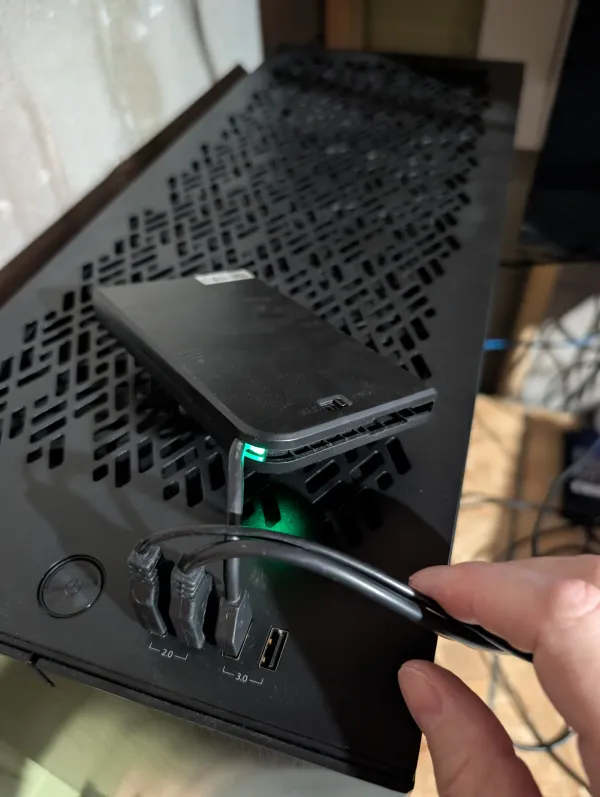
Is your ZFS array thrashing under Docker logs? You don't need a new server; you need a better bus. Learn how moving my OS to USB reclaimed SATA III ports for SSD caching - solving IOPS bottlenecks and extending drive life for under $20.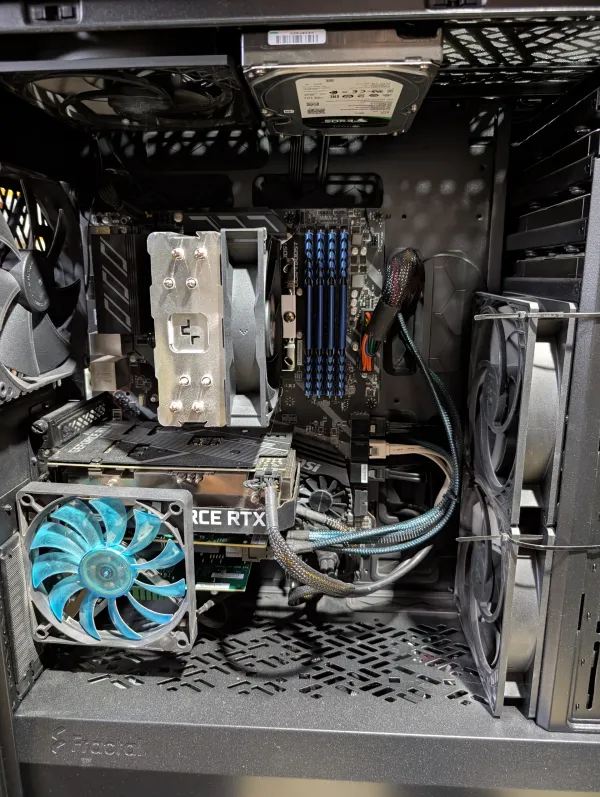
🛠️ The Homelab Physical: A Guide to Annual & Bi-Annual Maintenance
Neglect is the quiet killer of uptime. Don't let dust or "chip creep" sabotage your ZFS pools. This guide covers essential bi-annual routines - from LSI HBA cooling to reseating the "Big Three" - to keep your custom server healthy for the long haul.