
How to Add a Custom Table of Contents to Ghost CMS (Code Injection Guide)
Learn how to add a dynamic table of contents, scroll progress bar, and "back to top" button to your Ghost blog using simple code injections—no theme change required.
I’ve been using Ghost CMS since April 2025, and I quickly fell in love with its speed and built-in newsletter features. I chose the Edition theme, but I soon realized I wanted more functionality - specifically a Table of Contents (ToC) and better navigation - without the frustration of switching themes or paying for a premium version.
Through some trial, error, and a bit of help from LLMs, I developed a "master script" for Ghost’s Code Injection feature. Here is how you can optimize your Ghost blog with a dynamic ToC, scrollspy, and progress bars.
Ghost Blog / CMS Hacks
Why Use Code Injection for Ghost Customization?
Many Ghost users feel they have to "fight" the system or buy expensive themes to get basic UX features. By using Site-wide Code Injection, you can:
- Maintain your current theme.
- Keep your site lightweight and fast.
- Add features like Scrollspy and progress bars in minutes.
The Research Phase (Implementing a ToC)
I started googling and researching, as one does and found some Ghost themes that do contain table of contents but they were either premium ($) or required an entire change of my theme. Nada, didn't want any of that. So I continued researching and landed upon this post.
 Team Ghost
I read it over and I was like, well, I guess, but there's GOT to be a simpler way to achieve this... So the search continued.
I then quickly ran upon this Reddit post, as one does...
How I Added a Simple TOC to My Ghost Blog Without Coding Skills
by u/N0misB in Ghost
THIS was more my speed! I immediately started implementing this and playing with it a bit. It worked although I felt I could do more with it maybe. About 10 minutes later, I go back into the thread to read how other people's experience was, as mine was kinda mixed and I see this:

Oh REALLY - pray tell more! It led to this blog -
 Thomas Kröckel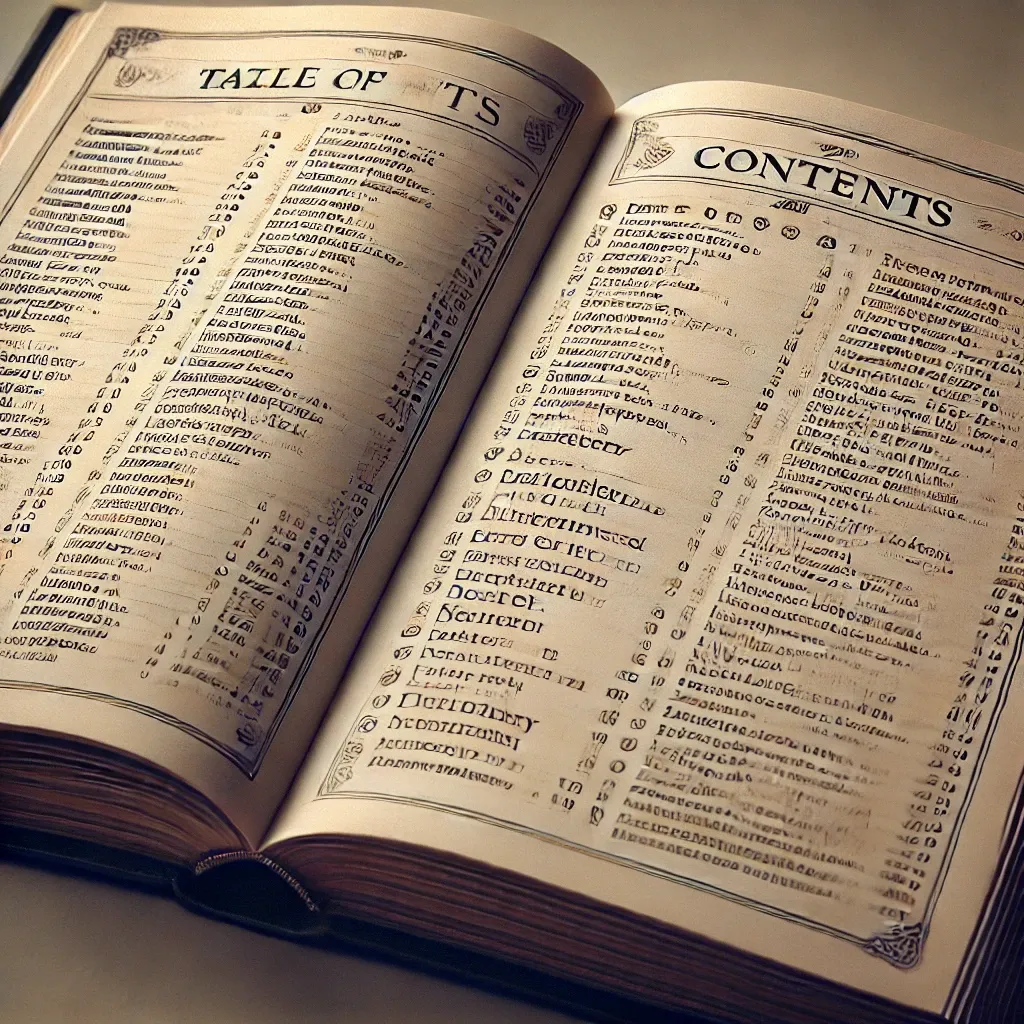
So this works wonderfully! If you use Thomas's instructions in his post above, you will have a working table of contents that works wonderfully, and he gets a backlink here 😉
The Middle - Core Lab Touch Ups
I wondered what my new fancy fangled LLM could do... This quickly turned into an adventure for LLM's and I.
I wanted to also have a top scroll bar/scrollspy, if possible so readers knew where they are at. My LLM at the time was able to take the ToC code in, and enhance the entire code injection to have that but it then suggested to implement a side floating ToC as well! That's an exciting idea, but my LLM immediately mangled the code and now nothing worked... So I turned sadly to ChatGPT and it's much greater horsepower than my adorable 12b model.
Essentially it's the exact same process as Thomas' guide in his blog above, but that's just how we get things done around here in Ghost land, code injection!
Step 1: Adjusting the Grid Layout (Optional)
If you are using a theme like Edition, the content area can feel narrow. Before adding the ToC, I used a header injection to open up the layout for wider screens.
Header Code Injection:
<style>
  /* === Grid Layout Fix === */
  .gh-canvas {
      display: grid;
      grid-template-columns: [full-start] minmax(max(4vmin,20px),auto) [wide-start] minmax(auto,240px) [main-start] min(1200px,calc(100% - max(8vmin, 40px))) [main-end] minmax(auto,240px) [wide-end] minmax(max(4vmin,20px),auto) [full-end];
      margin: 0;
  }
</style>
This header code has nothing to do with a Table of Contents in fact! This simply allows my theme (Edition v1.0) to display wider by default, like having wider page margin. It felt narrow, even on a single screen so I wanted to open it up a bit with all the nice big beautiful monitors and devices we have these days.
Step 2: The Master Ghost Customization Script
This script is the "brains" of the operation. It handles the automatic generation of your ToC, the floating toggle menu, and the reader gadgets. Paste this into your Footer Code Injection.
The footer is where things really got a bit wild. This was my first blog so I didn't know what was or wasn't possible, and kept googling things, asking LLMs, learning as I go, breaking things, restoring them and then voila! I arrived at my happy place of customization. There's a lot of modern themes that include all of this, but they either cost money, or would require a re-think of the entire structure of my blog. I'll past the footer, and explain below what's all going on here...
As of 18 Mar 2026 I've updated the original footer & code to be FAR better (IMO):
In Step 1, we opened up the gh-canvas grid. Now, we are actually going to use those wide-start and wide-end columns to 'dock' our Table of Contents. This makes the blog feel like a professional documentation site (similar to Stripe or GitBook) rather than a standard blog. Additionally -
- The "Auto-Sidebar" Logic: On screens wider than 1400px (or your specific grid width you can set!), the ToC now sits permanently in that empty "wide" gutter we created in Step 1. Still toggle-able as well.
- The Smart Toggle: On tablets/phones, it still collapses into the "☰ TOC" button to save space. If a screen is just too small, it dissappears so as not to clutter.
- Smooth Scroll Offsets: Update the script to include the
scroll-margin-topfix so that when users click a link, the header isn't hidden behind the sticky navigation bar.
Footer Code Injection:
<script src="https://cdn.jsdelivr.net/npm/prismjs/prism.min.js"></script>
<script src="https://cdn.jsdelivr.net/npm/prismjs/plugins/autoloader/prism-autoloader.min.js"></script>
<script src="https://cdn.jsdelivr.net/npm/prismjs/plugins/toolbar/prism-toolbar.min.js"></script>
<script src="https://cdn.jsdelivr.net/npm/prismjs/plugins/copy-to-clipboard/prism-copy-to-clipboard.min.js"></script>

<script>
document.addEventListener('DOMContentLoaded', function () {
    const htmlEl = document.documentElement;
    const storageKey = 'ghost-theme-preference';

    /* --- 1. DARK MODE (Consolidated Logic) --- */
    const dmToggle = document.createElement("button");
    dmToggle.id = 'dark-mode-toggle';
    document.body.appendChild(dmToggle);
    const setTheme = (t) => {
        htmlEl.classList.toggle('dark-mode', t === 'dark');
        dmToggle.innerHTML = t === 'dark' ? '<span>☀️</span>' : '<span>🌙</span>';
        localStorage.setItem(storageKey, t);
    };
    setTheme(localStorage.getItem(storageKey) || (window.matchMedia('(prefers-color-scheme: dark)').matches ? 'dark' : 'light'));
    dmToggle.addEventListener('click', () => setTheme(htmlEl.classList.contains('dark-mode') ? 'light' : 'dark'));

    /* --- 2. SECTOR NAVIGATOR --- */
    const sectors = [
        { name: "Hardware", link: "/tag/hardware/", icon: "🖥️" },
        { name: "Self-Hosting", link: "/tag/self-hosting/", icon: "☁️" },
        { name: "Cybersecurity", link: "/tag/cybersecurity/", icon: "🛡️" },
        { name: "Linux", link: "/tag/linux/", icon: "🐧" },
        { name: "Docker", link: "/tag/docker/", icon: "🐳" }
    ];
    const sNav = document.createElement("div");
    sNav.id = 'sector-nav-container';
    sNav.classList.add('visible');
    sNav.innerHTML = `<h3 class="sector-title">Sectors</h3><ul class="sector-list">${sectors.map(s => `<li><a href="${s.link}" class="sector-link"><span>${s.icon}</span> ${s.name}</a></li>`).join('')}</ul>`;
    document.body.appendChild(sNav);

    const sBtn = document.createElement("button");
    sBtn.id = 'sector-nav-toggle';
    sBtn.innerHTML = "🏷️ SECTORS";
    sBtn.onclick = () => sNav.classList.toggle('visible');
    document.body.appendChild(sBtn);

    /* --- 3. COLLAPSIBLE TOC LOGIC --- */
    const article = document.querySelector('article');
    const headers = article ? article.querySelectorAll('h2, h3') : [];

    if (article && headers.length > 0) {
        let tocHTML = `<h2 class="toc-title">Contents</h2><ul class="toc-list">`;
        headers.forEach((header, index) => {
            if (!header.id) header.id = header.textContent.trim().toLowerCase().replace(/\s+/g, '-').replace(/[^\w\-]/g, '');
            if (header.tagName === 'H2') {
                if (index !== 0) tocHTML += `</ul></li>`;
                tocHTML += `<li class="toc-h2-item" data-id="${header.id}">
                                <div class="toc-h2-wrapper">
                                    <a href="#${header.id}" class="toc-link">${header.textContent}</a>
                                    <span class="toc-toggle">▾</span>
                                </div>
                                <ul class="toc-subgroup">`;
            } else {
                tocHTML += `<li class="toc-h3-item"><a href="#${header.id}" class="toc-link" data-target="${header.id}">${header.textContent}</a></li>`;
            }
        });
        tocHTML += `</ul></li></ul>`;

        document.querySelectorAll('.toc-placeholder').forEach(p => {
            const container = document.createElement('div');
            container.id = 'inline-toc-container';
            container.innerHTML = tocHTML;
            p.replaceWith(container);
        });

        const fTOC = document.createElement("div");
        fTOC.id = 'floating-toc-container';
        fTOC.classList.add('visible');
        fTOC.innerHTML = tocHTML;
        document.body.appendChild(fTOC);

        const fBtn = document.createElement("button");
        fBtn.id = 'floating-toc-toggle';
        fBtn.innerHTML = "☰ TOC";
        fBtn.onclick = () => fTOC.classList.toggle('visible');
        document.body.appendChild(fBtn);

        document.querySelectorAll('.toc-h2-wrapper').forEach(wrapper => {
            wrapper.addEventListener('click', (e) => {
                if (e.target.classList.contains('toc-toggle')) {
                    e.preventDefault();
                    wrapper.parentElement.classList.toggle('expanded');
                }
            });
        });

        const observer = new IntersectionObserver(entries => {
            entries.forEach(entry => {
                if (entry.isIntersecting) {
                    const id = entry.target.id;
                    const link = document.querySelector(`#floating-toc-container a[href="#${id}"]`);
                    if (link) {
                        document.querySelectorAll('.toc-link').forEach(l => l.classList.remove('active'));
                        link.classList.add('active');
                        const parentH2 = link.closest('.toc-h2-item');
                        if (parentH2) parentH2.classList.add('expanded');
                    }
                }
            });
        }, { rootMargin: '-10% 0px -80% 0px', threshold: 0.1 });
        headers.forEach(h => observer.observe(h));
    }

    /* --- 4. BACK TO TOP & PROGRESS --- */
    const btt = document.createElement("button");
    btt.id = 'back-to-top'; btt.innerHTML = '↑ Top';
    btt.onclick = () => window.scrollTo({ top: 0, behavior: 'smooth' });
    document.body.appendChild(btt);

    const progBar = document.createElement('div');
    progBar.id = 'scroll-progress-bar';
    document.body.prepend(progBar);

    window.addEventListener('scroll', () => {
        btt.classList.toggle('visible', window.scrollY > 400);
        const scrolled = (window.scrollY / (document.documentElement.scrollHeight - window.innerHeight)) * 100;
        progBar.style.width = `${scrolled}%`;
    }, { passive: true });
});
</script>

<style>
/* --- CORE LAB UI (V4 - DARK MODE FIX) --- */
:root { --c-green: #2fb170; --c-green-hover: #3cd386; }

#sector-nav-container, #floating-toc-container {
    position: fixed; top: 120px; width: 260px;
    max-height: 75vh; overflow-y: auto; padding: 1.5rem;
    background: var(--dm-nav-bg, #f9f9f9); z-index: 9999;
    transition: transform 0.4s ease; box-shadow: 0 8px 24px rgba(0,0,0,0.15);
    border: 1px solid var(--color-border); font-size: 1.1rem;
}

/* FORCING VISIBILITY IN DARK MODE */
html.dark-mode #sector-nav-container,
html.dark-mode #floating-toc-container { background: #1a1a1a !important; border-color: #333 !important; }

html.dark-mode .sector-link,
html.dark-mode .toc-link { color: #e0e0e0 !important; }

html.dark-mode .sector-title,
html.dark-mode .toc-title { color: var(--c-green) !important; }

/* RIGHT SIDE: SECTORS */
#sector-nav-container { right: 0; border-left: 6px solid var(--c-green); border-radius: 12px 0 0 12px; transform: translateX(105%); }
#sector-nav-container.visible { transform: translateX(0%); }
#sector-nav-toggle { position: fixed; top: 120px; right: 0; z-index: 10000; padding: 0.8rem 1.2rem; background: var(--c-green); color: #fff; border: none; border-radius: 8px 0 0 8px; cursor: pointer; font-weight: 800; font-size: 0.9rem; letter-spacing: 1px; }

/* LEFT SIDE: TOC */
#floating-toc-container { left: 0; border-right: 6px solid var(--c-green); border-radius: 0 12px 12px 0; transform: translateX(-105%); }
#floating-toc-container.visible { transform: translateX(0%); }
#floating-toc-toggle { position: fixed; top: 120px; left: 0; z-index: 10000; padding: 0.8rem 1.2rem; background: var(--c-green); color: #fff; border: none; border-radius: 0 8px 8px 0; cursor: pointer; font-weight: 800; font-size: 0.9rem; letter-spacing: 1px; }

/* INLINE TOC (On-Page) */
#inline-toc-container {
    width: 100%; margin: 3rem 0; padding: 2rem;
    background: var(--dm-nav-bg, #f9f9f9); border: 1px solid var(--color-border);
    border-left: 8px solid var(--c-green); border-radius: 12px;
}
html.dark-mode #inline-toc-container { background: #1a1a1a !important; }

.toc-title { color: var(--c-green) !important; font-size: 1.6rem !important; font-weight: 900; text-transform: uppercase; margin-bottom: 1.5rem !important; letter-spacing: 2px; border-bottom: 1px solid var(--color-border); padding-bottom: 10px; }

/* LINKS & LISTS */
.sector-list, .toc-list { list-style: none; padding: 0; margin: 0; }
.sector-link, .toc-link { text-decoration: none; color: var(--dm-text); font-weight: 700; line-height: 1.4; display: block; padding: 6px 0; }
.sector-link:hover, .toc-link:hover { color: var(--c-green-hover) !important; text-decoration: underline; }
.toc-link.active { color: var(--c-green) !important; font-weight: 900; }

.toc-subgroup { list-style: none; padding-left: 1.5rem; max-height: 0; overflow: hidden; transition: max-height 0.3s ease-out; margin: 0; }
.toc-h2-item.expanded .toc-subgroup { max-height: 1000px; margin-top: 0.5rem; }
.toc-h2-wrapper { display: flex; justify-content: space-between; align-items: center; cursor: pointer; }
.toc-toggle { font-size: 1.2rem; color: var(--c-green); transition: transform 0.3s; padding: 0 5px; }
.toc-h2-item.expanded .toc-toggle { transform: rotate(180deg); }
.toc-h3-item { margin-bottom: 0.5rem; font-size: 1.1rem; opacity: 0.90; }

/* UTILITIES */
#back-to-top { position: fixed; bottom: 30px; left: 30px; z-index: 9999; background: var(--c-green); color: white; border: none; padding: 0.8rem 1.4rem; border-radius: 8px; opacity: 0; transform: translateY(20px); transition: 0.3s; cursor: pointer; font-weight: 800; }
#back-to-top.visible { opacity: 1; transform: translateY(0); }
#scroll-progress-bar { position: fixed; top: 0; left: 0; height: 5px; width: 0%; background: var(--c-green); z-index: 10001; transition: width 0.1s; }

@media (max-width: 1400px) { #floating-toc-container, #sector-nav-container { width: 220px; font-size: 1rem; } }
@media (max-width: 1200px) { #floating-toc-container, #floating-toc-toggle, #sector-nav-container, #sector-nav-toggle, #back-to-top { display: none; } }
</style>Step 3: Breakdown of the New Features
To help you customize this further, here is what the script actually does for your Ghost site:
1. Automatic Table of Contents (TOC)
The first and biggest job of this script is to automatically build a Table of Contents for your articles. It waits for the page to load, then scans the post (<article>) for all h2 and h3 headings. It gathers all these headings, turns them into a clickable list of links, and stores this list as tocHTML. If a heading doesn't have a unique ID (which links need to work), the script cleverly creates one from the heading text (e.g., "My First Post" becomes my-first-post).
<article> for all H2 and H3 headings. It automatically generates unique IDs for them (so the links actually work) and builds a clickable list.2. The Floating TOC & Toggle
The script then creates a new div (a box) called #floating-toc-container, puts the TOC list inside it, and sticks it to the side of the page. Because it's hidden by default, it also adds a "☰ TOC" button (#floating-toc-toggle). Clicking this button toggles a .visible class, which the CSS uses to slide the TOC menu in and out of view.
3. The Inline TOC
This script also lets you put a TOC inside your post. If you add an empty element with the class .toc-placeholder anywhere in your article, the script will find it and replace it with the same TOC it just generated. This gives you the choice of having a floating menu, an inline one, or both.
1. Floating Menu: A "☰ TOC" button appears on the side for easy access.
2. Inline Menu: You can place the ToC anywhere inside your post content using a snippet.
4. Scrollspy (Active Link Highlighting)
This is a "smart" feature. The script uses an IntersectionObserver to "watch" the screen as the user scrolls. When an h2 or h3 heading scrolls into the middle of the viewport, the script finds its matching link in the floating TOC and adds an .active class to it. The CSS then styles this active link (making it bold and colorful), so the reader always knows which section they are currently in.
5. Reader Gadgets: "Back to Top" & Progress Bar
Finally, the script adds two more helper tools. It creates a "Back to Top" button (#back-to-top) that fades in at the bottom-left of the screen after the user scrolls down. Clicking it smoothly scrolls the page back to the top. It also adds a thin scroll progress bar at the very top of the page, which fills up as you scroll down, showing you how far you are from the end of the post.
6. The Styling (CSS)
The <style> block contains all the rules to make these new elements look good and function correctly. It defines:
- Positioning: Where the TOC, toggle button, and "Back to Top" button live on the screen (e.g.,
position: fixed). - Colors & Fonts: It uses Ghost's theme variables (like
var(--ghost-accent-color)) so all the new elements automatically match your blog's design. - Animations: It controls the slide-in animation for the TOC and the fade-in animation for the "Back to Top" button.
- Mobile-Friendly: It includes a
@mediarule at the end to hide the floating TOC and "Back to Top" button on screens smaller than 900px (like phones), since they would just clutter the small screen. The inline TOC will still work.
Step 4: How to Implement the ToC Snippet
Once the code is in your Footer Injection, you don't need to touch code again. To display the Table of Contents in a specific post:
- In the Ghost editor, add an HTML block.
- Paste this line:
<div class="toc-placeholder"></div> - Pro Tip: Highlight that block and save it as a Snippet named "TOC".
Code block here for easy copy:
<!-- Table of contents -->
<div class="toc-placeholder"></div>
Reminder: SAVE AS A SNIPPET! Now, you can just type /toc anywhere in your blog to drop in a dynamic menu!
Step 5: Enhanced UX & Hierarchy
The new foorter is far different than the older one, highly optimized.
- Deeper Hierarchy: The script now handles
H2,H3, andH4with distinct indentation & collapsible sections, making long-form technical guides much easier to navigate. This became important as some of my guides went over 5000 words, and the table of contents looked ridiculous. - Intersection Observer 2.0: The "Scrollspy" is now more accurate, highlighting only the specific sub-section the reader is currently looking at in the side-bar floating ToC.
- The "Empty Post" Check: The script now silently disables itself if no headers are found, preventing an empty "Contents" box from appearing on short update posts. This is a nice little optimization but nothing special.
Final Thoughts & Mobile Optimization
The CSS included in the script is mobile-responsive. On screens smaller than 900px, the floating TOC and "Back to Top" buttons are hidden to prevent clutter, but the inline TOC will still work perfectly for your mobile readers.
I’ve found that these small tweaks - combined with a solid DNS setup like Cloudflare - make Ghost feel like a truly premium platform.
I discovered these various functions and features across other blogs both past & present and liked them, so tried to implement them on mine. Between my trusty LLMs, myself and a lot of trail and error, here's how it turned out and I hope it helps you!
🙋 Frequently Asked Questions
Does Ghost CMS have a native Table of Contents?
Ghost does not currently have a built-in "click-to-add" Table of Contents feature in the editor. Users typically add this functionality via custom themes or by using the Code Injection method shown in this guide to maintain their current design.
Will this code injection work with any Ghost theme?
Yes, this script is designed to be theme-agnostic. It specifically targets the <article> tag and standard H2, H3, and H4 headers. If your specific theme uses non-standard HTML tags for post content, you may need a minor adjustment to the query selectors.
Does adding custom JavaScript slow down my Ghost site?
No. The script provided is lightweight "vanilla" JavaScript. Unlike older methods that require heavy libraries like jQuery, this script has a negligible impact on your LCP (Largest Contentful Paint) and overall SEO performance.
How do I show the TOC only on specific posts?
The Inline TOC only appears where you manually place the <div class="toc-placeholder"></div> snippet. While the Floating Sidebar is set to appear site-wide by default, it can be easily toggled or hidden for specific pages using a simple CSS class.
Can I include H4 headers in the Table of Contents?
Yes! The updated "Version 2.0" script now supports nested H4 headers. This is ideal for long-form technical guides or documentation where deeper hierarchy is needed for better user navigation.
If you like what you've seen here fellow blogger, do me a solid, sign up, drop a line and let me know what else you'd like to see. Some additional stuff I could cover: mermaid diagrams, and syntax highlighting!
Written by
On this page
What's Next?



How to Safely Delete Unused Images in Ghost CMS: The Surgical Guide
🖖These instructions & information are provided without warranty, guarantee of any kind, or support, and used completely at your own risk. Please use due diligence backing up your site before utilizing these steps‼️ I am not a developer, my python script was partially written with AI/LLM. Ghost CMS is famous for being fast, but if you’ve been self-hosting for a while, you’ve likely noticed a "shadow bloat" creeping into your backups. You delete a post, but the images stay. You upload a 5MB her