The Hybrid Gen 5 Experiment: High-Speed Linux Storage Without the Gen 5 Heat
Can a "Hybrid" SSD outperform the flagship Gen 5 screamers? I test the Samsung 990 EVO Plus on CachyOS to see how it handles BTRFS, thermals, and 2.5GbE NAS transfers in my newest workstation.

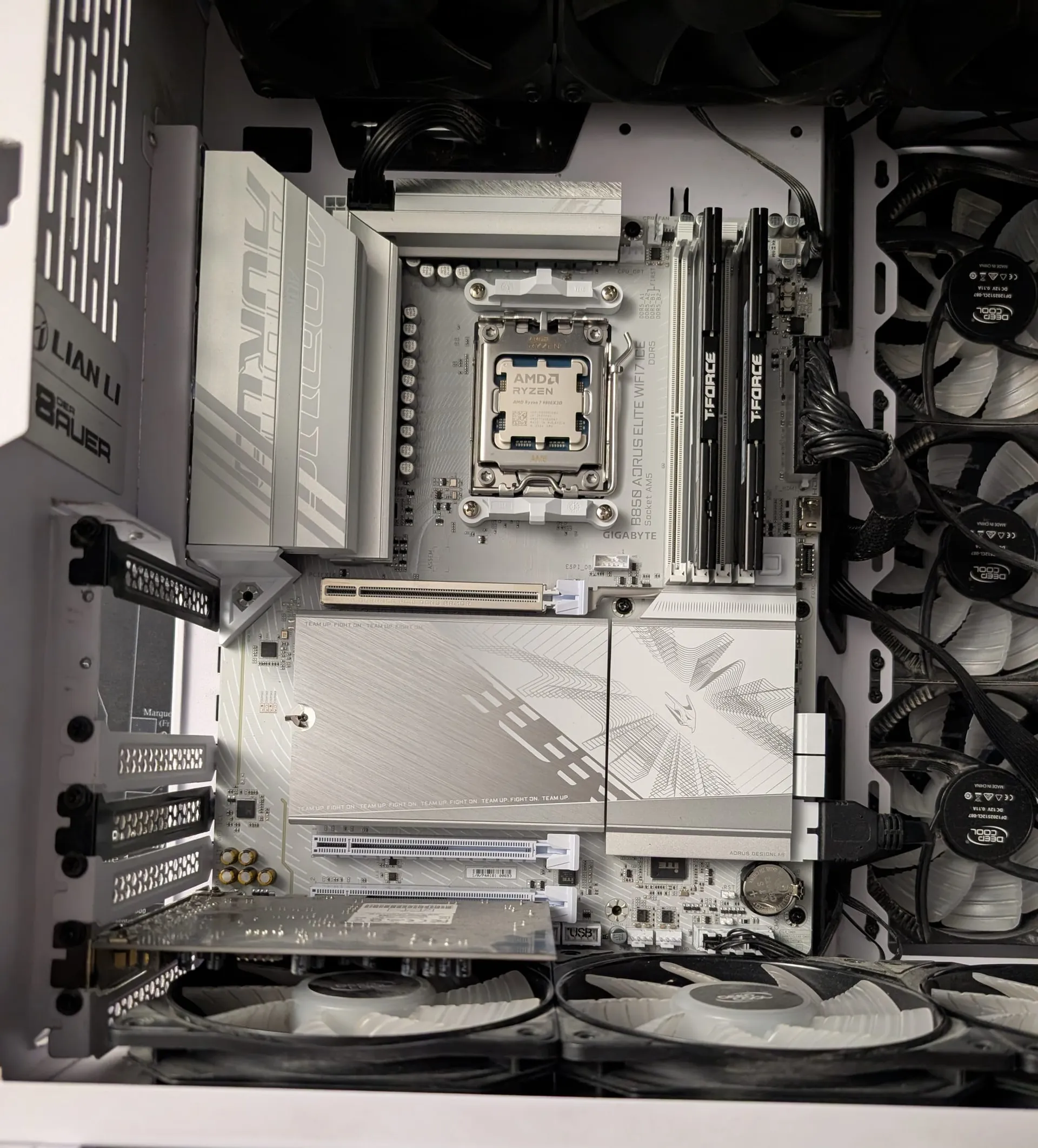
Shortly after New Year (2026), I introduced "Dirty Snow" - my new high-contrast (Black/White theme) Ryzen 9800X3D workstation running CachyOS.
A CPU that fast needs to be fed data instantly, so when it came to storage, I made a choice that confused a few people. I didn't buy a screaming-hot flagship PCIe 5.0 drive like the Crucial T700. Partly due to the rising hardware costs, but also because I picked up the newly released Samsung 990 EVO Plus (2TB). At time of purchase (Sept 27, 2025) I paid $170 CAD, all in for this drive. Sadly, it's ah, FAR more expensive than this now 🥲. Had I known then, what I know now, I'd have bought 2, maybe even 3!
I assumed "EVO" meant mid-tier and "PCIe 5.0" meant blazing 14,000 MB/s speeds.
I was half right.
It turns out, this drive is a weird "Hybrid" beast that might actually be the smartest choice for a Linux daily driver, even if it doesn't break world speed records. Here is how it stacks up against my trusty (and aging) Sabrent Rocket 4.0, and how it handles heavy file transfers from my OMV8 NAS.
The "Hybrid" Gimmick: Decoding PCIe 5.0 x2 vs. PCIe 4.0 x4
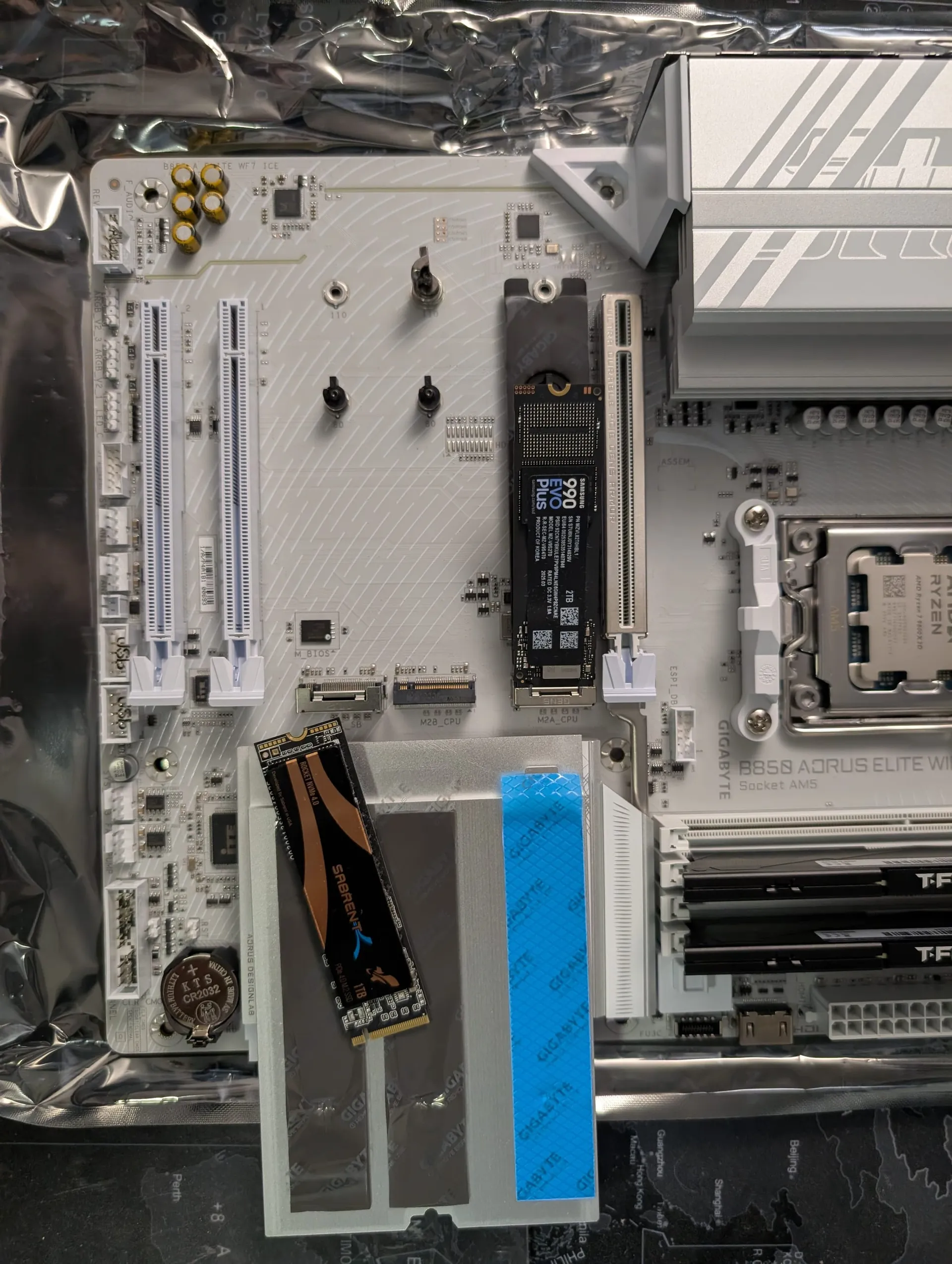
Most flagship Gen 5 drives, like the Crucial T700, use four lanes of PCIe 5.0 to hit those 14,000 MB/s speeds. The Samsung 990 EVO Plus does something much weirder. It can use:
- 4 lanes of PCIe 4.0 (Standard Gen 4 performance) OR,
- 2 lanes of PCIe 5.0 (Hybrid Gen 5 performance)
The total bandwidth is roughly the same (~8,000 MB/s theoretical), but by using only two Gen 5 lanes, the controller doesn't have to work as hard or pull as much power. This is the "secret sauce" behind why it stays so cool while still saturating the Gen 4 interface. Here's a further breakdown:
1. The Newcomer: Samsung 990 EVO Plus (2TB)
- The Gimmick: It advertises "PCIe 5.0" compatibility, but it uses a unique hybrid lane configuration: it runs on 2 lanes (x2) of PCIe 5.0 OR 4 lanes (x4) of PCIe 4.0.
- The Result: You get the maximum bandwidth of a high-end Gen 4 drive (~7,250 MB/s), but because it uses a controller designed for Gen 5 efficiency, it runs incredibly cool.
- Why it matters: Real Gen 5 drives run so hot they often require tiny, screaming active cooling fans. This drive is silent.
2. The Veteran: Sabrent Rocket 4.0 (1TB)
- The Legacy: One of the first solid Gen 4 drives that has served me well since 2021. Back then I think I paid like $200 CAD for it as well!
- The Spec: Rated for ~5,000 MB/s (Read), NVME 4.0.
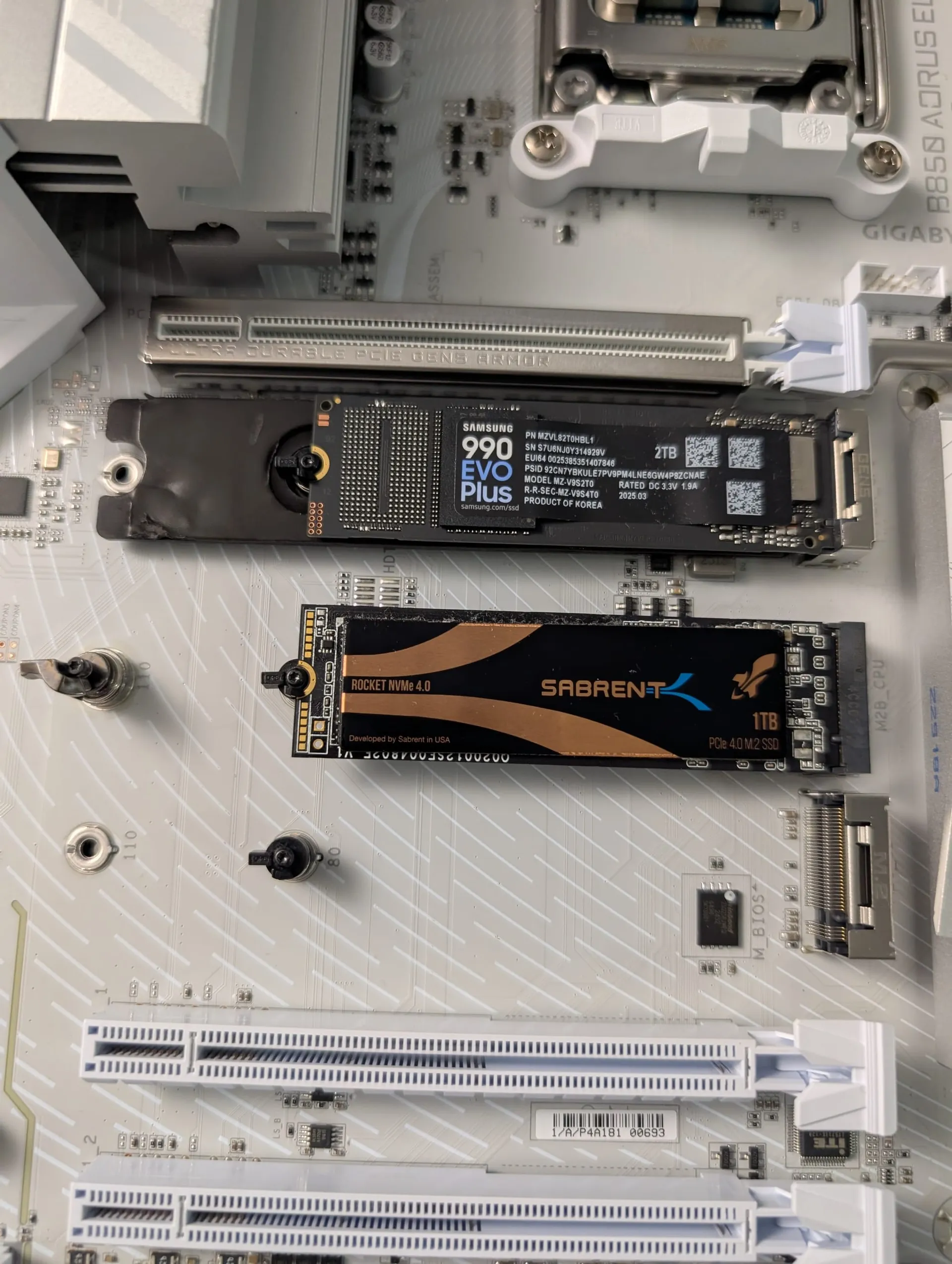
Linux Benchmarking: Samsung 990 EVO Plus vs. Sabrent Rocket 4.0
Since I am running CachyOS, the file system matters. It's an Arch Linux distro, but VERY Linux beginner friendly! I'll likely release a post showcasing it later. Windows benchmarks don't always tell the full story here.
- File System: BTRFS (Default CachyOS install with ZSTD compression).
- Benchmark Tool: KDiskMark (The Linux equivalent of CrystalDiskMark).
- Kernel: Linux-CachyOS (6.12+).
- Apps: I'm lazy, I had like a dozen browser windows open 😝
Synthetic Performance on CachyOS (KDiskMark & BTRFS)
I ran the standard "Default" profile on KDiskMark. I explicitly disabled Copy-on-Write (CoW) for the test folder to see the raw hardware potential without BTRFS overhead.
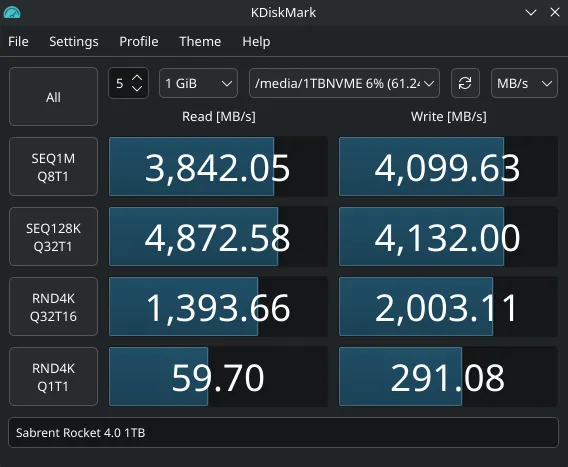
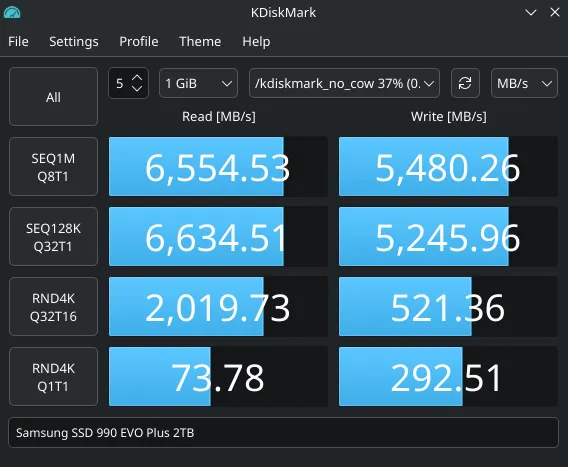
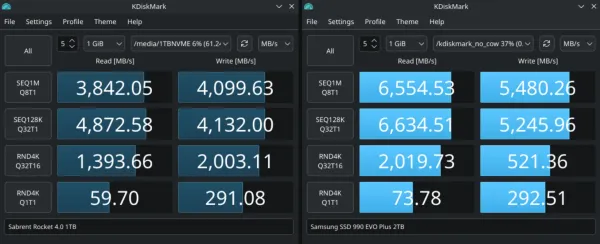
Side-by-side KDiskMark results on CachyOS: The Samsung 990 EVO Plus (Right) showing a significant lead in sequential read speeds over the Sabrent Rocket 4.0 (Left).
- Sabrent Rocket: ~3,842 MB/s Read / ~4,009 MB/s Write
- Samsung 990 EVO Plus: ~6,554 MB/s Read / ~5,480 MB/s Write
It is delivering nearly double the read bandwidth (1.7x) of the older Sabrent. For a daily driver, this is what you actually feel - faster boot times, instant shader compilation (Steam), and snappier game loads. While the Sabrent still puts up a respectable fight in write speeds, the Samsung pushes the PCIe 4.0 interface to its practical limit while running significantly cooler.
I'm sure had I rebooted and not opened 100 apps, and did the test properly we'd see an even larger margin between the two, with 'clean' test bench's pulling 7,100+MB/sec with the Samsung...
Real-World Stress Test: 55GB OMV8 NAS Transfers
Synthetics are fun, but I actually use Dirty Snow to pull massive media files from my OpenMediaVault 8 (OMV8) NAS for testing.
- The Source: OMV8 NAS (ZFS Pool)
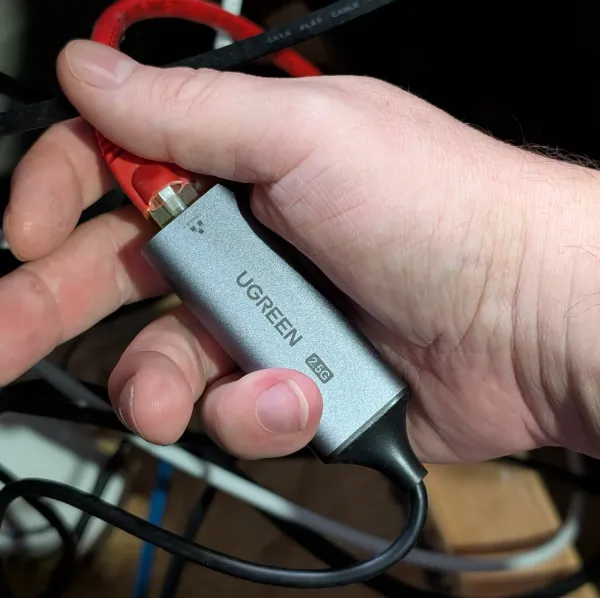
- The Connection: 2.5GbE Ethernet (Switch + Mobo)
- The Protocol: NFS Share mounted via
/etc/fstab- SMB would work, but I'm running all Linux here, and NFS absolutely destroys SMB performance wise...
I initiated a transfer of a 55GB PC Game backup (Triple AAA title) file from the NAS to the NVMe to see if the drive would choke.
The 2.5GbE Bottleneck: Why Your Network Might Be Lying to You
Even though the Samsung drive can write at 6,000 MB/s, the transfer capped hard at ~270-280 MB/s (bounced up and down a little).
Why? 2.5 Gigabit Ethernet.
- 2.5 Gigabits = ~312 Megabytes/sec (theoretical max).
- Real World Speed: ~280 MB/s (after TCP/NFS overhead).
The drive was barely waking up. To truly stress this SSD, I would need to upgrade my entire home network to 10GbE (which should hit ~1,100 MB/s).
Note to self: Next project - Give Dirty Snow 10GbE🤔
Thermal Performance: Staying Cool Without Active Cooling
This is the real reason I bought the "Hybrid" drive. Real Gen 5 drives idle at 60°C+ and require massive heatsinks. I wanted Dirty Snow to be cool and quiet. I was also a little surprised when I was researching about NVME Gen 5 and realized they are so hot.
Using sensors in the terminal, I watched the thermals during the 55GB transfer and the benchmarks.
Temperature Showdown (Ambient 20.5°C)
| Drive | Idle Temp | Load Temp |
| Sabrent Rocket | 34°C | 48°C |
| Samsung 990 EVO Plus | 28°C | 39°C |
Because the Samsung uses a newer 5nm controller designed for much higher Gen 5 loads, along with a nickel coating on the controller itself, it actually runs cooler than the Sabrent Rocket!
Verdict: Is the 990 EVO Plus the Best Mid-Tier King for Linux?
Is the Samsung 990 EVO Plus a "scam" because it says PCIe 5.0 but runs at 4.0 speeds? No. Especially with the hardware prices of 2026...
It is arguably the perfect Linux daily driver. You get the maximum possible speed of Gen 4, with none of the heat issues of Gen 5. If you are building a Ryzen 9000 system on CachyOS and want a drive that is fast, stays cool, and handles BTRFS snapshots instantly, this is the "mid-tier" king.
❓ Frequently Asked Questions (FAQ)
Why does the Samsung 990 EVO Plus advertise PCIe 5.0 but perform like a Gen 4 drive?
It uses a hybrid controller that can run either 2 lanes of PCIe 5.0 or 4 lanes of PCIe 4.0, and both paths land at roughly the same real-world bandwidth, around 7,250 MB/s. Using only two Gen 5 lanes instead of four means the controller works less hard and draws less power, which is exactly why it stays cool while still maxing out a Gen 4 interface. It's not a scam, it's a deliberate efficiency tradeoff.
Is the Samsung 990 EVO Plus actually faster than a Sabrent Rocket 4.0?
In this testing, yes, particularly on reads. On CachyOS with KDiskMark, the Samsung hit roughly 6,554 MB/s read versus the Sabrent's 3,842 MB/s, about 1.7x the read bandwidth. Write speeds were closer (5,480 MB/s versus 4,009 MB/s). For a daily-driver workload, read speed is what you actually feel in boot times and load times, which is where the Samsung pulls ahead.
Do I need 10GbE to actually benefit from a drive this fast when pulling files from a NAS?
For sustained large transfers, yes. In this test, a 55GB transfer over 2.5GbE Ethernet capped at roughly 270-280 MB/s, nowhere near either drive's actual write speed, because the network was the bottleneck, not the SSD. The NVMe drive itself was barely working. Only a 10GbE upgrade would come close to stressing a drive this fast during network transfers.
Does the Samsung 990 EVO Plus really run cooler than older Gen 4 drives?
Yes, in this testing it ran cooler than the older Sabrent Rocket 4.0, not just cooler than a true Gen 5 drive. Idle and load temperatures came in at 28°C and 39°C for the Samsung versus 34°C and 48°C for the Sabrent, at the same 20.5°C ambient. The newer 5nm controller and its coating are doing real thermal work here, not just benefiting from running at a lower lane count.
Is the Samsung 990 EVO Plus a good choice for a Linux workstation specifically?
Yes, especially if you're running BTRFS with snapshots on something like CachyOS. You get effectively the same real-world throughput as a high-end Gen 4 drive, without the heat and active-cooling requirements that real Gen 5 drives need, which matters for a quiet daily-driver build rather than a benchmark rig.
Written by
On this page
What's Next?

How to Safely Delete Unused Images in Ghost CMS: The Surgical Guide
🖖These instructions & information are provided without warranty, guarantee of any kind, or support, and used completely at your own risk. Please use due diligence backing up your site before utilizing these steps‼️ I am not a developer, my python script was partially written with AI/LLM. Ghost CMS is famous for being fast, but if you’ve been self-hosting for a while, you’ve likely noticed a "shadow bloat" creeping into your backups. You delete a post, but the images stay. You upload a 5MB her