
JellyWatch Review: The Ultimate Jellyfin Admin Dashboard for Android
By Core Lab Joe, Self-Hosting Specialist | 15+ Years in Media Server Ops
You swapped from Plex to Jellyfin, setup Jellyfin remote access, then wished there was a Jellyseerr mobile client right? Or once you migrated from Plex to Jellyfin, there is one specific pain point you likely felt immediately: The lack of a dedicated admin app.
Plex users have Plex Dash - a beautiful, native mobile app to see who is streaming, kill bandwidth-hogging streams, and check server health from anywhere. Jellyfin admins? We’ve been stuck trying to load the full web dashboard in a mobile browser, fumbling with a desktop web UI on a 6-inch screen just to kill a stuck transcode. There's also Tautulli which has had great adoption among Plex users.
TL;DR: The Quick Verdict
The Bottom Line: If you want a native, "Plex Dash" style experience for Jellyfin without setting up more Docker containers, JellyWatch is a must-buy. It’s the most polished management app in the ecosystem, and the $20 one-time fee is a bargain compared to a lifetime Plex Pass.
- Verdict: Buy (if you manage 2+ users or love "data porn" stats).
- Best For: Jellyfin admins who want a native Android dashboard and a way to simplify movie requests for their friends/family.
- Full Disclosure: The developer provided a premium activation code for this review. My opinions remain independent and based on real-world testing.
- Use creator code: CORELAB to support this site!
Enter JellyWatch.🪼
This isn't another Docker container you have to spin up and reverse proxy.
It is a native, Material Design 3 Android application that puts your server's controls in your pocket. Whether you are checking playback stats or approving a request from your cousin, this tool changes the game.
The Feature Breakdown
Here is why this tool deserves a permanent spot on your home screen.
1. Real-Time Session Monitoring
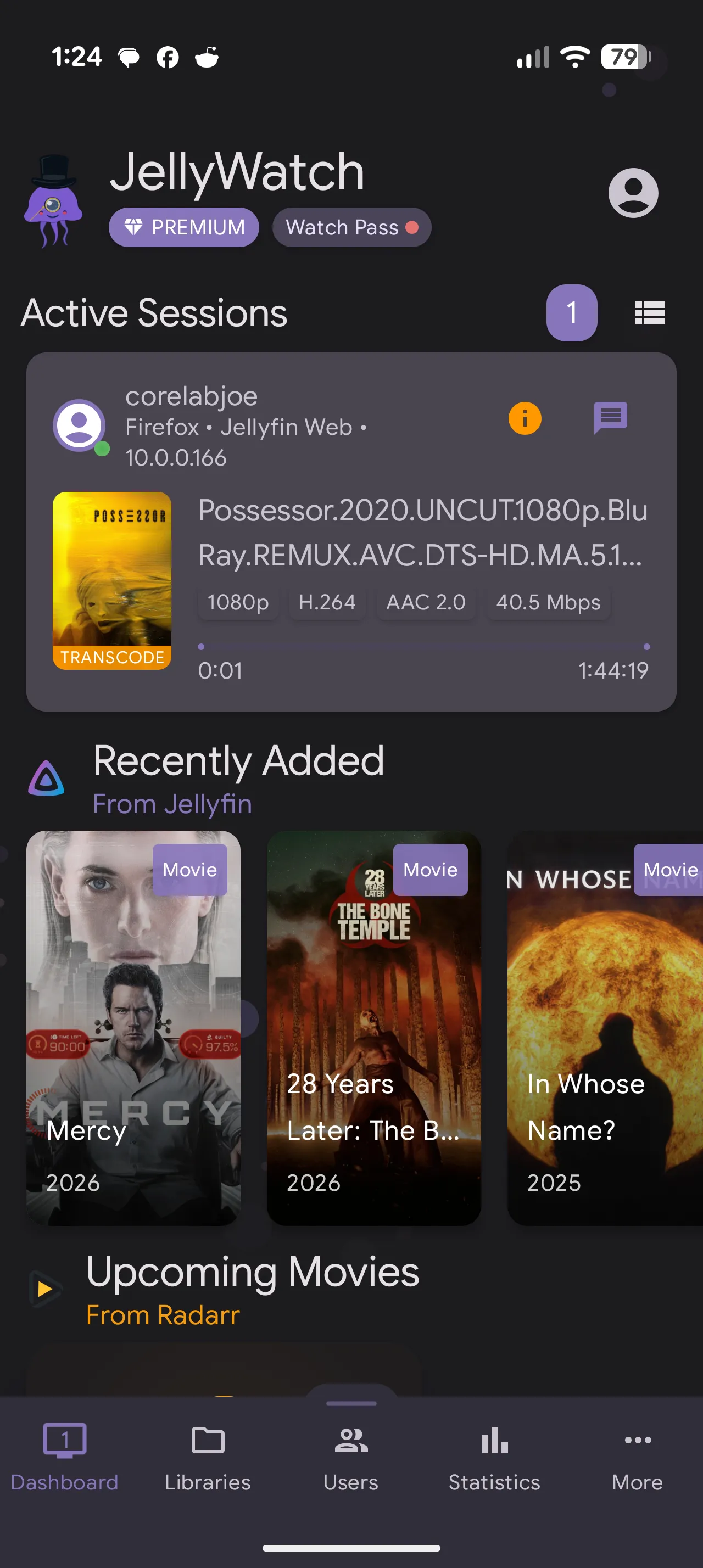
The core feature is the dashboard. It shows you exactly who is watching what, right now. But it goes deeper than just a "Now Playing" screen. It gives you the gritty technical details - bitrate, transcode status, container, and client device - all in a clean, native UI.
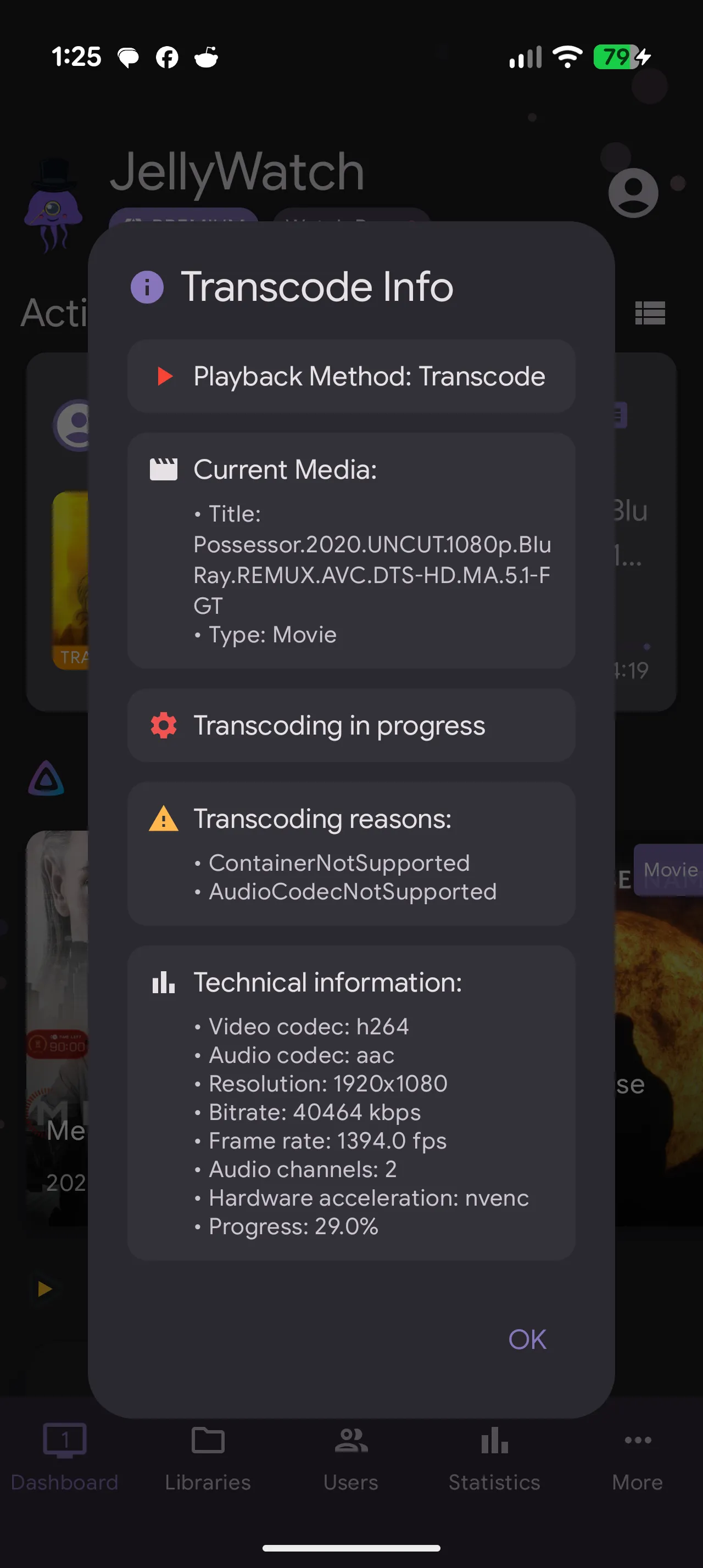
Now say you want more details and want to know WHY that stream is transcoding?
2. Full User Management
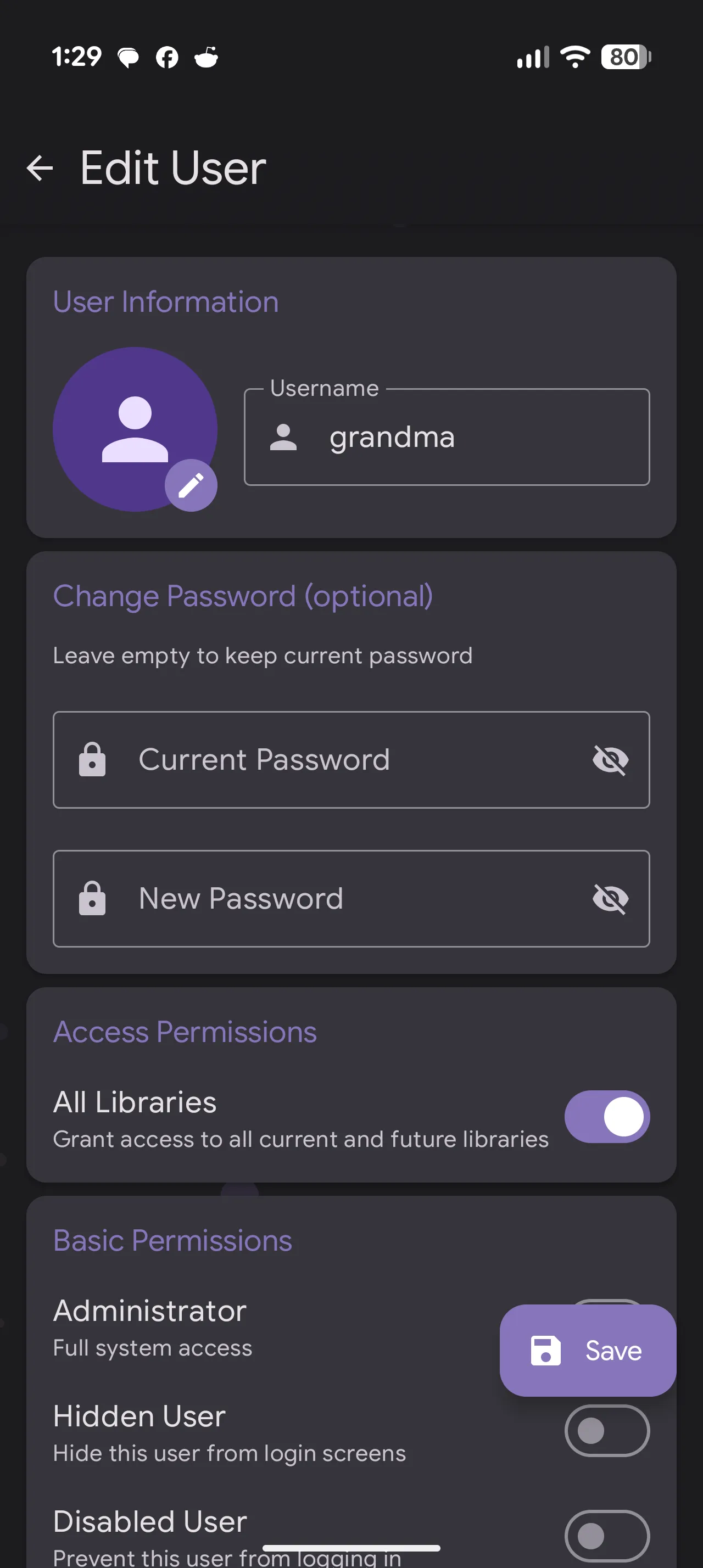
Need to kick a user off? Or maybe quickly reset a password or change permissions? You don't need to run to your desktop. JellyWatch gives you full administrative control over your user base. I created this user from the app, and watched it interact with my Jellyfin via docker logs -f jellyfin live. This acted as a latency test as well while creating that test user directly within the app. The API handshake was instantaneous. Watching the container process the POST request in real-time confirmed that JellyWatch isn’t just a pretty skin; it’s making direct, authenticated calls to the Jellyfin core without any 'middle-man' lag and no errors. For a self-hoster, seeing that clean 200 OK status in the terminal while holding the phone is incredibly satisfying.
2.1 The "Watch Pass" Advantage🌟
While Plex Dash is a "look but don't touch" tool for admins only, JellyWatch 2.0 introduces the Watch Pass. This allows you to share your premium status with your users. Once added, your friends get a simplified, "User-Only" version of the app.
The Workflow: > * Admin: Manages the server, kills stuck transcodes, and monitors CPU usage.
User: Browses the library and submits requests via the integrated Jellyseerr/Seerr support—all within the same native Android UI.
It transforms the app from a "Server Monitor" into a "Community Portal."
3. The "Arr" Integrations⭐
This is where JellyWatch leaves Plex Dash in the dust. It doesn't just talk to Jellyfin; it integrates with your entire stack. You can connect Jellyseerr/Seerr, Radarr, Sonarr, and even your torrent clients (like qBittorrent) directly into the app. This means you can approve a request, check the download speed in qBit, and see when it imports - all from one app.
Instead of having five browser tabs open for Radarr, Sonarr, and your torrent client, JellyWatch acts as your mobile command center.
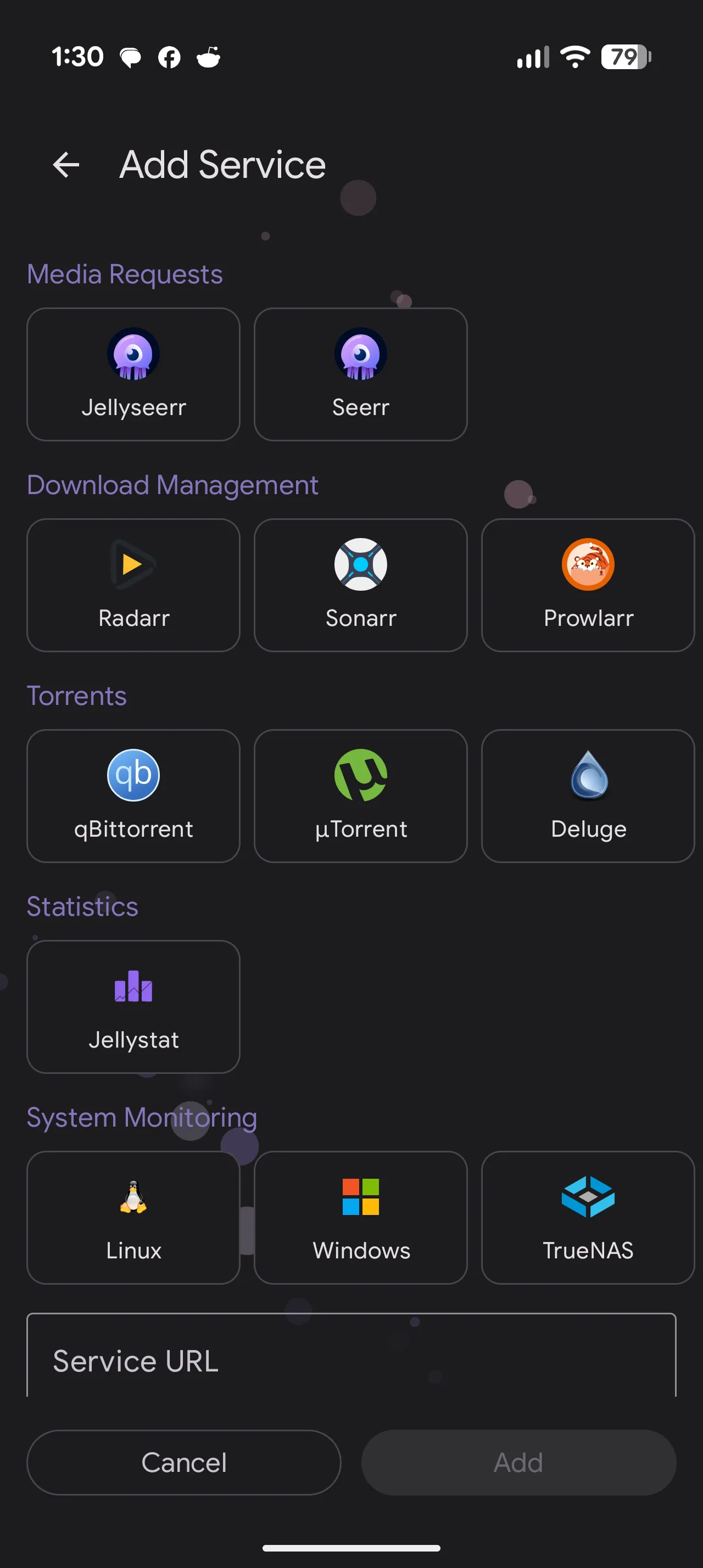
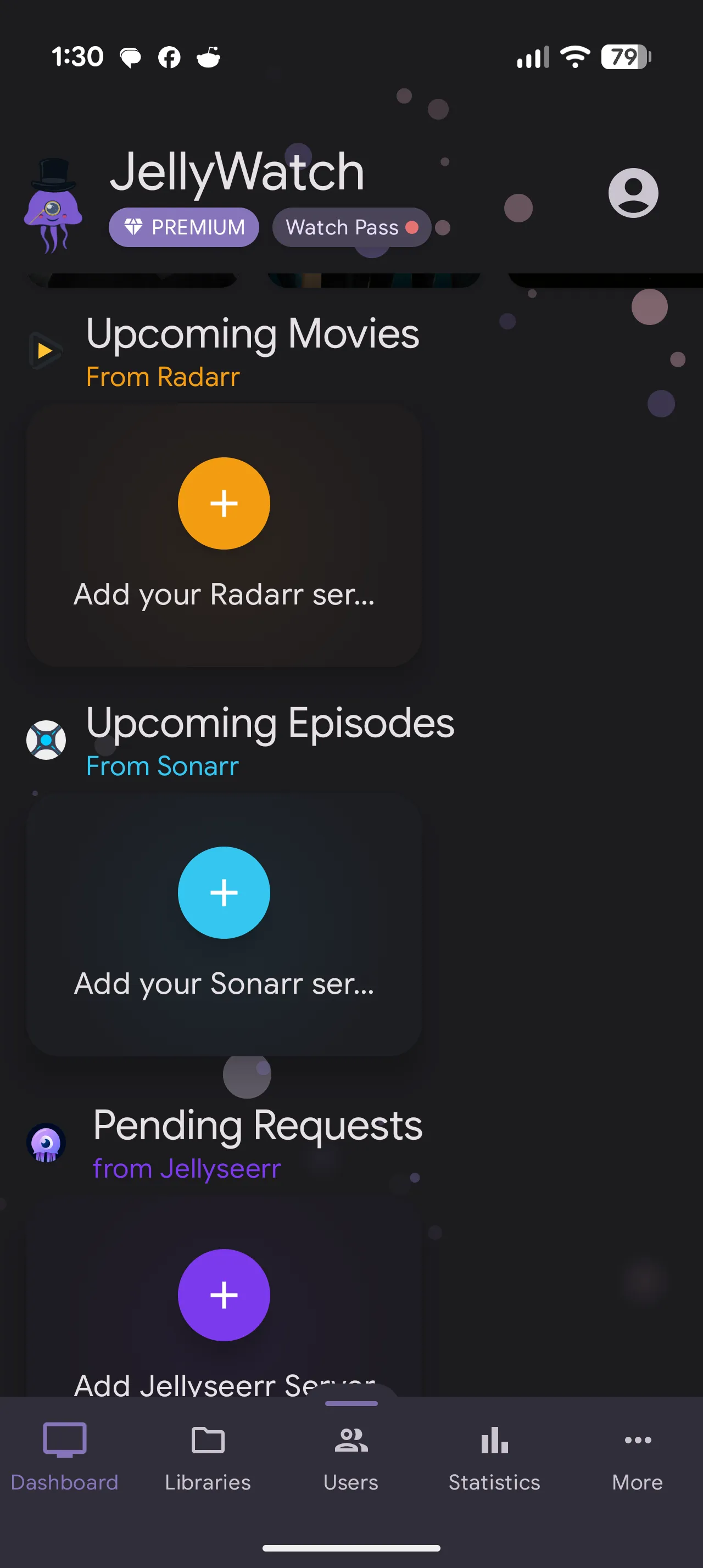
JellyWatch Screenshots showing full lists of services & integration options for aarrs and other services.
If you’ve spent any time in the *arr-verse, you know the integration dance: API keys, port forwarding, and base URLs. But where other apps feel like a collection of web-wrappers, JellyWatch treats these as native modules. I verified the 'Request-to-Download' loop by approving a movie in the integrated Seerr tab; within seconds, I saw the 'Search' command hit my Radarr instance and my download client pick up the metadata. It’s the closest thing we have to a unified Command Center for the entire media stack.
4. Library & History Stats
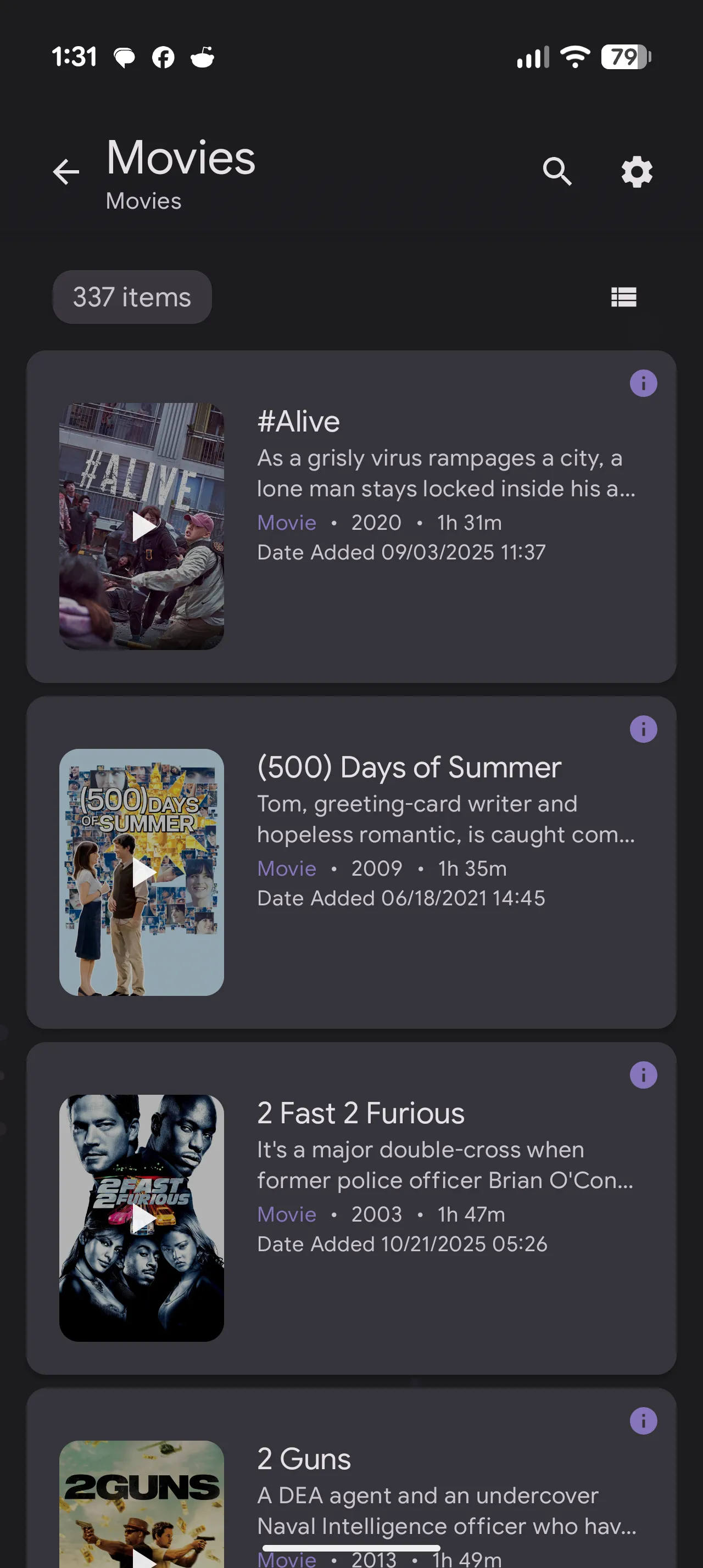
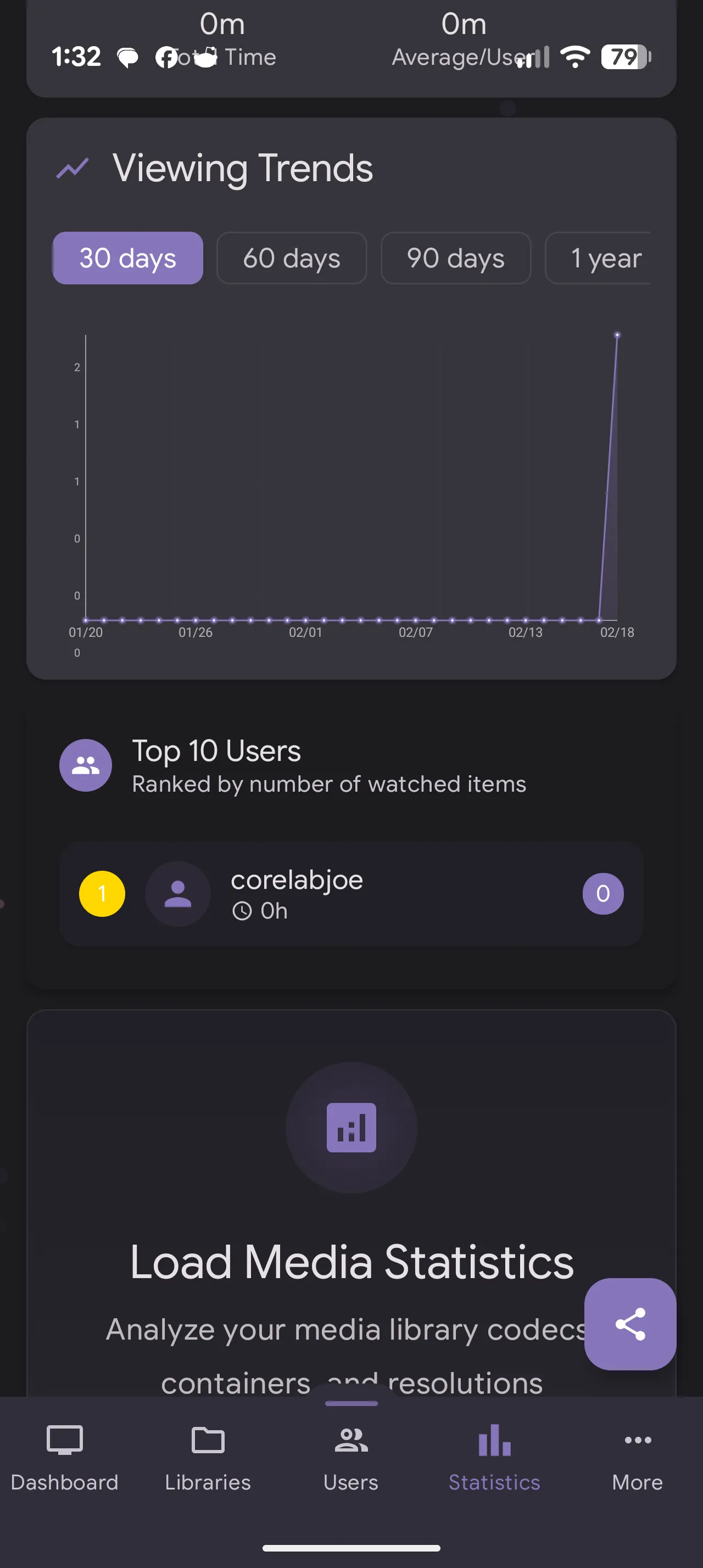
For the data nerds, there is a comprehensive history view. It logs playback history similar to Tautulli, allowing you to see what was watched over the last week or month without needing a separate database setup. Good news - they do not sell your data or share with 3rd parties. You'll read more about this next.
5. Privacy Policy & Review
Although JellyWatch is not self-hosted and has no self-hosted option, their privacy policy is actually better than I expected. It's fairly 'boilerplate' except for this critical distinction, taken directly from JellyWatch's privacy policy, which I quote below directly:
"No Data Sale or Sharing
We Do NOT Sell Your Data: JellyWatch will never sell, rent, or lease your personal information or data to third parties. Your privacy is not for sale.
No Third-Party Sharing: We do not share your personal data with third-party companies for their marketing purposes. The only third-party services we use are Firebase (for app infrastructure), Google Play Services (for app distribution), and our own MySQL database for backups - all solely for providing app functionality.
No Monetization of Your Data: We do not use your data for advertising, profiling, or any form of monetization beyond the app's subscription model. Our business model is based on premium subscriptions, not data exploitation."
Note: Depending on the integrations & accounts you utilize with JellyWatch, other companies privacy policies (Google etc) may apply, see the privacy policy I linked above.
6. Premium Cost & Feature Review💵
JellyWatch is free, and comes with a basic set of functionality. It's beautiful, functional and worked immediately when tested with my Jellyfin server. You would get the functionality kind of equivalent to what Tautulli offers for Plex, or like Plex Dash. So more or less you get a very nice mobile monitoring solution for your Jellyfin!
Premium however, unlocks a whole entire level of functionality and is the true power of this app. It's incredible... Once you integrate Seerr with JellyWatch, you even get to add/remove/approve media requests, see what's coming from Radarr/Sonarr, see current download status.
It becomes a single-handed mobile master management platform for your entire media stack!
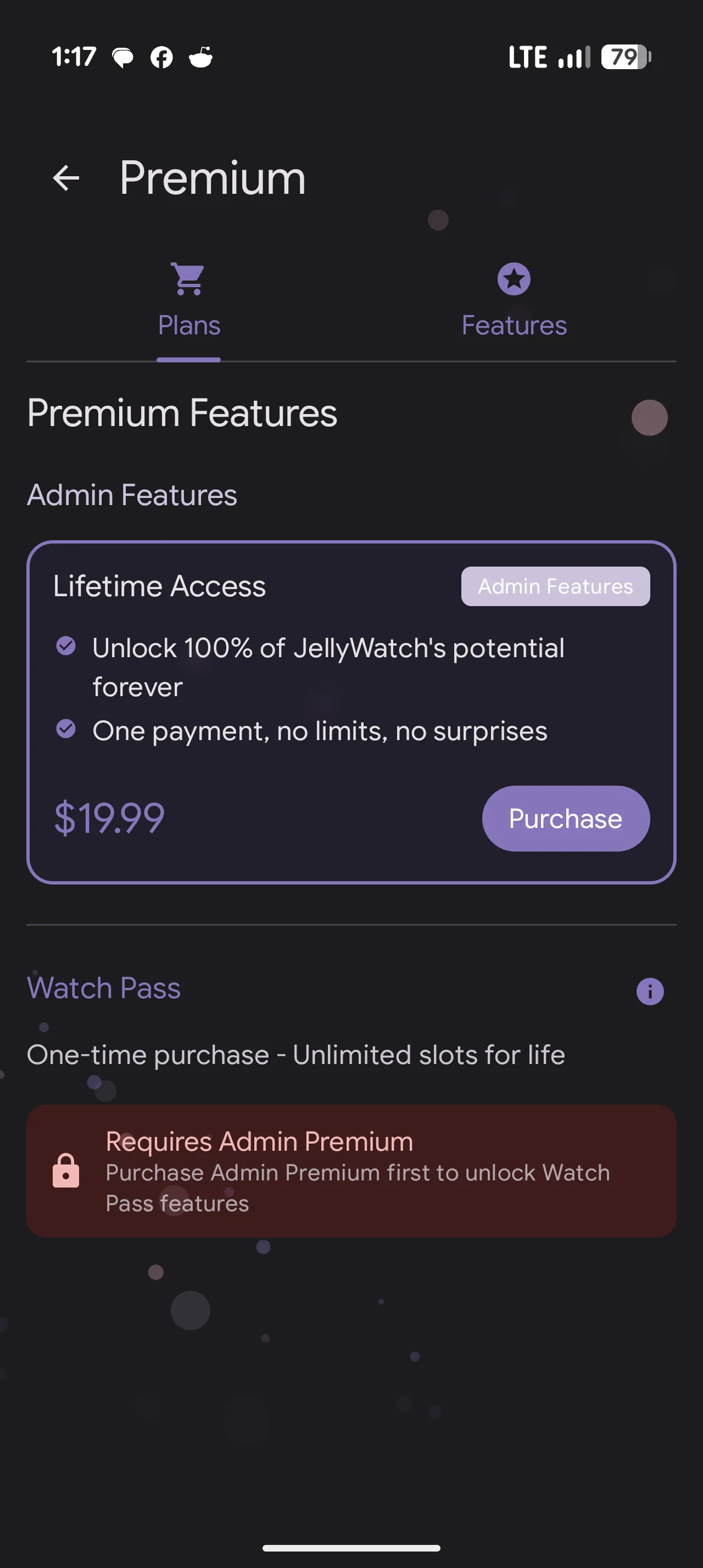
Value for Money: Is it worth the $20?
At first glance, $20 might seem steep for a mobile "dashboard" app when tools like Jellystat or Tautulli are free. However, when you look at the Total Cost of Ownership, the math changes very quickly.
1. The "No Subscription" Win
The most important factor: This is a lifetime license. In an era where every app wants $4.99/month, a one-time $20 fee is refreshing.
- Plex Comparison: To get the equivalent mobile experience (Plex Dash), you need a Plex Pass, which costs at least $120 (USD!) for a lifetime license or $5/month. JellyWatch gives you a more powerful management suite for a fraction of that cost.
2. The "Watch Pass" Multiplier
This is the feature that justifies the price tag. With a Watch Pass, you aren't just buying an app for yourself; you are upgrading the experience for your entire user base.
- Instead of your 10 friends asking you how to request movies or check if a server is down, they get a polished, native Android app that handles it for them.
- The Value: You are essentially paying $2 per user (if you have 10 users) to give them a premium "Netflix-style" companion app.
3. "Hosting" Savings
Tools like Tautulli or Jellystat are excellent, but they require:
- A dedicated Docker container.
- Server resources (CPU/RAM).
- Maintenance and updates.
JellyWatch lives entirely on your phone and talks directly to your existing Jellyfin API. It provides "Data-Porn" stats and server management with zero additional server overhead. For users running on low-power hardware like a Raspberry Pi or an older NAS, offloading the "monitoring" to a mobile app is a massive technical win.
The "Value" Verdict
| Tool | Cost | Setup Effort | "Wife/Friend" Friendly? |
| Tautulli | Free | Medium (Docker) | No (Admin only) |
| Jellystat | Free | High (Docker + DB) | No (Admin only) |
| JellyWatch | $20 (OTP) | Minimal (API Key) | Yes (via Watch Pass) |
How to Set It Up - It’s (much!) easier than you think
Unlike most self-hosted tools, you do not need to touch your docker-compose.yml file.
Step 1: Install the App
Currently, JellyWatch is available on the Google Play Store for Android.
- Download Link: [Google Play Store]
Step 2: Connect Your Server
When you launch the app, you’ll be asked for your server details.
- Server Address: Enter your public URL (e.g.,
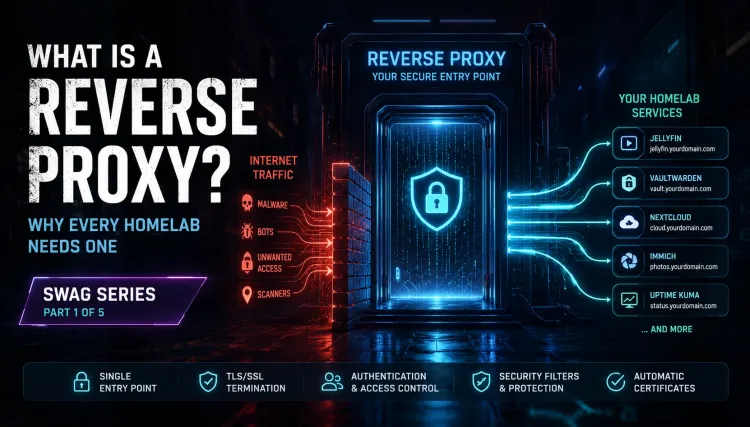
https://jellyfin.mydomain.com). You can use http if not using a reverse proxy but I do recommend you set one up! - Auth: You can log in with your Admin username/password, or generate an API Key in your Jellyfin dashboard (
Dashboard > API Keys > New) for a more secure connection.
Step 3: Connect the "Arrs" (Optional)
To unlock the full potential, head to Settings > Integrations.
- You will need the API Key from your instances of Sonarr, Radarr, or Seerr.
- Same as whenever you integrate an aarr app into anything else like you have before.
- Pro Tip: If you are running these services locally (not exposed to the web), this feature works best when your phone is on the same Wi-Fi network or connected via VPN (like WireGuard/Tailscale). Convenient when you're on the TTC or sitting in a Timmies sipping and want to check your server!
Step 4: The Widget
Don't forget to add the widget to your Android home screen. It gives you a quick glance at active stream counts without even opening the app!
The Power-User Comparison: JellyWatch vs. The Giants
If you’re coming from the Plex ecosystem, you likely rely on Tautulli for deep data and Plex Dash for quick server triage. JellyWatch aims to bridge that gap for Jellyfin. Here is how it stacks up technically:
JellyWatch vs. Tautulli (The Data King)
- The Difference: Tautulli is a server-side daemon (it has its own database to track history even if your server logs rotate). JellyWatch is a client-side management tool that uses the Jellyfin API.
- Pro (JellyWatch): Zero Setup. You don't need to host a separate container or manage a Python environment. Just log in and your stats are there.
- Con (JellyWatch): Because it's client-side, it lacks Tautulli’s "Kill Scripts" (e.g., automatically killing a stream if it’s transcoding 4K).
- The Edge: JellyWatch’s Material 3 UI and native Android widgets make it much faster for checking "Who is watching what" than loading a Tautulli web-wrapper.
JellyWatch vs. Plex Dash (The Aesthetic Standard)
- The Difference: Both are native mobile apps designed for "one-handed management."
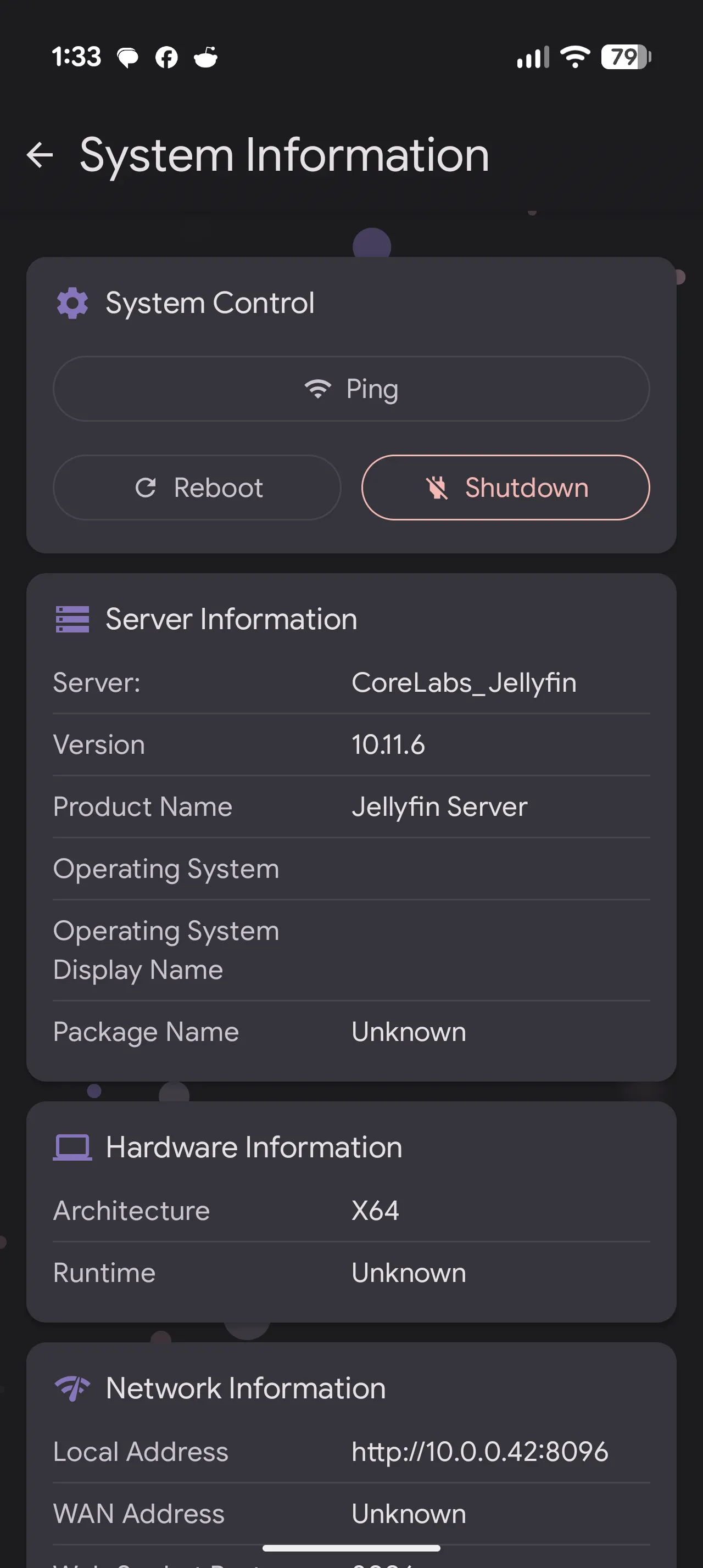
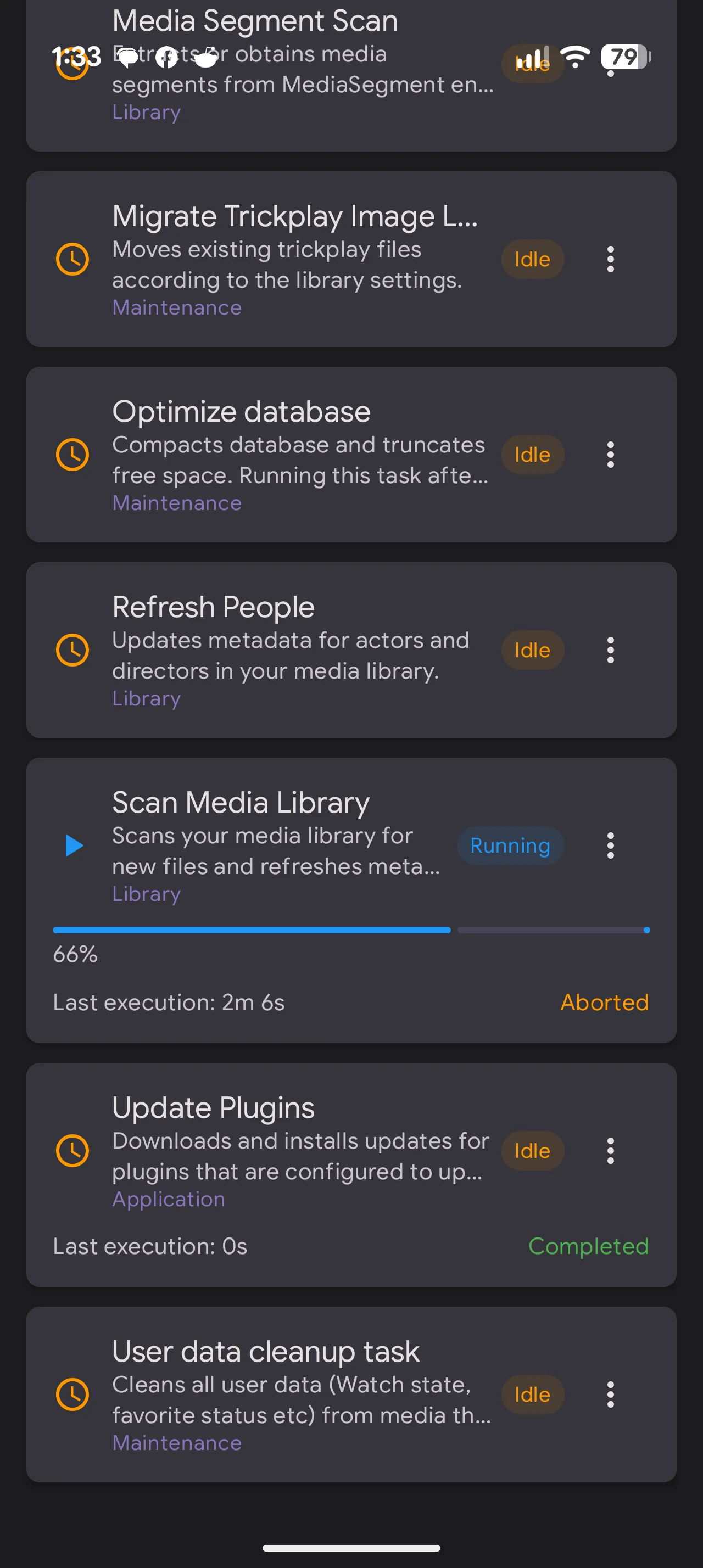
- Pro (JellyWatch): Management Depth. While Plex Dash is mostly for viewing, JellyWatch allows you to manage System Tasks (running library scans or cleaning the cache) and User Permissions directly from the app.
- Con (JellyWatch): Plex Dash has a slight edge in "Art Curation" (the swipe-to-change-poster feature is still unmatched).
- The Edge: Technical Badges. JellyWatch provides more granular codec information (HEVC/H.264, HDR status, and specific audio channels) in the active session view than Plex Dash currently surface.
JellyWatch Stats & Details Galore:
Quick Technical Pros & Cons
| Feature | JellyWatch (Premium) | The "Plex" Equivalent |
| UI Design | Native Material 3 (Modern) | Plex Dash (Sleek/Minimal) |
| History | API-based (Reliant on Server) | Tautulli (Independent DB) |
| Remote Control | Kill sessions / Message users | Plex Dash (Kill sessions only) |
| User Requests | Integrated (Jellyseerr/Seerr) | Requires Overseerr/Seerr App |
| Unique Feature | Watch Pass (Share UI with users) | N/A (Admin only) |
The Verdict for the Review: JellyWatch is essentially "Plex Dash with Tautulli's brain." For $20, you’re paying for the convenience of not having to self-host a separate monitoring stack just to see your server's health on the go.
Final Score: 4.8 / 5 🪼
A "Must-Have" for the Jellyfin ecosystem.
Jellyfin is amazing, but its mobile management experience has always been its Achilles' heel. JellyWatch solves this elegantly. It separates the "Watching" experience (Jellyfin app) from the "Managing" experience (JellyWatch), which is exactly how server administration should be handled.
While Tautulli is great for historical logs, JellyWatch is built for real-time action. It’s the difference between looking at a flight log and actually sitting in the cockpit.
The Core Takeaway
JellyWatch is the first app that makes Jellyfin feel as "premium" as Plex in my opinion. It bridges the gap between raw server data and a polished user experience. While Tautulli remains the king of deep historical data, JellyWatch is the king of active management.
Who is this for?
- The Power Admin: If you're tired of "pinch-to-zoom" server management.
- The Family Hero: If you want to give your users a native way to request movies without teaching them how to use a web portal.
- The Privacy Pro: If you want a sleek UI without the data-tracking baggage of big-tech alternatives.
Check out the project and support the team here: JellyWatch GitHub or go download it via Google Play and get started!
Enjoyed this review? Check out my previous deep-dive on Profilarr to see how I’ve optimized my Jellyfin metadata and user profiles!
 Core Lab Joe
Joe
Veteran sysadmin at Core Lab with 20 years in professional IT experience and almost 15 years of specializing in Docker architecture and media server security. Joe spends his time bridging the gap between enterprise tech and the homelab, helping people achieve digital sovereignty.
Member discussion