
The Media Server Janitors: Deploying Maintainerr & Declutarr
If you're here because Cleanarr finally broke, you're in the right place...
You’ve set up Sonarr, Radarr and other arrs of the stack. Maybe you've even deployed Profilarr already to ensure every movie that hits your drive is a pristine 4K HDR masterpiece. Or 1080p, or 720p whatever you prefer. This is one of the best parts about self-hosting!
But there’s a problem: Digital Clutter. Maybe you have "orphaned" files that Sonarr forgot to delete. Maybe you have three different versions of Inception taking up 120GB of space because your upgrade rules didn't clean up the old ones. But the more automated your system becomes, the more digital "friction" it creates.
Two common problems arise:
- Hoarding Problem (unwatched hoard of media eating TBs of space)
- Stalling Problem (dead torrents clogging the pipes!)
You need a Curator and a Foreman:
- The Curator (Maintainerr): Manages your library based on watch-state, duplicates, and age. Move over Cleanarr (Defunct for the past ~3 years), new(ish) hotness is in town!
- The Foreman (Declutarr): Manages your download queue so it never gets stuck.
🥊 Maintainerr vs. Declutarr: The 2026 Meta
| Feature | Maintainerr | Declutarr |
| Logic | "If it hasn't been watched, delete it." | "If it's stuck at 0kb/s, replace it." |
| Integrations | Plex, Tautulli, *Arrs, Overseerr. | *Arrs, qBittorrent, SABnzbd. |
| Duplicate Handling | Advanced (Rule-based deduplication). | None (focused on queue). |
| Killer Feature | "Leaving Soon" Plex collections. | Auto-blocklisting dead torrents. |
🛠️ Step 1: Deployment (Docker Compose)
Add these to your stack. Maintainerr "looks and smells" like Overseerr, making the UI instantly familiar.
  maintainerr:
    image: ghcr.io/maintainerr/maintainerr:latest # or maintainerr/maintainerr:latest
    container_name: maintainerr
    user: 2000:2001
    volumes:
     # The App Data (The "Brain")
      - /opt/DOCKERS/maintainerr:/opt/data
      # The Media (The "Library")
      - /opt/media:/media:ro # Start with :ro (Read Only) while testing rules!
    environment:
      - TZ=America/Toronto
#      - BASE_PATH=/maintainerr # uncomment if you're serving maintainerr from a subdirectory
#      - UI_HOSTNAME=:: # uncomment if you want to listen on IPv6 instead (default 0.0.0.0)
#      - UI_PORT=6247 # uncomment to change the UI port (default 6246)
#      - GITHUB_TOKEN=ghp_yourtoken # Optional: GitHub Personal Access Token for higher API rate limits (60>
    ports:
      - 6246:6246
    restart: unless-stopped

# Declutarr: The Queue Optimizer
  decluttarr:
    container_name: decluttarr
    image: ghcr.io/manimatter/decluttarr:latest
    restart: unless-stopped
    depends_on:
      - qbittorrent
    environment:
      - TZ=America/Toronto
      - PUID=2000 # Whatever user your manage media with
      - PGID=2001 # Whatever group you manage media with
    volumes:
      - /opt/DOCKERS/decluttarr/config.yaml:/app/config/config.yaml
      - /your/media/downloads:/downloads # Direct access to downloads
- /your/media:/data # Root folder mapped, TV/Movies below this⚙️ Step 2: Configuring Maintainerr (The "Janitor" Logic)
Maintainerr is actually an incredible upgrade for your media stack and is a near-perfect replacement for the now-stagnant Cleanarr. While Cleanarr was a simple "Plex Scanner" Maintainerr is a full-blown automation engine that integrates with the entire stack (Plex, Sonarr, Radarr, Overseerr, and Tautulli).
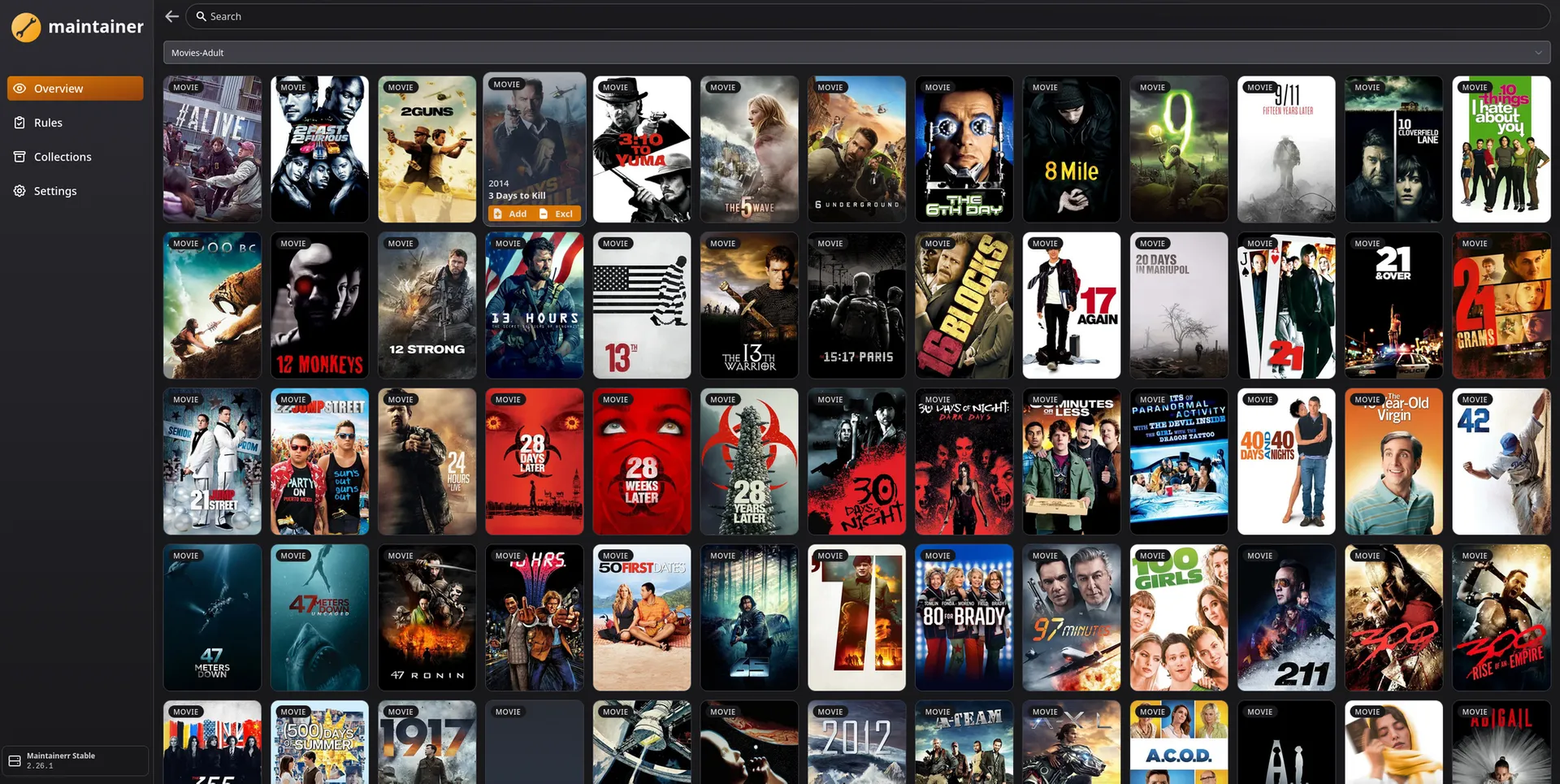
Maintainerr does not currently have a 'Find Duplicates' button. It is a Library Lifecycle tool. It excels at deleting 'The Office' because no one has touched it in two years, but it won't automatically pick between two versions of 'Inception' yet. For now, use it to prune the dead wood; we're still waiting on the deduplication update. Eagerly...
Once deployed at http://YOUR_SERVER_IP:6246, connect your Plex, Seerr, Sonarr/Radarr & Tautulli instances.
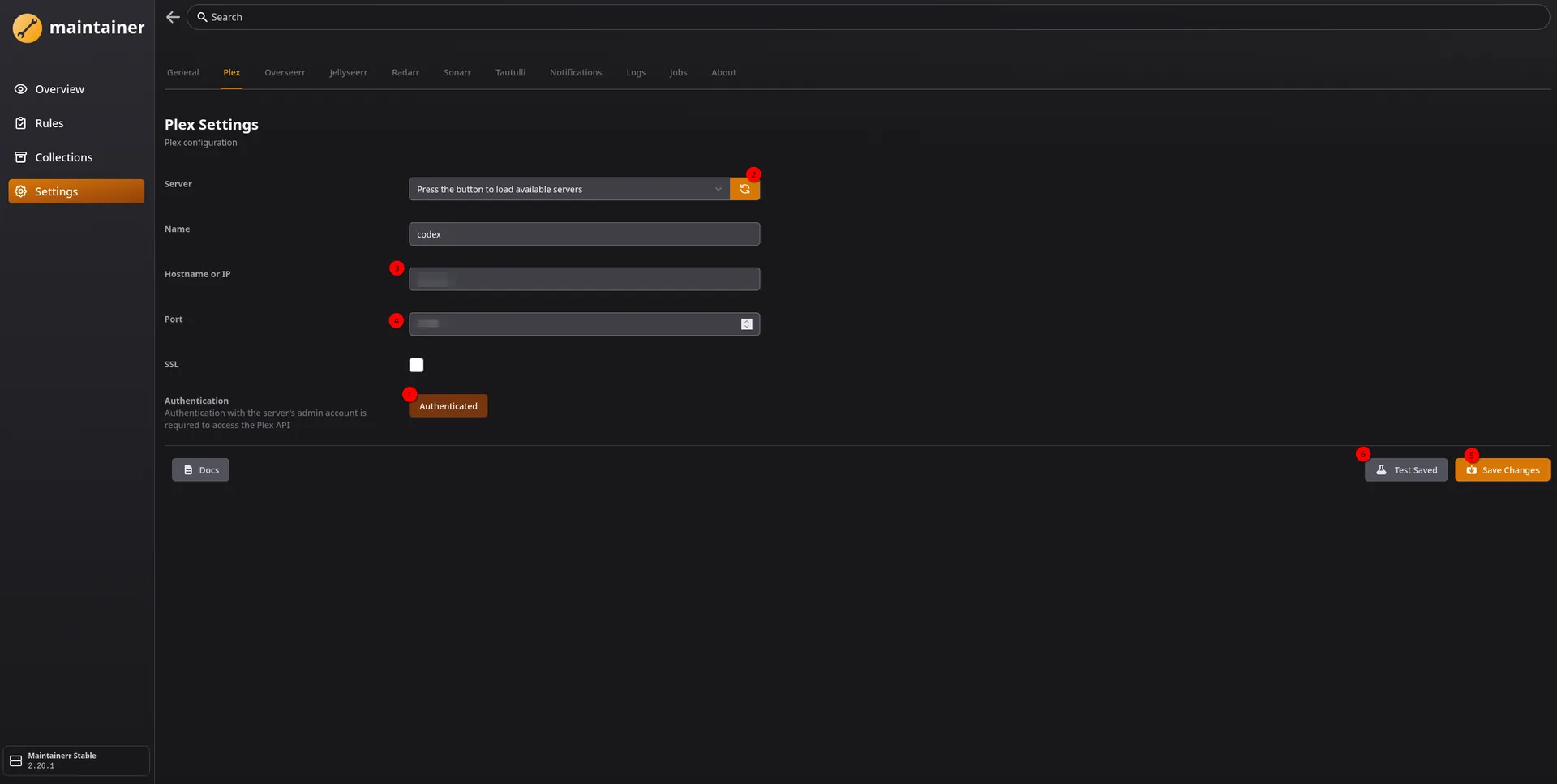
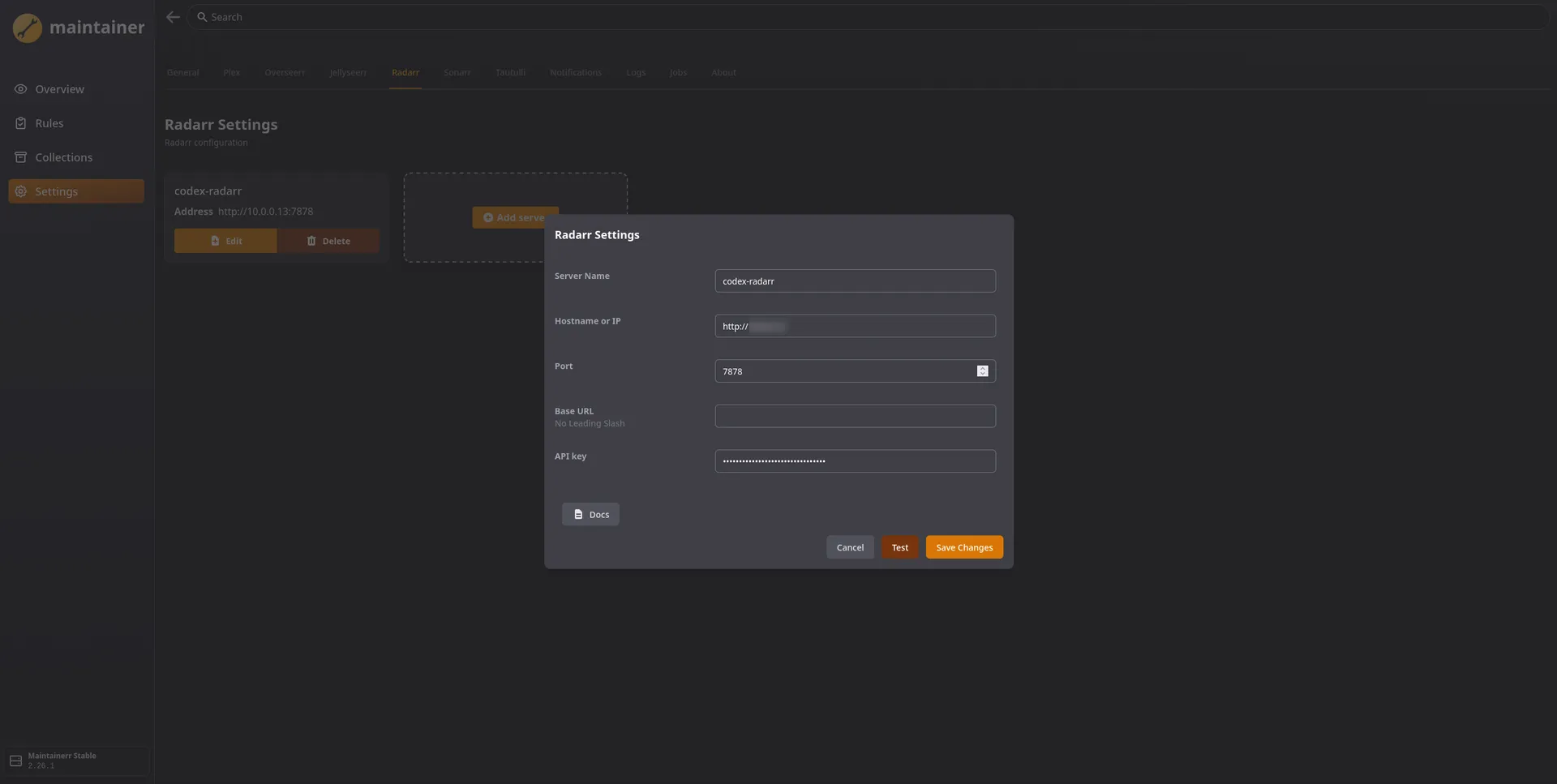
You must hit "Authenticated" first (1) before you can load your server list (2).
How to handle & Bloat:
Instead of a manual scan, you create Rules. These handle complex logic chains and can be extremely granular. This supports you carefully pruning your media.
Rule Sample Ideas:
- The Slow & Safe "Unwatched Bloat" Rule: Tell Maintainerr to find movies added over 3 years ago, no one has watched, and has terrible ratings in plex. I'll use this one in my screenshots as an example of a very long and safe one.
- The Old & Crappy Cleaner Rule: Create a rule to remove movies no one has watched in 365 days, AND is not on anyone's watchlist, AND has a low Rotten Tomato score!
- The "Leaving Soon" Feature: This is Maintainerr's best feature. It can add movies it's about to delete to a Plex collection called "Leaving Soon" and notify your users. If they watch it, the deletion timer resets.
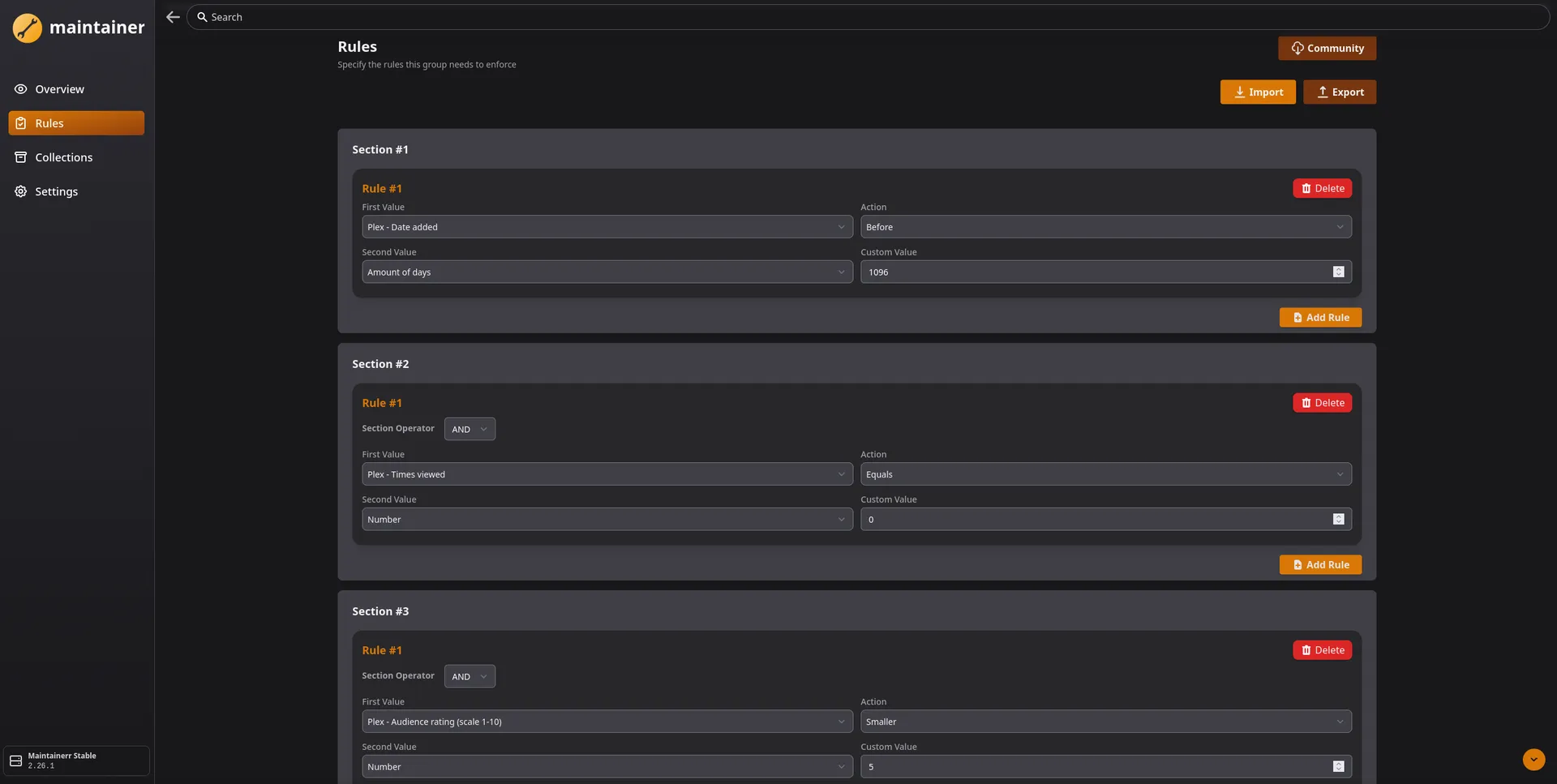
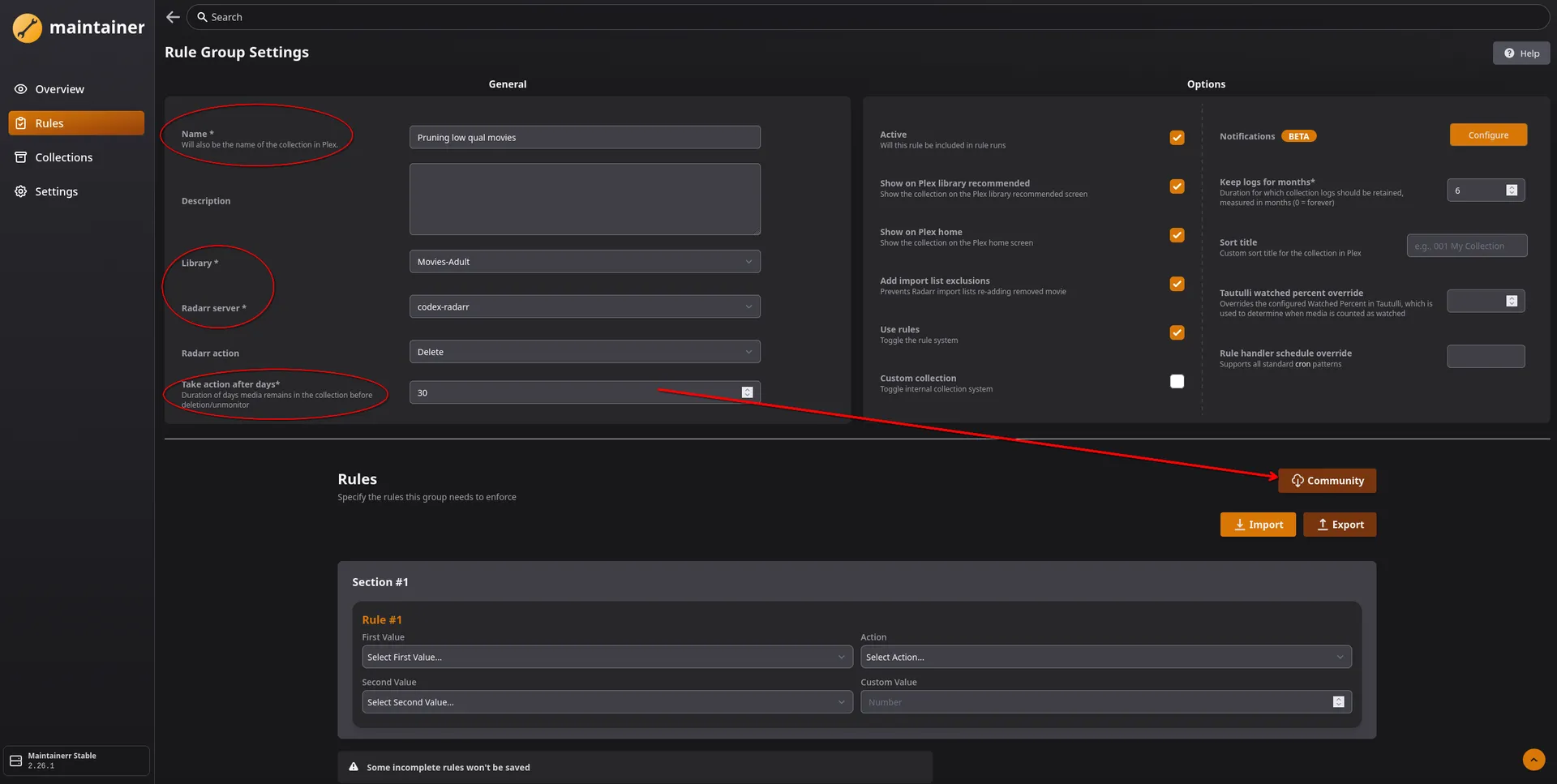
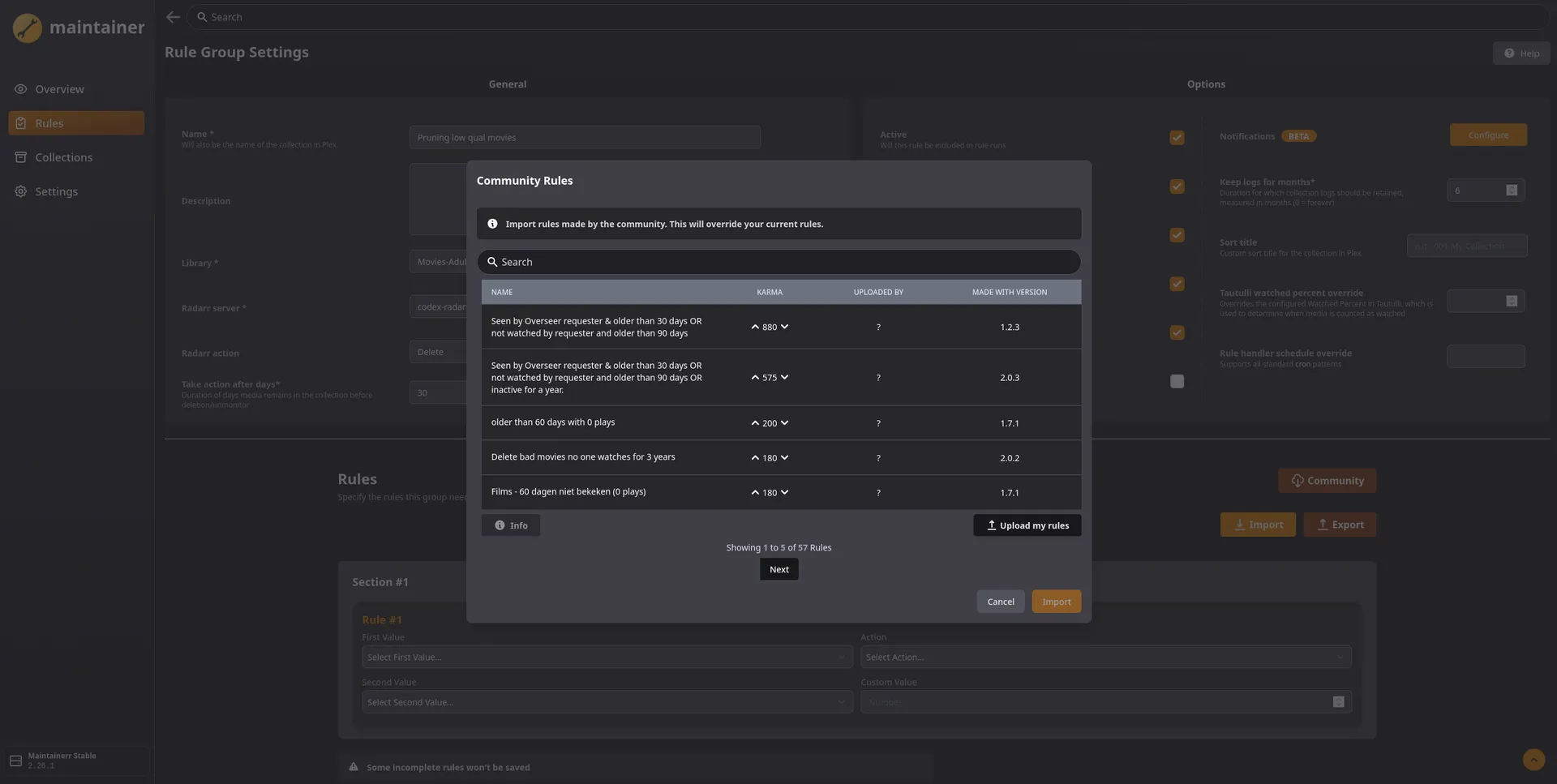
The Community Rule library is a goldmine of pre-built logic for common cleanup tasks.
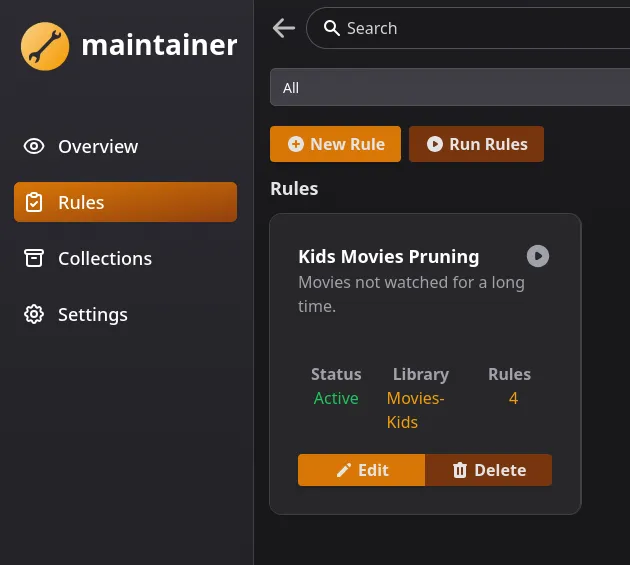
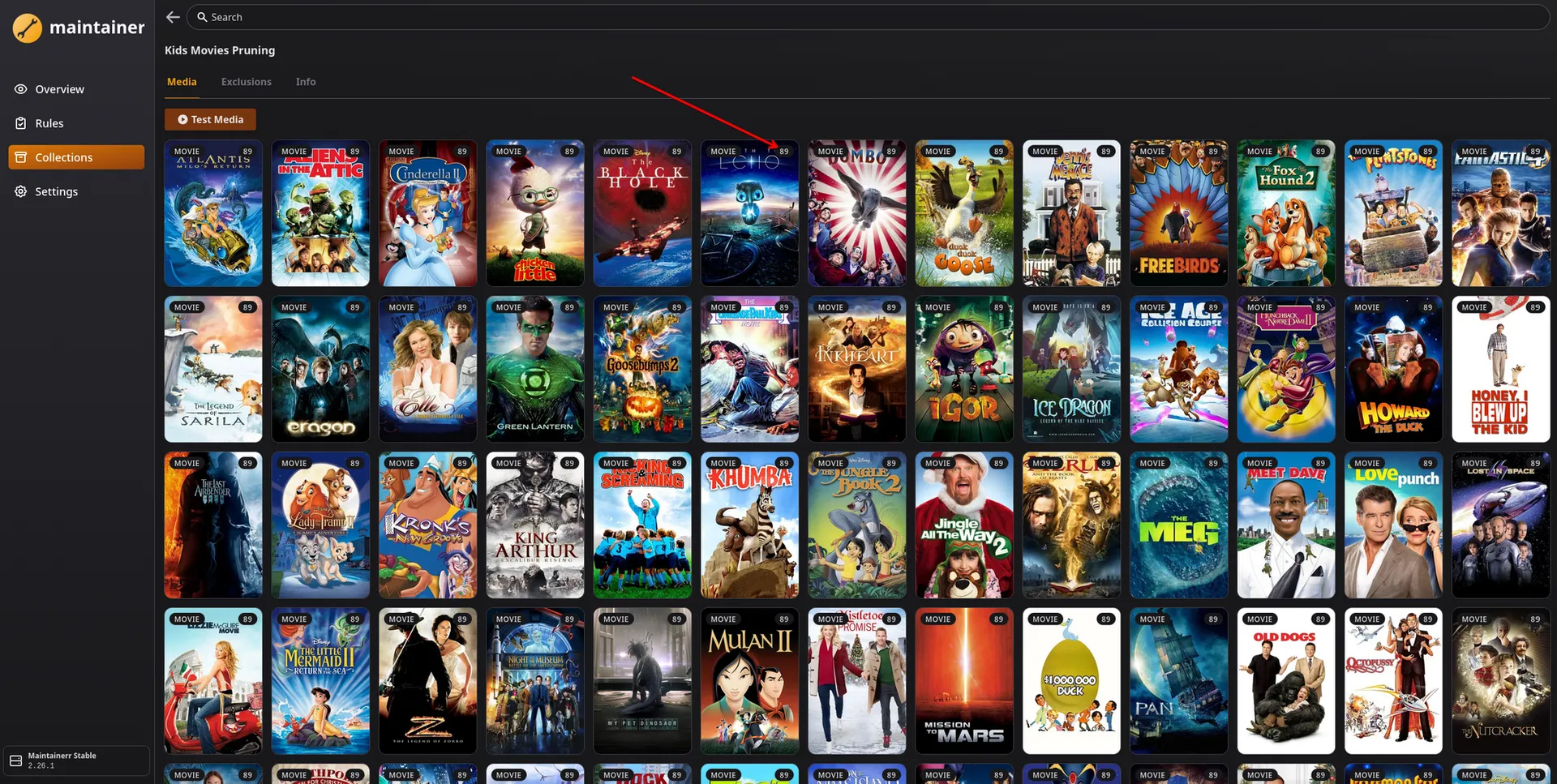
At the end, once your first rule "runs", you should have a collection showing, with a "countdown" of how many days until action is taken, according to your rules!
🏗️ Decluttarr Deep Dive: The "Patient Dragon" Config
While Maintainerr cleans the "finished" library, Declutarr ensures the "in-progress" library stays healthy.
- Stalled/Slow Removal: It watches your qBittorrent. If a 4K movie is stuck at 10% for 2 hours because there are no seeds, Declutarr triggers a "Remove and Blocklist" in Radarr.
- Auto-Search: After removing a bad download, it tells the *Arr to immediately search for a replacement, ensuring your automation doesn't stop because of one dead torrent.
Decluttarr does not have a webGUI, but has a very easily digestible default configuration file that will work, right out of the box. As soon as you start it up, it will download the base configuration and you can edit it from there. I'll include mine for reference as I tweaked some settings to what I prefer.
The "Patient Dragon" Philosophy: Most automation is aggressive—if it's not fast, kill it. But in a hardened stack (behind OPNsense and Zenarmor), outbound rules can be "too good," occasionally throttled tracker handshakes.
By setting timer: 30 and max_strikes: 48, we give every download a 24-hour window to find a path through the firewall. We prioritize rare completion over immediate speed. Full config and then detailed breakdown to follow.
You can take a peek at it with nano /opt/DOCKERS/decluttarr/config/config.yaml and from there you should see something like:
general:
  log_level: INFO
  test_run: false
  timer: 30
  # ignored_download_clients: ["emulerr"]
  ssl_verification: false # Optional: Defaults to true
  # private_tracker_handling: "obsolete_tag" # remove, skip, obsolete_tag. Optional. Default: remove
  # public_tracker_handling: "remove"  # remove, skip, obsolete_tag. Optional. Default: remove
  # obsolete_tag: "Obsolete" # optional. Default: "Obsolete"
  # protected_tag: "Keep" # optional. Default: "Keep"

job_defaults:
  max_strikes: 20
  min_days_between_searches: 4
  max_concurrent_searches: 5

jobs:
  remove_bad_files:
    keep_archives: true
  remove_done_seeding:
    # target_tags:
    #   - "Obsolete"
    # target_categories:
    #  - "autobrr"
  remove_failed_downloads:
  remove_failed_imports:
    message_patterns:
      - "Not a Custom Format upgrade for existing*"
      - "Not an upgrade for existing*"
      - "*Found potentially dangerous file with extension*"
      - "Invalid video file*"
      - "No files found are eligible for import*"
      - "One or more episodes expected in this release were not imported or missing from the release"
  remove_metadata_missing:
    # max_strikes: 3
  remove_missing_files:
  remove_orphans:
  remove_slow:
    min_speed: 50
    max_strikes: 24
  remove_stalled:
    max_strikes: 48
  remove_unmonitored:
  search_unmet_cutoff:
    min_days_between_searches: 7
    # max_concurrent_searches: 3
  search_missing:
    # min_days_between_searches: 7
    max_concurrent_searches: 3

instances:
  sonarr:
    - base_url: "http://sonarr:8989"
          api_key: "YOUR_API_KEY"
  radarr:
    - base_url: "http://radarr:7878"
      api_key: "YOUR_API_KEY"
#  readarr:
#    - base_url: "http://readarr:8787"
#      api_key: "xxxx"
#  lidarr:
#    - base_url: "http://lidarr:8686"
#      api_key: "xxxx"
#  whisparr:
#    - base_url: "http://whisparr:6969"
#      api_key: "xxxx"

download_clients:
  qbittorrent:
    - base_url: "http://YOURIP:PORT" # You can use decluttarr without qbit (not all features available, see readme).
      username: "yours" # (optional -> if not provided, assuming not needed)
      password: "yours" # (optional -> if not provided, assuming not needed)
      name: "blah" # (optional -> if not provided, assuming "qBittorrent". Must correspond with what is specified i>
  # sabnzbd:
  #   - base_url: "http://sabnzbd:8080" # SABnzbd server URL
  #     api_key: "your_api_key_here" # (required -> SABnzbd API key)
  #     # name: "SABnzbd" # (optional -> if not provided, assuming "SABnzbd". Must correspond with what is specified i>
For the "Digital Dragon," like myself, I recommend using a Patient Download strategy. Here is the breakdown of the custom config:
1. The 24-Hour "Grace Period"
job_defaults:
  max_strikes: 20
  timer: 30
jobs:
  remove_stalled:
    max_strikes: 48  # (48 strikes * 30 mins = 24 hours)
How This Works in Practice: We’ve set the timer to 30 minutes and the max_strikes for stalled downloads to 48. This gives every piece of content a full 24-hour window to find a path through your firewall or wait for a peer to come online. If you are blocking a lot of DHT or UDP traffic via Zenarmor, this patience ensures you still get your media without the system constantly "cycling" and failing healthy (but slow) torrents.
2. Cleaning the "Un-importable" Trash 😉
The *Arrs often get "stuck" when a file downloads but fails the final logic check. We’ve added specific patterns to remove_failed_imports to keep the queue pristine:
Not a Custom Format upgrade for existing*: Cleans up downloads that don't actually improve your library.Invalid video file*: Immediately nukes corrupted data.No files found are eligible for import*: Removes the "empty folder" releases that plague some public trackers.
3. The "Atomic" Mount Rule
For Decluttarr to work its magic, it needs to be on the same page as your *Arrs.
Core Lab Tech Tip: Always ensure your *Arrs and Decluttarr share the same root volume bind mounts. If Sonarr sees media at /opt/media, Decluttarr should too. This ensures "Atomic" operations—where the system can verify and remove files instantly without the overhead of moving data across virtual disk boundaries.Why the same bind mounts?
If Decluttarr and Sonarr are on different virtual drives, deleting or moving a file becomes a 'Copy-then-Delete' operation, which hammers your CPU and IO. Keeping them on the same mount makes every action instant (Atomic).
⚖️ The New Maintenance Balance: 2026 Edition
Since Maintainerr focuses on "The Big Picture" (deleting unwatched shows to save space) and Decluttarr focuses on "The Now" (fixing the queue), your maintenance stack is now a two-headed hydra:
Maintainerr (The Librarian): Operates on the Past. It looks at history (who watched what) to decide what should stay on your expensive high-capacity drives.
Decluttarr (The Foreman): Operates on the Present. It looks at the current queue to ensure your automation never grinds to a halt.
🐉 The Digital Dragon’s Master Summary
The Config "Why":
- timer: 30 / strikes: 48: 24-hour patience for OPNsense/Zenarmor users.
- min_speed: 50: Rare content is worth the wait.
- Atomic Mounts: Keep
/mediabind mounts consistent across all containers to save CPU and IO.
The Launch Checklist:
- Dry Run: Use Maintainerr’s "Collection Only" mode first.
- Auth Order: Click "Authenticated" in Maintainerr before loading servers.
- Path Mapping: Match your Plex paths to your Docker paths in the Maintainerr UI.
- Sniper Mode: Copy my
message_patternsin Decluttarr to nuke "Not an upgrade" trash.
📚 Read Next: Master Your Media Quality
Now that your server is cleaning itself like a pro, it’s time to ensure the content that does make the cut is actually worth the space.
If you haven’t already, check out my guide on Profilarr. While Maintainerr and Decluttarr act as your cleanup crew, Profilarr is your quality architect—ensuring every movie added to your library meets your exact standards for HDR, bitrate, and release group.
👉 [Mastering Media Quality: The Profilarr Deep-Dive]
 Core Lab Joe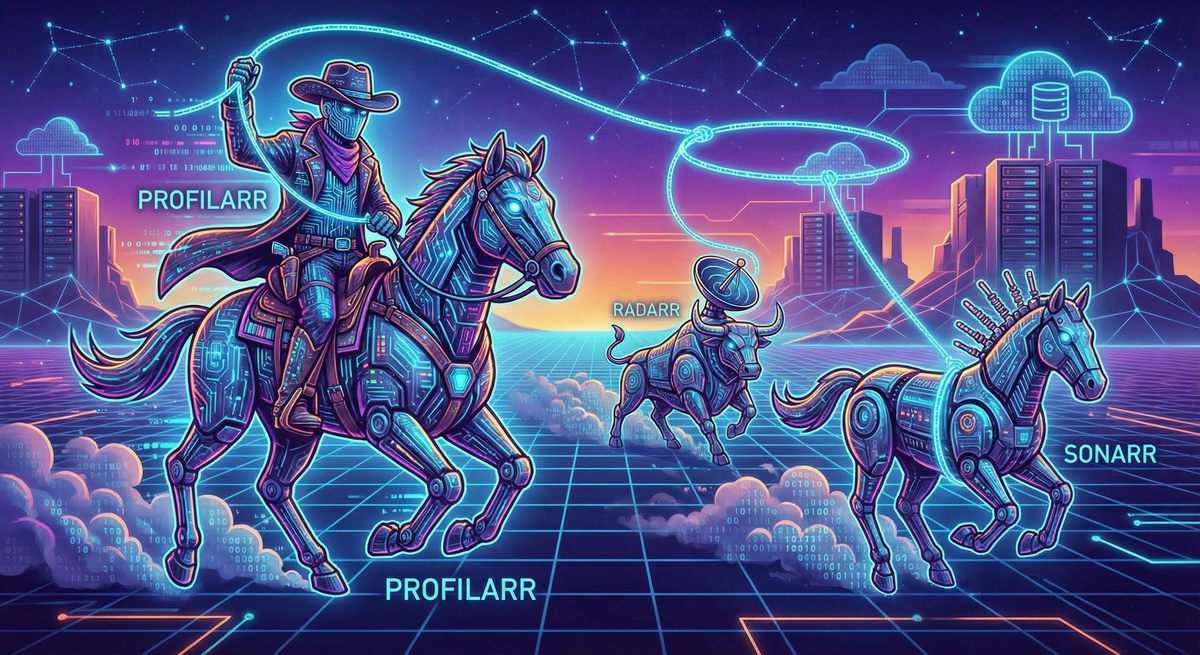


Member discussion