25 Best Docker Containers for Homelabs (2026 Architecture Blueprint)
Tired of endless "what should I self-host" lists? Here is the complete production blueprint: 25 essential Docker containers across 12 modular stacks on OMV8, complete with VLAN isolation policies and SaaS cost replacements.

If you are standing at the edge of the self-hosting rabbit hole, the hardest question isn't how to build a server - it's what to run on it. Even if you tackled the how, now you're at the what, which is where things really get fun.
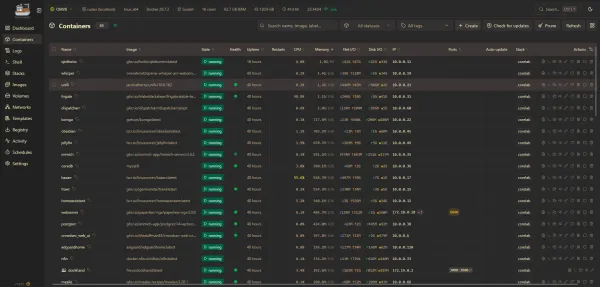
Here at Core Lab, my bare-metal OpenMediaVault 8 (OMV8) server actively runs over 65 containerized services. Rather than throwing everything into one messy compose file, this infrastructure is highly modularized across 12 distinct stacks (directories like edge, media, identity, etc.).
If you are building your own digital fortress, you need a blueprint. Here is the comprehensive, stack-by-stack breakdown of the production-grade containers powering my homelab, exactly what they do, and why I chose them.
Mastering Docker & Container Orchestration
Master Docker Compose architecture from single-container YAML definitions and host storage binds to multi-stack ecosystem orchestration and automated encrypted off-site volume backups.
1. Edge Security & Ingress: Reverse Proxy, WAF & DNS (edge)
This stack is the moat around the castle. It handles all incoming traffic, SSL termination, and network-wide DNS filtering. If you're going to publicly expose some services to the internet at large, this is extremely important of course.
Example - VLAN 10, 172.16.0.0/29 (very small)
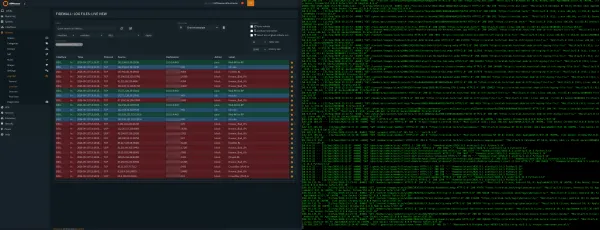
Firewall rule allowing inbound HTTPS (443) to SWAG only.
SWAG (Secure Web Access Gateway)
- What it is: A pre-configured NGINX reverse proxy with automated Let's Encrypt SSL certificates.
- Why I use it: While Nginx Proxy Manager is great for beginners, SWAG provides robust, file-based NGINX configs and integrates natively with security tools like CrowdSec. It sits at the edge and routes traffic to all my internal services.
- What it replaces: Cloudflare Pro / paid reverse proxy rules and commercial SSL certificate management (~$240/yr).
CrowdSec
- What it is: A modern, collaborative intrusion prevention system (the successor to Fail2Ban).
- Why I use it: It analyzes my SWAG access logs in real-time. If an IP from a botnet tries to brute-force my server, CrowdSec instantly drops their connection at the firewall level and reports the IP to a global database.
- What it replaces: Commercial managed WAF rules and threat-intelligence blocklist subscriptions (~$120/yr).
AdGuard Home
- What it is: A network-wide DNS sinkhole.
- Why I use it: Similar to Pi-hole, but with a sleeker interface and native support for DNS-over-HTTPS (DoH). It aggressively strips ads and tracking telemetry before they ever reach the devices on my LAN.
- What it replaces: NextDNS Pro / Control D multi-profile subscriptions (~$20/yr).
2. Identity & Access: Centralized SSO & Password Vaults (identity)
Never trust an app's built-in login screen. This stack ensures zero-trust access to my infrastructure via multi-factor authentication. If someone ever obtains my password, they still cannot access my public services without an MFA token!
Example - VLAN 20, 172.16.20.0/28
Firewall Rules:
• ALLOW Edge VLAN (SWAG) → Identity VLAN on ports 9091 (Authelia), 3890 (LLDAP), 8082 (Vaultwarden)
• ALLOW WireGuard VPN subnet → Identity VLAN (remote access to Vaultwarden)
• DENY all other VLANs → Identity VLAN (no direct access from Media, IoT, etc.)
• DENY Identity VLAN → Internet (these services should never initiate outbound WAN connections)
Authelia & LLDAP
- What it is: Authelia is a Single Sign-On (SSO) and Two-Factor Authentication (2FA) portal. LLDAP is a lightning-fast directory service for centralizing user credentials.
- Why I use it: By placing Authelia in front of my services via SWAG, nobody can even see the login page of my sensitive apps (like Paperless or Proxmox) without passing my physical YubiKey or Authenticator app first.
- What it replaces: Okta / Auth0 / Duo Essentials SSO and 2FA user licensing (~$72/yr).
Vaultwarden
- What it is: A lightweight server implementation of the Bitwarden password manager API.
- Why I use it: Storing passwords in a third-party cloud is a massive vulnerability. Vaultwarden allows me to host my own encrypted password vault, keeping my credentials completely isolated from the internet (accessible only via my WireGuard VPN).
- What it replaces: 1Password Families ($60/yr) or Bitwarden Premium/Families ($40/yr).
3. The Media Streaming Engine: Jellyfin, Plex & Usenet & Debrid (media)
The core reason most people build a NAS. This stack delivers 4K media without the bloat of traditional ecosystems.
Example - VLAN 30, 172.16.30.0/24
Firewall Rules:
• ALLOW LAN/Trusted VLAN → Media VLAN on ports 8096 (Jellyfin), 32400 (Plex), 5055 (Seerr)
• ALLOW Edge VLAN (SWAG) → Media VLAN for reverse-proxied services
• ALLOW Media VLAN → Internet (required for Plex auth, metadata agents, VPN tunnel for qBittorrent)
• ALLOW Media VLAN → NAS/Storage mounts on NFS/SMB ports (media library access)
• DENY IoT VLAN → Media VLAN (smart TVs use Plex/Jellyfin client apps via LAN, not direct container access)
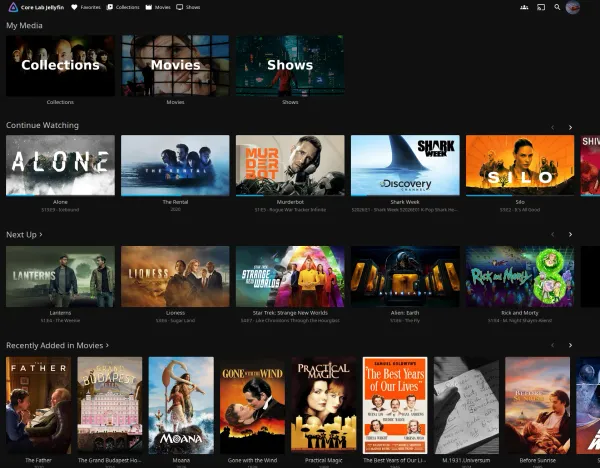
Jellyfin
- What it is: A completely free, open-source media server.
- Why I use it: I refuse to pay for Plex Pass just for hardware transcoding, and I despise ad-supported bloatware. Jellyfin respects your data, handles Intel QuickSync transcoding flawlessly, and has no paywalls.
- What it replaces: Commercial streaming bundles like Netflix Premium ($275/yr), Disney+ ($160/yr), and Max ($170/yr) (~$605/yr).
- And Plex Pass ($700 USD/lifetime!)
Plex
- What it is: The enterprise-grade, highly polished media server heavyweight.
- Why I use it: While Jellyfin is my daily driver, Plex offers unmatched cross-platform client support (especially on older smart TVs). I run both in parallel to ensure my non-technical family members always have a reliable streaming option.
- What it replaces: Plex Pass paid subscription tiers (~$40/yr) while preserving legacy smart TV client compatibility.
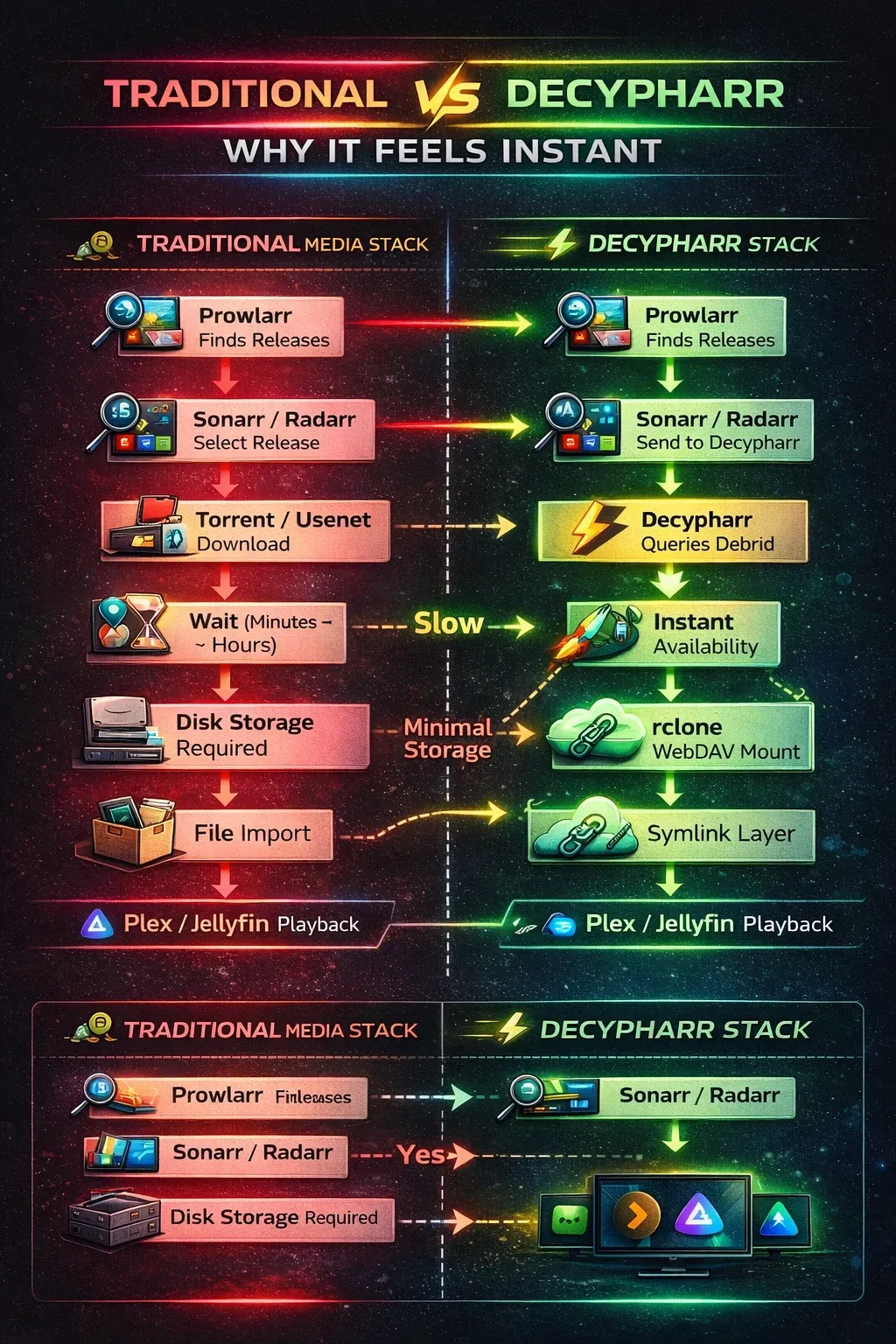
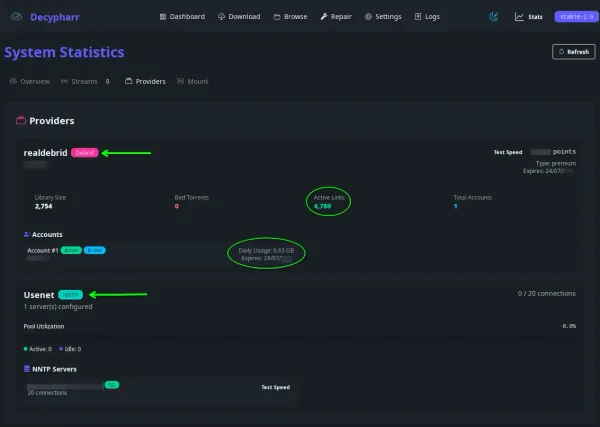
Decypharr
- What it is: A Debrid cloud-streaming bridge.
- Why I use it: Instead of hoarding 100TB of physical hard drives and using a standard torrent client, Decypharr intercepts requests, instantly caches them via Real-Debrid, and mounts them locally using symlinks. Zero download time, zero storage space used.
- What it replaces: Multi-terabyte commercial cloud drives or expensive remote seedbox storage tiers (~$120/yr).
qBittorrent (Hotio)
- What it is: The standard BitTorrent client, but utilizing the
hotioimage. - Why I use it: It requires
NET_ADMINcapabilities, allowing me to route it through a strictly isolated VPN tunnel so my ISP never sees my download traffic. - What it replaces: Managed seedbox subscriptions ($120/yr) by tunneling traffic directly through local Gluetun VPN killswitches.
Trawl
- What it is: A Man-In-The-Middle (MITM) proxy tailored for indexers.
- Why I use it: It completely replaced FlareSolverr for me. It aggressively bypasses Cloudflare anti-bot checks on strict private indexers so my automation stack never fails a search.
- What it replaces: Paid web-scraping proxies and commercial captcha-solving APIs (~$60/yr).
4. The Automated Media Pipeline: The Arr Stack & Request Portals (media sidecars)
The backend workers that acquire, organize, and prune the media library autonomously.
Example - VLAN 30, 172.16.30.0/24 (shared with Media Engine)
Firewall Rules:
• The Arr stack (Sonarr, Radarr, Prowlarr, etc.) lives on the same VLAN as the Media Engine because they must communicate freely with download clients and media servers over internal Docker DNS.
• ALLOW Automation containers → Internet (indexer searches, metadata pulls)
• ALLOW Automation containers → Download clients (qBittorrent, Decypharr)
• DENY all external VLANs → Automation containers directly (access only via SWAG reverse proxy + Authelia 2FA)
Sonarr & Radarr
- What it is: Automated PVRs for TV shows and Movies.
- Why I use it: You add a movie; Radarr searches indexers, sends the file to the download client, renames it, and moves it to the correct Jellyfin folder. 100% hands-off.
- What it replaces: Paid digital movie rentals and physical media purchases (~$150/yr).
Prowlarr
- What it is: A centralized indexer manager.
- Why I use it: Instead of manually typing API keys into Sonarr, Radarr, and Readarr, I put them into Prowlarr once, and it syncs them across the entire ecosystem automatically.
- What it replaces: Commercial indexer proxy management subscriptions (~$30/yr).
Seerr (Formerly Jellyseerr & Overseerr)
- What it is: A beautiful web portal for discovering media.
- Why I use it: My family doesn't know what Sonarr is. They just log into Seerr, click "Request" on a movie poster, and the system handles the rest.
- What it replaces: Paid media discovery platforms and multi-user request management SaaS (~$20/yr).
Maintainerr
- What it is: An automated retention manager for Plex/Jellyfin.
- Why I use it: It stops my NAS from filling up. I set rules like "If a TV episode was watched over 30 days ago, delete the file and unmonitor it in Sonarr."
- What it replaces: Buying extra hard drives prematurely by automatically cleaning stale watch histories (~$50/yr in amortized storage).
Decluttarr
- What it is: A smart queue-cleaning utility.
- Why I use it: If a download gets stuck at 99% or fails in qBittorrent, it halts the whole pipeline. Decluttarr detects dead torrents, deletes them, and tells Sonarr to search for a new, working release.
- What it replaces: Manual torrent queue babysitting and paid re-announcer scripts (~$20/yr in saved operational time).
5. Personal Cloud & Productivity: Photos, Documents & Notes (photos, docs, productivity)
Replacing expensive subscriptions and keeping my personal data strictly on my own SSDs.
Example - VLAN 40, 172.16.40.0/24
Firewall Rules:
• ALLOW LAN/Trusted VLAN → Trusted Services on ports 2283 (Immich), 8000 (Paperless), 9925 (Mealie)
• ALLOW Edge VLAN (SWAG) → Trusted Services VLAN (reverse proxy for mobile app sync — Immich, Obsidian)
• ALLOW WireGuard VPN subnet → Trusted Services VLAN (remote access to Immich, Paperless)
• ALLOW Trusted Services → Internet (Immich needs outbound for map tiles and ML model updates)
• DENY IoT/Guest VLANs → Trusted Services VLAN (personal data is strictly isolated)
Immich
- What it is: A high-performance, self-hosted Google Photos alternative.
- Why I use it: The mobile app automatically backs up photos in the background. I run its dedicated Machine Learning container alongside it, which uses my hardware to scan faces, objects, and locations instantly.
- What it replaces: Google One 2TB ($120/yr) or Apple iCloud+ 2TB ($120/yr) photo storage plans.
Paperless-ngx
- What it is: A digital document filing cabinet with Optical Character Recognition (OCR).
- Why I use it: Every bill, tax document, and receipt goes into Paperless. It automatically reads the text inside PDFs, tags them, and makes them instantly searchable.
- What it replaces: Adobe Acrobat Pro ($240/yr) combined with receipt-scanner SaaS like Neat or Shoeboxed ($180/yr) (~$420/yr).
Mealie
- What it is: A self-hosted recipe manager and meal planner.
- Why I use it: Paste a URL from a bloated recipe blog, and Mealie strips away the life story, importing just the ingredients and instructions. It is the most universally loved container in my household.
- What it replaces: NYT Cooking ($40/yr) and recipe organizer subscriptions like Paprika / AnyList Premium (~$40/yr).
Obsidian (Sync Backend)
- What it is: A backend server for markdown note-taking.
- Why I use it: It allows me to securely sync my local, encrypted markdown vaults across my PC and phone without paying for Obsidian's premium cloud sync.
- What it replaces: Official Obsidian Sync ($48/yr) or Notion Plus subscriptions ($120/yr).
6. Smart Home & Security: Home Assistant, AI NVR & Networking (automation, iot)
Operating entirely locally, free from cloud outages.
Example - VLAN 50, 172.16.50.0/24
Firewall Rules:
• ALLOW IoT VLAN ↔ Home Assistant on port 8123 (bidirectional — devices must reach HA, and HA must control devices)
• ALLOW Frigate → Camera/Surveillance VLAN on RTSP port 554 (camera feed ingestion)
• ALLOW LAN/Trusted VLAN → IoT VLAN on ports 8123 (HA dashboard), 5000 (Frigate UI), 8443 (UniFi)
• DENY IoT VLAN → all other VLANs (IoT devices are inherently untrusted — strict lateral isolation)
• DENY IoT VLAN → Internet (optional but strongly recommended — blocks IoT phoning home to vendor clouds)
Home Assistant
- What it is: The central brain of the smart home.
- Why I use it: It ties my lights, locks, and sensors together. If the internet goes down, my smart home still works because Home Assistant routes everything locally.
- What it replaces: Nabu Casa Cloud subscription ($65/yr) plus proprietary smart hub ecosystems (SmartThings, Hubitat).
Frigate
- What it is: An NVR (Network Video Recorder) with real-time AI object detection.
- Why I use it: Hooked up to my PoE Reolink cameras, Frigate uses an NVIDIA GPU (TensorRT) to instantly distinguish between a person, a car, or a stray cat, drastically reducing false motion alerts.
- What it replaces: Ring Protect Plus ($120/yr) or Google Nest Aware Plus ($180/yr) 24/7 cloud recording subscriptions (~$150/yr).
UniFi Network Application
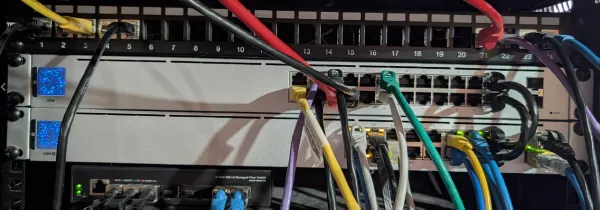
- What it is: The management portal for Ubiquiti networking hardware (APs and Switches).
- Why I use it: It provisions and manages my UniFi switches and Access Points without requiring me to buy a standalone Cloud Key device.
- What it replaces: Standalone UniFi Cloud Key hardware ($200 one-time) or Hostifi managed cloud controller hosting (~$100/yr).
7. Infrastructure Monitoring: Uptime, Disk Health & Dashboards (monitoring, dashboard)
When you have 60+ containers running, you need to know immediately when a hard drive is failing or a service drops.
Example - VLAN 99, 172.16.99.0/28
Firewall Rules:
• ALLOW Management VLAN → ALL VLANs (monitoring must probe every service for health/uptime checks)
• ALLOW LAN/Trusted VLAN → Management VLAN on ports 3001 (Uptime Kuma), 8080 (Scrutiny)
• ALLOW Edge VLAN (SWAG) → Management VLAN (reverse proxy for remote dashboard access)
• ALLOW Management VLAN → Internet (only if using external notification webhooks — Discord, Telegram, Pushover)
• DENY all other VLANs → Management VLAN (only admins see monitoring data)
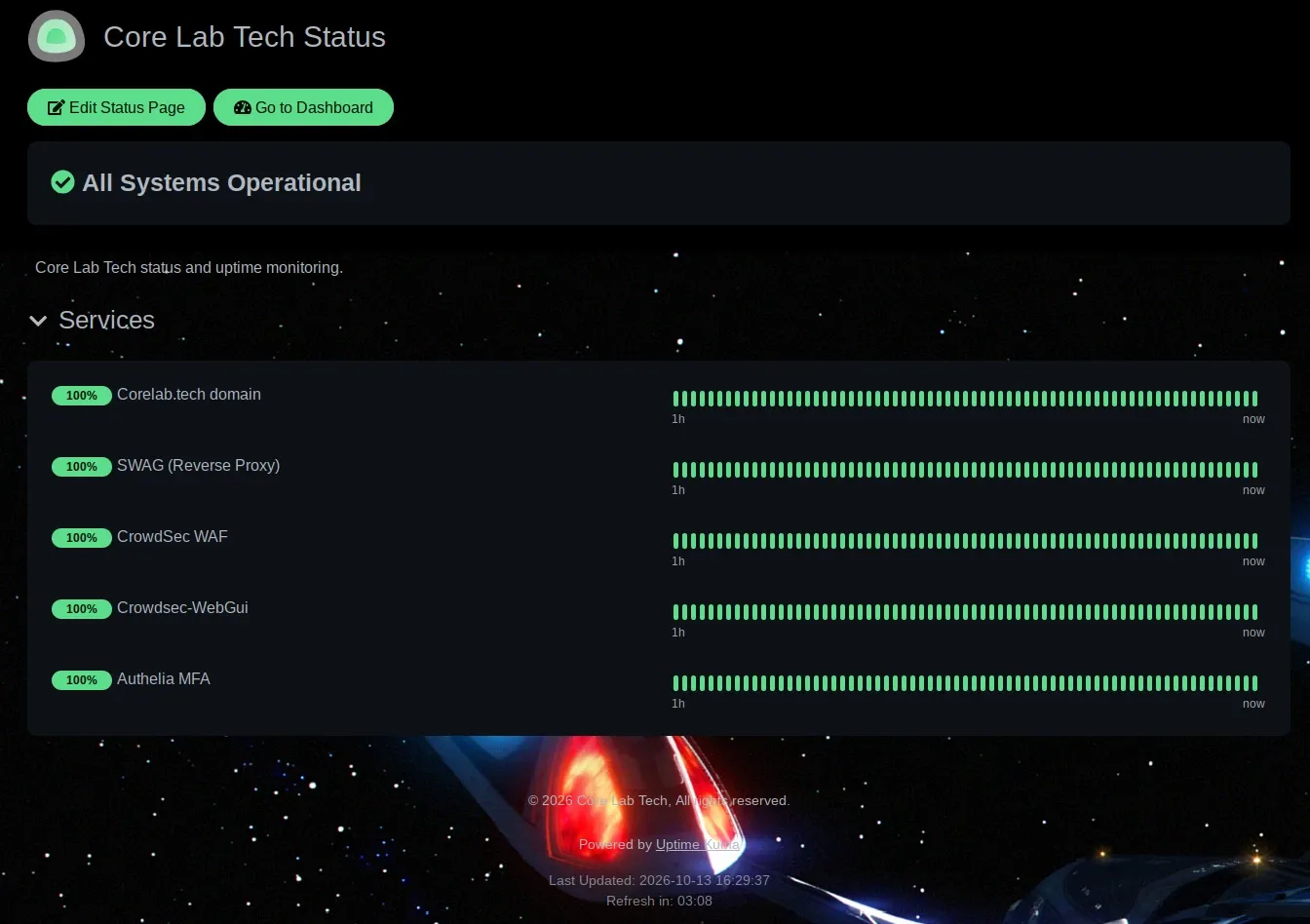
Uptime Kuma: Core Lab Live Service Status Dashboard
- What it is: A self-hosted monitoring tool, similar to Uptime Robot.
- Why I use it: It pings all of my critical services every 60 seconds. If a container crashes, Uptime Kuma instantly fires a webhook to notify me.
- What it replaces: UptimeRobot Pro ($84/yr) or Pingdom Starter ($120/yr) external monitoring (~$84/yr).
Scrutiny
- What it is: A SMART hard drive monitoring dashboard.
- Why I use it: Predicting a drive failure before it happens is the difference between a minor annoyance and catastrophic data loss. Scrutiny provides visual tracking of drive temperatures and degradation over time.
- What it replaces: Commercial SMART disk health alerting utilities and drive telemetry software (~$40/yr).
Homelable
- What it is: A network topology visualizer.
- Why I use it: It actively maps out my VLANs, reverse proxy routes, and device relationships so I never have to guess my own architecture.
- What it replaces: Lucidchart / draw.io cloud diagramming subscriptions (~$95/yr).
You've just seen the engine room of Core Lab.
Every single one of these containers plays a critical role in maintaining digital independence. If you are ready to start building your own stack, check out my OMV8 Setup Guide or my Ultimate Media Server Guide.
The Self-Hosting Dividend: How These Containers Save $2,700/Year!
While self-hosting has an upfront hardware footprint, running open-source Docker containers on bare-metal OpenMediaVault 8 radically eliminates recurring monthly software subscriptions. Below is the direct financial breakdown of the commercial SaaS products, cloud storage tiers, and streaming platforms you could replace by these 12 stacks.
| Docker Container | Stack / Zone | Commercial SaaS / Service Replaced | Est. Annual Value |
|---|---|---|---|
| SWAG (NGINX) | Edge (VLAN 10) | Cloudflare Pro / Custom SSL & Reverse Proxy Rules | $240 / yr |
| CrowdSec | Edge (VLAN 10) | Commercial Managed WAF & Threat Intelligence Feeds | $120 / yr |
| AdGuard Home | Edge (VLAN 10) | NextDNS Pro / Control D Multi-Profile Subscription | $20 / yr |
| Authelia & LLDAP | Identity (VLAN 20) | Okta Starter / Auth0 / Duo Essentials SSO & 2FA | $72 / yr |
| Vaultwarden | Identity (VLAN 20) | 1Password Families / Bitwarden Premium Cloud Vaults | $40 / yr |
| Jellyfin | Media (VLAN 30) | Netflix Premium ($275/yr) + Disney+ ($160/yr) + Max ($170/yr) | $605 / yr |
| Plex | Media (VLAN 30) | Plex Pass Subscription Tiers | $40 / yr |
| Decypharr & qBittorrent | Media (VLAN 30) | Multi-TB Cloud Drive Plans & Remote Seedbox Hosting | $240 / yr |
| Trawl | Media (VLAN 30) | Commercial Web-Scraping Proxies & Captcha Solvers | $60 / yr |
| Sonarr & Radarr | Automation (VLAN 30) | On-Demand Digital Movie Rentals & Physical Media Purchases | $150 / yr |
| Prowlarr & Seerr | Automation (VLAN 30) | Commercial Indexer Proxies & User Request SaaS | $50 / yr |
| Maintainerr & Decluttarr | Automation (VLAN 30) | Premature Hard Drive Expansion (Storage Amortization) | $70 / yr |
| Immich (+CUDA ML) | Personal Cloud (VLAN 40) | Google One 2TB / Apple iCloud+ 2TB Family Photo Storage | $120 / yr |
| Paperless-ngx | Personal Cloud (VLAN 40) | Adobe Acrobat Pro ($240/yr) + Neat/Shoeboxed OCR SaaS ($180/yr) | $420 / yr |
| Mealie | Personal Cloud (VLAN 40) | NYT Cooking ($40/yr) + Paprika / AnyList Premium Subscriptions | $40 / yr |
| Obsidian Sync Backend | Personal Cloud (VLAN 40) | Official Obsidian Sync ($48/yr) or Notion Plus ($120/yr) | $48 / yr |
| Home Assistant | Smart Home (VLAN 50) | Nabu Casa Cloud Subscription & Proprietary Hub Lock-in | $65 / yr |
| Frigate NVR | Smart Home (VLAN 50) | Ring Protect Plus / Google Nest Aware Plus 24/7 NVR Cloud | $150 / yr |
| UniFi Network Application | Smart Home (VLAN 50) | Cloud Key Gen2+ Hardware Amortization / Hostifi Cloud Hosting | $100 / yr |
| Uptime Kuma | Monitoring (VLAN 99) | UptimeRobot Pro / Pingdom Starter External Monitoring | $84 / yr |
| Scrutiny & Homelable | Monitoring (VLAN 99) | Commercial SMART Drive Telemetry & Lucidchart Diagramming | $135 / yr |
| Total Annual Software & Subscription Value Eliminated: | $2,769 / yr | ||
Self-hosting is often viewed through the lens of hardware costs, but calculating the ongoing subscription debt it eliminates paints the real picture. Running this 12-stack architecture could save you roughly $230 per month in recurring cloud fees, photo storage tiers, commercial streaming platforms, and proprietary smart home lock-ins. A high-end custom NAS build pays for itself in software savings alone in less than a year!
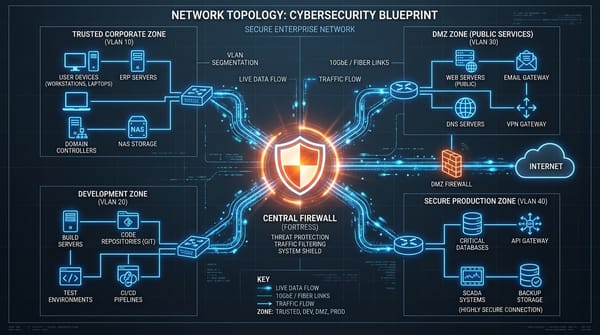
Homelab Architecture Blueprint & VLAN Segmentation Map
Here is the visual topology of the Core Lab infrastructure - illustrating ingress routing, isolated VLAN zones, modular Docker container stacks, and storage persistence across OpenMediaVault 8 at a glance.
Core Lab Infrastructure Topology
Enterprise Network Segmentation & Modular Docker Service Architecture
Up Next in the DIY Hardware Series
Custom NAS & Servers
Frequently Asked Questions
Why split Docker services across modular stacks instead of running a single monolithic compose file?
A single monolithic compose.yaml running 25+ containers introduces severe blast radiuses and configuration gridlock. A syntax typo or variable conflict can break unrelated services, and running restart commands impacts the entire host. Breaking services into modular stacks (e.g., edge, identity, media) isolates environment variables, keeps network namespaces clean, and allows maintenance on individual stacks without causing downtime for the rest of your server.
What hardware specifications are required to run this 25-container architecture?
Idle resource consumption for this entire stack hovers around 8–12 GB of RAM and low single-digit CPU utilization. The only major resource spikes occur during machine learning tasks (Immich facial recognition, Frigate AI object detection) and hardware transcoding in Jellyfin or Plex. A modern 6-core Intel CPU with an integrated UHD Graphics iGPU (Intel QuickSync) paired with 32 GB to 64 GB of RAM easily runs all 25 containers concurrently with low idle power draw.
Why run SWAG instead of Traefik, Caddy, or Nginx Proxy Manager?
LinuxServer’s SWAG (Secure Web Access Gateway) combines production-grade NGINX performance with automated Let's Encrypt TLS certificates, built-in Fail2ban, and pre-packaged proxy configuration templates for nearly every homelab application. Unlike GUI-based reverse proxies that store routing rules in hidden SQLite databases, SWAG configurations live in standard text files (/config/nginx/proxy-confs/). This makes reverse proxy rules easy to edit, audit, and version-control with Git.
How should storage be architected between configuration files and bulk data on OpenMediaVault?
Follow a strict separation of config and data. Fast persistent data—container configurations, application databases, and cache directories (appdata)—should live on an NVMe SSD pool (such as /ssd/containers/<stack>/). Heavy storage datasets (media libraries, Paperless document archives, Immich photo backups) belong on bulk redundant ZFS pools or MergerFS arrays with SnapRAID parity mounted via host directory binds or NFS. This prevents database corruption and ensures simple container backups without backing up terabytes of media.
How should these containers be exposed for remote access outside the local network?
Use a tiered ingress model. Public-facing web apps (Vaultwarden, Seerr, Mealie) route through SWAG on WAN port 443 with Cloudflare DNS proxying, CrowdSec intrusion detection, and Authelia multi-factor authentication. Administrative management interfaces (UniFi Network Application, Scrutiny, OpenMediaVault) should never be exposed to the public internet. Instead, keep them isolated on a management network and access them remotely via an encrypted OPNsense WireGuard VPN tunnel.
Written by
On this page
What's Next?
The Homelab Digital Estate: Building an End-of-Life Disaster Response Plan (From Markdown to ReMemory)
What happens to your homelab and encrypted family photos if you die tomorrow? How I built a two-tier digital estate response plan, combining plain-language family runbooks with offline Shamir threshold cryptography using ReMemory.
Cybersecurity Threat Intel: What the Critical PHP RCEs and Tailscale Disclosures Mean for Homelabbers
The past 72 hours delivered a brutal one-two punch: critical PHP RCEs ('php2shell') followed by a 12-hour-old Tailscale SSH socket vulnerability disclosure. Here is my technical breakdown and how I hardened my homelab.