
How to Replace Cable TV in Canada (2026): The Ultimate Streaming Guide
I personally 'cut the cord' back in 2012, tired of the high costs and limited options of Canadian cable. Over the last 14+ years, I’ve moved from trying basic OTA antennas (Mohu Leaf anyone?!) to advanced automated self-hosted setups using Plex and Jellyfin.
I wrote this guide to save you the trial and error. It filters out the outdated advice and shows you exactly which hardware and streaming protocols actually work for reliable, high-quality streaming in Canada in 2026.
Entertainment: Netflix + Prime Video
Canadian Content: CBC Gem + Crave
Sports:DAZN + Sportsnet+
Hardware:Google TV Streamer 4K
Typical Costs:$30–80/month
Ditch the Cable Box: Your Guide to Streaming Freedom in Canada
Stop paying for channels you never watch! Core Lab is your trusted resource for navigating the world of streaming, streaming devices, and live TV alternatives with a special focused on what works for 🇨🇦Canadians! These guides work globally, but will feature Canadian content when applicable.
Traditional cable is a relic. The cost is insane, the channel selection is often bloated, and it’s a hassle. Ditching traditional TV and relying solely on on-demand services can feel overwhelming. This guide cuts through the noise and provides a data-driven look at the best live TV streaming sites available today – focusing on what actually matters: reliability, "channel" selection, and value.
Cord Cutting Calculator - How Much Would you Save?
Cord Cutter ROI
Calculate your savings (CAD) by switching to streaming.
Step 1: The Old Costs
What are you paying right now per month?
*If bundled, put total in Cable and 0 here.
Step 2: The Audit
Select only the services you will KEEP paying for.
Step 3: The New Setup
New Internet Price
Hardware Investment
Select devices you need to buy (One-time cost)
The Verdict
Crunching the numbers...
Projected Annual Savings
$0
*After hardware costs are paid off
Monthly Savings
$0
Break Even Point
0 Months
5-Year Wealth
$0
Invested @ 5%
Understanding the Landscape – It's Not All Created Equal
Before diving into specific services, let’s address some key considerations. Streaming live TV isn’t a one-size-fits-all solution. The largest two things to consider are your internet connection, and choice of streaming hardware. Quick internet considerations:
- Latency: Crucial for sports events – lower latency means a more responsive viewing experience.
- Channel Lineups: Consider your specific interests (sports, news, movies/tv, international).
- Unique Features: Cloud DVR, simultaneous streams, device compatibility, and bundled services (like Prime Video) are important differentiators.
- Pricing: Understand the monthly costs and any add-on fees.
Internet Speed Requirements: Do You Need Gigabit?
A critical error in many cord-cutting strategies is the underestimation of bandwidth requirements for high-bitrate content. While streaming services like Netflix and Amazon Prime Video utilize efficient compression algorithms (HEVC/AV1) to deliver 4K HDR streams at 15-25 Mbps, the enthusiast sector operates on a different magnitude.
Users utilizing platforms like Stremio with Real-Debrid, or playing local remux files via Plex/Jellyfin, must account for significantly higher bitrates. A direct rip (remux) of a 4K UHD Blu-ray disc can exhibit variable bitrates peaking between 80 Mbps and 125 Mbps. On a standard 100 Mbps connection, network overhead and concurrent device usage will inevitably lead to buffer under-runs and playback stuttering. Therefore, the strategic recommendation for a "future-proof" household engaging in high-fidelity streaming is a minimum provisioned speed of 300 Mbps to 500 Mbps. This headroom accommodates the burst nature of high-bitrate video decoding and ensures that background processes do not degrade the viewing experience.
Best Internet Providers for Streamers (TPIA vs. Big Three)
The foundation of any robust cord-cutting strategy is the internet connection itself. In Canada, this is complicated by the dominance of major incumbents—Bell, Rogers, Telus, Videotron, and Shaw (now Rogers)—who control the physical infrastructure. However, the viability of a cost-effective streaming setup relies heavily on the utilization of Third-Party Internet Access (TPIA) providers, who lease this infrastructure to offer competitive alternatives.
The TPIA Ecosystem: Structural Pricing and Performance
The wholesale internet market in Canada has undergone significant volatility, yet TPIA providers remain the primary vehicle for consumers seeking to decouple their connectivity from television subscriptions. The analysis suggests that while the "Big Three" (Bell, Rogers, Telus) offer bundled incentives to retain cable subscribers, TPIAs like Oxio, TekSavvy, and Start.ca have pivoted towards transparency and contract-free service models to attract the digital-native demographic.
Oxio, in particular, has gained substantial market share by offering a pricing model that decouples hardware rental fees from the base service cost, providing eero mesh routers as part of the standard package. This is a strategic advantage for cord cutters, as robust Wi-Fi coverage is essential for multi-room streaming setups.4 TekSavvy, historically the vanguard of consumer advocacy, continues to fight for lower wholesale rates, though regulatory decisions have constrained their ability to undercut incumbents as aggressively as in previous years. Nevertheless, for users prioritizing privacy and opposition to site-blocking mandates, TekSavvy remains a principled choice.
In high-density urban centers like Toronto and Montreal, independent fiber operators such as Beanfield Metroconnect offer a superior architectural alternative. One of the advantages of living in a big city! Unlike TPIAs that rely on incumbent "last mile" copper or coax, Beanfield operates its own fiber-optic network, delivering symmetric speeds (e.g., 1 Gbps upload and download) that are crucial for users running external Plex servers or remote access configurations. The analysis indicates that for residents in connected buildings, bypassing the DOCSIS (cable) infrastructure entirely in favour of dedicated fiber results in lower latency and reduced jitter, metrics that correlate directly with the stability of live IPTV streams.
⚠️ The "Hidden" ISP Roadblock:
CGNAT Before you switch to a smaller ISP or Starlink, you must understand CGNAT (Carrier-Grade NAT).
Major providers like Bell or Rogers assign your home a public IP address. However, many TPIA providers (like Oxio) and mobile internet services (Starlink/5G) use CGNAT to save money. This means your home network shares an IP address with hundreds of other users.
- The Problem: You cannot "Port Forward." This breaks features like Plex Remote Access (watching your movies outside your house) or hosting a game server.
- The Fix: You don't need to switch ISPs! You can bypass this easily using:
- Tailscale/Headscale (free, easiest method), or;
- a Cloudflare Tunnel, or;
- a Wireguard VPN (Advanced).
- If you plan to host a server, check if your chosen ISP offers a "Static IP" add-on (usually $5–10/month) or just use Tailscale and save the money.
Comparative Analysis of Canadian ISP Tiers for Cord Cutters
| Provider Type | Key Players | Infrastructure | Pricing Strategy | Target User Profile |
| Incumbent | Bell, Rogers, Telus | Fiber (FTTH), Coax, DSL | High, Bundle-Dependent | Bundlers requiring TV/Mobile integration; generic users. |
| TPIA (Flanker) | Oxio, Start.ca, VMedia | Leased Incumbent Lines | Transparent, Contract-Free | Cost-conscious streamers; renters; privacy advocates.5 |
| Independent Fiber | Beanfield, Novus | Proprietary Fiber Network | Aggressive, Symmetric Gigabit | Condo dwellers in Toronto/Vancouver/Montreal; Power Users.7 |
| Satellite | Starlink | LEO Satellite Constellation | High Capital Expenditure | Rural users; those outside cable/fiber footprints.13 |
The Numbers Speak for Themselves
| Service | Monthly Cost (CAD) | Yearly Cost |
| Typical Cable Package | $120.00 | $1,440 |
| Netflix + Disney+ | ~$40.00 | $480 |
| Path 2 (Stremio + Debrid) | ~$5.00 | $60 |
| Your Savings (Path 2) | $115/mo | $1,380/yr |
- Save Money: Average Canadian cable bills are shockingly high. We’ll show you how much you can save.
- More Choice: Access a world of content – from blockbuster movies and TV shows to niche streaming services.
- Flexibility: Watch on your TV, tablet, phone, or laptop – wherever you go.
- Control: Say goodbye to channel interference and unwanted programming.
Top Streaming Services for Canadians (2026)
Start by identifying your viewing priorities. A robust channel lineup is important, but don’t overlook features like cloud DVR (for sports) and the ability to stream on multiple devices.
- Key Consideration: Live Sports: This is the hardest part of cord-cutting in Canada. You will likely need dedicated subscriptions to TSN Direct or Sportsnet NOW to get reliable, legal access to NHL, NBA, and F1 content.
Here is a breakdown of the must-have apps for a Canadian cord-cutter:
| Service Name | Channels/Content Offered | Unique Features | Pricing (Approx.) |
|---|---|---|---|
| Crave | HBO, Showtime, Max Originals, Starz, & more | Exclusive Canadian Content, Live Sports (via TSN), Cloud DVR | $22.00/month (Premium) |
| CBC Gem | CBC, Radio-Canada, & more | Free Canadian Content, Live Streams, News | Free (with ads) / $4.99/month (ad-free) |
| Amazon Prime Video | Prime Originals, Movie Library, Add-on Channels | Prime Benefits (shipping), Can add channels like Paramount+ & AMC+ | $9.99/month (Prime Membership) |
| Pluto TV Canada | Comedy Central, Paramount, & 100+ "live" channels | Free Live Channels & On-Demand Content | Free (with ads) |
| Sportsnet NOW | Sportsnet, SN360, One, World | The only legal way to get all national & regional NHL games (in-market) | $19.99/month (Standard) |
| TSN Direct | TSN1, TSN2, TSN3, TSN4, TSN5 | The home of F1, NBA, CFL, and many other live sports. | $19.99/month |
The Free Ad-Supported Streaming TV (FAST) Revolution
As subscription fatigue sets in, the FAST sector in Canada has expanded to offer a legitimate alternative to basic cable.
- Pluto TV Canada: Operating in partnership with Corus Entertainment, Pluto TV Canada offers a localized channel lineup that differs significantly from its US counterpart. It features dedicated channels for Canadian content (e.g., "Home & Garden" featuring HGTV Canada libraries) and extensive news feeds (Global News). While it lacks some of the premium movie channels found in the US version due to licensing conflicts with Bell's Crave, it provides over 100 channels of zero-cost entertainment.
- Tubi: Tubi has established itself as a leader in unauthenticated Video On Demand (VOD). Its library in Canada has grown to include a significant volume of Lionsgate and MGM back-catalog titles, although recent theatrical releases remain windowed for paid services.
- CBC Gem: Unique to the Canadian market, CBC Gem offers a hybrid model. It provides free, live streaming of all local CBC broadcast stations—essential for local news and Hockey Night in Canada—along with a vast on-demand library of Canadian cinema and series supported by ads.
Choose Your Strategy: The 3 Types of Cord Cutters
You have three main paths to cut the cord in Canada. Each has different costs, benefits, and technical skill required. Let's find the one that's right for you.
Path 1: The "A La Carte" Streamer (The Basics)
This is the simplest and most common path. You "cut the cord" by replacing your single cable bill with individual subscriptions to the streaming apps you actually watch, all running on a smart device.
- How it Works: You subscribe to the services you want (Netflix, Disney+) and supplement with Canadian-specific apps like Crave (for HBO/Showtime) and the CBC Gem (for free Canadian content).
- Pros: Easy to use, 100% legal, and familiar. Customization to your viewing needs too.
- Cons: This is the most expensive option. Costs add up fast ($20 for Crave, $15 for Netflix, $14 for Disney+...), and you're back to juggling 5-6 different apps to find what you want.
Path 2: The "Cloud Streamer" (The Sweet Spot)
This is the 'secret' that savvy cord-cutters use. It's the perfect balance of massive content selection, high-speed streaming, and low cost, all without needing a powerful server.
- How it Works: You combine the Stremio app (a beautiful all-in-one interface) with a Real-Debrid account (a service that gives you high-speed access to a huge library of cached content). The result is a 'Netflix-like' experience for virtually any movie or TV show.
- Pros: Incredibly cheap, streams 4K HDR content near-instantly.
- Cons: Relies on third-party services. This setup is computationally demanding. Rendering the UI of Stremio while buffering a 50GB+ 4K stream requires a device with substantial RAM and processing power. A newer smart TV at least.
- The Nvidia Shield Pro and Onn 4K Pro are the recommended clients; the Fire TV Stick 4K Max often struggles with the cache management required for smooth operation.
Don't just read about it. Build it. ➡️ [Read the Full Guide: The Fail-Proof Stremio Setup]
 Core Lab Joe
Path 3: The "Digital Librarian" (The Ultimate Solution)
This is the 'Core Lab' solution. For those who want total control, privacy, and a beautifully curated library of their own media, you can build a self-hosted server.
- How it Works: You use a server (even an old PC!) to run Plex or Jellyfin. 👉Undecided on which media server to use? Read my deep-dive: Plex vs. Jellyfin (2025): Which Media Server Wins on Privacy?
- You can even integrate your OTA antenna to create your own DVR, recording live TV and skipping commercials. This is your personal, private Netflix. You also have the flexibility later to not only store your own BluRays/DVDs/Linux ISO's, but can transcend this solution to the advanced hybrid master streaming media server, fully integrating Real-Debrid into your Plex/Jellyfin!
🔐 Tech Tip: Building your own server? Don't just install a VPN app. Learn how to containerize your VPN traffic with Gluetun & Docker!
- Pros if using only own media (no Debrid): You 100% own and control your media. It's the most powerful and customizable option.
- Pros if integrating Debrid: You stream almost anything, almost anywhere, with almost no gear or equipment at all or storage!
- Cons: Requires setup (can delve into advanced) and a bit of hardware.
Ready to own your data? ➡️ [Read the Ultimate Media Server Strategy]
 Core Lab Joe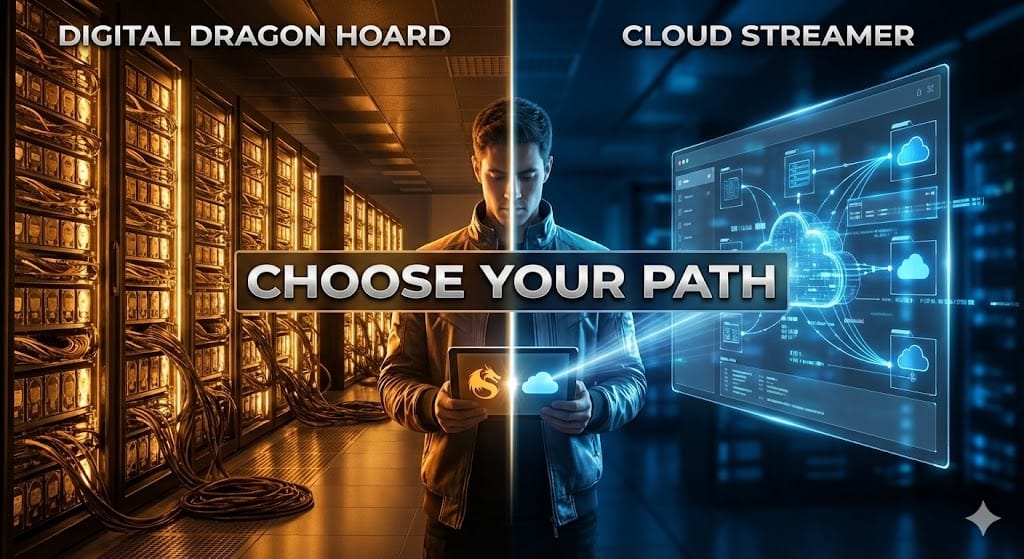
Recommended Hardware
Recommendations below contain affiliate links I may earn a small commission on, at no cost to you.
Best Streaming Devices Available in Canada (2026)
The selection of a streaming client is arguably the single most impactful decision a user makes regarding their viewing experience. In 2026, the hardware market is bifurcated into two distinct categories: mass-market dongles designed for cloud streaming consumption, and enthusiast-grade set-top boxes engineered for local rendering and heavy processing loads. The arrival of new devices, specifically the Google TV Streamer 4K and the Canadian release of the Walmart Onn 4K Pro, has disrupted the value hierarchy, necessitating a detailed technical re-evaluation.
The Power User Choice: Nvidia Shield TV Pro
- Nvidia Shield TV Pro (2019 Model):
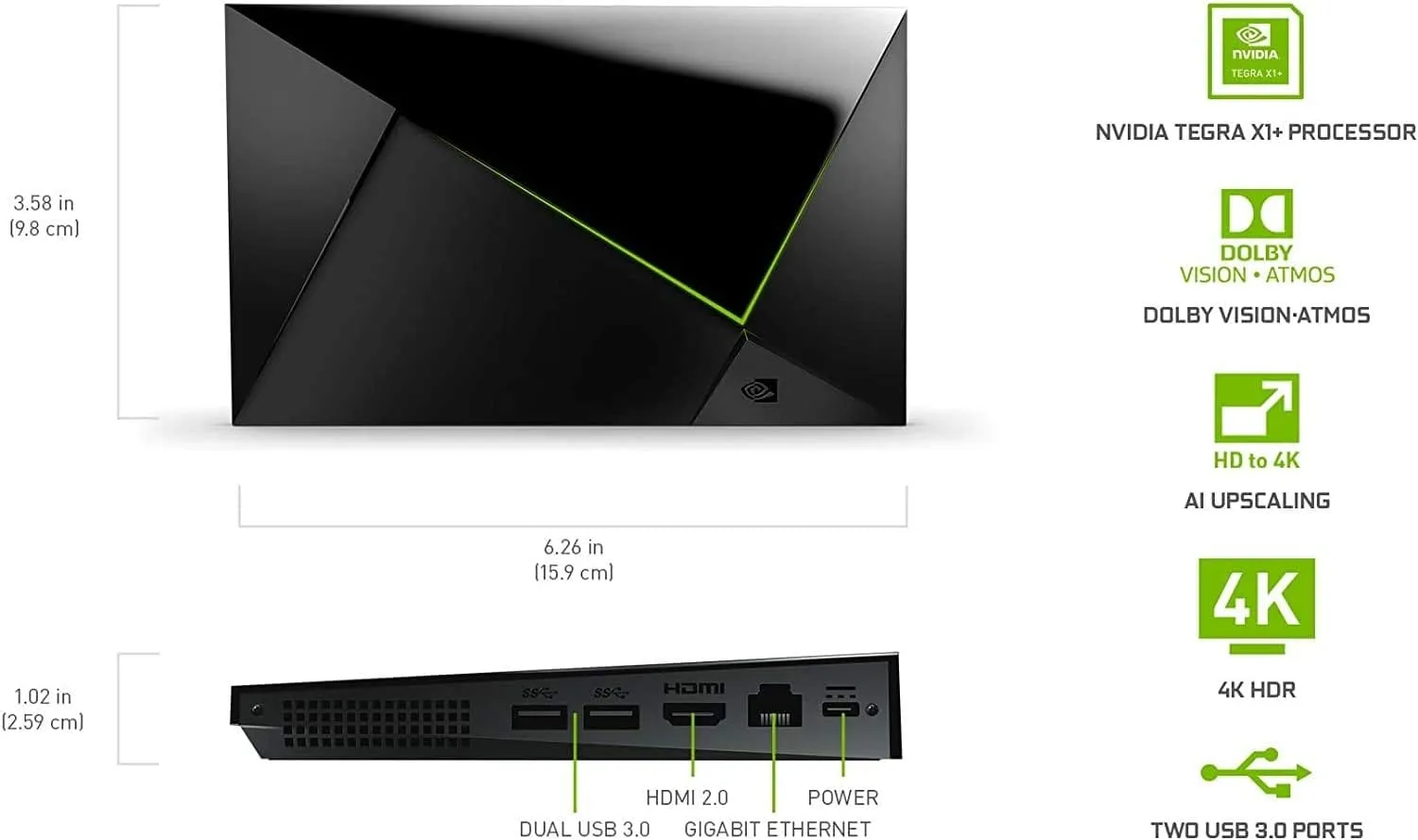
NVIDIA Shield Pro
Android TV Pro | 4K HDR Streaming Media Player, High Performance, Dolby Vision, 3GB RAM, 2x USB, Works with Alexa
- The Verdict: The undisputed king. Despite its age, it remains the only off-the-shelf device that can handle everything you throw at it without stuttering.
- Best For: Plex Server owners, Lossless Audio (TrueHD/DTS-X) fanatics, and Game Streaming.
- The "Core Lab" Test:
- Ethernet: Gigabit (1000 Mbps) ✅
- Audio: Full Passthrough (Atmos/TrueHD) ✅
- Ads: High (Requires custom launcher to fix) ❌
- Buy this if: You own a high-end sound system or want to run your Plex server directly on the box.
- Sideloading: Excellent. It’s designed for developer tinkering.
- Key Features: Dolby Vision/Atmos support, native 4K streaming capabilities w/AI up scaling builtin, customizable interface.
- Remote Control Quality: Backlit, Triangular (won't roll off couch), Best-in-class.
- Price: $250 - $350 (depending on storage)
NVIDIA Shield Deep Dive (2019 Hardware version, latest)
Despite its chipset entering its sixth year of service, the Nvidia Shield TV Pro remains the unparalleled leader for high-end applications. Its dominance is anchored in the Tegra X1+ processor, a silicon architecture originally designed for mobile gaming, which provides a computational overhead that purely media-focused chips lack.
- Audio Passthrough Capabilities: The Shield TV Pro is one of the few consumer devices capable of passing through lossless object-based audio formats, specifically Dolby TrueHD (carrying Atmos metadata) and DTS-HD Master Audio (carrying DTS:X). For users with an Audio/Video Receiver (AVR) and a dedicated surround sound setup, this feature is non-negotiable. Competing devices often decode these formats internally to PCM or transcode them to lossy Dolby Digital Plus, stripping away the dynamic range and spatial precision intended by the audio engineers.
- AI Upscaling: The Shield’s AI-enhanced upscaling utilizes deep learning neural networks to sharpen sub-4K content. This is particularly relevant for cord cutters relying on IPTV services, which predominantly broadcast in 720p or 1080i. The Shield’s ability to upscale this content to 4K in real-time creates a perceptibly superior image compared to standard bicubic scaling found in budget dongles.
- Network Throughput: Equipped with a native Gigabit Ethernet port, the Shield eliminates the bottleneck of USB-based network adapters, ensuring that 100Mbps+ local streams traverse the network without latency.
The Sweet Spot (Best Performance/Price Ratio)
- Google TV Streamer 4K (New for 2025)
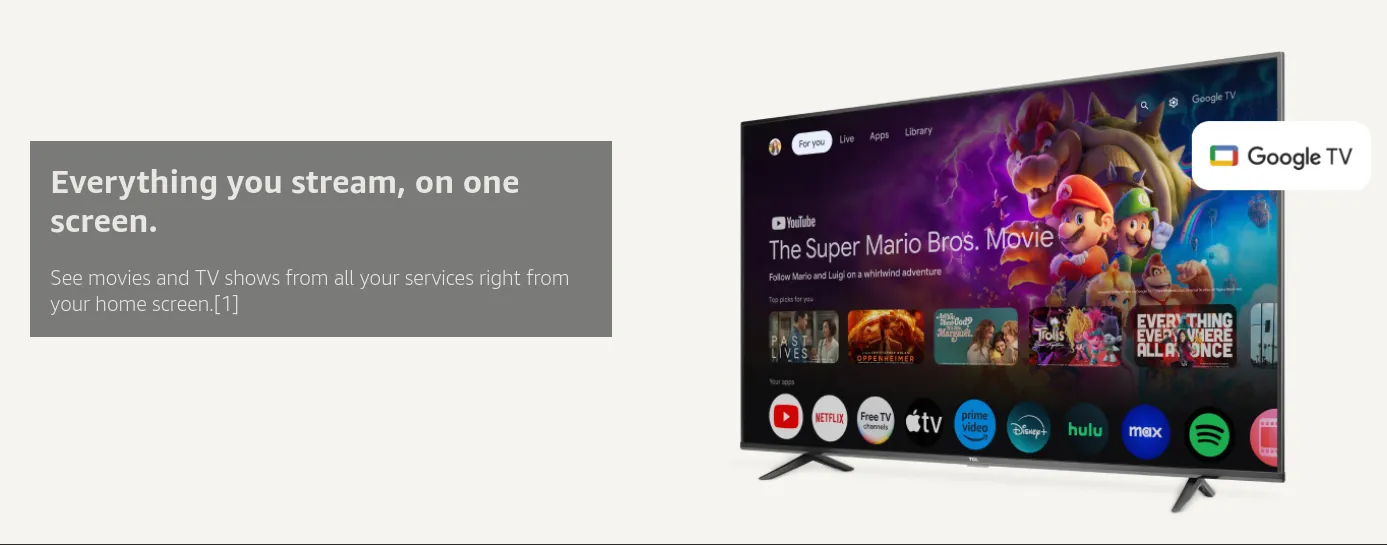
Google TV Streamer 4K
Fast Streaming Entertainment With Voice Search Remote - Watch Movies, Shows, Live TV, and Netflix in 4K HDR - Smart Home Control - 32 GB Storage
- The Verdict: Google’s official replacement for the Chromecast. It finally adds an Ethernet port and a faster processor, making it the most balanced choice for 90% of Canadians.
- Best For: The average family (most people), Smart Home users (it has a Thread radio), and 4K streaming.
- The "Core Lab" Test:Ethernet: Gigabit (1000 Mbps) ✅Audio: Dolby Atmos (via Netflix/Disney+) ✅Ads: Moderate (Google TV interface) ⚠️
- Buy this if: You want a reliable, "it just works" box that is faster than a dongle but cheaper than a Shield.
- Sideloading: Easily accomplished!
- Key Features: Dolby Vision/Atmos support, native 4K streaming capabilities, customizable interface and finally, price!
- Remote Control Quality: Compact, clicky, difficult to find in the dark.
- Price: $99 - $130 CAD (frequent sales)
Google TV Streamer 4K (2024/2025)
Google’s strategic pivot from the Chromecast dongle form factor to a set-top box design with the Google TV Streamer 4K signals an intent to compete in the premium segment, yet technical analysis reveals critical compromises.
- Silicon and Memory: The device is powered by the MediaTek MT8696 SoC, paired with 4GB of RAM—double that of the previous Chromecast. This hardware upgrade resolves the sluggish user interface performance that plagued earlier models, delivering a fluid navigation experience.
- The Dolby Vision Profile 7 Limitation: A significant deficiency for the enthusiast community is the device's handling of Dolby Vision Profile 7, a format common in 4K Blu-ray rips that includes a Full Enhancement Layer (FEL). Tests confirm that the Google TV Streamer ignores the FEL data, falling back to the base HDR10 layer or Profile 8. This results in a loss of 12-bit colour data and dynamic metadata precision, rendering it unsuitable for referencing-quality playback of remuxed media.
- Audio Constraints: Unlike the Shield, the Google TV Streamer does not support the passthrough of lossless TrueHD or DTS-HD MA via widely used apps like Plex or Stremio, forcing a transcode to lossy formats. This limitation categorizes the device as a premium streamer for services like Netflix (which use lossy audio), but not a viable media player for local archives.
Budget & Hassle-Free
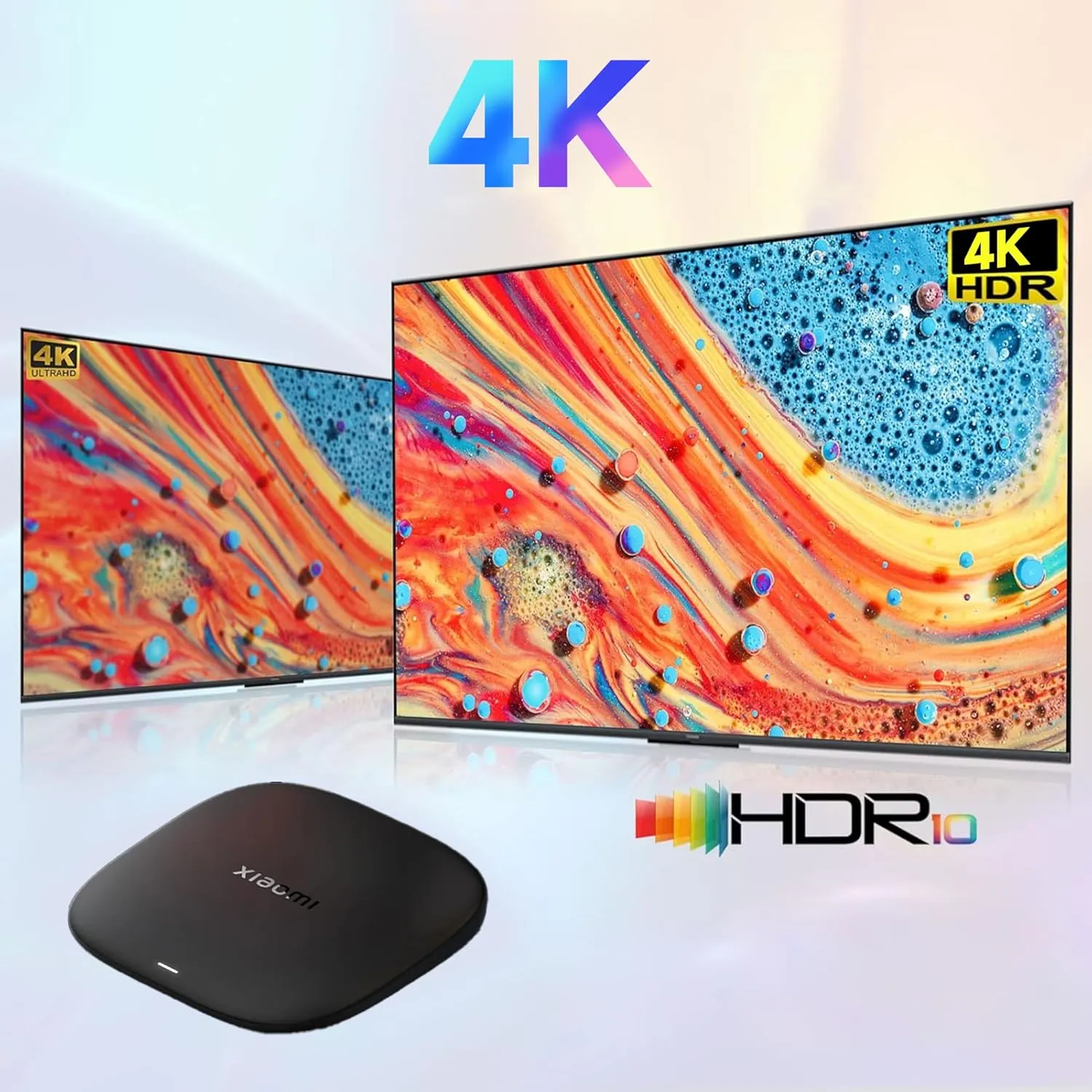
Xiaomi TV Box S 3rd Gen
4K UHD, Google TV, 32GB Memory, Dolby Vision & Atmos, WiFi 6, HDMI 2.1, Fast Streaming, Compact and Powerful
The Verdict: The best "plug-and-play" budget box available in Canada. unlike the Walmart Onn, this requires no VPN tricks to set up. The best "plug-and-play" Android box, but you must check the version!
- The "Great" Version (3rd Gen): 32GB Storage + WiFi 6. Harder to find, but technically superior to even the Google TV Streamer for raw storage.
- ⚠️ Buying Tip: Look specifically for "32GB ROM" on the box. If it says 8GB, it's the older model.
- Best For: Bedroom TVs, Students, and travelers.
- The "Core Lab" Test:
- Ethernet: No (WiFi only, requires USB adapter) ❌
- Audio: Dolby Vision & HDR10+ ✅
- Setup: Plug & Play in Canada (No VPN needed) ✅
- Buy this if: You want a cheap (<$80 CAD) Google TV experience without the "Geofencing" headaches of imported US devices.
- Remote Control Quality: Basic plastic, functional but feels cheap.
Xiaomi TV Box S 3rd Gen Deep Dive
- 4K Ultra HD with Cinematic Visuals & Sound: Supports 4K resolution (3840 x 2160) at 60FPS, Dolby Vision, and HDR10+ for enhanced contrast, brightness, and color accuracy. Delivers immersive audio via Dolby Audio and DTS:X surround sound
- High-Performance Hardware: Equipped with a Quad-Core CPU (up to 2.5GHz) and ARM G310 V2 GPU for seamless navigation and multitasking. Includes 2GB RAM and 32GB internal storage (ROM) for ample app and content space
- Google TV Smart Platform: Runs the latest Google TV OS, offering personalized content recommendations, access to thousands of streaming apps (Netflix, YouTube, Disney+, etc.), and voice control via Google Assistant
- Advanced Connectivity & Decoding: Features dual-band Wi-Fi (2.4GHz/5GHz), Bluetooth 5.2, HDMI 2.1, and USB 2.0 ports. Supports decoding of 4K 60FPS video formats and Google Cast for screen mirroring
- Complete Setup Included: Comes with Xiaomi TV Box S (3rd Gen), voice remote control, power adapter, HDMI cable, and user manual. Compact design (95.25 x 95.25 x 16.7 mm) for discreet placement. Be sure to upgrade software to latest version
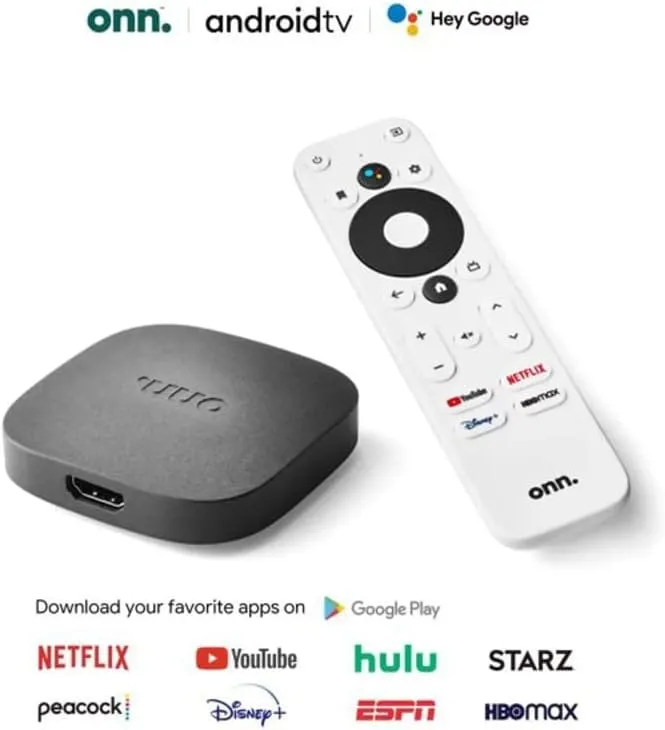
ONN 4K Android TV
4K UHD Streaming Device with Voice Remote Control Google Assistant & High Speed HDMI Cable
- The Verdict: Incredible hardware for the price ($50 USD/$89 CAD), but it comes with a catch for Canadians.
- ⚠️ Warning: If you import this from the US, the initial setup is Region Locked. You must connect it to a VPN-enabled Hotspot (set to USA) to get past the WiFi screen. Once set up, it works perfectly in Canada.
- 😲Warning - The Onn 4K Ethernet Bug & The Fix: The Onn 4K Pro has a known firmware bug with generic USB Ethernet adapters. If you want hardwired Gigabit speeds, you MUST use an adapter with the ASIX AX88179 chipset (like Cable Matters), not the Realtek ones.
- Buy this if: You are comfortable with networking tricks and want hands-free Google Assistant for cheap. If the words "VPN Hotspot" scare you, buy the Xiaomi or Google Streamer instead.
- Sideloading: Easily accomplished since it's Android TV at it's core.
- Key Features: Native 4K streaming capabilities, Dolby Audio, price! The unit utilizes the Mali-G31 chipset, a quad-core ARM Cortex-A35 processor, supported by 2GB of RAM and 8GB of internal storage.
- Price: $50 - $75 CAD (frequent sales)
ONN 4K Deep Dive
- The Ethernet Bottleneck and The Gigabit Workaround: A critical engineering decision by the manufacturer limited the built-in Ethernet port to 10/100 Fast Ethernet. For users streaaming high-bitrate remuxes that exceed 100 Mbps, this physical port becomes a choke point. However, the USB 3.0 port on the device allows for the connection of external Gigabit Ethernet adapters.
- Firmware Update Compatibility Issues: A detailed technical investigation reveals that a firmware update deployed in late 2024 (updating the kernel for Android 12) introduced a regression affecting USB Ethernet adapters. Specifically, adapters utilizing newer revisions of the Realtek RTL8153 chipset often fail to negotiate gigabit speeds or disconnect entirely. Conversely, legacy adapters utilizing the ASIX AX88179 chipset, such as the Cable Matters model 202013-BLK, have been confirmed to maintain stability and gigabit throughput post-update. This distinction is vital for users planning to hardwire their device for maximum performance.
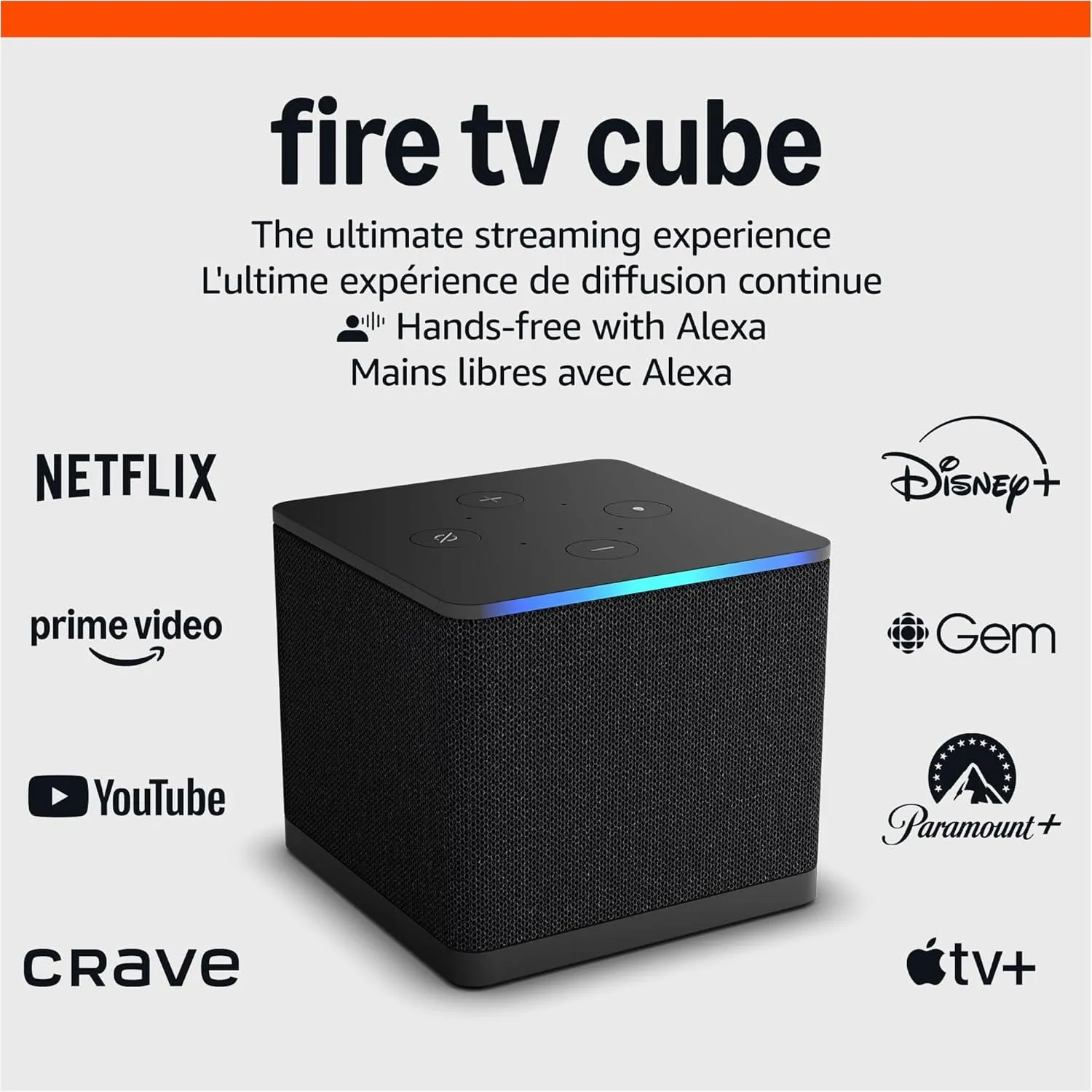
Amazon Fire TV Cube 4K
Amazon Fire TV Cube (newest model), Hands-free streaming device with Alexa, Wi-Fi 6E, 4K Ultra HD
- Why it’s great: The Fire TV Cube is a powerful streaming device with built-in Alexa voice control and a strong focus on connectivity. It’s a solid choice for sideloading, though slightly less streamlined than the Shield.
- Sideloading: Good. The Fire OS allows for sideloading apps, but it requires a bit more technical knowledge.
- Key Features: 8K streaming, Dolby Vision/Atmos, multi-room audio.
- Price: $159.99 - $200 CAD
Quick Comparison: The 2026 Canadian Streaming Hardware Landscape
| Feature | Nvidia Shield TV Pro | Google TV Streamer 4K | Onn 4K Pro (Import) | Xiaomi TV Box S (Gen 3) | Fire TV Stick 4K Max |
| Best For | The Power User | The Smart Home | The Tinker | The Budget King | The Risk |
| Processor | Tegra X1+ (Still the King) | MediaTek MT8696 | Amlogic S905X4 | Quad-Core Cortex-A55 | MediaTek MT8696T |
| RAM | 3 GB | 4 GB | 3 GB | 2 GB | 2 GB |
| Storage | 16 GB | 32 GB | 32 GB | 32 GB (Gen 3 Only) | 16 GB |
| Ethernet | Gigabit (Native) | Gigabit (Native) | 10/100 (Native); Gigabit via USB* | Wi-Fi Only (USB Adapter Req.) | Wi-Fi Only (Adapter Req.) |
| Dolby Vision | Full Suite (Profile 5, 7, 8 + FEL) | Profile 5, 8 (No FEL) | Profile 5, 8 (No FEL) | Profile 5, 8 (No FEL) | Profile 5, 8, 7 (Limited) |
| Audio | Lossless Passthrough (TrueHD/DTS:X) | Lossy Atmos (DD+) | Lossy Atmos (DD+) | Lossy Atmos (DD+) | Lossy Atmos (DD+) |
| OS Platform | Android TV 11 (Ad-Free capable) | Android TV 14 | Google TV (Android 12) | Google TV (Android 11) | Fire OS 8 (⚠️ Blocking Apps) |
| Price (CAD) | ~$260 - $300 | ~$130 | ~$75 (Requires VPN Setup) | ~$80 - $90 (Check Version!) | ~$70 - $80 |
Key Technical Notes for this Table:
- Xiaomi Gen 3 Warning: You must check the box! The "Gen 2" version only has 8GB of storage. The "Gen 3" (2025 Refresh) has 32GB ROM and WiFi 6.
- Onn 4K Pro Ethernet: The built-in port is slow (100Mbps). To get Gigabit speeds, you must use a USB adapter with the ASIX AX88179 chipset (Newer Realtek adapters often fail).
- ⚠️Fire TV Warning😲: Amazon is actively moving to "Vega OS" which may completely block side-loading apps like Stremio or SmartTube. Buy with caution.
OTA Tuners
SiliconDust HDHomeRun: The only tuner worth buying. It puts your free antenna channels onto your network so you can watch CBC live inside Plex or Jellyfin on any TV in the house. Works best if you live in a larger city or on border with USA.
Older Hardware– Excellent Performance & Sideloading Capabilities, maybe can find used / for cheap!
- Xiaomi Mi TV Stick 4K: Xiaomi Mi TV Stick 4K: Good for travel, but lacks the power of the new boxes.
- Why it’s great: This offers a fantastic balance of performance, features, and price. The Mi Box S has a powerful processor and supports Dolby Vision/Atmos.
- Sideloading: Very good. It’s a relatively open Android TV device.
- Key Features: 4K HDR, Dolby Vision/Atmos, Google Assistant integration.
- Price: $119 - $179
- Chromecast with Google TV: Discontinued in 2024, but still a solid buy if you can find one under $40 on Kijiji.
- Why it’s great: The latest Chromecast with Google TV is a solid choice for streaming and has a clean, user-friendly interface.
- Sideloading: Decent. Google TV is becoming more open to sideloading, but it’s still not as straightforward as the Shield.
- Key Features: 4K HDR, Dolby Vision/Atmos, Google Assistant integration.
- Price: $49 - $69
🏅Watching Sports Without Cable in Canada
For Canadian sports fans, replacing cable TV isn't always as simple as subscribing to a single streaming service. Whether you follow the NHL, NFL, Premier League, Formula 1, UFC, MLB, NBA, or CFL, the modern sports landscape is fragmented across multiple providers, each with their own licensing agreements, regional restrictions, and exclusive broadcast rights.
The NHL remains one of the most complex examples. Regional blackouts, split broadcasting rights between Sportsnet and TSN, and exclusive national broadcasts can make it difficult to know which service you actually need to watch every game. However, hockey isn't alone. NFL fans may find themselves juggling DAZN and traditional broadcasters, soccer fans often need multiple subscriptions depending on the league they follow, and motorsports enthusiasts face a separate set of streaming choices entirely.
The good news is that Canadians now have more options than ever before. With the right combination of streaming services, it's possible to follow virtually any sport without a traditional cable package. The challenge isn't access - it's understanding which service carries the content you care about and avoiding unnecessary subscriptions.
Sports Streaming Options & Breakdown:
| Sport | Recommended Service |
|---|---|
| NHL | Sportsnet+ |
| NFL | DAZN |
| Soccer | DAZN / Fubo |
| F1 | F1 TV Pro |
| UFC | Fight Pass |
| CFL | TSN |
NHL
The landscape has been further complicated by the sale of Monday night NHL broadcast rights exclusively to Amazon Prime Video for the 2024-2026 seasons. This means that Monday games are now removed from the traditional Sportsnet/TSN packages entirely, forcing fans to maintain a Prime subscription in addition to their sports packages. Furthermore, Rogers has increased the price of its Sportsnet+ Premium tier to approximately $42.99 per month, a move justified by the consolidation of rights but criticized for its impact on consumer affordability. DAZN, holding rights to the NFL and European soccer, has similarly adjusted its pricing tiers, creating a high cost of entry for a comprehensive sports diet.
Options:
- Sportsnet+
- TSN
- Regional restrictions
NFL
For NFL fans, DAZN remains one of the easiest ways to follow the entire season in Canada through NFL Game Pass International.
With DAZN you've got a lot everything including:
- RedZone!
- Full replays
- Condensed games
- Mobile support
See here for more details - https://www.dazn.com/en-CA/help/articles/18143078690717-how-can-i-watch-DAZN-on-amazon-prime-video-in-canada
Soccer
- DAZN
- Fubo
Formula 1
- F1 TV Pro
- TSN
UFC & MMA
- UFC Fight Pass
- DAZN
Bypassing Blackouts: VPN vs. Smart DNS
To circumvent these regional blackouts and fragmentation, Canadian users have historically turned to Virtual Private Networks (VPNs). However, streaming services have become increasingly sophisticated in detecting and blocking commercial VPN IP addresses.
StreamLocator: A hardware and software hybrid solution that has gained traction involves the use of StreamLocator. Unlike a VPN, which encrypts the entire data tunnel and often results in speed degradation unsuitable for live sports, StreamLocator utilizes Smart DNS technology. It selectively reroutes only the geolocation-identifying packets of the connection. This allows users to access international versions of services—such as NHL.TV (which is not available directly to Canadians without a cable login) or ESPN+ in the US—without the overhead of encryption. This method is particularly effective for Smart TVs and streaming boxes where running a native VPN app can be resource-intensive or technically limited.
The "Dynamic Blocking" Problem: Why IPTV Fails During Games
Sadly in the past few years, ISP's have begun blocking the IP addresses of IPTV & "pirate" servers dynamically, on the fly. Literally DURING the game, they will monitor the sources and do pattern & packet analysis, figuring out who is "re-streaming" and block those IP addresses completely.


Frequently Asked Questions
Is it illegal to use Real-Debrid in Canada?
- No, it is technically a cloud cache service. It's like paying to Google drive. That said, it operates in a grey area. Unlike torrenting, you are downloading via HTTPS, which bypasses the 'Notice-and-Notice' copyright system. However this does not mean you're legally allowed to download a movie or stream live sports that you did not legally acquire.
What is the best free TV app in Canada?
- Pluto TV Canada and CBC Gem are the leaders through 2025 into 2026.
Can I get US channels with an antenna in Toronto?
- Yes, if you have a South-facing line of sight to Buffalo and a decent OTA antenna.
Member discussion