
Jellyfin vs Plex (2026): Which Media Server Is Better for Privacy, Streaming & Transcoding?
Choose Plex if you want easy setup, polished apps, remote access, and family-friendly sharing.
Choose Jellyfin if you want total privacy, no subscriptions, open-source control, and free hardware transcoding.
Choose both if you are a homelabber and want the best of each.
The landscape of self-hosting has shifted. In 2026, we aren't just asking which player looks prettier; we’re asking which platform respects our data sovereignty, handles 4K HDR tone mapping without stuttering, and survives a WAN outage.
I’ve been running Plex since 2011, but as a cybersecurity professional and veteran, my "scrap-lab" philosophy has evolved. This isn't a surface-level review - this is a deep dive into the guts of the two biggest titans in media server software.
For years, Plex has reigned supreme, but the landscape has shifted. It's also a key decision in my Ultimate Self-Hosted Media Server Guide.
This post assumes you're technically familiar with concepts like codecs and network configuration.
We'll be examining how both platforms handle modern challenges, focusing on the current state of both actively developed platforms as of April 2026.
The Core Philosophy: Proprietary Ease vs. Open Source Sovereignty
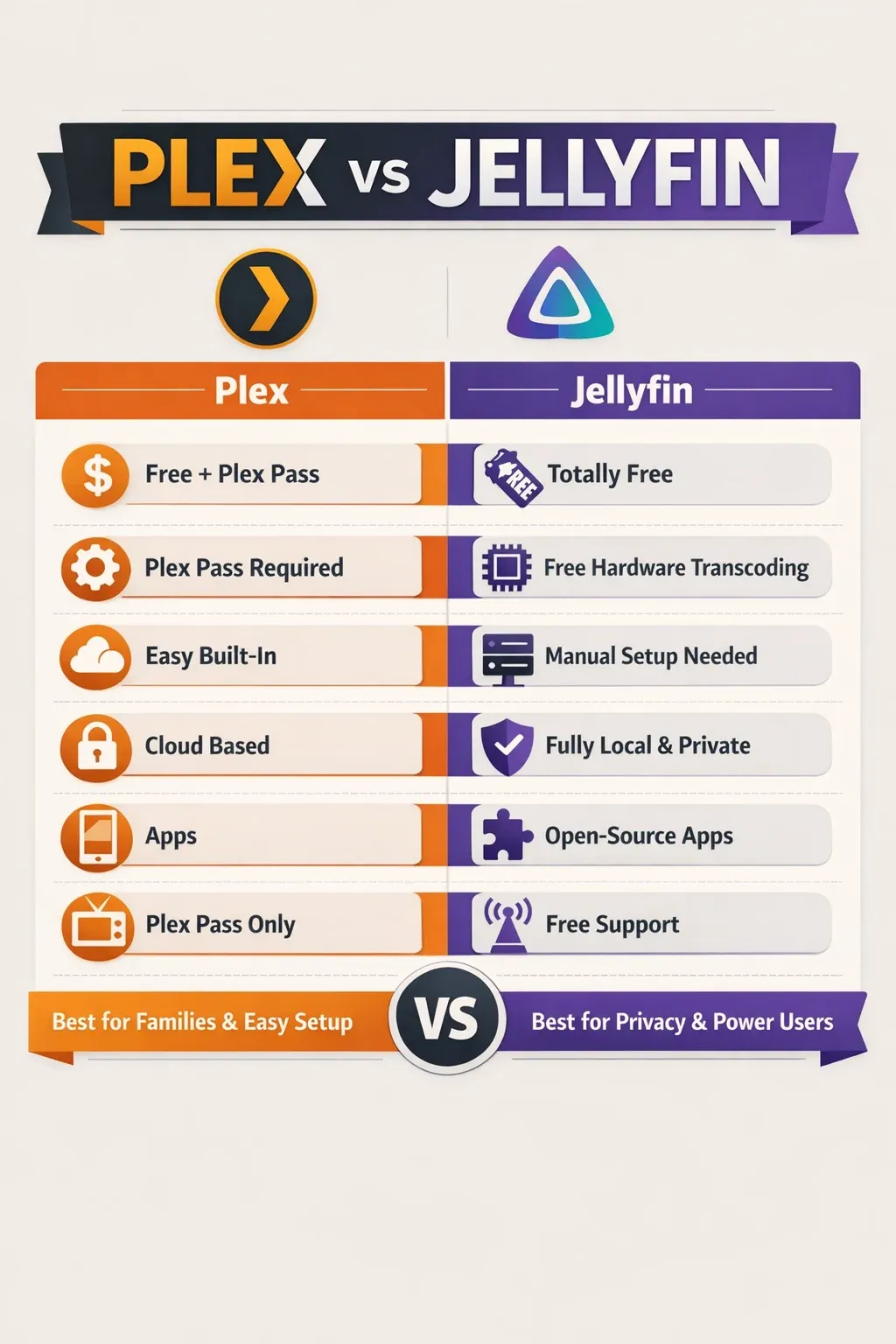
Plex vs Jellyfin Breakdown Table
| Feature | Plex | Jellyfin |
|---|---|---|
| Pricing Model | Freemium (free core features; Plex Pass for premium features like hardware transcoding, live TV, and offline sync) | Completely Free |
| Open Source? | No (Proprietary) | Yes (AGPLv3) |
| Metadata Scraping | Proprietary algorithms, pulls from TMDb, TheTVDB, OMDb, etc. | Open-source metadata scraping (TMDb, TheTVDB, OMDb, etc.) |
| Transcoding | Hardware and software transcoding supported (H.264/H.265, NVENC, Quick Sync, VCE; some features require Plex Pass) | Hardware and software transcoding supported (FFmpeg backend; NVENC, Quick Sync, VCE) |
| Customization | Limited UI customization; some advanced settings | Extensive (plugins, themes, custom code, UI tweaks) |
| User Interface | Polished, user-friendly, consistent across apps | Functional and fully customizable; can be polished with themes/plugins |
| App Ecosystem | Very broad (Web, Desktop, Mobile, Smart TVs, Streaming Devices like Roku, Apple TV, Fire TV) | Growing and community-driven (Web, Desktop, Mobile, some Smart TV support via plugins) |
| Data Storage | Metadata stored locally by default; optional cloud sync for certain features | Metadata stored locally; fully self-hosted |
| Ease of Use | Generally easy for setup and day-to-day use | Slightly steeper learning curve, more manual setup required for advanced features |
| Community Support | Large user base, official forums, documentation, support tickets for Plex Pass | Smaller but very active, developer-focused; open-source issue tracking on GitHub |
| Privacy | Optional cloud features send metadata to Plex; otherwise local | Fully local; complete control over data, no forced cloud integration |
| Long-Term Viability | Tied to Plex’s commercial viability; strong brand and ecosystem | Dependent on community contributions; active development and growing ecosystem |
Just Tell me: Which Should I Choose?
- Best for beginners → Plex
- Best for privacy → Jellyfin
- Best for remote streaming → Plex
- Best for no monthly fee → Jellyfin
- Best for power users / Docker / reverse proxy setups → Jellyfin
- Best for families and non-technical users → Plex
Choosing between Plex and Jellyfin is ultimately a choice of management style.
Plex: The "It Just Works" Media Powerhouse
Plex remains the gold standard for user experience. Its "Plex Pass" model funds a polished ecosystem that feels like a private Netflix. However, that polish comes with strings: mandatory account-based authentication and a proprietary backend.
Jellyfin: Reclaiming Your Data
Born from the Emby fork, Jellyfin is 100% Free and Open Source Software (FOSS). There are no "Gold" or "Pass" versions. You own the code, the metadata, and the authentication. For those of us focused on Data Sovereignty, Jellyfin is the "Blue Team" choice.
If you don't already own a Plex pass, I'd suggest starting out with Jellyfin!
Plex Pass vs Jellyfin: Is Plex Worth Paying For?
Plex Pass Upgrade Options (CAD) as of April 2026
| Plan | Price (CAD) | Best For | Value Notes |
|---|---|---|---|
| Monthly | $8.99 | Testing Features | Most popular for short-term use. |
| Annual | $89.99 | Committed Users | Extra Savings: ~$18 cheaper than monthly. |
| Lifetime | $349.99 | Power Users | Best Value: Pays for itself in ~4 years. |
Check this link for current Plex Pass prices.
I obtained my Lifetime Plex Pass back in roughly 2017, for $79.99 CAD. That is a LOT different than $349.99 today!
If I was just starting out now, it's a 99% certainty I'd go with Jellyfin due to costs alone... And I love Plex! But that's a lot of money...
Which Paid Features Matter?
A Plex Pass does unlock a lot of features for you, and the favorites are pretty important. "Core Lab" favorites that help justify the cost:
- Hardware HDR Tone Mapping: Essential if you're running a mix of 4K and 1080p clients and want to avoid that "washed out" look on older screens.
- Hardware Accelerated Transcoding: Offloads the heavy lifting to your NVIDIA GPU or Intel QuickSync, keeping your CPU usage low for other Docker containers.
- Plex Dash & Varia: Advanced server monitoring and music apps that make remote management much easier.
- Skip Intro + Skip Credits: Intros and credits can now be skipped automatically (bye-bye button), disabled (for credit lovers), or chosen manually each time via the Skip Credits button. (Skip Intro is for personal media only.)
Does Jellyfin Do All This for Free?
It does! Jellyfin offers the same features as mentioned above, completely free. The catch is that some of these are 'addons' or 'extensions' for Jellyfin, like skip-intros, and some of the features are still maturing.
Jellyfin's HDR tone-mapping for example still needs work, and can be more complex to setup.
When is the Cost Justified? (Plex Pass)
If you want the (current) best transcoding experience, the most robust and ubiquitous client apps and easiest user onboarding & management platform, you choose Plex.
If you don't want to setup a reverse proxy to host and serve Jellyfin through securely, or VPN tunnels to where you host it, you choose Plex.
If you want easy server monitoring, with a native Android or IoS app and dashboard like experience, you choose Plex.
You choose Plex if you want simplicity and don't mind sacrificing some privacy. You can read more about that below...
Metadata Battles

Let's begin with the core: media handling and organization. Plex’s strength has traditionally been its metadata scraping and organization. It made this task mostly effortless and simplistic, bringing media servers into the grasp of anyone with a computer. This was magic to people who had been using XBMC for years or Kodi at the time. It excels at automatically identifying media, downloading metadata (artwork, descriptions, cast information), and creating visually appealing libraries. It pulls from online databases like The Movie Database (TMDb) and TVDB (For TV). There is some customization options here as well to add in your own "agent" say, for Anime specifically. The "Plex Pass" subscription unlocks premium features like hardware-accelerated transcoding (more on that later) and advanced metadata management. However, this reliance on proprietary algorithms is also a point of contention for some.
Jellyfin's metadata scraping is similar and powered by open-source projects like The Movie Database (TMDb) and TheTVDB. While the initial setup and library organization might require a bit more manual tweaking, the results can be surprisingly accurate, and the community has developed numerous plugins to enhance metadata retrieval and management. The quality of metadata is constantly improving within the Jellyfin community, and the ability to customize scraping behavior and use custom metadata providers is a significant advantage.
Both platforms support a wide range of media types – video, audio, photos – and offer robust file management capabilities. However, Jellyfin's open nature allows for deeper integration with other open-source tools and services, providing unparalleled flexibility. A key difference here is the level of control. Plex guides you through the organization; Jellyfin empowers you to define it. The ability to use custom scripts and plugins within Jellyfin to manage your media is a powerful differentiation and something Plex has previously depreciated.
Speaking of all this metadata, these are databases! Both Jellyfin and Plex have internal databases that all this key info is stored in. BOTH use SQLite for their databases but both have plans in the future to add others such as PostgreSQL. Both can have their metadata and databases moved onto a separate hard drive or storage array (NVME anyone?) to speed things up, and both have a cache by default which can be expanded. This is an advanced tweak, easiest managed if you're running on a proper server/NAS OS. If you're just starting I highly recommend building your foundation with Open Media Vault 7 and deploying your apps using this Docker Compose Setup Guide.
Metadata management & scraping scores: Plex 9, Jellyfin 8.7
Internal DB Support scores: Plex 8, Jellyfin 8
Transcoding Performance: Hardware Acceleration & Tone Mapping
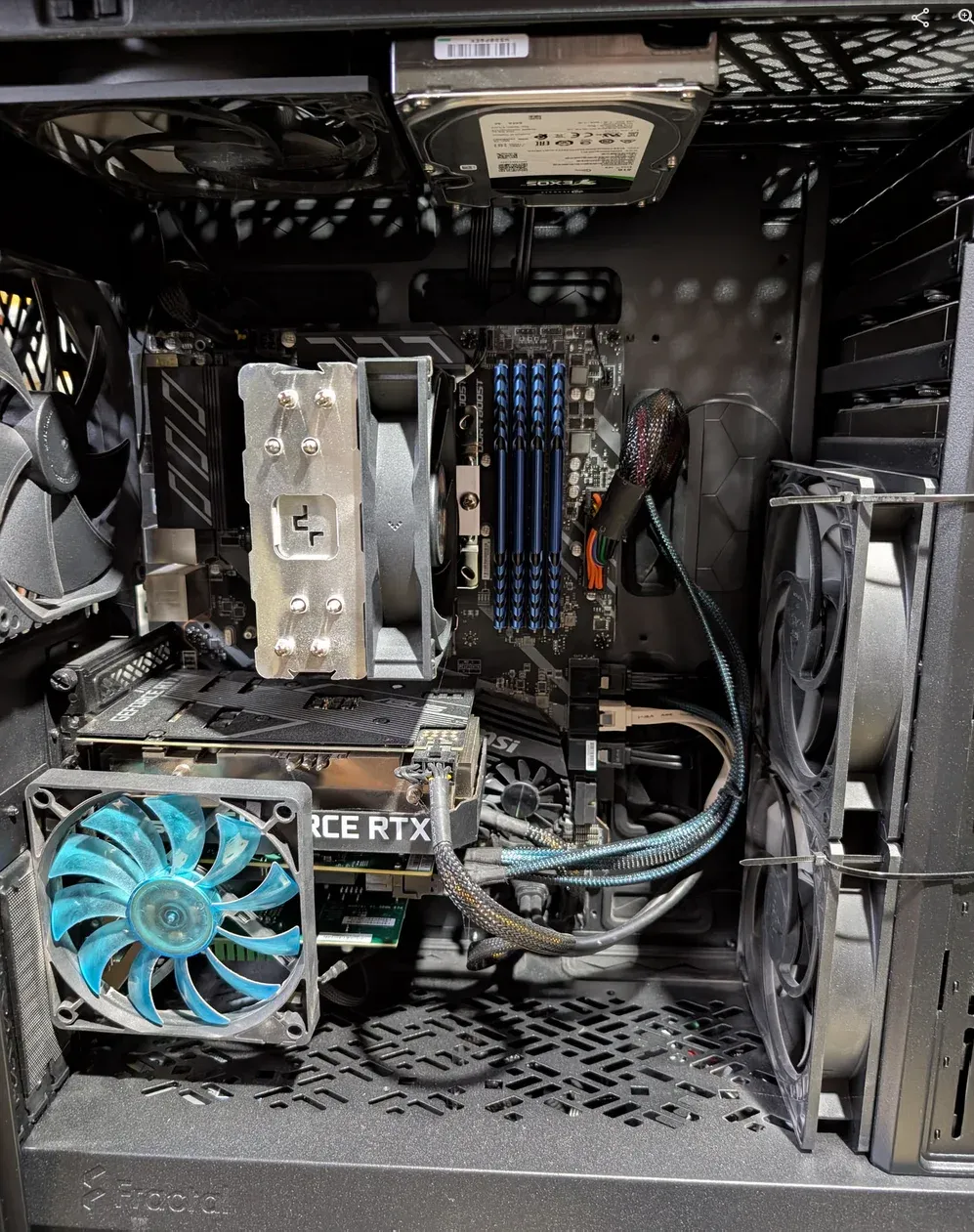
In 2026, transcoding isn't optional; it's a requirement for remote streaming and mobile clients. Many assume they can get away with direct play everywhere; not possible.
NVIDIA NVENC: Professional-Grade Power
If you are running an NVIDIA GPU (like the RTX 3060 or even a "scrap-lab" P400), performance is unmatched.
deploy: resources trap in your Docker Compose. While it's the "official" spec, many stable distros - including specialized ones like CachyOS - require the runtime: nvidia flag to ensure the NVIDIA Container Toolkit hooks correctly into the FFmpeg stack.Intel QuickSync: The Budget King
For low-power builds (N100/N305 mini PCs), Intel QuickSync (QSV) is a miracle. It handles multiple 4K transcodes with negligible power draw. In 2026, Intel's driver stability on Linux is better than it has ever been.
Why is Transcoding Hard?
Transcoding is arguably the most demanding task a media server undertakes. It’s the process of converting media files into formats compatible with client devices. Plex, particularly (and only) with a Plex Pass subscription, offers a sophisticated transcoding engine. It leverages hardware acceleration on compatible devices (Intel Quick Sync Video, NVIDIA NVENC, AMD VCE) to significantly reduce the load on the server’s CPU. The quality of Plex’s transcoding is generally considered very good, although it's often a trade-off between quality and speed. Plex’s transcoding profiles offer a range of presets, allowing users to optimize for different scenarios. However, the proprietary nature of the engine means limited control over the underlying algorithms.
Jellyfin's transcoding capabilities have matured considerably. It also supports hardware acceleration via Intel Quick Sync Video, NVIDIA NVENC, and AMD VCE. However, the implementation is often more reliant on community contributions and may require more technical expertise to configure optimally.
The open-source nature allows for greater transparency and potential for community-driven improvements to the transcoding engine since it's simply FFMPEG. A significant advantage of Jellyfin is the ability to use FFmpeg directly, giving advanced users fine-grained control over the transcoding process. You can customize codecs, bitrates, and other parameters to achieve the desired balance between quality and performance. While the initial setup might be more involved, the potential for optimization is significantly higher. The community is actively working on improving hardware acceleration support and developing custom transcoding profiles. The ability to directly manipulate FFmpeg parameters is a massive boon for those who understand the intricacies of video codecs. It’s worth noting that both platforms are constantly evolving their transcoding capabilities, and the performance gap is narrowing. Lastly, Jellyfin's hardware transcoding is FREE! Did I say free? Cost is $0.00...
HDR Tone Mapping and the "Washed Out" Problem
A few years ago, Jellyfin struggled with HDR-to-SDR tone mapping. That is no longer the case.
- Plex: Handles tone mapping perfectly out of the box (requires Plex Pass). It is the most reliable "set and forget" solution for 4K libraries.
- Jellyfin: As of 2026, Jellyfin’s hardware-accelerated tone mapping is excellent and free. However, it requires a 2-minute dive into the
Dashboard > Playbacksettings to enable the specific hardware filters for your GPU.
The Verdict: Plex wins on Dolby Vision Profile 7 (Blu-ray) stability, but Jellyfin has closed the gap for 99% of 4K HDR10 content.
- Hardware Tone Mapping is now standard: Jellyfin supports full hardware-accelerated HDR-to-SDR tone mapping for Intel (QSV), NVIDIA (NVENC), and even modern AMD/Rockchip hardware. If you have a decent GPU, the "washed-out colors" issue is essentially gone for most users - provided they check the right boxes in the dashboard.
- The "Free" Advantage: Unlike Plex, which gates this behind the Plex Pass, Jellyfin gives you high-quality tone mapping for $0.
The "Still Finitickier" Parts (Warnings)
- The Desktop Client Rewrite: The official Jellyfin Media Player is currently being rewritten (using
libmpvwithgpu-next). While early dev builds support HDR passthrough on Windows 11, the stable release can still be hit-or-miss with auto-triggering HDR on TVs compared to Plex's highly polished Windows app. - Dolby Vision (DV) Profiles: This is still the "final boss." While HDR10 is solid, Dolby Vision Profile 7 (found on 4K Blu-rays) often falls back to HDR10 or has "green/purple" tint issues on certain clients like the Nvidia Shield or Apple TV. Plex still handles these licensed proprietary formats more gracefully out of the box.
 jellyfin
Current Transcoding Capabilities: Plex 9.2, Jellyfin 7.5
Future Potential Transcoding Capabilities: Plex 9.5, Jellyfin 9.5, eventually
If we take COST into consideration: Plex 5.0, Jellyfin 8.0 (Jellyfin hardware transcoding is FREE!)
It's Pretty, I want it Prettier: Customization Comparison
Beyond the core functionality, let's examine features and customization. Plex boasts a polished user interface and a wide array of features, including user management, parental controls, live TV integration (with Plex Pass), and offline syncing. The integrated user experience is undeniably appealing, and the ease of use is a major draw for many users. However, this convenience comes at the cost of limited customization options. You're largely confined to the features and settings provided by Plex. However you can make changes such as chosing to hide or unhide specific media libraries, individual user preferences per "Home User" and client settings such as screen savers and playback preferences. Only since September 2024 has the Plex API been opened for developer use.
Jellyfin alternatively embraces customization. The open-source nature allows for extensive modification of the user interface, the addition of custom features, and integration with other services. The community has developed a plethora of plugins to extend Jellyfin's functionality, from advanced subtitle management to custom dashboards. This level of flexibility is unparalleled in the media server landscape. However, it also comes with a steeper learning curve. Customizing Jellyfin requires a greater understanding of the underlying technology. The user interface, while functional, isn't as visually polished as Plex's. It's almost what some would describe as simplistic, although this is preferred by some people. However, the ability to completely overhaul the UI using HTML, CSS, and JavaScript is a significant advantage for those who desire a truly personalized experience. The open API allows for seamless integration with other applications and services. For example, you could create a custom dashboard that displays media information alongside data from other sources. The ability to extend functionality through plugins and custom code is a key differentiator for Jellyfin. The open nature fosters innovation and allows users to tailor the platform to their specific needs.
Customization & API Score: Plex 8.5, Jellyfin 9
The Client Ecosystem: Who Wins the Living Room?
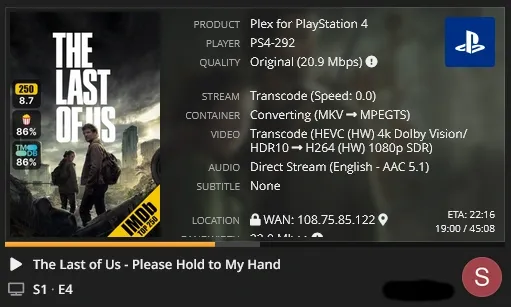
A media server is only as good as the app on your TV.
- The Plex Ubiquity: Plex is on every smart TV, toaster, and fridge. It is the only choice if you are sharing your library with non-technical family members. It's literally, ubiquitous.
- The Rise of Jellyfin Clients: While the official Jellyfin apps have improved, 2026 belongs to third-party clients like Swiftfin (Apple TV) and Findroid (Android). They offer a native, snappy experience that rivals the Plex UI.
Plex has a vast ecosystem of client apps for virtually every platform imaginable – web, desktop, mobile (iOS, Android), smart TVs, streaming devices (Roku, Apple TV, Chromecast) and even cable TV provider set-top boxes & DVRs. It's truly ubiquitous. The apps are generally well-designed and offer a consistent user experience. The availability of apps is a major advantage for Plex. Their apps are so polished and easy to use your grandparents can use them with ease, actually.
Jellyfin's app ecosystem is smaller but growing rapidly. Official apps are available for web, desktop (Windows, macOS, Linux), Android, and iOS. Unofficial apps are also being developed by the community for various platforms, including smart TVs and streaming devices. While the selection isn't as extensive as Plex's, the community is actively working to expand the app ecosystem. The open nature of Jellyfin allows for greater flexibility in app development. Developers can easily create custom apps that integrate seamlessly with the server. The quality of the apps is generally good, although they may not be as polished as Plex's. The community is actively working to improve the apps and add new features. The ability to contribute to the app development process is a key advantage for the community. The open nature fosters innovation and allows users to tailor the platform to their specific needs. The long-term viability of Jellyfin's app ecosystem depends on the continued support of the community which is growing everyday.
🎵 Music: Plexamp vs. The Field
If you collect FLACs or MP3s, this comparison isn't even close.
Plex (Plexamp): Plex doesn't just play music; it offers Plexamp, a dedicated audiophile app (iOS/Android/Desktop). It includes:
- Sonic Analysis: It listens to your library to build "Sonic Adventure" playlists (e.g., "Tracks that sound like this").
- Superb Fades: Smart transitions that match radio DJ quality.
- CarPlay/Android Auto: Flawless integration.
- Verdict: It is arguably better than Spotify.
Jellyfin (Finamp/Symfonium): Jellyfin has no dedicated first-party music app comparable to Plexamp. You rely on third-party clients like Finamp or Symfonium.
- The Good: They are free and support offline downloads.
- The Bad: They lack the "Sonic Analysis" and intelligent mixing features of Plex.
- Verdict: Good for playing an album, bad for discovery.
The Security Audit: A Blue Team Perspective
From a cybersecurity standpoint, how we expose these servers matters.
- Authentication: Plex requires an internet connection to authenticate unless you manually whitelist local subnets. Jellyfin uses local accounts - if the internet goes down, your LAN streaming keeps working.
- Exposure: Never "Port Forward" your media server directly. Use a reverse proxy (like SWAG or Nginx Proxy Manager) combined with CrowdSec to protect your lab from the constant noise of the public internet. Any reverse proxy will work, just make sure you're using one and it's got certificates and supports at least TLS 1.2, better yet up to 1.3 +HSTS.
Directly port-forwarding Jellyfin is allowing anyone and anything to hit your login page with a barrage of attempts. And each time a new CVE comes out, which happens to Plex and Jellyfin at times, waves of bots will be scraping and scanning and hammering all exposed servers. I repeat - do NOT directly expose Jellyfin to the internet.
If you have a decent perimeter firewall like OPNsense, with proper blocklists in place, your Jellyfin instance won't even show up on things like Shodan to be scanned, and securing it behind a firewall and reverse proxy is the proper way to go.
Local Authentication Comparison
What happens if your internet goes down or WAN connection drops?
With Plex, unless you pre-configured your list of IPs/addresses that are local and allowed without auth, Plex won't work.
Jellyfin just keeps on working. Jelly has a win here.
Sharing & Security Comparison & Breakdown
Plex has builtin sharing, user authentication and security. You simply change a setting in PMS (Plex Media Server), port forward 32400/tcp in your router to the outside world, and call it a day. No need to setup a reverse proxy, or anything fancy and there's only ever been a few CVE's against Plex, which none I've heard of were being actively exploited in the wild because they were proactive and responsible disclosures by Plex staff, or white hats. In 2021 PMS (Plex Media Server) was susceptible to become part of a DDoS (Distributed Denial of Service) attack. This was because of a specific UDP amplification CVE.
The complex relationship between various software cannot be overstated however, and in August 2022, the LastPass breach was made possible by attackers installing malware on a LastPass employee's home computer... That was running an out-of-date compromised version of PMS (CVE-2020-5741). So PMS was used as a foothold for a serious attack.
More recently, in 2025 CVE-2025-34158 raised security alarms as it allowed Remote Code Execution (RCE) attacks against unpatched PMS which would allow an attacker to completely takeover the host and have unauthorized access to your PMS. This can only be achieved through crafted packets however which makes it more difficult.
Statement by Plex Inc. themselves:
"We have not been contacted by LastPass so we cannot speak to the specifics of their incident. We take security issues very seriously, and frequently work with external parties who report issues big or small using our guidelines and bug bounty program. When vulnerabilities are reported following responsible disclosure we address them swiftly and thoroughly, and we've never had a critical vulnerability published for which there wasn't already a patched version released. And when we've had incidents of our own, we've always chosen to communicate them quickly. We are not aware of any unpatched vulnerabilities, and as always, we invite people to disclose issues to us following the guidelines linked above. Given recent articles about the LastPass incident, although we are not aware of any unpatched vulnerabilities, we have reached out to LastPass to be sure."
Moving right along - Their centralized services are hosted in the cloud, online, and they do get some stats and metrics out of you. So privacy is the big concern here. They do sell data to 3rd parties but you can opt out! For now...
You can also create up to 15 "home" users which all keep separate track of "watched" status, and can share your plex server with as many "friends" as you want, although they must signup for their own (free) plex account.
💰 The 2025 Plex "Paywall" & Enshitification
Enter early 2025 - Plex changed the way it works for remote streaming outside of your home. All Plex remote streaming must have a paid license now (paywalled). Many view this as the beginning of the end, the "enshitification" of Plex has finally begun. They have always had a monthly & annual fee, and locked certain features behind it such as pre-rolls, trailers and hardware transcoding however the cost monthly is quite low, and as of April 2025, lifetime Plex Pass was $119.99 USD. Only you know if it's worth it for you or not. I bought a lifetime pass back in 2017 for about $79.99 USD / $99 CAD on one of their sales they had once or twice a year.
"As of April 29, 2025, we’re changing how remote streaming works for personal media libraries, and it will no longer be a free feature on Plex. Going forward, you’ll need a Plex Pass, or our newest subscription offering, Remote Watch Pass, to stream personal media remotely.
As a server owner, if you elect to upgrade to a Plex Pass, anyone with access to your server can continue streaming your server content remotely as part of your subscription benefits. Not sure which option is best for you? Check out our plans below to learn more. As always, thanks for your continued support.
Sincerely, Your Friends at Plex"
Up to date details at the link below:
 jerry
jerry
Jellyfin on the other hand, does have builtin user support, but no quick or simple way to instantly share online or security. This can be a deal breaker for some, as you need to expose Jellyfin through a reverse proxy to share it safely! That said, they have great documentation and guides for whatever reverse proxy you utilize.
💥 Security: The CVE & Breach Record
Jellyfin has gained a lot of popularity in the past few years even, and is growing exponentially. Due to this, hackers have also made good use of Jellyfin as an attack vector... See some links here:
https://www.cve.org/CVERecord/SearchResults?query=jellyfin
 GermanCoding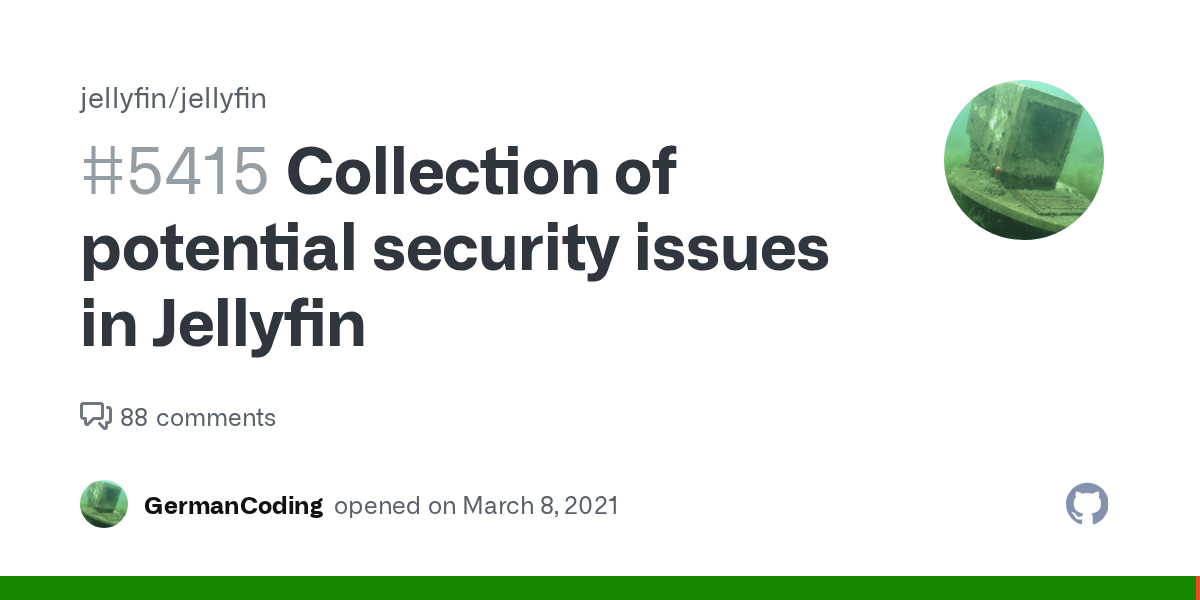
Even still, Jellyfin server totals are likely microscopic in comparison to Plex so far and thus it hasn't been as highly targeted or used in a way that's been publicly announced or exposed, yet. If you make it really easy to hack your system, say by directly port forwarding Jellyfin to the internet, I am certain you'll get some unhappy surprises. If you're an easy target, you'll get someone knocking on your "door" (router/firewall). If you take any level of reasonable measures to secure Jellyfin, hackers, bots and script kiddies will move on. Jump to my selfhosted Fortress series to learn how to secure your services online.
Authentication, Sharing Scores: Plex 8.5, Jellyfin 7.5 (Reverse proxy needed for Jellyfin)
Cybersecurity Scores: Plex 9, Jellyfin 8.5 (No bug bounty program)
Plex vs Jellyfin Summary Comparison Table
| Feature | Plex | Jellyfin |
|---|---|---|
| Cost | Freemium ($120 Lifetime) | 100% Free |
| HW Transcoding | Paid (Plex Pass) | Free |
| Privacy | Centralized Auth | Fully Local / Self-Hosted |
| Offline Mode | Limited (requires config) | Native |
| User Interface | Polished / Modern | Functional / Skin-able |
| Best For | Family Sharing | Privacy Purists / Power Users |
So, "Best" Depends...
➡️Chose Plex if you want the very ready, out of the box ubiquitous player support, fantastic hardware transcoding (and you're willing to pay the license for it) and having to regularly turn off the optional metadata sharing / stats. I have been a Plex user since 2011/2012 but I am ready to swap to Jellyfin at a moment's notice...
▶️Chose Jellyfin if you want complete control over media, metadata, don't want to share watch stats with Plex, and don't mind tweaking settings more to get it flowing just the way you like, and can deal with a few hiccups as they further refine this amazing FOSS software.
You could also, just run both! Share your media with fam & the less technically inclined via Plex, and use Jellyfin at home where you can dig right into customizing and tweaking the system all you like!
How you ask? Just point them towards the same media folders; setup guide here:
 Core Lab Joe
If managing a large local library isn't for you, another popular option is a streaming setup with Stremio and Real-Debrid.
 Core Lab Joe
FAQ: Common Media Server Questions
Q: Is Jellyfin better than Plex?
A: "Better" depends on your values. If you want a "set it and forget it" experience with the best device compatibility (Smart TVs, consoles), Plex wins. However, if you value 100% privacy, open-source code, and free hardware transcoding, Jellyfin is the superior choice for self-hosters.
Q: Why are people leaving Plex for Jellyfin?
A: The shift is mainly driven by "feature creep." Plex has pivoted toward being a streaming aggregator, pushing ad-supported content and social features into the UI. Many "purists" prefer Jellyfin’s clean focus on local media and its lack of telemetry or mandatory cloud accounts.
Q: Does Jellyfin work without internet?
A: Yes, natively. Jellyfin is entirely local; as long as your LAN is up, you can watch your movies. Plex can be configured for offline use, but it’s a manual "opt-in" process that often breaks if you haven't cached your credentials or configured your local subnet in the settings beforehand.
Q: Does Plex require Plex Pass?
A: For basic streaming, no. But for a modern homelab, it’s almost mandatory. Without Plex Pass, you lose hardware-accelerated transcoding (making your CPU do all the work), HDR-to-SDR tone mapping, and the ability to download media for offline viewing on mobile.
Q: Can you run Plex and Jellyfin together?
A: Absolutely. They can both run in Docker on the same machine, pointing to the same media library. The only "gotcha" is hardware acceleration: while Intel QuickSync handles multiple sessions easily, sharing an NVIDIA GPU between two containers requires the NVIDIA Container Toolkit and proper driver passthrough.
Q: Which is better for 4K HDR transcoding?
A: In 2026, it's a tie on performance but a win for Jellyfin on cost. Both support Tone Mapping (converting HDR to SDR for older screens), but Plex locks this behind the Plex Pass. Jellyfin provides it for free via FFMPEG.
Q: Is Jellyfin safer than Plex?
A: Jellyfin is "safer" regarding privacy because it doesn't track your viewing habits or require cloud auth. However, Plex is "safer" regarding ease of use; its "Plex Relay" feature allows secure remote access without you having to open ports or manage a reverse proxy, which reduces the risk of misconfiguration for beginners.
Q: What is the best media server in 2026?
A: For the average user, Plex remains king for its polished apps. For the privacy-conscious enthusiast, Jellyfin is the gold standard. For those who want a middle ground with deep customization, Emby is still a strong third contender.
Member discussion