Why Docker Compose is the 2026 Standard for Self-Hosting

What is docker compose eh? It's the hot thing standard for running multi-container applications in isolated boxes. But managing multiple containers, each with its own configuration, can quickly become a nightmare. That’s where Docker Compose steps in. I started with docker in 2014/2015, and grew into docker compose about 2017/18.
Mastering Docker & Container Orchestration
Master Docker Compose architecture from single-container YAML definitions and host storage binds to multi-stack ecosystem orchestration and automated encrypted off-site volume backups.
Think of docker compose as the conductor of an orchestra – it brings all your individual Docker containers together and makes them work as a single, cohesive application. It's a tool for defining and running multi-container Docker applications. Instead of running docker run commands repeatedly for each container, you describe your entire application stack in a single docker-compose.yml file. This file outlines the services (containers), their dependencies, networks, volumes, and other configurations. Essentially, it's a recipe for your entire application.
Without Compose, you'd be manually linking containers, exposing ports, and handling dependencies. With Compose, all that is automated. Imagine trying to build a Lego castle brick by brick versus using a pre-designed instruction manual – Compose is that instruction manual for your Docker applications.
flowchart TB
    %% ============================
    %% Standalone Containers (docker run)
    subgraph Standalone ["🐳 Standalone Containers (docker run)"]
        C1["📦 Container: Ghost Blog"]
        C2["📦 Container: Jellyseerr"]
        C3["📦 Container: Nginx"]
        C1 --> NET1["🌐 Internet"]
        C2 --> NET1
        C3 --> NET1
    end

    %% ============================
    %% Multi-Container App (docker-compose up)
    subgraph Immich ["📸 Immich (docker-compose)"]
        direction TB
        DB["🗄️ Postgres DB"]
        REDIS["⚡ Redis Cache"]
        ML["🧠 Machine Learning Worker"]
        API["🔌 API Server"]
        WEB["🌐 Web Frontend"]

        %% Interplay between Immich services
        WEB --> API
        API --> DB
        API --> REDIS
        API --> ML
        ML --> DB
        DB --> API
        REDIS --> API

        %% Internet access
        WEB --> NET2["🌐 Internet"]
    end

    %% ============================
    %% Styling
    style C1 fill:#f9a8d4,stroke:#333,stroke-width:1px,color:#111
    style C2 fill:#fcd34d,stroke:#333,stroke-width:1px,color:#111
    style C3 fill:#93c5fd,stroke:#333,stroke-width:1px,color:#111
    style DB fill:#fca5a5,stroke:#333,stroke-width:1px,color:#111
    style REDIS fill:#f87171,stroke:#333,stroke-width:1px,color:#fff
    style ML fill:#86efac,stroke:#333,stroke-width:1px,color:#111
    style API fill:#60a5fa,stroke:#333,stroke-width:1px,color:#111
    style WEB fill:#c4b5fd,stroke:#333,stroke-width:1px,color:#111
    style NET1 fill:#fff,stroke:#333,stroke-width:2px,color:#111
    style NET2 fill:#fff,stroke:#333,stroke-width:2px,color:#111

    %% Subgraph Styling
    style Standalone fill:transparent,stroke:#888,stroke-width:1px,stroke-dasharray:4 4
    style Immich fill:transparent,stroke:#888,stroke-width:1px,stroke-dasharray:4 4
On the left, Docker Compose manages a complex, interconnected stack natively. On the right, standalone containers run independently with basic internet access.
Docker Compose (🍏) vs. Proxmox VMs (🍎): Which is Better for Your NAS or Server?
Let’s put this in perspective through comparison. You might be familiar with Virtual Machines (VMs). A VM emulates an entire operating system, consuming significant resources. Docker containers, on the other hand, share the host OS kernel, making them much lighter and faster. Now, imagine you want to run a web application with a database. With VMs, you’d need a VM for the web server (e.g., Apache or Nginx) and a separate VM for the database (e.g., MySQL or PostgreSQL).
With Docker, you could run the web server in one container and the database in another. Docker Compose then defines how these two containers talk to each other – the database container exposes a port that the web server container connects to. This is significantly more efficient than VMs. Now contrast this with running everything directly on your host OS - that’s messy, difficult to manage, and makes reproducing environments a headache. Docker Compose solves that. It's about defining the relationships between your containers. For example, your web server container might depend on your database container – Compose ensures the database container is running before the web server tries to connect to it. It handles the order of operations.
📓Comparison Table:
| Feature | Virtual Machines (VMs) | Docker (Single Container) | Docker Compose (Multi-Container) |
|---|---|---|---|
| Resource Usage | High | Low | Medium |
| Speed | Slower | Fast | Fast |
| Complexity | High | Medium | Medium |
| Automation | Limited | Basic | Extensive (Entire Tech Stacks) |
| Reproducibility | Fair | Good | Excellent |
| Ideal For | Full operating system emulation | Simple applications | Complex, interconnected applications |
Building Your First Homelab docker-compose.yml
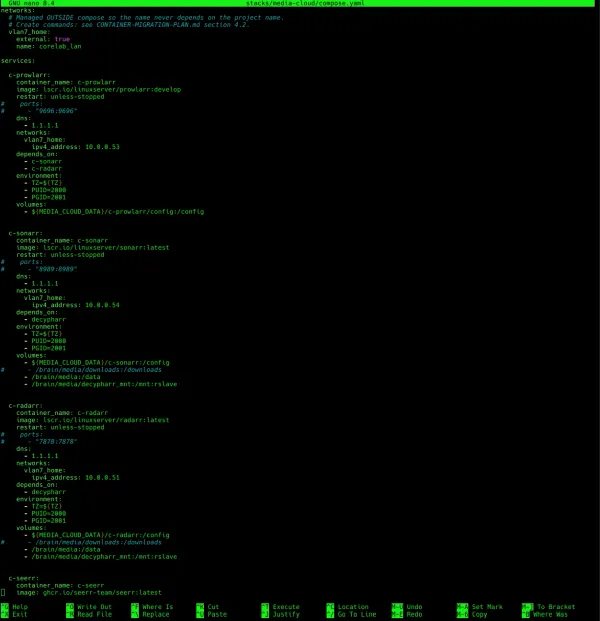
A docker-compose.yml file is written (declared) in YAML, a human-readable data serialization format. It’s structured around "services," each representing a container. Each service definition includes information like the image to use (e.g., nginx:latest, mysql:5.7), ports to expose, environment variables, volumes to mount, and dependencies on other services. A simple example might look like this (simplified):
services:
  web:
    image: nginx:latest
    ports:
      - "80:80"
    depends_on:
      - db
  db:
    image: mysql:5.7
    environment:
      MYSQL_ROOT_PASSWORD: your_root_password
This defines two services: web (Nginx) and db (MySQL). The web service depends on the db service. To run this application, you simply navigate to the directory containing the docker-compose.yml file and run docker-compose up. Compose will build (if necessary) and start all the defined services in the correct order. The beauty here is reproducibility. Anyone with the docker-compose.yml file can recreate your exact application environment.
🏃From a Run to a Sprint
So, how does this benefit self-hosters and homelabbers? Imagine you’re running a Plex or Jellyfin media server, a Immich, Sonarr, Radarr and the whole Arr* stack, and a Home Assistant dashboard. Each of these is a separate application, ideally running in its own container. Managing them individually with docker run is tedious. With Docker Compose, you can define all in a single docker-compose.yml file. You can easily scale them up or down, back them up, and restore them. It simplifies complex setups. Furthermore, it allows for easy experimentation. Want to try a beta release of Radarr? Just change the image name in the docker-compose.yml file and run docker-compose up -d (detached mode). It also makes sharing your setup with others much easier. You can simply share the docker-compose.yml file, allowing others to quickly deploy your application stack. Be careful if you have secrets in there of course!
Think about creating a custom development environment for a project – Compose makes it trivial. Did you also want to lock it down into it's own VLAN or segregated network? Want to run your own self-hosted Obsidian vault with syncing? Compose can handle that too – check out the setup guide at https://corelab.tech/obsidian. Need a reverse proxy and TLS termination for all your self-hosted services? Setting up Nginx via SWAG with Docker Compose.
 Core Lab Joe
Finally, let’s look at some key features and a quick comparison. Docker Compose isn't just about convenience; it's about creating a robust and manageable infrastructure. It supports features like networking (containers can communicate with each other using service names), volumes (persistent data storage), and environment variables (configuration without modifying images). It also integrates seamlessly with Docker Swarm for orchestration across multiple hosts, though that’s a more advanced topic for a different post. Docker compose levels up your homelab automation and allows you to craft your environment and tailor it exactly as you need it.
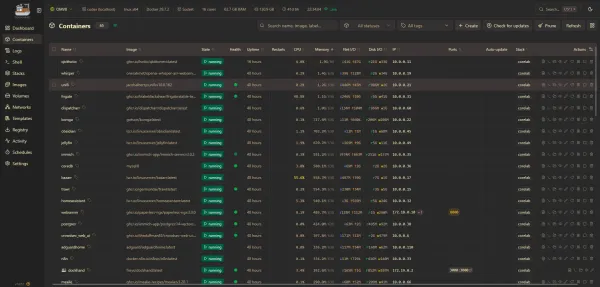
This is how wild (fun!) and advanced your docker compose environment can be, all by typing docker compose up -d
Compose is a crucial step towards truly automating your self-hosting journey. It’s not just about running containers; it’s about orchestrating them into a cohesive and reliable system.
flowchart TD
    %% Docker Networking Top-Down with Host, Internet, and Networks

    %% Internet
    subgraph Internet ["🌐 Internet"]
        NET["🌐 External Internet"]
    end

    %% Docker Host
    subgraph Host ["🖥️ Docker Host"]
        H["💻 Host OS"]
    end

    %% Bridge / Default Network
    subgraph BridgeNet ["🌉 Bridge Network (Default)"]
        B1["🐳 Container 1"]
        B2["🐳 Container 2"]
        B3["🐳 Container 3"]
        H --> B1
        H --> B2
        H --> B3
        B1 --- B2
        B2 --- B3
        B1 --- B3
        B1 --> NET
        B2 --> NET
        B3 --> NET
    end

    %% Host Network Mode
    subgraph HostNet ["🏠 Host Network Mode"]
        HN1["🐳 Container A (shares host network)"]
        H --> HN1
        HN1 --> NET
    end

    %% Macvlan Network
    subgraph MacvlanNet ["🔗 Macvlan Network"]
        M1["🐳 Container X"]
        M2["🐳 Container Y"]
        M1 --- M2
        M1 --> NET
        M2 --> NET
        %% Optional host communication (needs special config)
        class M1,M2 note
    end

    %% IPVLAN Network
    subgraph IpvlanNet ["🌐 IPVLAN Network"]
        I1["🐳 Container Alpha"]
        I2["🐳 Container Beta"]
        I1 --- I2
        I1 --> NET
        I2 --> NET
        %% Optional host communication (needs special config)
        class I1,I2 note
    end

    %% Node Styling
    style H fill:#f88,stroke:#333,stroke-width:2px,color:#111
    style B1 fill:#d8b4fe,stroke:#333,stroke-width:1px,color:#111
    style B2 fill:#d8b4fe,stroke:#333,stroke-width:1px,color:#111
    style B3 fill:#d8b4fe,stroke:#333,stroke-width:1px,color:#111
    style HN1 fill:#93c5fd,stroke:#333,stroke-width:1px,color:#111
    style M1 fill:#5eead4,stroke:#333,stroke-width:1px,color:#111
    style M2 fill:#5eead4,stroke:#333,stroke-width:1px,color:#111
    style I1 fill:#60a5fa,stroke:#333,stroke-width:1px,color:#111
    style I2 fill:#60a5fa,stroke:#333,stroke-width:1px,color:#111
    style NET fill:#fff,stroke:#333,stroke-width:2px,color:#111

    %% Subgraph Styling (dashed outlines)
    style Host fill:transparent,stroke:#888,stroke-width:1px,stroke-dasharray:4 4
    style BridgeNet fill:transparent,stroke:#888,stroke-width:1px,stroke-dasharray:4 4
    style HostNet fill:transparent,stroke:#888,stroke-width:1px,stroke-dasharray:4 4
    style MacvlanNet fill:transparent,stroke:#888,stroke-width:1px,stroke-dasharray:4 4
    style IpvlanNet fill:transparent,stroke:#888,stroke-width:1px,stroke-dasharray:4 4
    style Internet fill:transparent,stroke:#888,stroke-width:1px,stroke-dasharray:4 4

    %% Special note for macvlan/IPVLAN host communication
    classDef note stroke-dasharray: 2 2,color:#111,stroke:#666,stroke-width:1px;
❓ Frequently Asked Questions (FAQ)
What is Docker Compose?
Docker Compose is a tool for defining and running multi-container Docker applications. Instead of running docker run repeatedly for each container, you describe your entire application stack — services, networks, volumes, and dependencies — in a single docker-compose.yml file, then bring it all up with one command.
What's the difference between Docker and Docker Compose?
Docker runs and manages individual containers. Docker Compose sits on top of Docker and manages multiple containers as a single application — handling how they're networked together, which ones depend on which, and the order they start in. If your app is just one container, plain Docker is fine; the moment you have two or more that need to talk to each other, Compose is the easier path.
Do I need Docker Compose for a homelab?
If you're running more than one self-hosted service - a media server, an Arr stack, Home Assistant, Immich - yes. Managing each with individual docker run commands gets tedious fast. Compose lets you define your entire homelab stack in one file, scale it up or down, and reproduce the exact same setup elsewhere just by sharing that file.
What is a docker-compose.yml file?
It's a YAML file that declares your application as a set of "services" (containers), each specifying the image to use, ports to expose, environment variables, volumes to mount, and dependencies on other services. Running docker-compose up in the same directory builds and starts everything it describes, in the correct order.
Is Docker Compose the same as Docker Swarm?
No. Docker Compose defines and runs a multi-container application on a single host. Docker Swarm is Docker's orchestration tool for running containers across multiple hosts. Compose files can actually be used as the basis for a Swarm deployment, but Swarm itself is a separate, more advanced topic.
Is Docker Compose free to use?
Yes - Docker Compose is free and open source, and ships bundled with Docker Desktop and Docker Engine. There's no separate license or cost to use it.
Ready to unlock the full potential of your self-hosting setup? Stop wrestling with individual Docker commands and embrace the power of orchestration.
Head over to my detailed guide and learn how to create your first Docker Compose project – the beginning of your digital independence!
 Core Lab Joe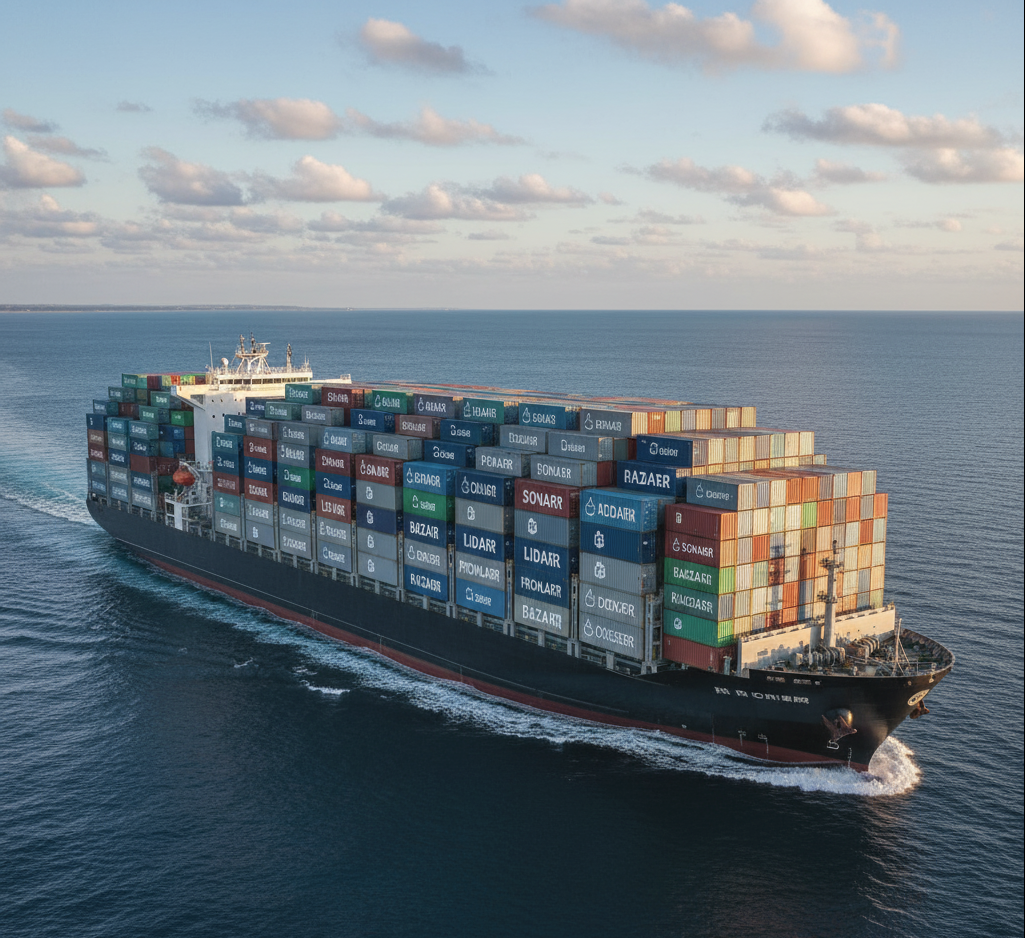
Then, look at backups -
Now that you know how to build your stacks, you need a simple way to back up all your Docker containers.
Written by
On this page
What's Next?



Cybersecurity Threat Intel: What the Critical PHP RCEs and Tailscale Disclosures Mean for Homelabbers
The past 72 hours delivered a brutal one-two punch: critical PHP RCEs ('php2shell') followed by a 12-hour-old Tailscale SSH socket vulnerability disclosure. Here is my technical breakdown and how I hardened my homelab.