
Beyond Default Deny: Reducing Attack Surface & Exposure in 2026
Is Obscurity Actually Dead?
For decades, the cybersecurity industry has parroted the mantra: "Security through obscurity is no security at all." In a world of credential stuffing and zero-day exploits, that’s largely true. Hiding a weak password doesn't make it a strong one.
Its purpose is to further reduce attack surface visibility, suppress low-value scan noise, and add behavioral threat response through CrowdSec.
This is part of the Core Lab OPNsense Mastery series:
The OPNsense Architect
In 2026, the landscape has shifted. With AI-driven bots mapping the entire IPv4 (and much of the IPv6) space in real-time, discoverability is a liability. If a bot can’t find your login page, it can't brute-force it. Today, we don't call it "obscurity", we call it Attack Surface Reduction. Here is how you make your WAN IP a "ghost" using modern tools and a "Scrap Lab" mindset.
Summary WAN Attack Surface Reduction Checklist
| Strategy | Tool/Tech | Benefit |
|---|---|---|
| Scanner Blocking | OPNsense / pfSense Aliases | Blocks known Shodan/Censys ranges. |
| Geofencing | MaxMind GeoIP Databases | Drastically reduces the "attack surface" by geography. |
| Dynamic Defence | CrowdSec / Dynamic Threat Feeds | Leverages global intelligence to block bots early. |
| The "Ghost" Move | Cloudflare Tunnels | Removes the need for open ports entirely. |
I've achieved this by hardening OPNsense 26.1.x, but you can probably follow this guide to enact similar changes on almost any firewall worth it's silicon!
Basically you're wrapping your WAN IP in a cloak, as you disappear from scanners & maps!
1. The Foundation: OPNsense 26.1 (Witty Woodpecker)
You don’t need a $2,000 enterprise rack to run a hardened perimeter. A repurposed small-form-factor PC (like an old Alienware or Optiplex) is more than enough. The key is the software that's running on it.
With the OPNsense 26.1 release, the new Divert Mode for Suricata 8 is a game-changer. Instead of traditional "inline" processing that eats CPU cycles, Divert Mode allows the firewall to selectively hand off suspicious traffic for inspection. It’s leaner, faster, and perfect for hardware that’s seen a few years of service.
 Core Lab Joe
It could be said that employing a IDS/IPS immediately, is a bit overkill. That said, it's one way to aggressively defend your network edge! An easier but no less effective set of steps is below 👇
2. Blacklisting the Voyeurs (Shodan & Censys)
The first step to obscurity is telling the professional "mappers" to look elsewhere.
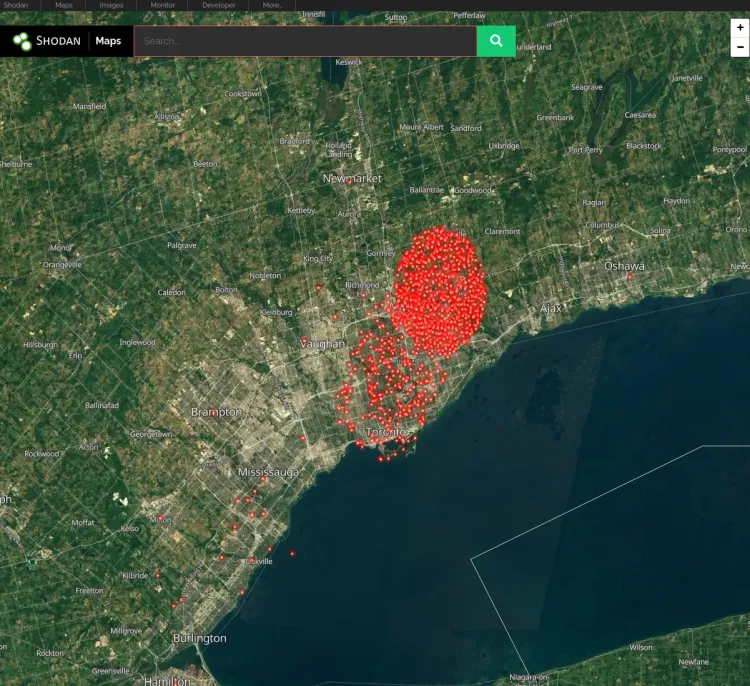
Shodan and Censys are the Google of the dark side...
If you are in their database, you are a target. This is where the script kiddies, and surface level / low level hackers go to find easy targets. It's free info and very cheap for their paid tier of data that even comes with an API!
- The Strategy: Create an Alias in OPNsense for "Scanner-Opt-Out."
- The List: Pull the official IP ranges from Censys and Shodan’s opt-out documentation or - use what I use, a curated 'safe' but continuously aggregated & updated list from Stamparm / Ipsum.
- Here's the Alias list to use:
https://raw.githubusercontent.com/stamparm/ipsum/master/levels/3.txt
- Here's the Alias list to use:
- The Rule: Set these to BLOCK on your WAN interface.
- Why BLOCK? Using "REJECT" sends a packet back saying "Go away." Using "BLOCK" sends nothing. To the scanner, your IP appears as a dead END - total SILENCE. It's as if there no device on the other end even listening.
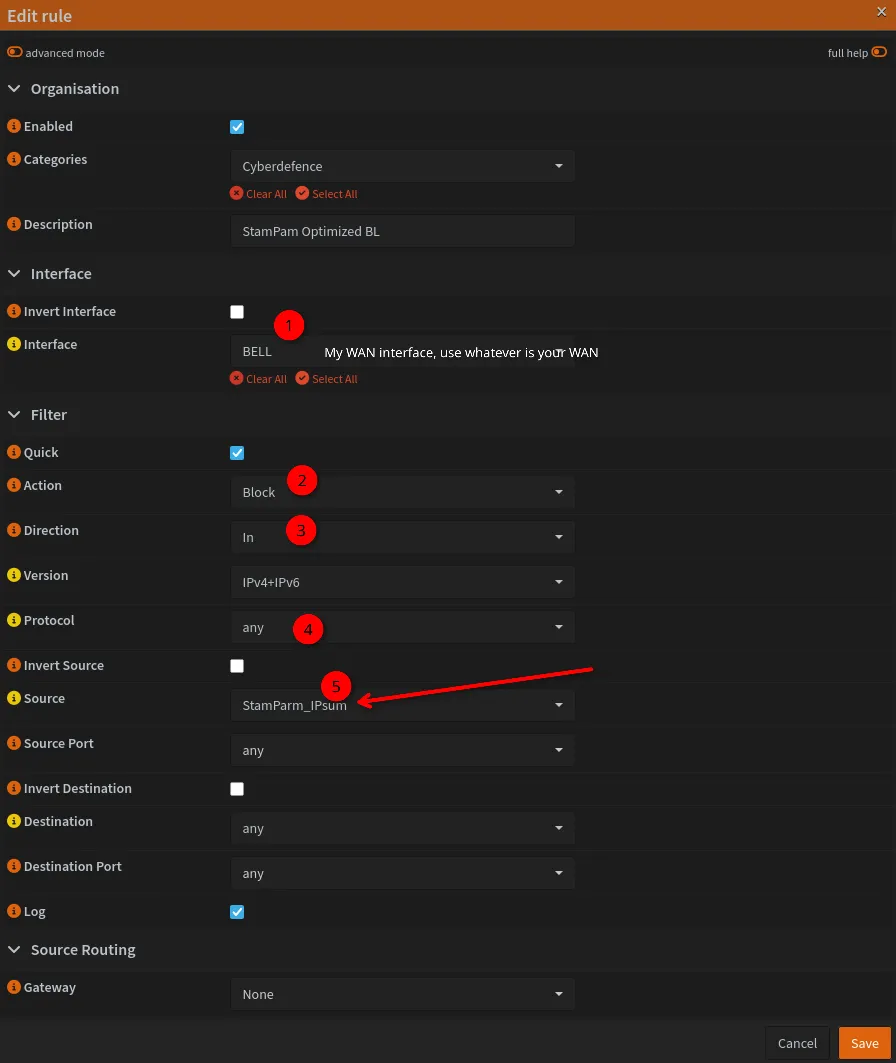
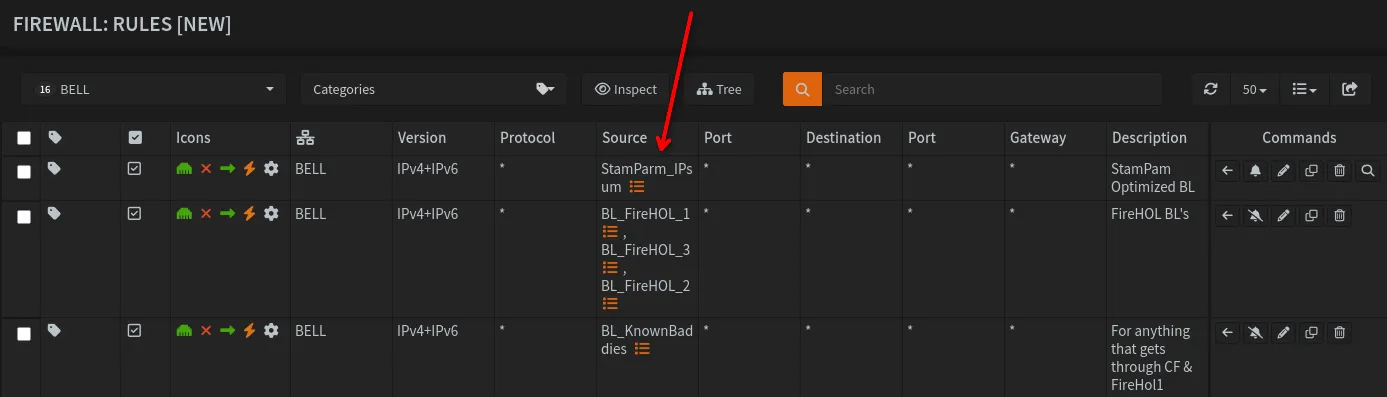
I got a hit within a couple minutes of enabling the new rule & list!

If you still see yourself showing up in online scanner tools, check the latest subnets from Censys Opt-Out Docs.
3. Geofencing: The Border Patrol
If you don't expect traffic from outside your home country, why allow it? Using the MaxMind GeoIP database (or the built-in OPNsense GeoIP alias), you can drop traffic from entire continents. It’s a blunt instrument, but it eliminates 90% of the automated "background noise" of the internet.
Although this has a very limited effect due to opnsense deny inbound by default, it's very easy to enable and makes it that much harder for anyone who does find your IP. Here are the detailed steps to enable Geofencing/blocking in OPNsense.
4. Real-Time Crowd Defense: CrowdSec & Q-Feeds
Static lists are great, but the internet moves too fast for them. You need a defense that learns and adapts live.
- CrowdSec: Think of this as a neighborhood watch for your firewall. When a bot tries to attack a server in London, that IP is shared with the CrowdSec network. Your firewall pulls that "community blocklist" and drops the bot before it ever touches your WAN.
- Q-Feeds: For 2026, the Q-Feeds Community plugin is essential. It provides high-fidelity, daily-refreshed threat intelligence, giving your homelab the same "reputation-based" blocking power used by major corporations.
To setup CrowdSec & Q-Feeds, you need to install them from OPNsense plugins.

Side-step here to setup CrowdSec and then come back to finish the rest!
You get there via System->Firmware->Plugins and then search "q-feed" and you'll see it, click the little + to install it.

Then you CTRL-R to reload the OPNsense webgui and you'll see a new menu item under Services (Or Zenarmor if you have that installed),🛡️Security.
You'll need to sign up for a free Q-Feeds account to get an API.
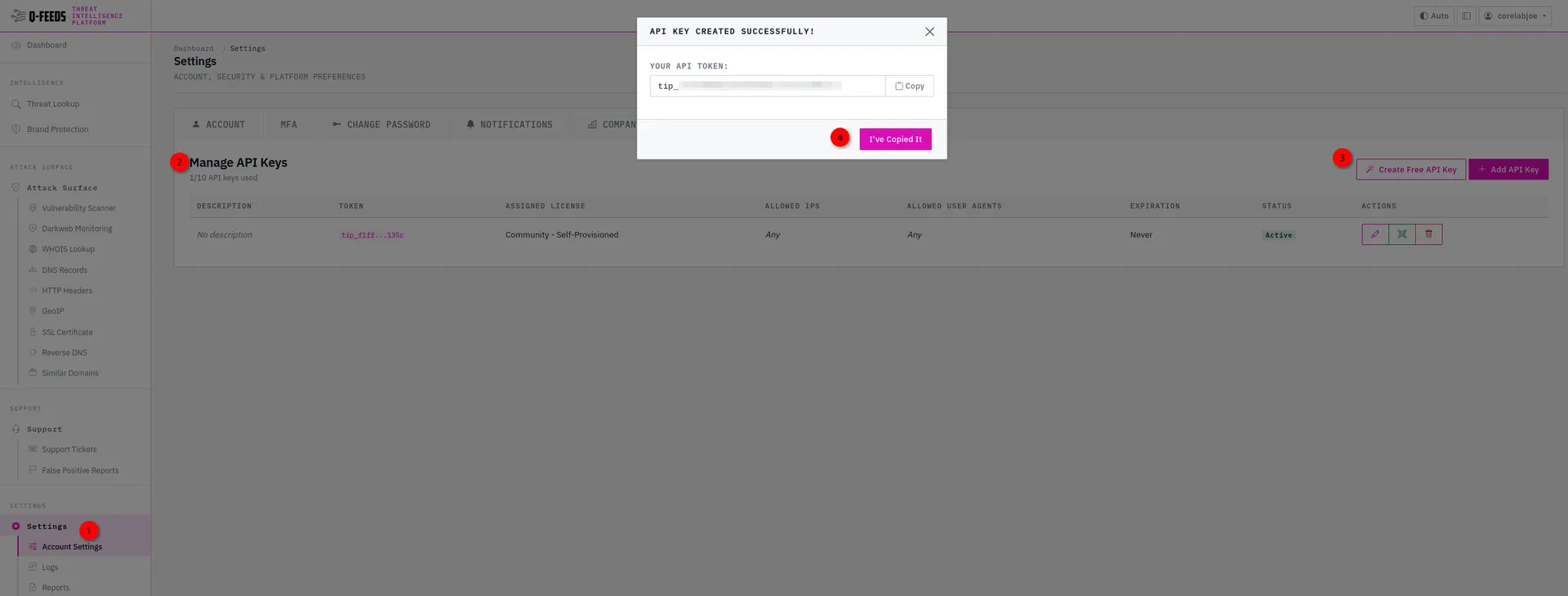
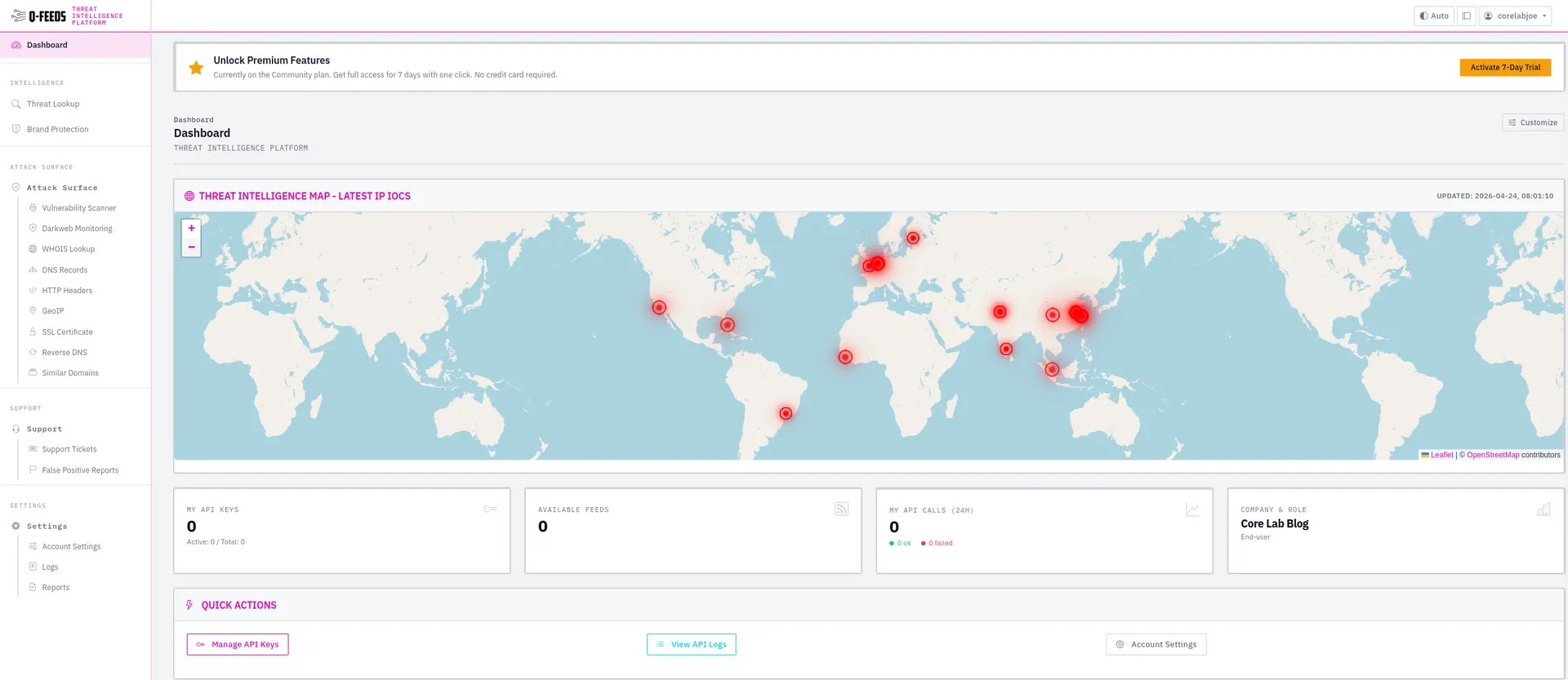
Q-Feeds Account dashboard (Right side) and API key (Left side)
So Security->Settings->Slap your Q-Feeds API in, click save & apply.

Once you've slapped your API key in, just hit the Feeds tab and ensure you see your firewall has downloaded them and they are ready.
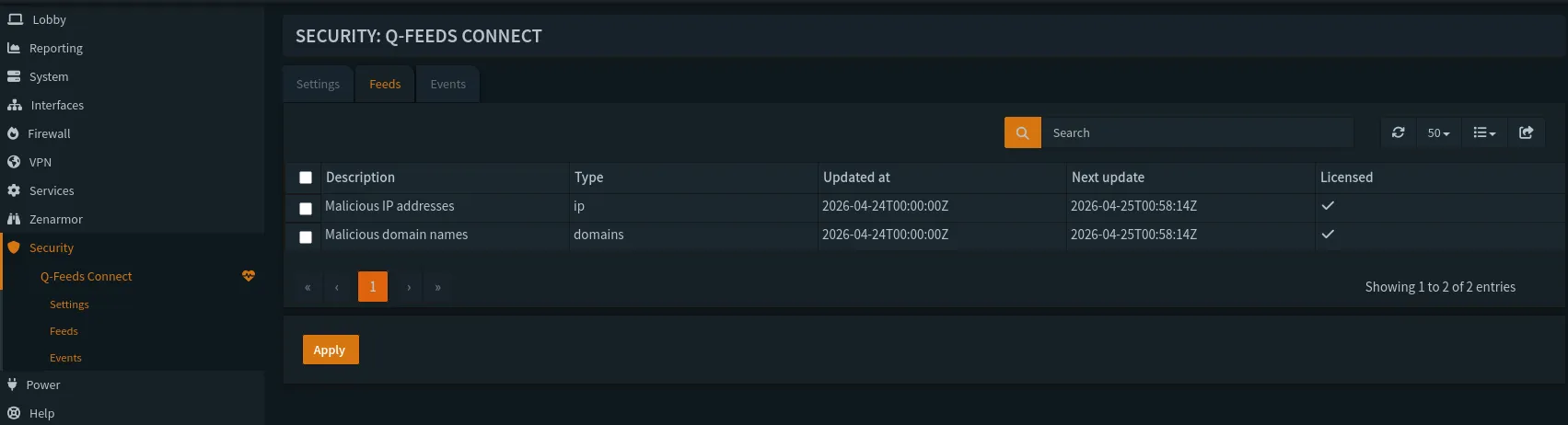
For the final step, you need to setup firewall rules actually utilizing the __qfeeds_malware_ip alias. They recommend one for WAN and LAN each.

Basically within moments of enabling the new rule, I was getting hits! I put it at the top of my WAN blocklist as well, so I'd see how effectively (or not) it blocks things. Q-Feed Community edition is only updated every 7 days, so it's not going to protect you from current threats immediately but this is what your CrowdSec & other blocklists are for.
This is why I have multiple layers of defences enabled 😉


Want to setup all of the Core Lab's recommended Blocklists? Check out the Core Lab Ultimate OPNsense guide part 1, where we setup alias' for multiple threat feeds, inverse RFC1918 rules and more!
This is easily one of the best defences you can enable, and essentially makes you a hard target for all except attackers or scanners with the newest undocumented IP addresses.
5. The "Final Boss" Move: Tunnels and Stealth Ports
If you want to be truly invisible, stop opening ports altogether. This is most people's favorite tactic if you read online about how to be secure. This is the best choice if you have absolutely no reason to open a port, or provide a service via a website or reverse proxy. But if you want to share Plex or Jellyfin with friends & fam easily (Who wants to teach Grandma to use a VPN? Or Uncle Larry?) then you still need to open a port.
- Cloudflare Tunnels: By running a lightweight daemon (Cloudflared) in a Docker container, you can host your blog or services without opening a single port on your firewall. The connection is outbound only.
- Single Packet Authorization (SPA): For things like WireGuard, use SPA. The port remains closed to everyone until it receives a cryptographically signed "knock." To a Shodan scan, the port is simply closed.
- Non-Standard Ports: It’s the oldest trick in the book, but moving a service from port 22 or 443 to something in the 40,000+ range still eliminates 95% of the "automated noise." It won't stop a targeted manual scan, but it keeps you off the "low-hanging fruit" lists.
A Note on IPv6 Privacy
In 2026, there's no ignoring IPv6. Ensure Privacy Extensions (RFC 4941) are enabled if you utilize IPV6. This prevents your devices from using a static "fingerprintable" address based on their hardware (MAC address), instead generating temporary addresses for outgoing traffic.
What I've done is disable IPV6 entirely from my network, in OPNsense. My ISP doesn't provide or utilize IPV6 and I don't need it for anything in my network.
The Conclusion: Defence in Depth🛡️
Obscurity isn't a replacement for a strong password or MFA - it’s the camouflage that keeps the enemy from finding your fort in the first place. By combining a hardened OPNsense perimeter with dynamic blocklists and "silent" firewall rules, you aren't just obscure; you're unreachable.
Except... If you host a public blog, like this one 😉... In that case, there's other mitigations at the CloudFlare/DNS level too.
Technical Appendix: The "Ghost" Configuration
1. Implementing Suricata 8 "Divert" Mode
In OPNsense 26.1, moving to Divert Mode is the single best way to optimize your hardware's resources. It bypasses the overhead of Netmap while providing full IPS capabilities.
- GUI Path:
Services > Intrusion Detection > Administration - Settings:
- Mode: Change from
IPS (Inline)toDivert. - Listeners: Set to (whatever matches your CPU cores)
8(matches my i5-8600K’s thread count).
- Mode: Change from
- The Firewall Rule: Go to
Firewall > Rules > WAN.- Open your "Allow" rule for services (e.g., Plex, Ghost).
- Enable Advanced Mode (top left).
- Find Divert-to and select
Intrusion Detection. - Result: Only traffic you allow is inspected, saving massive CPU cycles.
2. Fixing the CrowdSec "ISO Timestamp" Bug
If your CrowdSec dashboard is suspiciously quiet on 26.1, it’s because the log format changed to RFC 5424. You must manually update your parsers.
- Note: If "Parsed" count stays at 0, your logs are being read but not understood. This command fixes the "blindness."
CLI Command:Bash
# Update the hub and force upgrade the OPNsense parser
sudo cscli hub update && sudo cscli hub upgrade
# Verify ingestion
sudo cscli metrics show acquisition
3. The "Censys Opt-Out" URL Table
Instead of manually entering IPs, use a URL Table (Alias) that refreshes every 24 hours.
- Alias Name:
Scanner_OptOut - Type:
URL Table (IPs) - URL:
https://raw.githubusercontent.com/censys/censys-blocklist/main/blocklist.txt(Note: Ensure this is the 2026 verified repo). - Action: Set a Floating Rule to DROP on WAN Inbound for this Alias.
Security through Obscurity: The FAQ
Q: Doesn't "dropping" packets slow down my firewall compared to just ignoring them?
A: Actually, DROP is the most efficient action. It simply discards the packet without sending a response. REJECT, on the other hand, requires the firewall to generate and send an "ICMP Unreachable" packet back, which uses more CPU and—crucially—proves you are alive.
Q: Can my "Scrap Lab" hardware (i5-8600K) really handle real-time AI scanning?
A: Yes. In 2026, the bottleneck isn't raw frequency; it's instruction sets. The 8th-gen i5 handles AES-NI and packet inspection via Divert mode easily at 1Gbps. You’d likely only see a hit if you were running multiple high-speed 10Gbps SFP+ lanes.
Q: If I use a VPN or Cloudflare Tunnel, do I even need blocklists?
A: Tunnels move the "door" to the provider's edge, which is great. However, scanners like Shodan can still find your WAN IP through other means (like previous history or your ISP's lease). Having the blocklists at the firewall level is your fail-safe in case the tunnel goes down or a service is accidentally exposed.
Q: Will Geoblocking break my legitimate traffic?
A: Only if you host services used by international friends. If you host a blog for a local audience, geoblocking everything but your home country/continent is the single fastest way to reduce your "log noise" by up to 95%.
Q: How do I verify I am actually "hidden"?
A: Use the Shodan CLI or a tool like nmap from an external VPS.
# Run from a remote server to check your WAN IP
nmap -Pn -sS -p 80,443,8080 [Your-WAN-IP]
If the result is "All ports filtered" or "Host seems down," congratulations—you’ve successfully achieved obscurity.

Member discussion