
The Ultimate Media Server Guide (2026): Plex vs. Jellyfin vs. Cloud-Hybrid Stacks
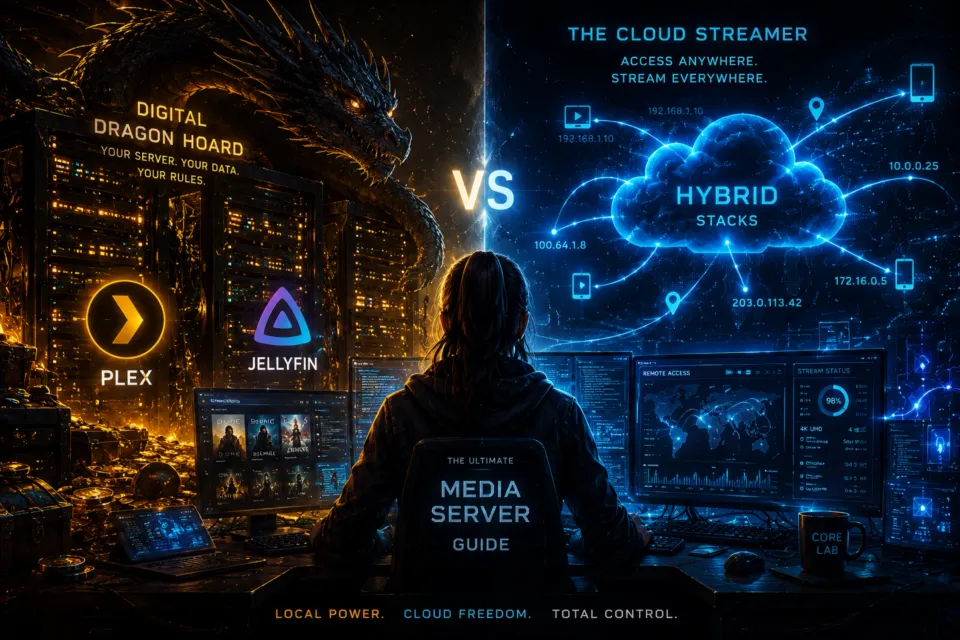
Stop paying for 12 different streaming services to watch one show.
Welcome to the Core Lab flagship media server selection guide. This isn't just a list of software; it is a battle plan for reclaiming your digital entertainment freedom.
New here? Start with the three pillars that define every modern homelab:
The Core Lab Pillars
🔥 TL;DR: Best Media Server Setup (2026)
- Best overall → Plex + Arr stack
- Best free/privacy → Jellyfin + Arr stack
- Easiest setup → Stremio + Real-Debrid
- Best advanced setup → Hybrid (DUMB stack)
📊 At-a-Glance: Comparing the Big Five Media Server Setups
| Feature | Plex | Emby | Jellyfin | Stremio + Real-Debrid | Hybrid (Plex/Jellyfin + Real-Debrid) |
| Transcoding | Best-in-class; simple hardware acceleration (Plex Pass). | Strong; similar to Plex. | Powerful but manual configuration required. | None required; streams pre-transcoded content. | Reduced; often direct play from Debrid sources. |
| Monthly Cost | Free / Plex Pass optional | Free / Emby Premiere | 100% Free | ~$3–$5/month | ~$3–$5/month (Debrid) |
| Storage Required | Local (NAS/server) | Local required | Local required | None | Unlimited (cloud-backed library) |
| Hardware Requirements | Moderate (CPU/GPU) | Moderate | Low → High (config dependent) | Very low | Low–Moderate |
| Setup Time | 10–20 min | 20–40 min | 1–2+ hours | 5–10 min | 30–90 min |
| Maintenance | Low | Medium | High | None | Medium |
| Remote Access | Easy (built-in) | Moderate | Advanced (VPN / reverse proxy) | Instant | Moderate (depends on setup) |
| Privacy | Cloud auth; partial telemetry | Cloud auth | Full control | Depends on provider | Mixed (self-hosted + third-party) |
| Offline Access | Yes | Yes | Yes | No | Limited (depends on caching/local files) |
| Technical Barrier | Low | Medium | High | Minimal | Medium–High |
| Best For | Polished “Netflix-like” server | Balance of control + usability | Privacy & full control | Zero-maintenance streaming | Power users wanting unlimited media without storage limits |
🧠 Visual Comparisons: Which Media Server Wins?
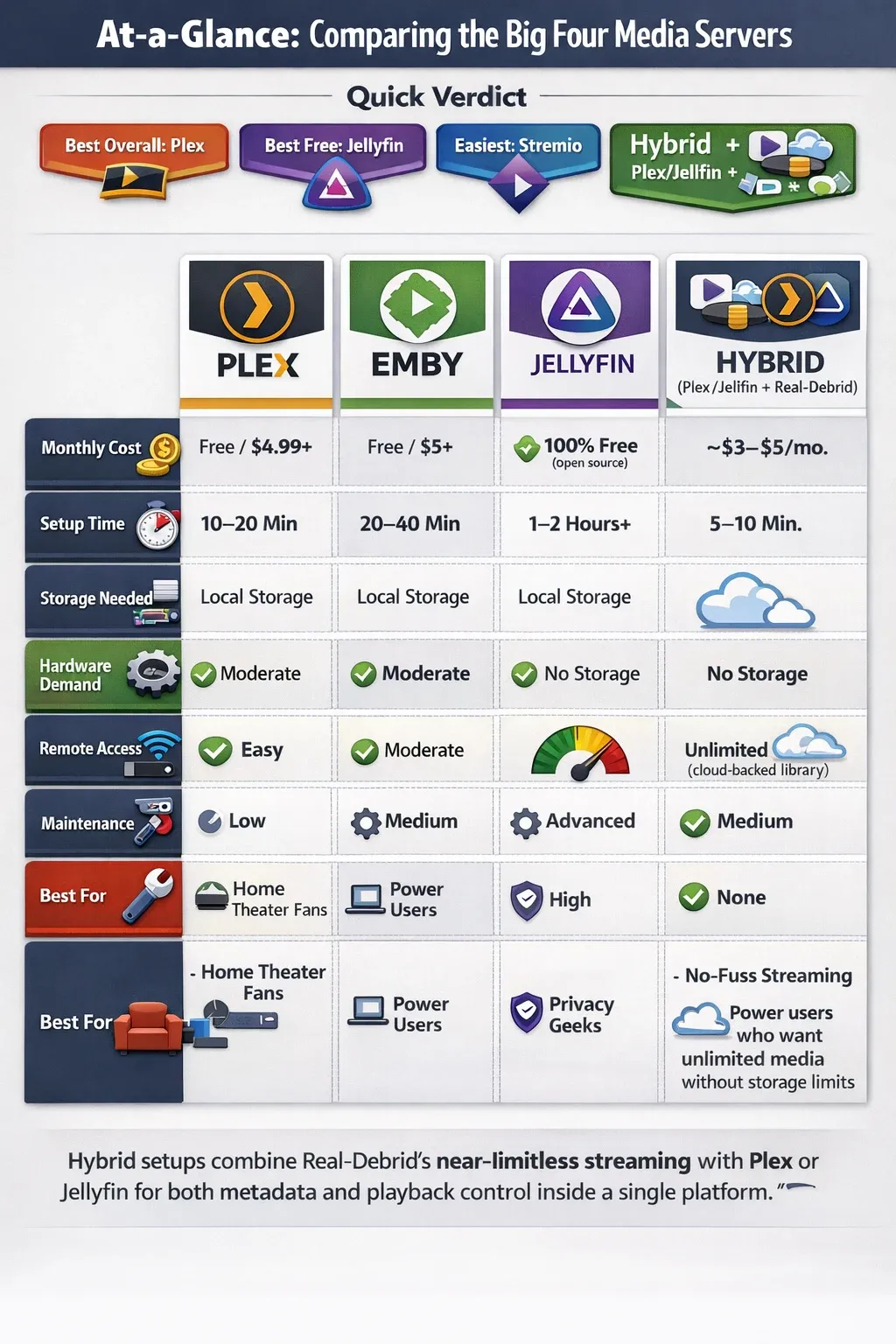
Choose your own adventure media server flowchart:
flowchart TD

A["Start: What kind of media setup do you want?"] --> B{"Do you want to host your own media?"}

B -->|No| C["Use Stremio + Real-Debrid
Fastest, zero maintenance"]
C --> C1["👉 View Guide"]
click C1 "https://corelab.tech/ultimate-media-server-guide/#stremio" "_blank"

B -->|Yes| D{"Do you want full control & privacy?"}

D -->|Yes| E["Use Jellyfin + Arr Stack
100% self-hosted"]
E --> E1["👉 Jellyfin Guide"]
click E1 "https://corelab.tech/plexvsjellyfin/" "_blank"

D -->|No| F{"Do you want the easiest experience?"}

F -->|Yes| G["Use Plex + Arr Stack
Best all-around setup"]
G --> G1["👉 Plex Guide"]
click G1 "https://corelab.tech/plexvsjellyfin/" "_blank"

F -->|No| H["Use Hybrid (Plex/Jellyfin + Real-Debrid
Unlimited media)"]
H --> H1["👉 Hybrid / DUMB Guide"]
click H1 "https://corelab.tech/ultimate-media-server-guide/#hybrid" "_blank"
You subscribe to three different streaming services, and the one show you want to watch is on a fourth. You're paying a premium for a fragmented, inconvenient experience. Or maybe you have a vast local library of media, but it's a mess of folders on a hard drive.
Whether you want to hoard 100TB of Linux ISOs (The "Digital Dragon") or just want a Netflix-like experience without the monthly fees (The "Ultimate Streamer"), there is a path for you.
⚠️ The Digital Castle Warning: Before you expose any of these services to the internet, you must secure your perimeter. Do not run Plex or Jellyfin open to the world without reading my [Cybersecurity Roadmap for Homelabs].
What is a streaming media server then?
When setup properly, a self-hosted media server is akin to your personal Netflix, running on your hardware, with your rules. It is a client-server architecture where the server component - a software application you install on a dedicated computer, NAS (Network-Attached Storage), or even a single-board computer like a Raspberry Pi - is responsible for managing your media library. It automatically fetches metadata, artwork, and subtitles, creating a rich, browse-able experience.
The client-side applications then connect to this server, allowing you to stream your content on any device, anywhere. This guide will walk you through the technical nuances of the most popular self-hosted solutions, including a hybrid model that challenges the very notion of "self-hosting."
🎯 Choose Your Path: What Kind of Media Hoarder Are You?
Unlike my homelab cybersecurity guide, building a media server is a "choose your own adventure." Your perfect setup depends on one key question: Do you want to manage the files, or just stream the content?
Before delving further, ask yourself if a NAS is a server? What IS a server? Can I use a NAS as a server?
I have broken this guide into four paths.
📚 Path 1: The Digital Dragon | Self-Hosted Media with Plex, Jellyfin, and the Arr Stack
This is the classic path. You will build a fully automated system that downloads, sorts, renames, and presents all your media in a stunning, self-hosted interface. You are in 100% control of your data, and it's all yours.
The Mission: Total ownership. Highest bitrate. No reliance on the cloud and either total or mostly private.
The Core: Choosing Your 2026 Media Backend (Plex vs Jellyfin vs Emby)
 Core Lab Joe
- Foundation (OS) - What OS to pick? NAS OS? Server OS?
- Core: Plex (Ease of use) OR Jellyfin (Privacy/Hardware Transcoding).
Plex: The Commercial Juggernaut
Plex is a closed-source, proprietary media server that has dominated the market by focusing on a polished user experience and extensive client support. Plex was originally a fork from "XBMC" - XBox Media Center. Plex was founded all the way back in 2008.
Its core software, the Plex Media Server, runs on a wide range of platforms, from Windows and macOS to Linux, Docker, and various NAS devices. The server performs critical functions such as library scanning, metadata scraping (using its own agents and public databases like The Movie Database), and transcoding.
Transcoding is Plex's key technical strength; it can convert video and audio formats on the fly to ensure seamless playback on any client device, regardless of its native codec support or network conditions. It has the most advanced (and proprietary) transcoding engine available for selfhosted media servers.
With a Plex Pass subscription, this process is hardware-accelerated, leveraging GPUs (e.g., Intel Quick Sync, NVIDIA NVENC) for a more efficient and less CPU-intensive conversion. Plex's remote access is managed through its own cloud infrastructure, which simplifies port forwarding and firewall configuration for the end-user but does mean that a connection to their servers is required. This cloud dependency and their foray into ad-supported content have raised privacy concerns among some users.
Plex is the most popular media server. While they are a private company and don't release specific user figures, their market dominance is evident from several factors:
- Brand Recognition: In any discussion about self-hosted media, Plex is the first name that comes up. It has become a near-synonym for a personal media server.
- Funding and Growth: Plex has secured substantial funding rounds, with a recent focus on expanding its business model to include ad-supported content. This kind of investment is a direct indicator of a large and monetizable user base.
- Ecosystem: The sheer breadth of official client applications for Plex, from every smart TV and game console to desktop and mobile platforms, speaks to a massive user count and professional development resources that far outstrip its competitors.
- Community Presence: Reddit communities like r/Plex and their official forums have millions of users, far exceeding the traffic of comparable communities for other media servers.
Jellyfin: The Open-Source Standard Bearer
Born as a fork of the Emby project, Jellyfin is a 100% free and open-source media server. Jellyfin and the developers programming it, embrace and embody a philosophy rooted in user privacy and control, with a commitment to never include subscriptions, tracking, or "phoning home" to a central server. This means remote access requires manual configuration of port forwarding and, for added security, a reverse proxy with an SSL certificate. Technologically, Jellyfin's capabilities are on very closely on par with its competitors. It offers robust library management, rich metadata fetching, and both software and hardware-accelerated transcoding.
Unlike Plex, all features, including hardware transcoding, are available for free.
However, getting hardware transcoding to work can be a more involved process, often requiring specific drivers and command-line configuration, especially in a Docker or virtualized environment. The client applications, while functional and available on a wide array of platforms, are developed by the community, which can sometimes lead to a less polished user experience compared to the professionally developed apps of its commercial rivals.
Jellyfin has seen explosive growth in recent years and has firmly cemented itself as the second most popular choice, particularly within the open-source and privacy-focused communities.
- Growth Trajectory: A community survey from a few years back highlighted a growing number of "Plexfugees"—users migrating from Plex to Jellyfin due to privacy concerns and the increasingly commercial nature of Plex. This trend has been a major driver of Jellyfin's user growth.
- Docker Pulls: As a popular solution for homelabbers and self-hosters, Jellyfin's Docker container download statistics are a strong indicator of its usage. While not a direct user count, the pull numbers are in the tens of millions, demonstrating its widespread adoption.
- GitHub Activity: Jellyfin's GitHub repository and development activity are highly active, reflecting a large and engaged community of developers and users.
Emby: The Customizable Bridge
Emby serves as a hybrid solution between the commercial model of Plex and the open-source ethos of Jellyfin. Initially an open-source project, Emby transitioned to a proprietary model, with a free server and a premium "Emby Premiere" subscription to unlock key features like hardware transcoding, offline downloads, and live TV/DVR. From a technical standpoint, Emby is a powerful and highly configurable server. It offers a sophisticated plugin system and more granular control over library management, user permissions, and parental controls than its rivals.
This makes it an excellent choice for a power user who wants a balance of a polished user interface and deep-level customization.
The paid subscription model funds professional development, which results in stable and feature-rich client applications, often sharing a similar look and feel to Plex's. The key distinction from Plex is that Emby's focus remains squarely on organizing and streaming the user's personal media, without the added ad-supported content and cloud-centric features.
Emby holds a solid position in the third spot. While it was once the leading open-source alternative to Plex, its transition to a proprietary model caused a significant portion of its user base to fork the project and create Jellyfin.
- Dedicated User Base: Despite the exodus to Jellyfin, Emby maintains a dedicated user base that appreciates its balance of features, professional polish, and a less intrusive approach than Plex. Its user base is more mature and less focused on open-source principles.
- Feature Parity: For users willing to pay for a premium subscription, Emby offers a very similar feature set to Plex, including hardware transcoding and live TV. This makes it a viable choice for those who want a polished experience without the extra ad-supported content.
- Community Size: While its community is not as large as Plex's or as rapidly growing as Jellyfin's, its forums and subreddits are active and well-supported, indicating a stable and committed user population.
The Automation Engine: Setting up Sonarr, Radarr, and Prowlarr
 Core Lab Joe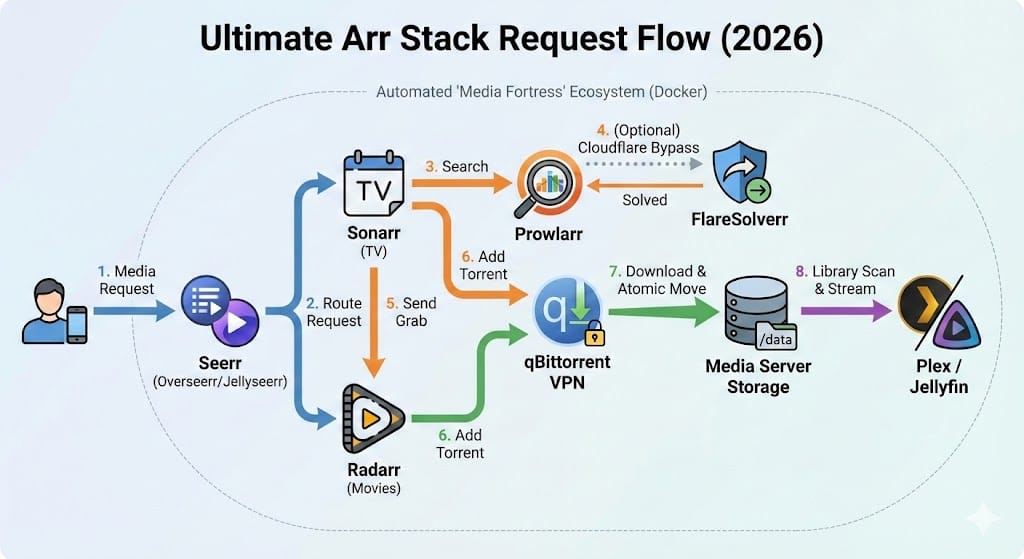
- Automation: The *Arr Stack (Sonarr, Radarr, Prowlarr etc).
- The Brain: Seerr (Formerly Overseerr/Jellyseerr). This is no longer optional—it is the only way to manage requests.
- The Quality Control: Profilarr. Automatically syncs the best custom formats (from TRaSH Guides, like Recyclarr) so you don't get stuck with bad 4K rips.
- The Shield: Gluetun. The industry-standard VPN container that keeps your ISO Linux acquisition private.
- The Stealth Option: Wireguard. When you can be anywhere, and always remote back home with full privacy.
⚡ Path 2: The Ultimate Streamer | Stremio + Real-Debrid for 4K Cloud Streaming
What if you want the *arr stack's "get anything" convenience without the complexity and without needing 100TB of storage?
The Mission: Zero hard drives. Instant 4K Remuxes. 15-minute setup.
Why Stremio + Real-Debrid is the 2026 King of Convenience
This is the "Netflix Killer" that actually works. It requires no server hardware -just a compatible streaming device (NVIDIA Shield, FireStick, or Google TV Streamer).
How it works: A Debrid Caching service underpins the whole tech stack, allowing you access to massive libraries of cached online content!
Optimizing Stremio Add-ons:
I recently updated this guide in April 2026 to focus on deploying AIOStreams.
- Frontend: Stremio (The beautiful interface).
- Addons: AIOStreams!
- Backend: Real-Debrid (The cloud cache).
Why this path? If you just want to watch Dune: Part Two in 4K Dolby Vision tonight without managing a Linux server, this is it. It now fully supports iOS via the "Outplayer" method.
➡️ [Read the Full Guide: The "Fail-Proof" Stremio Setup (2026)]
 Core Lab Joe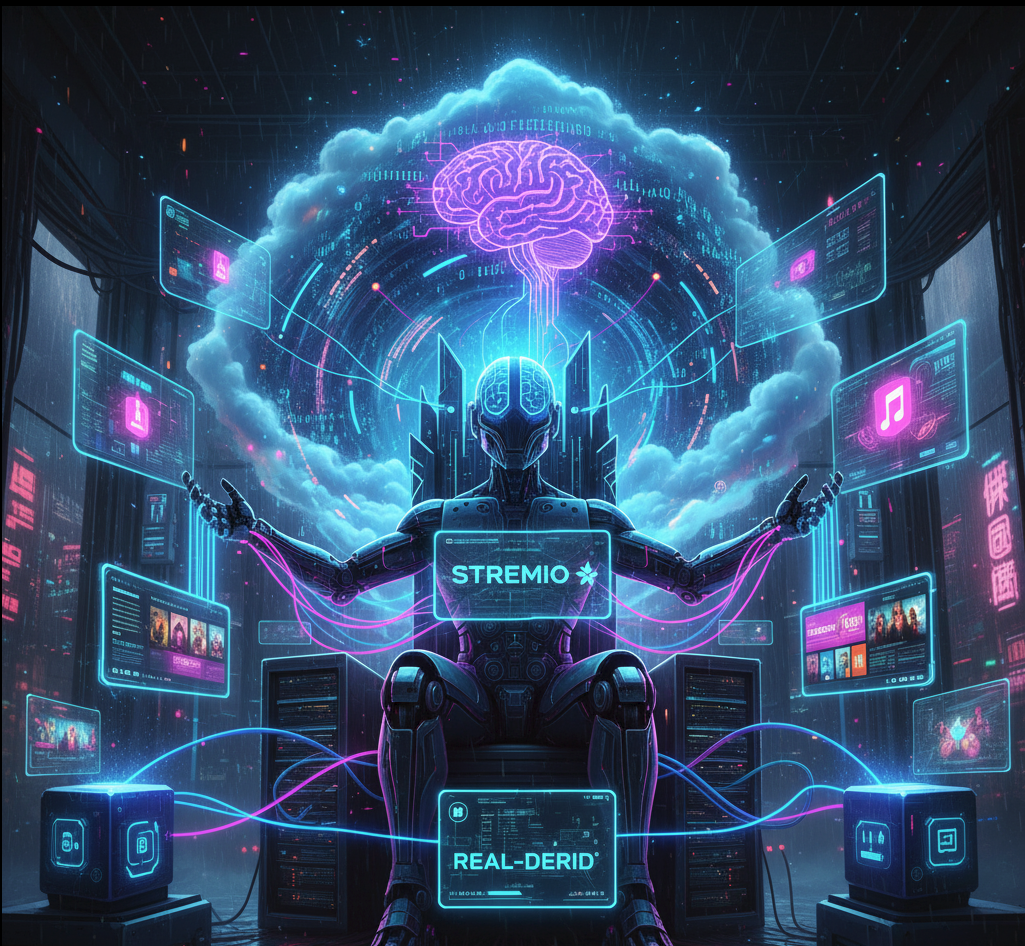
The Atypical Contender: Stremio with Real-Debrid
While Plex, Jellyfin, and Emby are all about self-hosting your own media, Stremio with Real-Debrid represents a fundamentally different paradigm. This is not "self-hosting" in the traditional sense, as you are not hosting the media files yourself. Instead, this setup uses a client-side application (Stremio) and a paid service (Real-Debrid) to access a massive, pre-existing library of media.
How it Works: Stremio is a media aggregator—a platform that uses community-developed add-ons to find and display content. When you install an add-on like Torrentio and configure it with your Real-Debrid API key, Stremio queries the add-on, which in turn searches for high-quality torrents of your requested movie or show. Instead of downloading the torrent to your local machine (a legally grey area in many jurisdictions), Real-Debrid acts as a premium debrid "cache" service. It securely downloads the torrent file onto its own high-speed servers, which act essentially as a distributed and highly available cloud service. If the torrent has already been downloaded by another user, it is "cached" on their servers, allowing for near-instant streaming. When you click "play," you are not peer-to-peer torrenting; you are securely streaming the file directly from Real-Debrid's server via an encrypted HTTPS connection.
This means your ISP only sees traffic to and from Real-Debrid, not the torrent swarm itself. In fact, your ISP and other authorities cannot see what you are accessing on Real-Debrid, only that you have accessed their service, which is no different than utilizing something like Google Drive.
Technical Implications: The Stremio/Real-Debrid setup is a powerful and low-barrier-to-entry solution. It requires no server hardware, no management of local files, and no knowledge of port forwarding or firewall rules. The cost is a small monthly or bi-annual subscription to Real-Debrid. The trade-off is that you have no personal control over the library. You are completely dependent on the availability of cached files on Real-Debrid's servers, which, while extensive, is not a guarantee for truly obscure content.
Honourable Mentions
- Universal Media Server (UMS): A long-standing, free, and open-source solution that focuses on DLNA and UPnP streaming. It is popular with users who want a simple, no-frills server for streaming to compatible devices on their local network.
- Kodi: While technically a media player and not a server, its ability to act as a centralized media hub on a single device, combined with a vast ecosystem of add-ons, makes it a popular choice for home theatre enthusiasts who don't need a server/client model.
💎 Path 3: The Hybrid Master | The Decypharr & DUMB Stack (Cloud-Mounting + Local Metadata)
This is the holy grail. This is the expert-level solution for the admin/sysop who demands everything. No limits, no compromise and no hard drives!
What is the DUMB Stack? (Debrid Unlimited Media Bridge)
The Mission: The power of Plex/Jellyfin. The "Infinite Storage" of the Cloud. This has all the strengths of your own media server, yet none of the weaknesses of local storage (expensive hard drives & storage) nor of 'single ip limits' with Stremio.
Mounting the Infinite Cloud: Using Decypharr & RClone for Real-Debrid Local Streaming
The Secret Sauce: In the past, mounting cloud storage was slow and buggy. A fantastic developer solved this by packaging the entire stack into a single, optimized Docker container that includes:
- Decypharr: The engine that tricks Plex or Jellyfin into thinking the cloud is a local NVMe drive.
- Aarr stack & Riven: The automation brain that finds content. Like Jellyseerr/Sonarr & Radarr had a baby!
- Plex/Jellyfin: The player you know and love.
The "Infinite" Server: By deploying the DUMB Stack, you get a 100TB+ media server that fits on a $150 Mini PC. No spinning rust. No RAID arrays. Just instant, infinite streaming.
➡️ [Read the Full Guide: The Ultimate "Unlimited" Media Server (DUMB Guide)]
 Core Lab Joe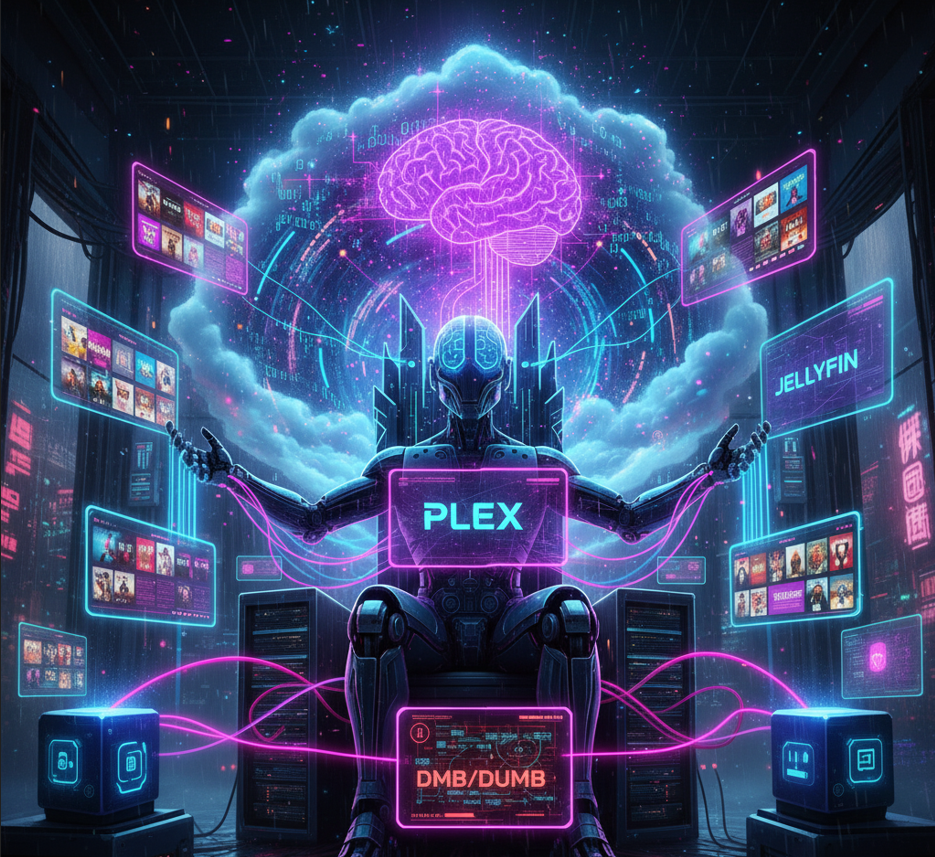
(Includes our Custom Docker Compose Generator and Hardware Transcoding Cheat Sheet)
🏛️ Path 4: The Digital Vault | Private Asset Management & How to De-Google
Tired of paying monthly fees to Google, Apple, Dropbox, or Evernote just to store your own digital life? Worried about the privacy implications of cloud providers scanning your photos or documents?
Digital Preservation: Why Personal Media Sovereignty Still Matters
- The Mission: Fire Google Photos. Fire Dropbox. Own your memories with Immich. Run your own local AI. Automate your house with Home Assistant and more! This is how you "de-google".
Path 1 and 4 here, are the only ways to truly have air-gapped or offline available media. 100% privacy and functionality at your fingertips, even if the internet is offline!
- The Stack:
- The Google Photos Killer: Immich There is no second place. Immich is the king of self-hosted photos. It offers facial recognition, mobile backup, and a beautiful UI—all running on your own hardware.
 Core Lab Joe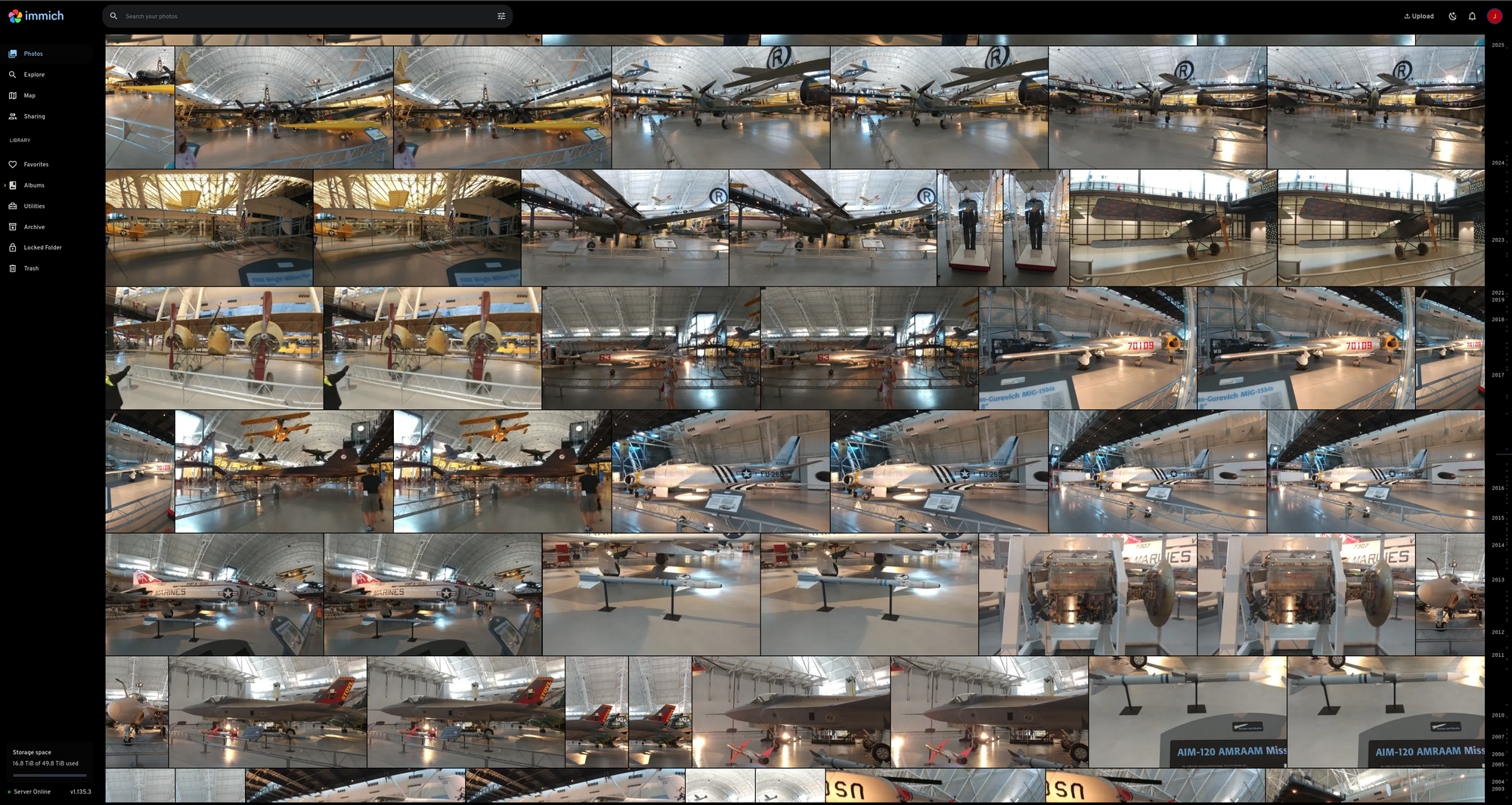
- The Private Brain: Local AI A true vault doesn't just store data; it understands it. By running a Local LLM (like ChatGPT, but private), you can analyze your documents without ever sending data to the cloud.
 Core Lab Joe
- Documents: [COMING SOON] Paperless-NGX. OCR your physical mail and make it searchable.
- Notes: Obsidian
🏗️ Hardware Logistics
You don't need a rack-mount server to run these stacks. There's so many options in the modern digital age, for almost any budget!
➡️ [See my Full 2026 Hardware Buyer's Guide]👇
 Core Lab Joe
- For Path 2 (Stremio): You need a Client Device.
- The King: NVIDIA Shield TV Pro (Lossless Audio/TrueHD).
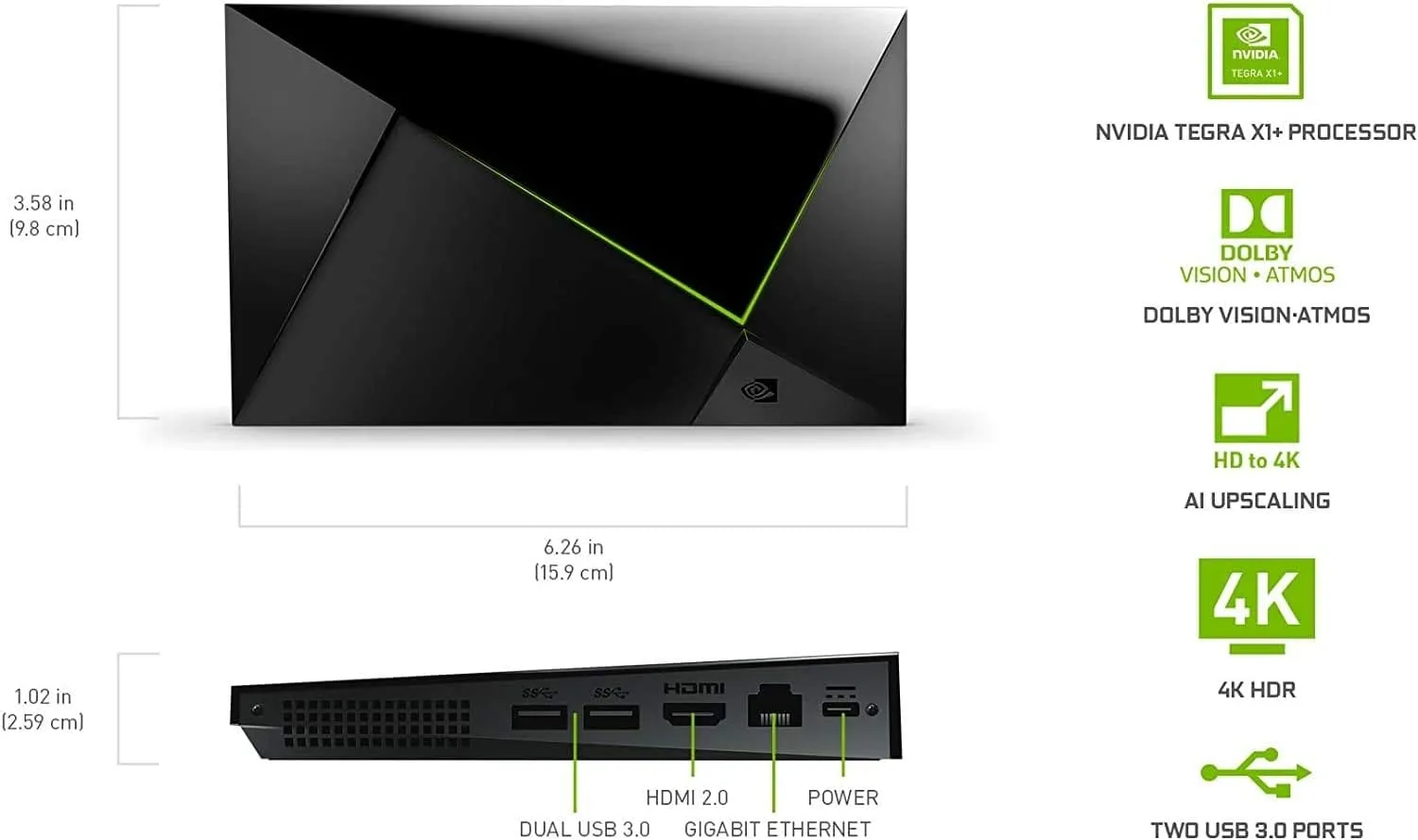
NVIDIA Shield Pro
Android TV Pro | 4K HDR Streaming Media Player, High Performance, Dolby Vision, 3GB RAM, 2x USB, Works with Alexa
- The Value: Google TV Streamer 4K (Great UI).
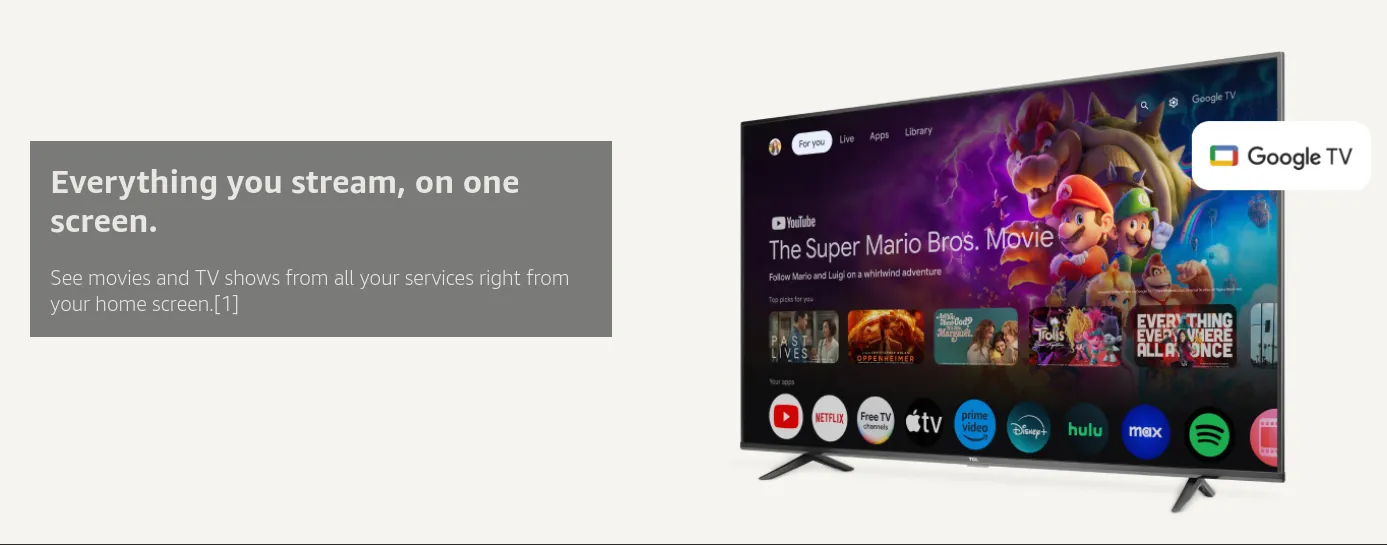
Google TV Streamer 4K
Fast Streaming Entertainment With Voice Search Remote - Watch Movies, Shows, Live TV, and Netflix in 4K HDR - Smart Home Control - 32 GB Storage
- For Path 3 (DUMB/Plex): You need a Host Server.
- The Scout: Intel N150 Mini PC. (Perfect for DUMB. Low power, high transcoding).
- The Workhorse: Intel i5-13600K. (If you want to run DMB + 50 other containers).
FAQ: Common Media Server Questions
Q: Which is better for beginners, Plex or Jellyfin? A: Plex remains the winner for ease of use and client compatibility. If you want a "Netflix" experience for non-technical family members, choose Plex. If you prioritize privacy and want hardware transcoding for free, Jellyfin is the better choice.
Q: Do I need a VPN if I am using Real-Debrid with Stremio or Zurg? A: Technically, no. Real-Debrid uses an encrypted HTTPS connection to stream files directly to you. Your ISP can see that you are connected to Real-Debrid, but they cannot see what specific media you are watching.
Q: Can a cheap Intel N100 Mini PC really handle 4K transcoding? A: Yes. Thanks to Intel QuickSync (QSV), even budget-friendly N100 or N150 chips can handle multiple 4K HDR-to-SDR transcodes simultaneously, making them the "Scout" class champions for 2026 homelabs.
Q: What happens to my media server if my internet goes out? A: If you are on Path 1 (Digital Dragon) or Path 4 (Digital Vault), your local media and photos will still work perfectly on your home network. Paths 2 and 3, which rely on Real-Debrid or Cloud mounting, will be inaccessible until your connection is restored.
Q: Is the "DUMB" stack safe for my data? A: The DUMB stack (Debrid Unlimited Media Bridge) is a hybrid approach. While it provides "infinite" storage, you do not own the files. Always use Path 4 for your irreplaceable family photos and personal documents to ensure true data sovereignty.



Member discussion